Add MobilityArena as a preferred source on Google
Nokia has completed the sale of its HERE business to a consortium comprised of AUDI AG, BMW Group, and Daimler AG on the 4th of December, 2015. By the terms of the sale, HERE Global B.V. – previously a subsidiary of Nokia Corporation and the current operator of HERE products and services – has made a statement to assure users of the safety of their privacy and their personal data

According to the statement:
Now that the proposed transaction is complete, HERE Global B.V. – previously a subsidiary of Nokia Corporation and the current operator of HERE products and services – will assume responsibility for your personal data and the contractual relationships for these products and services. HERE cares deeply about your privacy and protecting your personal data and will continue to collect and process your personal data in the same ways and for the same reasons as Nokia. You should experience no differences as a result of the sale. Also, please note that Nokia will continue to run its businesses, services and applications as it does today. The responsibility for your personal data and your contractual relationship relating to these Nokia products and services will remain with Nokia and continue to be governed by the laws of Finland. Nokia continues to be committed to the highest standards to protect your privacy and your personal data.
So, it looks like HERE Maps and its various apps will continue to run as they have and managed by Nokia.
Thanks, Gbenro , for the tip-off!
Author:Mister Mobility
Digital Skills and Communication Coach | Mobile Phone Connoisseur since 2001 | Tech Blogging since 2004
Add MobilityArena as a preferred source on Google
There are tons of BlackBerry 10 smartphone owners out there complaining about getting “ the camera can’t be started ” error when they launch their smartphone camera. This is not an error that I have experienced with either the Z30 or the Passport, so I initially had no hands-on experience solving it.
I took the time to investigate and compile a list of solutions that have worked for different individuals who have experienced the error. Down the road, I ran into the issue on the BlackBerry Q5 and was able to resolve it.
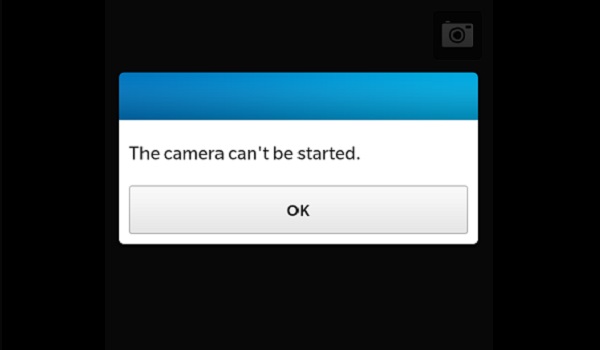
Solutions to “the camera can’t be started” error
Do try out these procedures:
Delete all the third party apps and then restart the phone. The camera should work now. When installing or re-installing any app, make sure that when prompted during the installation run, you give only the most essential apps camera access.
Removed the phone battery, remove and the put back your SIM card, remove and put back your memory card, then start the phone.
For legacy BlackBerry smartphones, try clearing the browser cache.
Go to your Browser app
Select the App button
Scroll way down and select “Options”
Select Cache Operations
Clear everything (history, content, cookies etc)
Select the return key (shows clearing memory)
There you are. Three possible solutions to help resolve “the camera can’t be started” issue on your BlackBerry. If one of the above works for you, do help others by posting a comment below to say which. If you have run into this problem and found a solution, do share as well. Thanks!
Updated: 17/12/2015: Blackberry Q5
For BlackBerry 10 devices, this “the camera can’t be started” error comes up once in a while. I also experienced this on my BlackBerry Q5 and worked out a solution for it. Whenever this error pops-up, allow the battery to run down to zero percent (0%). Then charge the phone. Check your camera, it should open normally. Running down the battery resets and re-calibrates the software.
- Don’t miss our reviews .
- Follow us on Instagram , Facebook , Twitter , and YouTube .
Author:Mister Mobility
Digital Skills and Communication Coach | Mobile Phone Connoisseur since 2001 | Tech Blogging since 2004
