Add MobilityArena as a preferred source on Google
I just read the rumour of how Apple might be announcing three (3) iPhones this year – iPhone 7, iPhone 7 Plus and the iPhone 7 Pro. If this rumour is true, it should sound familiar to you. Yes; it sounds like Apple might be joining the bad gang. Let me help jog your memory a little with help from a few members of the bad gang.
Xiaomi , Gionee and Samsung immediately come to mind with their extensive (and sometimes confusing) ranges of stepped models. This three-step rumour of the upcoming iPhone isn’t confusing in any way yet. We will have to wait for Apple to add an iPhone 7 Mini, iPhone 7 Max, iPhone 7, iPhone 7s, iPhone 7 Active, and iPhone 7 MediaTek (!!!) to the mix, before we can officially welcome them to the confusing category. That would be something.
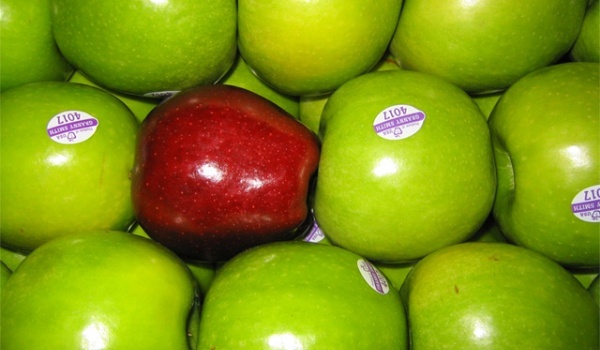
Again, it has to be said: this multistep product model seems to work well for manufacturers and if the rumour is true, Apple is latching on as well. In which case, we would be able to say that Apple has joined the bad gang, finally.
Author:Mister Mobility
Digital Skills and Communication Coach | Mobile Phone Connoisseur since 2001 | Tech Blogging since 2004
Add MobilityArena as a preferred source on Google
One problem that is common on Android smartphones that of how files get scattered all over your phone as you download, save and edit them. This gets worse over time. For low-end Android devices, especially, with limited resources, the phone starts to lag. In some cases, you may start accumulating duplicate files. It eventually gets to a stage where you can’t keep track of them any more. This is where an app called “Duplicate Files Fixer” comes in. In simple terms, it helps you remove duplicate files from your Android smartphone .
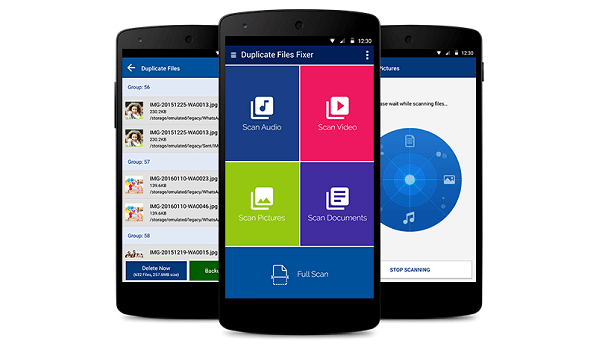
How It Works To Remove Duplicate Files
This app lets you search for duplicate files on your device, and lets you delete them after finding them. The app’s interface is easy to use. At first launch, a tutorial is there to guide you on how to use the app. A menu on the right side shows all the app settings. (See screenshots below).
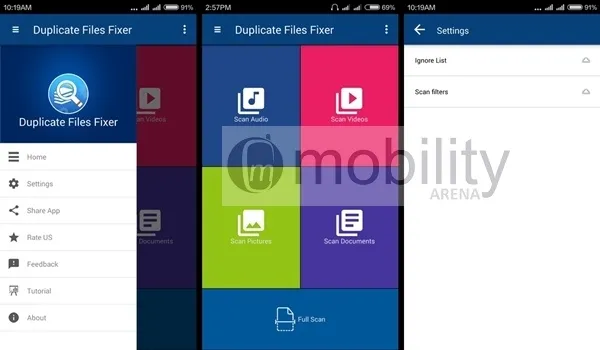
Simply press “Full Scan” , and the app will scan through your phone. After that, you pick the ones to delete and wipe them off. Easy pie.
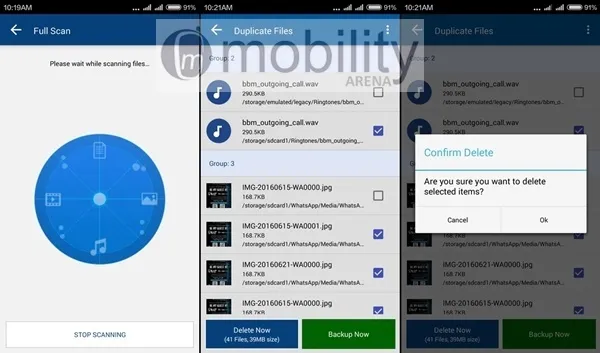
After using this app, you will definitely have no more issues with duplicate files on your device. Download Duplicate Files Fixer from Google Play Store HERE .
- Don’t miss our reviews .
- Follow our news on Google News .
- Join our WhatsApp Group , to be notified of the most important articles and deals,
- Follow us on Instagram , Facebook , Twitter , and YouTube .
Author:Etoniru Chibueze
Chibueze is an award-winning gadget reviewer and geek. He loves research, while living and breathing tech. You can reach him on Facebook, Twitter ,OR LinkedIn
