Add MobilityArena as a preferred source on Google
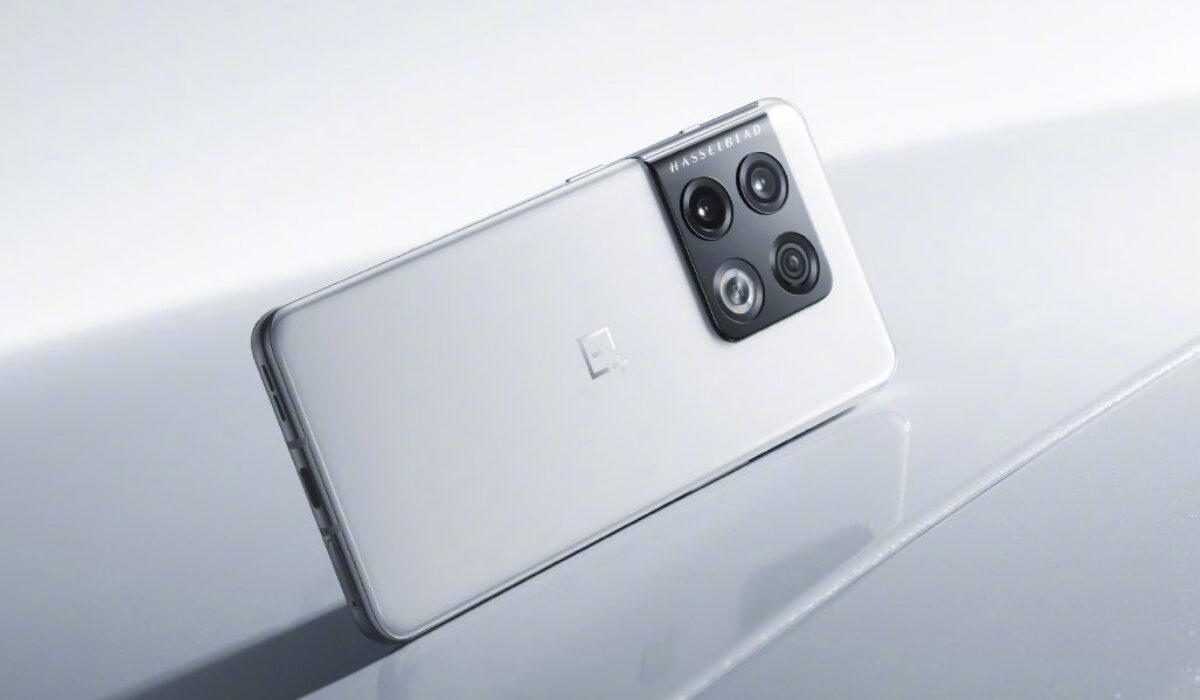
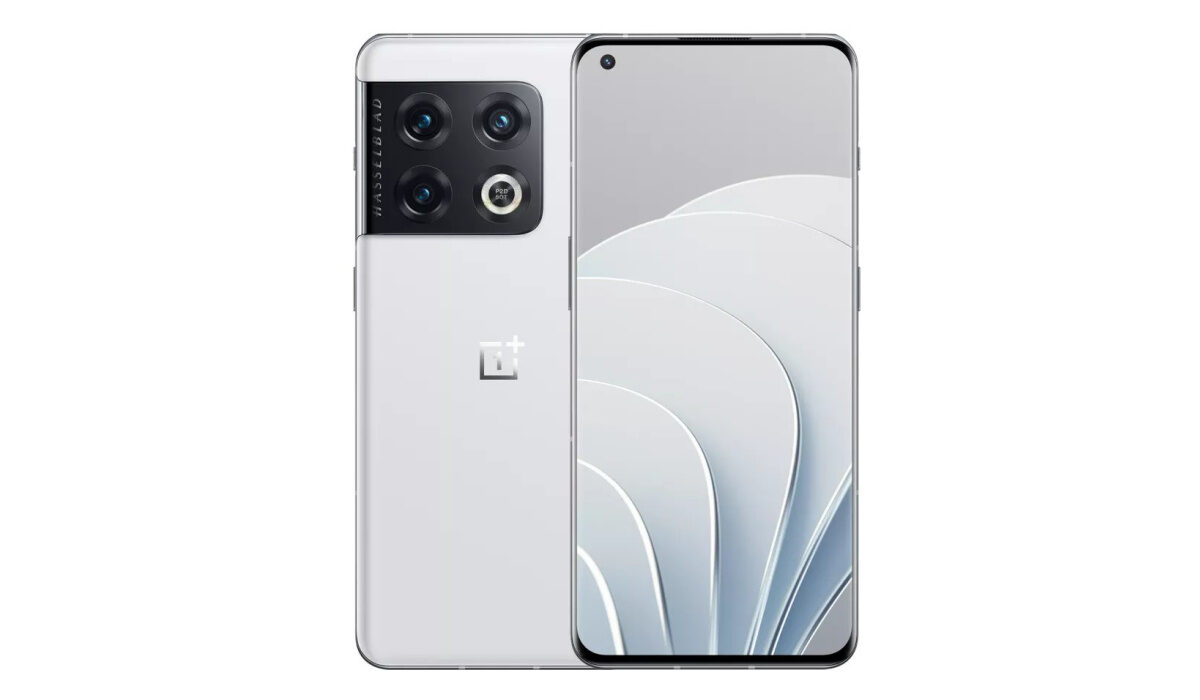
OnePlus 10 Pro has now been launched globally, and we have photos of this premium flagship smartphone in white. This white colour scheme is the best of the images I have seen so far. But then, it is hard to find a white smartphone that looks bad.
One of the attractions to OnePlus phones over the years has been the software, Oxygen OS. Last year, OPPO and OnePlus announced a unification of the two brands’ operating systems, ColorOS and OxygenOS, with the assurance that the latter was not going away.
Let’s have a look at the specs of the phone.
OnePlus 10 Pro specs and features
- 6.7″ AMOLED 120Hz refresh rate LTPO 2.0, Corning Gorilla Glass Victus
- Snapdragon 8 Gen1 5G processor (4nm)
- 8 GB and 12 GB RAM, LPDDR5
- 128 GB and 256 GB built-in storage, UFS 3.1
- 48MP wide angle + 50MP ultrawide angle + 8MP telephoto lens, rear camera
- 32MP front camera
- 5000mAh non-removable battery
- 80W wired fast charging (65W in the United States)
- 50W wireless fast charging
- Color OS12 (in China), OxygenOS 12.1 (global) based on Android 12
- X-Axis linear motor
- In-display fingerprint scanner
- 163 x 73.9 x 8.55 mm in dimensions
- 200g weight
- NFC
- Stereo speakers
- Colours: Green. Black. White.
The specs are good and sweet. The hardware can hardly be faulted, and the white colour option is a stunner. Also, we can hope that the collaboration with Hasselblad will produce better photos this time.
The phone has two memory options – 8/128 GB and 12/256 GB. As listed under the specs, while the Chinese and global markets get 80W fast charging, the models to be sold on North America (US and Canada) have 65W fast charging, due to incompatibility issues. North Americans will just have to suck it up.
What of the price? How much is OnePlus 10 Pro?
In the United States, the price starts from $899, €899 in Europe, and ₹69,999 in India. These prices are for the 8/128 GB base variant. The 12/256 GB variant goes for ₹71,999 in India.
Is OnePlus 10 Pro water resistant?
This smartphone attracts a premium price, but unfortunately does not have an official IP rating certifying it so. Some reviewers have said that it can survive a dunk in water. We recommend that you keep it away from water.
When did the OnePlus 10 Pro come out?
It was initially released in China in December 2021, but it was not available anywhere else until an international launch was done in March 2022.
Does OnePlus 10 Pro have 3.5mm headphone jack?
No; it does not have a 3.5mm audio port.
Does OnePlus 10 Pro have 5G?
In addition to supporting 2g, 3G, and 4G wireless networks, the 10 Pro also supports both non-standalone and standalone 5G networks .
What kind of phone is is OnePlus 10 Pro?
The 10 Pro is a premium flagship grade Android smartphone running Android 12 and powered by a Snapdragon 8 Gen 1 processor. It has a 6.7-inch Fluid AMOLED screen with up to 120Hz refresh rate, and a 5000mAh battery with 80W fast charging.
Is OnePlus 10 Pro worth buying?
Selling for $899, the price is not bad. However, reviewers have pointed out too key issues. GSMArena reports that the phone “has a major scrolling problem, and it makes the phone borderline unusable”. DXOMARK gave it a global score of 27th, saying that the OnePlus 10 Pro “cannot keep up with the best devices in the Ultra-Premium segment. It performs on a similar level as slightly older devices, such as the Apple iPhone 12 Pro and the Oppo Find X2 Pro”. You might want to bear these in mind in making your smartphone purchase decision.
- Don’t miss our reviews .
- Join our WhatsApp Group , to be notified of the most important articles and deals,
- Follow us on Instagram , Facebook , Twitter , and YouTube .
Author:Mister Mobility
Digital Skills and Communication Coach | Mobile Phone Connoisseur since 2001 | Tech Blogging since 2004
Add MobilityArena as a preferred source on Google
According to a certain message titled “Five Things you Never Knew Your Cell Phone Could Do”, making the rounds via WhatsApp and other channels, dialling #3370# or *3370# is supposed to unlock a hidden reserve battery power in your smartphone. Item number 3 from that message says this:
Is your mobile phone battery flat? All handphone have Hidden Battery Power. To activate, press the keys #3370# (remember the asterisk). Do this when the phone is almost dead. Your mobile will restart in a special way with this new reserve and the instrument will show a 50% increase in battery life. This reserve will be recharged when you charge your handphone next time. This secret is in the fine print in most phone manuals which we skip without realizing.
I reproduced the message as is, with all the errors, so pardon the bad English above. The question is, does dialling the #3370# or *3370# code really do that, or is this a myth? Another claim is that dialling that same #3370# or *3370# boosts your cell phone’s reception. But does dialling either of these numbers do any of these things?
If you were to dial these codes on your iPhone 14 Pro Max, Samsung Galaxy S22 Ultra 5G, or Nokia G60 5G right now, what would happen? Nothing. Absolutely nothing. It would not boost their battery life or cell phone service .
- Does the #3370# or *3370# code improve battery life?
- Does the code #3370# or *3370# boost cell signal?
- Does the #3307# code improve iPhone battery life?
- Does the code #3307# boost iPhone cell signal?
- Is 112 the emergency number worldwide for mobile phones?
- Can you disable a stolen phone with *#06#?
- Does ATM PIN Number reversal call the police?
Does the #3370# or *3370# code improve battery life?
No; it does not.
Does the code #3370# or *3370# boost cell signal?
No; it does not.
Both claims are hoaxes. Typing in or dialling #3370# or *3370# on your smartphone is not likely to do anything at all. I tried it on my Xiaomi Mi Note 10 Pro; nada. Then, I punched it in on a Pixel phone; zilch. Next, I tried it on a TECNO Camon 18 Premier; duh. Nothing. Finally, dialling it on an iPhone 12 Pro Max and Samsung Galaxy S23 produced no such results, too.
Dialling #3370# or *3370# is as useful as singing, “Twinkle, twinkle little star”. Dialling these codes won’t boost your cellphone signal, or battery, either. So where did this claim originate from? I have no idea. If you don’t believe me, though, you can type that code on your phone now. Zilch.
Does the #3307# Secret Code Boost iPhone Reception?
This is just a modified version of the above hoax. Dialling #3307# will not boost your iPhone reception . Dialling #3307# will not give your iPhone access to any stored backup battery power.
Does the #3307# code improve iPhone battery life?
No; it does not. Dialling #3370# on your iPhone will not boost its battery life.
Does the code #3307# boost iPhone cell signal?
No; it does not. Dialling #3370# on your iPhone will not boost its network reception.
Some Other Cell Phone Myths
As we are here already and addressing cell phone myths, I might as well address all the other points in that message titled, “Five Things you Never Knew Your Cell Phone Could Do”; right? And I will make it short and sharp. Come with me.
Emergency Services: Is 112 an automatic worldwide emergency number?
Here’s what that message says:
The Emergency No. worldwide for all Mobile Phones is 112. If you find yourself out of the coverage area of your mobile network and there is an emergency, dial 112 and your mobile will search any existing network in your area to establish the emergency number for you, and interestingly this number 112 can be dialed even if the keypad is locked. This works on all phones worldwide and is free.
Is 112 the emergency number worldwide for mobile phones?
No; it isn’t. It depends on the country.
112 is the emergency number adopted in Europe. It is not a global standard. For example, in the USA, the emergency number is 911. Some carriers in the United States have forwarded 112 calls to 911 though, but not all.
In many other countries, dialling 112 will not get you any help in an emergency. Until recently in Nigeria, 112 was inactive. Then Lagos State implemented it, and it has since been taken up as a national emergency number.
So, 112 is not an automatic channel. Each country has to adopt and implement it before it works. If you are travelling outside your country, find out what number is active for emergency calls in your destination country.
2. Locked your keys in the car?
Let’s look at another tip provided in that message:
If you lock your remote keyless car keys in the car and the spare keys are at home, call someone at home on their mobile phone from your cell phone. Hold your cell phone about a foot from your car door and have the person at your home press the unlock button on the spare key, holding it near the mobile phone on their end. Your car will unlock. Saves someone from having to drive your keys to you. Distance is no object. You could be thousands of miles away. Editor’s Note: I didn’t believe this when I heard about it! I rang my daughter in Sydney from Perth when we went on holiday. She had the spare car key. We tried it out and it unlocked our car over a mobile phone!
When I first heard this, I had my doubts. My knowledge of automobiles told me that keyless entry systems work on radio frequencies, not sound. So, as soon as I had the chance, I looked it up. This is another hoax. You cannot unlock your car this way.
Can you disable a stolen phone with *#06#?
Another tip from the message says:
To check your handphone’s serial number, key in following digits on your phone: * # 0 6 # Ensure you put an asterisk BEFORE the #06# sequence. A 15 digits code will appear on the screen that is unique to your handset. Write it down and keep it somewhere safe. If your handphone is ever stolen, phone your service provider and give them this code. They will then be able to block your handset so even if the SIM is changed, your handphone will be totally useless. And even if you don’t get your phone back, at least it can’t use/resold either. If everybody did this, there would be no point in people stealing mobile phones. This secret is also in the fine print of most mobile phone manuals. It was created for the very purpose of trying to prevent phones from being stolen.
Can you disable a stolen phone with *#06#?
Maybe.
Typing *#06# in the dialler of your phone will display the phone’s 15-digit identification string (IMEI). But there is no guarantee that your carrier or network operator will be able to block or blacklist the phone. You see, they need to have set up the required system to do that, and it is usually a national system, so that if one carrier blocks the handset, it cannot be used on any network in that country.
So, for reporting your stolen phone’s IMEI to work for you, the system has to have been adopted by not just your operator but also all other operators in the country. Otherwise, it is a waste of time.
Does ATM PIN Number reversal work?
The message says:
ATM PIN Number Reversal – Good to Know !!! I I f you should ever be forced by a robber to withdraw money from an ATM machine, you can notify the police by entering your PIN # in reverse. For example, if your pin number is 1234, then you would put in 4321. The ATM system recognizes that your PIN number is backwards from the ATM card you placed in the machine. The machine will still give you the money you requested but unknown to the robber, the police will be immediately dispatched to the location. All ATM’s carry this emergency sequencer by law. This information was recently broadcast by Crime Stoppers. It is, however, seldom used as people just don’t know about it.
Does ATM PIN Number reversal call the police?
Not at all; don’t even bother.
If you are laughing by now, that is understandable. Someone somewhere cooked up a bunch of myths as practical tips for mobile users. While this ATM PIN reversal trick is not exactly a mobile phone issue, it doesn’t hurt that I address it here.
ATM PIN reversal is a concept that has not been implemented anywhere. You can go ahead and type in the reverse of your ATM PIN: what you will get is an incorrect error. Nothing more. No alarm bells will ring out in any police station. You can wait till Jesus returns, and it won’t happen – unless the concept is finally implemented.
Author:Mister Mobility
Digital Skills and Communication Coach | Mobile Phone Connoisseur since 2001 | Tech Blogging since 2004
