Add MobilityArena as a preferred source on Google
OnePlus 10R and OnePlus Nord CE 2 Lite are now official. Let’s have a look at the specs first, then the prices.
OnePlus 10R 5G Specs
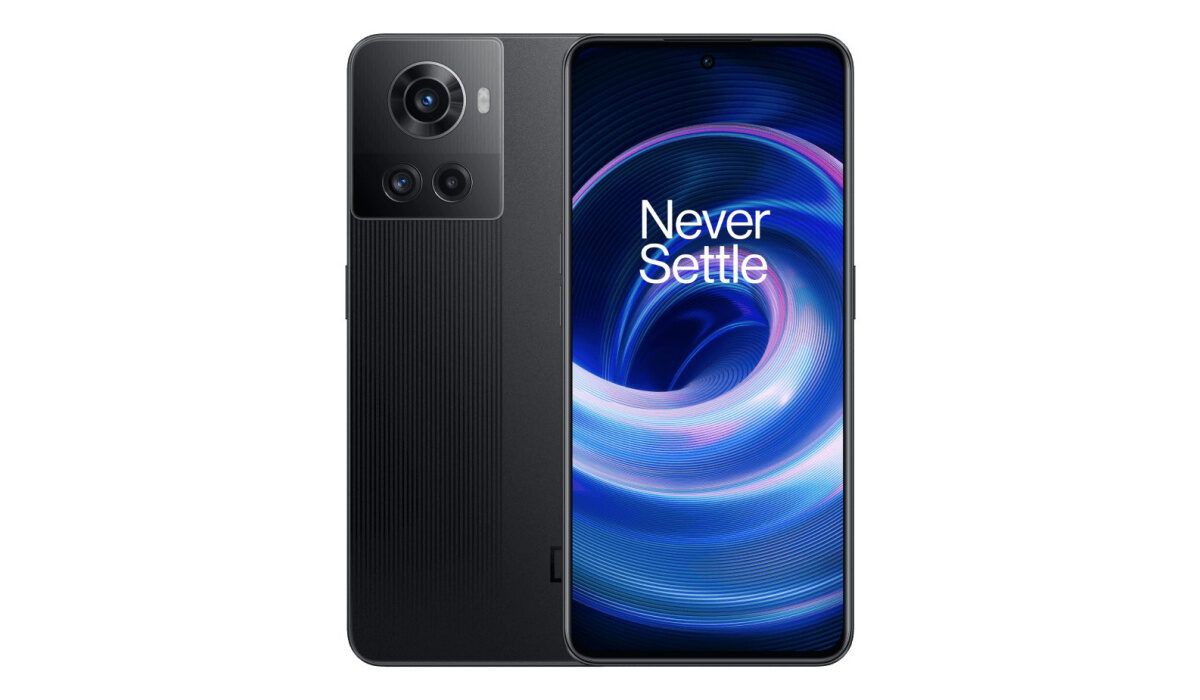
- 6.7-inch, FullHD+, HDR10+, 120Hz refresh rate, AMOLED screen, Gorilla Glass
- OxygenOS 12 based on Android 12
- Dimensity 8100 SoC
- 8 GB / 12 GB RAM
- 128 GB / 256 GB built-in storage
- 16 MP selfie camera
- 50MP Sony IMX766 main lens (OIS) + 8MP Sony IMX355 ultrawide lens + 2MP macro lens
- 4,500 mAh battery
- 80W / 150W fast charging
- USB-C, NFC
- Colours: Black / Green.
OnePlus Nord CE 2 Lite Specs
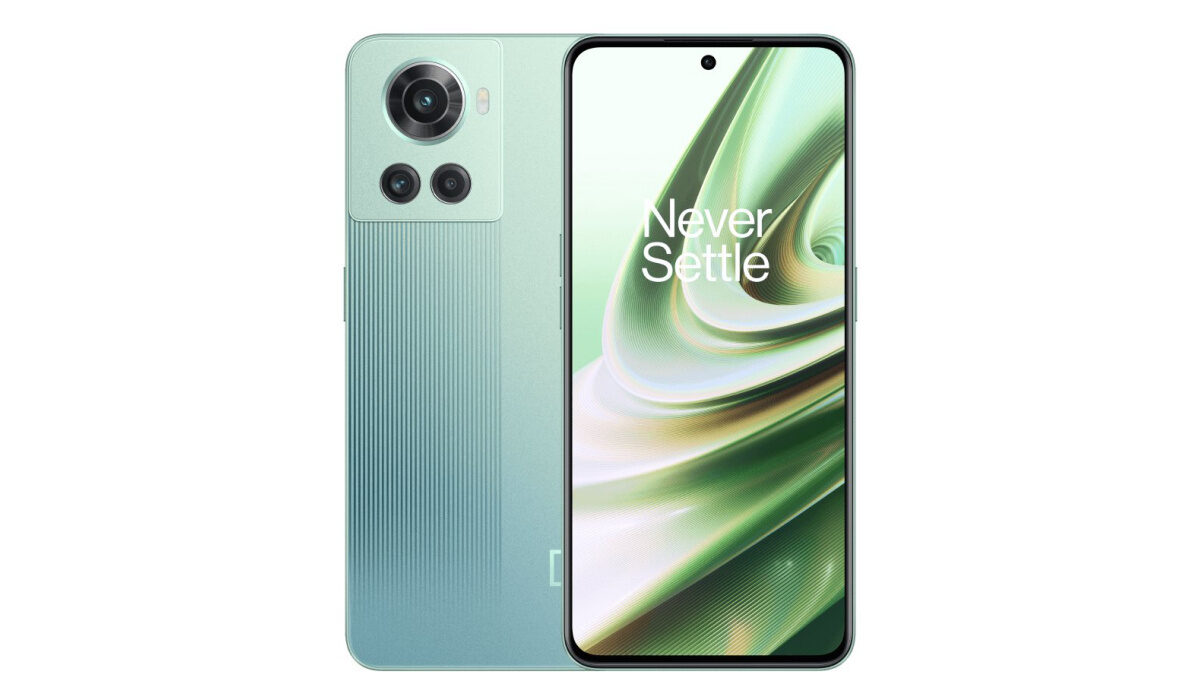
- 6.6-inch, FullHD+, HDR10+, 90Hz refresh rate,
- OxygenOS 12 based on Android 12
- Qualcomm Snapdragon 695 5G SoC
- 6 GB / 8 GB RAM
- 128 GB built-in storage
- 16 MP selfie camera
- 64MP Sony main lens + 8MP ultrawide lens + 2MP macro lens
- 4,500 mAh battery
- 33W fast charging
- USB-C
- Colours: Black / Blue.
Prices of OnePlus 10R 5G
- 8/128GB (80W fast charging) – ₹38,999
- 12/256GB (80W fast charging) – ₹42,999
- 12/256GB (150W SUPERVOOC Endurance Edition): ₹43,999
Prices of OnePlus Nord CE 2 Lite 5G
- 6/128GB – ₹17,999
- 8/128GB – ₹19,999
Where to buy
- Don’t miss our reviews .
- Join our WhatsApp Group , to be notified of the most important articles and deals,
- Follow us on Instagram , Facebook , Twitter , and YouTube .
Author:InfoDesk
Add MobilityArena as a preferred source on Google
I am an Android purist, by default. That means I prefer to use stock Android – Android OS without any custom skin. A custom skin is also called a custom user interface, and it is the graphical and software front for interacting with the features of a smartphone. Android custom skins give each manufacturer’s phones a distinct look and feel. They also add extra functionality to their phones. Sometimes, those skins have features that later get integrated into Android much later.
For example, split screen and screen recording are two features that were only available via certain Android custom skins, long before Google added them to the operating system itself. There are also those who swear by all the gods of mobile phones that custom skins make Android more beautiful. As far as I am concerned, that used to be true, until Android 12, when Android OS became much more beautiful. You can read my Android 12 review for more of my thoughts on that.
Different Android Custom Skins
At the last count, there are over twelve different Android custom skins in existence.
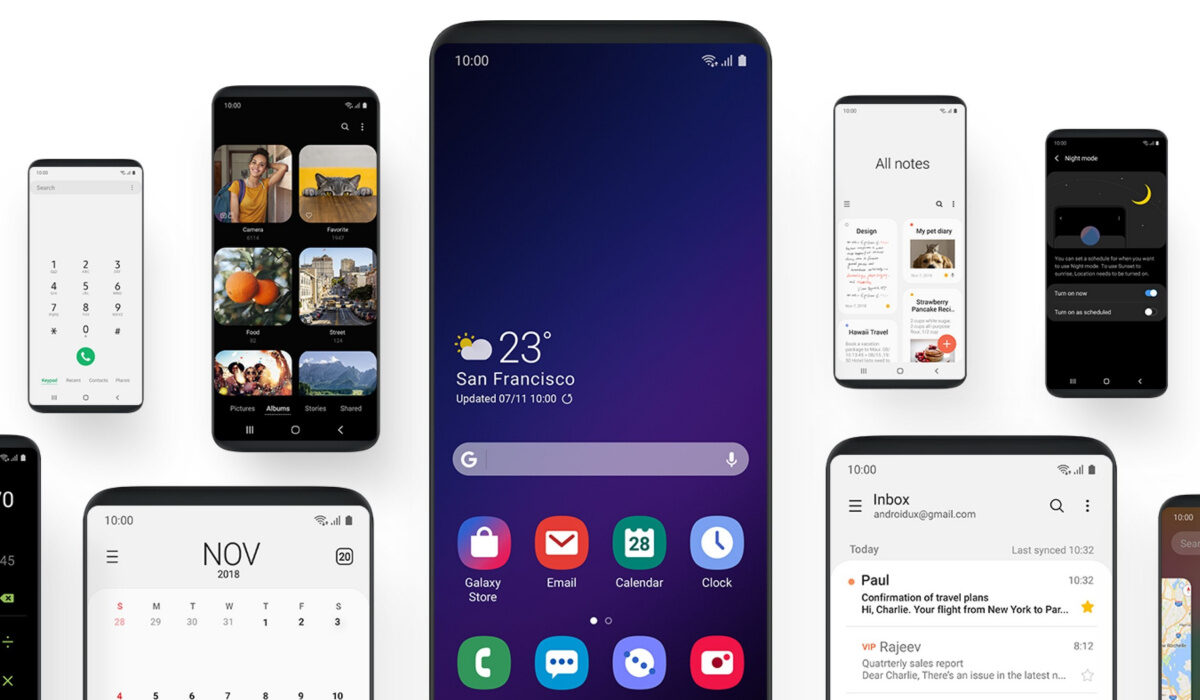
- Samsung One UI : One UI is the most popular Android custom user interface, for the reason that Samsung is the largest Android smartphone maker, and it comes pre-installed in every Samsung smartphone. It is a heavy customization of Android but also one of the more refined Android custom skins around, though it is hated (and I do not use that word lightly) by quite a number of people. A friend of mine purchased a Samsung Galaxy S22 Ultra and returned it within 48 hours because he couldn’t stand One UI. Extreme, but…
- OnePlus OxygenOS : OxygenOS is OnePlus’ custom user interface used in their smartphones. It used to be very similar to stock Android OS in look and feel, but OnePlus has changed it drastically since version 11, adding heavier customization and a totally different look and feel. Still, it is one of the most refined custom user interfaces for Android that I have experienced.
- Motorola My UX : One Android custom skin that has stayed lean and similar to stock Android is Motorola’s My UX.
- Xiaomi/Redmi/Poco MIUI : MIUI is the custom user interface in use in smartphones from Xiaomi and its sub-brands. Like most Android custom skins, it is heavy on the customization.
- Nokia : Perhaps the only smartphone manufacturer that has stayed true to stock Android, Nokia does not include any custom user interface in its Android phones.
- TECNO HiOS : TECNO’s custom user interface is called HiOS. It is heavy on customization and adds useful features. But it is not as polished as what obtains on the big names.
- Infinix XOS : XOS is another heavy customization of Android OS, and like what its sister company, TECNO, offers, it is also not the most refined of user interfaces.
- Google Pixel UI : This is Google’s take on Android OS. It is pretty much stock Android with some mild customizations that add Pixel-only features.
- OPPO ColorOS : ColorOS is found in OPPO smartphones.
- Vivo Funtouch : The custom user interface used in Vivo’s Android phones is called Funtouch OS. Quite a unique name, if you ask me.
- Huawei EMUI : EMUI used to be one of the most popular Android custom skins until a few years ago, when Huawei ran into trouble with the US government and a ban was placed on it. From there, Huawei, and consequently EMUI, lost massive market share. EMUI has potential, but is not as polished as I would like it to be.
As mentioned earlier, I am an Android purist, and so prefer stock Android to any of the available custom skins. And I will take a custom skin that deviates the least from stock Android. That means that I am more at home with the user interfaces of brands like Google Pixel, Nokia, and Motorola. Until OnePlus made drastic changes to OxygenOS, it appealed to me a great deal. That appeal is gone now.
But not everyone is like me. As a matter of fact, judging by the sales figures of Google Pixels, Nokia, and Motorola, it would appear that most people prefer custom skins. Of course, I know that smartphone purchases are not made entirely on the basis of custom user interfaces, so we cannot use sales numbers to accurately judge people’s taste for Android custom skins. Still, much more people use those heavily customized skins than those who use the near stock Android experience.
I have used One UI and liked it. I have also used EMUI, MIUI, HiOS, XOS, and the new OxygenOS. I got by quite well with all of them, though HiOS and XOS required a lot of configuring to get them in a state that I could live with. Suffice to say that I will go with One UI over any of the others, all things being equal. What about you? Which of the above Android custom skins or user interfaces have you used, and which is your preferred?
Author:Mister Mobility
Digital Skills and Communication Coach | Mobile Phone Connoisseur since 2001 | Tech Blogging since 2004
