Add MobilityArena as a preferred source on Google
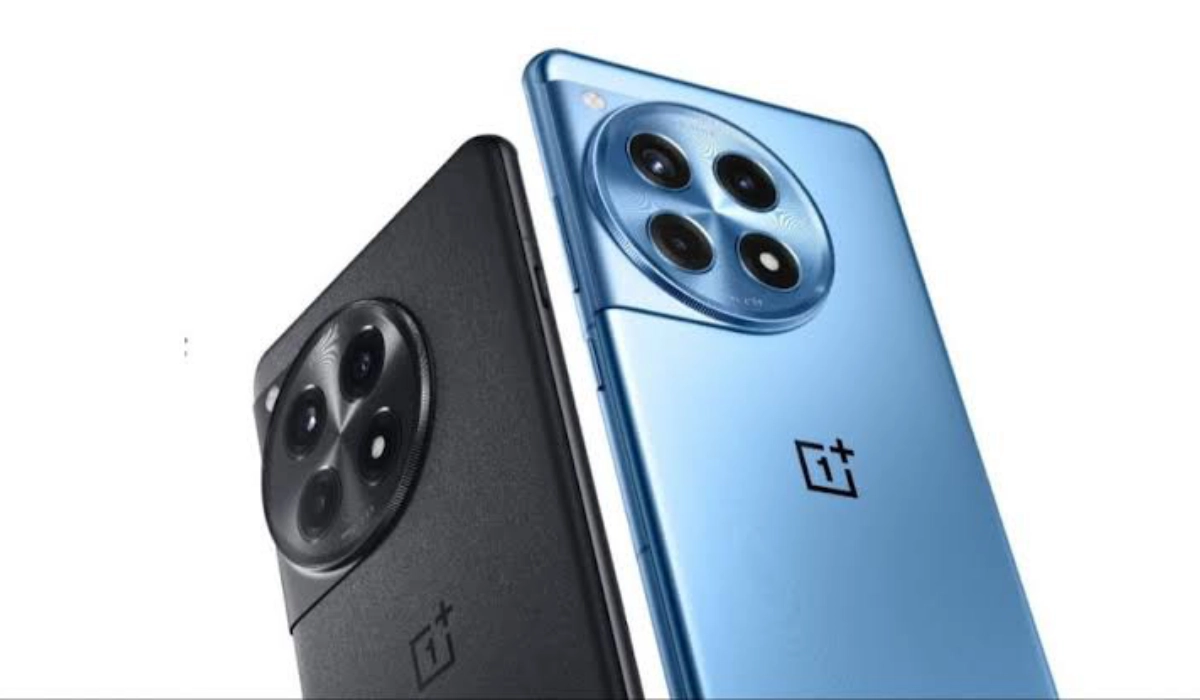
The OnePlus 12 has made waves in the smartphone market with its cutting-edge features and powerful performance. However, like any advanced device, users have reported some challenges. From performance throttling and battery drain to camera app crashes and connectivity problems, users have encountered a range of obstacles that can hinder their overall satisfaction. While these challenges may seem daunting, many can be addressed through simple troubleshooting steps, software updates, or adjustments in usage patterns. By understanding these common complaints and implementing targeted solutions, you can unlock the full potential of your OnePlus 12 and enjoy a smoother, more enjoyable smartphone experience. Whether you’re a casual user or a tech enthusiast, these insights will help you navigate any hurdles and make the most of your device. Read through as I discuss these issues and explore practical solutions to enhance your OnePlus 12 experience.
- Performance Lag and Frame Drops
- Battery Drain Issues
- Camera App Crashes
- Bluetooth Connectivity Issues
- Overheating Concerns
- Software Glitches and UI Lag
- Conclusion
Performance Lag and Frame Drops
Some users have reported unexpected performance issues, including choppy scrolling and typing lag, despite the phone’s high-end specifications. Follow these simple steps to resolve it:
- Go to Settings > Display > Screen refresh rate and select “High.”
- For each app, manually set the refresh rate to 120Hz, even if it’s already displaying as 120Hz.
- Enable “High Performance Mode” in battery settings for critical tasks.
- Keep your device updated with the latest OxygenOS version.
Battery Drain Issues
While the OnePlus 12 boasts impressive battery life, some users have experienced faster than expected battery drain. I recommend you optimize your device to get the experience of your device:
- Check battery usage in Settings to identify power-hungry apps.
- Disable or restrict background activity for problematic apps.
- Enable battery optimization for all apps except those you need constant notifications from.
- Use the built-in battery saver mode when needed.
- Ensure your device is running the latest software update.
Camera App Crashes

Some users have reported issues with the camera app crashing or freezing during use. Some adjusting will help out. Follow these simple steps:
- Clear the camera app’s cache and data in Settings > Apps > Camera.
- Ensure the camera app is updated to the latest version.
- Restart your device to clear any temporary glitches.
- If problems persist, perform a factory reset as a last resort (remember to backup your data first).
Bluetooth Connectivity Issues
Users have experienced problems connecting to Bluetooth devices or maintaining stable connections. These simple solutions will help:
- Forget the problematic Bluetooth device and re-pair it.
- Clear Bluetooth cache by going to Settings > Apps > Show system apps > Bluetooth > Storage > Clear cache.
- Toggle Airplane mode on and off to reset all wireless connections.
- Ensure both your OnePlus 12 and the Bluetooth device have the latest firmware updates.
Overheating Concerns
Some users of the OnePlus 12 have reported the device getting uncomfortably warm during use or charging. To avoid getting your device damaged by the overheating, I recommend these simple solutions:
- Avoid using the phone while it’s charging, especially for demanding tasks.
- Remove the case while charging to improve heat dissipation.
- Update all apps to their latest versions to ensure optimization.
- Avoid exposing the phone to direct sunlight or high temperatures.
- If the issue persists, contact OnePlus support as it could be a hardware problem.
Software Glitches and UI Lag
Users have reported occasional software glitches and UI lag with the OnePlus 12, impacting the overall user experience. Simple update checks and cache cleaning can resolve this. Simply do the following:
- Ensure your device is running the latest OxygenOS version.
- Clear system cache by booting into recovery mode and selecting “Wipe cache partition.”
- Disable or uninstall unused apps to free up system resources.
- Perform a factory reset if issues persist (remember to backup your data first).
Conclusion
While these issues can be frustrating, many can be resolved through software updates, settings adjustments, or simple troubleshooting steps. By implementing these practical solutions, you can significantly enhance your OnePlus 12 experience and unlock its full potential. Remember, OnePlus regularly releases software updates to address user concerns and improve overall performance. Stay patient and keep your device updated to benefit from the latest enhancements and bug fixes. With its powerful hardware and feature-rich OxygenOS, the OnePlus 12 remains a top-tier smartphone that, with a few tweaks, can meet and exceed your expectations. If you continue to experience persistent issues after trying these solutions, don’t hesitate to reach out to OnePlus customer support for further assistance. They may be able to provide additional guidance or arrange for a repair if necessary.
Author:Ifeoluwa Adeleke
Add MobilityArena as a preferred source on Google
Redmi 14C 4G LTE is a lower budget Android smartphone and a replacement for the Redmi 13C. It does not support eSIM or have an IR blaster. There is no support for wireless charging, and it doesn’t have a waterproof IP rating either.
There is no support for aptX and aptX HD Bluetooth codecs, but there is a 3.5mm headphone port for wired headsets and earphones. The Redmi 14C 4G LTE is available in the UK and European Union markets. Have a look at the specifications and prices below.
Redmi 14C 4G LTE in brief:
- Price Range: Below $200
- OS: Android 14
- Release Date: 2024
- Network Type: 2G/3G/4G
- eSIM: No
- Display: 6.88-inch, 720 x 1640 pixels resolution
- Chipset: Helio G81 Ultra
- Selfie Camera: 13 MP
- Rear camera: 50 MP
- RAM: up to 8 GB
- ROM: up to 256 GB
- Fingerprint Sensor: Yes.
- Headphone Jack: Yes
- Infrared/IR Blaster: No.
- Battery: 5160 mAh
- Fast Charging: 18W
- Wireless Charging: No.
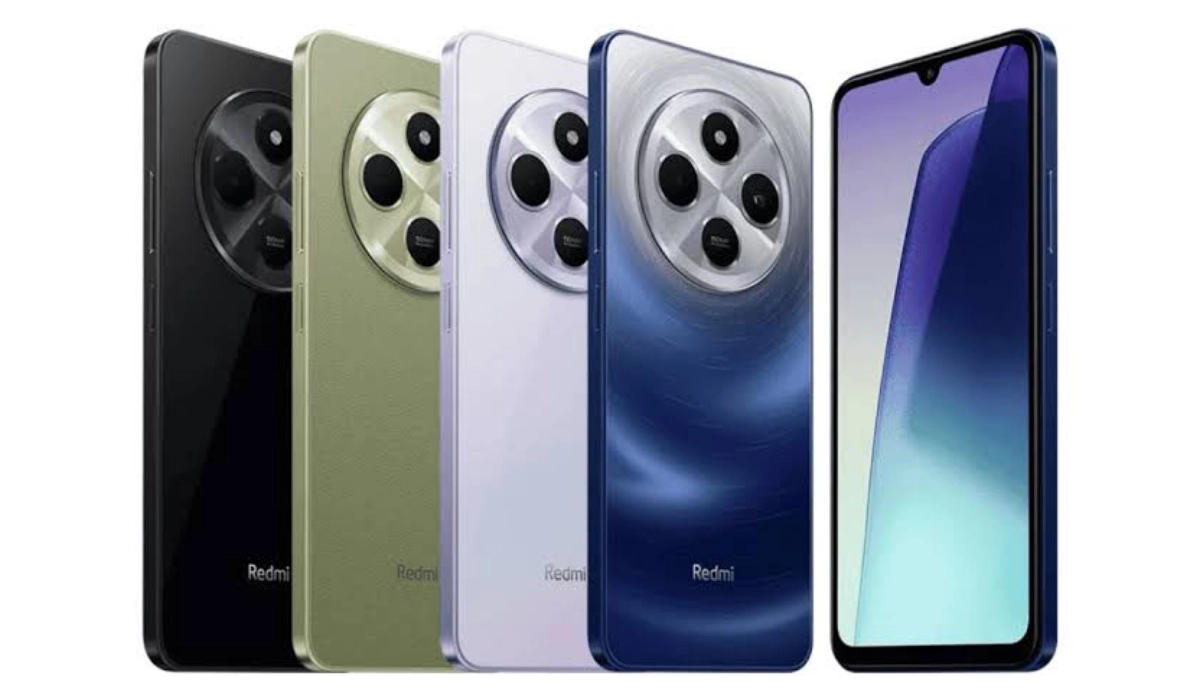
Redmi 14C 4G LTE
For more detailed specifications of the device, have a look below.
- Specifications
- Prices in the USA, UK, EU, Australia
- Redmi 14C Unboxing Video
- Redmi 14C vs Redmi 13C
Specifications
Mobile Wireless Network and Software
- 2G mobile network bands : GSM, GPRS, EDGE 850 / 900 / 1800 / 1900 MHz.
- 3G mobile network bands : UMTS, WCDMA, HSDPA 850 / 900 / 2100 MHz
- 4G mobile network bands : LTE, 1, 3, 5, 7, 8, 20, 28, 38, 40, 41.
- 5G mobile network bands : No
- SIM Type : Nano-SIM, Dual SIM
- Software / OS : Android 14
- Software Updates :
Design, Form Factor, Appearance
- Dimensions : 171.88 x 77.8 x 8.2 mm (6.77 x 3.06 x 0.32 in)
- Weight : 204g (Starry Blue) / 207g (Sage Green) / 211g (Midnight Black, Dreamy Purple)
- Display Size: 6.88 inches
- Screen Resolution : 720 x 1640 pixels
- Refresh Rate : 120 Hz refresh rate
- Screen Type : IPS LCD
- Frame : Glass front, plastic frame,
- Back/Rear Cover : plastic back
- Ingress Protection/IP Rating : None
- Colorways : Midnight Black, Sage Green, Dreamy Purple, Starry Blue
Internal Hardware Specs
- Central Processor ( CPU ): 64-bit, 2.0 GHz Octa-core
- Chipset : MediaTek Helio G81 Ultra (6 nm)
- Graphics Processing Unit ( GPU ): ARM Mali-G52 MC2
- RAM : 4GB / 6GB / 8GB LPDDR4X
- Extended/Virtual RAM : 4GB.
- Internal Storage : 128 GB / 256 GB, eMMC 5.1
- External Storage : microSD
Photography, Video Recording
- Main Camera : 50 MP main sensor PDAF + 2 MP macro lens + 0.08MP auxiliary lens, autofocus, LED flash, 1080p@30fps video recording
- Front Camera : 13 MP, fixed focus, Face Recognition, 1080p@30fps video capture
Audio, Video Playback
- Music Support : PCM, AAC / AAC + / eAAC + / MP3 / AMR – NB / WB / APE
- 3.5 mm audio headphone jack : Yes
- Loudspeaker : Mono speaker
- Video Support : H.264/MP4/MPEG4 player
- FM Radio : Market-dependent.
Phone Sensors
- Digital Compass : Yes.
- Accelerometer : Yes.
- Proximity Sensor : Yes, virtual.
- Ambient Light Sensor : No.
- Barometer : No.
- Pedometer : No.
- Heart Rate Monitor : No.
- Gyroscope (G-Sensor) : Yes.
- Fingerprint Scanner : Yes; side-mounted.
- Face Unlock : Yes.
- Iris Scanner : No.
- Motion Sensing / Gesture Control : No.
- Voice Control : No.
- Intelligent Digital Assistant : Yes; Google Assistant.
- Infra-red/IR Blaster : No.
Connectivity Options
- Bluetooth Version : 5.4
- Bluetooth Profiles : A2DP, LE
- aptX Bluetooth Codecs : None.
- WiFi : Wi-Fi 802.11 a/b/g/n/ac, hotspot
- GPS : Yes, A-GPS, GLONASS, GALILEO, BDS
- USB : microUSB v2.0. Type-C.
- NFC : Market dependent.
Miscellaneous Specs and Features
- Battery Type : Non-Removable Lithium-Polymer
- Battery Capacity : 5160 mAh
- Battery Charging : 18W fast charging, Power Delivery (PD)
- Wireless Charging : No.
- Reverse Charging : No.
- Model Version/Number : 2411DRN47C.
Launch/Release Dates and Information
- Announced : August 2024
- Release Date : August 2024
Prices in the USA, UK, EU, Australia
Redmi 14 4G LTE comes in four storage variants – 4/128GB, 6/128GB, 6/256GB, and 8/256GB. Below are its prices in the US, the UK, Germany, and Australia.
- United States of America (USA) : $
- United Kingdom (UK) : £212 (8/256GB)
- European Union (EU) : €139 (4/128GB). €229 (8/256GB)
- Australia : AUD
Redmi 14C Unboxing Video
Watch this interesting unboxing video of the Redmi 14C on YouTube.
Redmi 14C vs Redmi 13C
Is the Redmi 14C a proper upgrade to its predecessor, the Redmi 13C? If you already own the latter, should you upgrade? Watch this comparison video by Mister Mobility on YouTube.
