Add MobilityArena as a preferred source on Google
| OnePlus 9RT 5G specs in brief |
|---|
| OS: Android 11 Release Date: 2021 Network Type: 2G/3G/4G/5G Display: 6.2-inch, 1080 x 2400 pixels resolution Processor: Snapdragon 888 Selfie Camera: 16 MP Rear camera: 50 MP triple RAM: 12 GB ROM: 256 GB Battery: 4500 mAh Related: OnePlus 9 . |
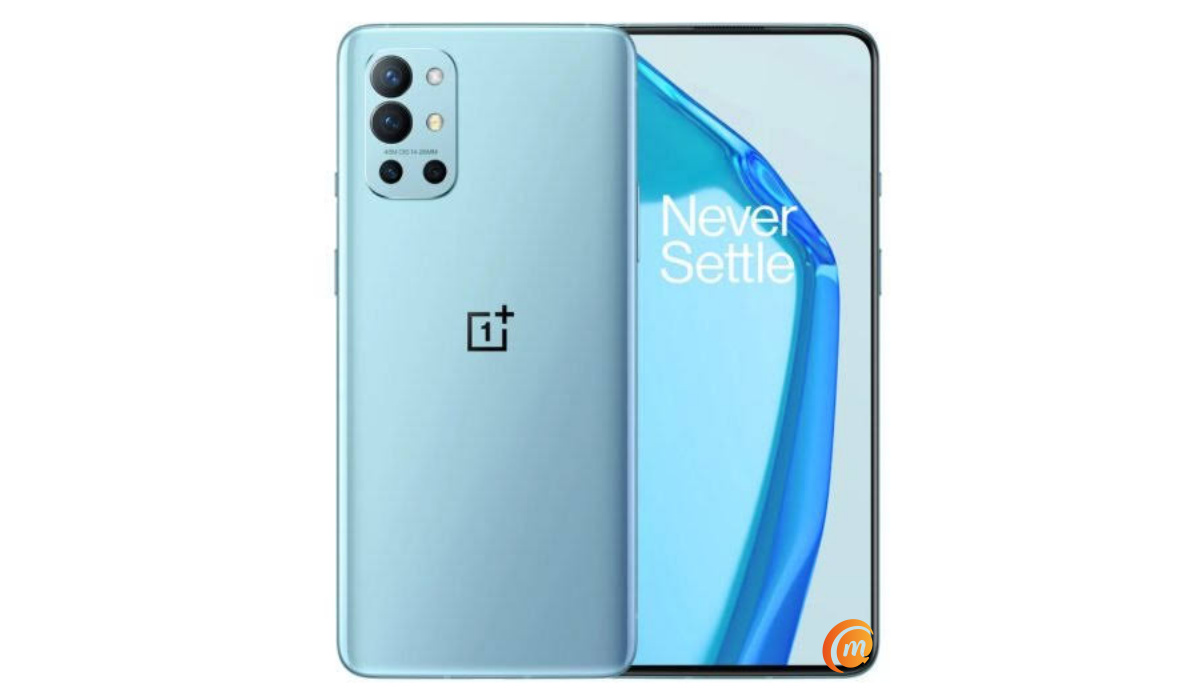
OnePlus 9RT 5G specs & features
Mobile Wireless Network and Software
- 2G mobile network bands : GSM, GPRS, EDGE 850 / 900 / 1800 / 1900 MHz. CDMA 800.
- 3G mobile network bands : UMTS, WCDMA, HSDPA 850 / 900 / 2100 MHz. CDMA2000 1xEV-DO.
- 4G mobile network bands : LTE1, 2, 3, 4, 5, 7, 8, 12, 17, 18, 19, 20, 26, 28, 34, 38, 39, 40, 41.
- 5G mobile network bands : 1, 3, 5, 8, 28, 40, 41, 78 SA/NSA.
- SIM Type : Nano-SIM, Dual SIM
- Software / OS : Android 11 + OxygenOS 11
Design, Form Factor, Appearance
- Dimensions : 160 x 77.25 x 9.3 mm
- Weight : 198g
- Display : 6.2 inches, 1080 x 2400 pixels, 20:9 aspect ratio, HDR10+, 120 Hz refresh rate, 600 Hz touch sampling rate, AMOLED screen, Gorilla Glass.
- Colours : Black. Silver. Blue.
- Physical Build :
Internal Hardware Specs
- Processor Type : 64-bit, 2.84 GHz Octa-core, Kryo 680.
- Processor Name : Qualcomm Snapdragon 888 5G (5 nm)
- Graphics Processor : Adreno 640
- RAM : 8 GB / 12 GB.
- Internal Storage : 128 GB / 256 GB
- External Storage : No.
Photography, Video Recording
- Main Camera : 50 MP Sony IMX766 sensor main lens + 16 MP ultra-wide angle lens + 2.MP macro lens, autofocus, dual LED flash, 4k@30fps, 1080p@30fps video recording
- Front Camera : 16 MP, fixed focus, Face Recognition, 1080p@30fps video capture
Audio, Video Playback
- Music Support : PCM, AAC / AAC + / eAAC + / MP3 / AMR – NB / WB / APE
- Audio : No audio jack
- Loudspeaker : Stereo speakers
- Video Support : H.264/MP4/MPEG4 player
- FM Radio :
Phone Sensors
- Digital Compass : Yes.
- Accelerometer : Yes.
- Proximity Sensor : Yes.
- Ambient Light Sensor : Yes.
- Barometer : No.
- Pedometer : No.
- Heart Rate Monitor : No.
- Gyroscope (G-Sensor) : Yes.
- Fingerprint Scanner : Yes; optical under-display.
- Face Unlock : Yes.
- Iris Scanner : No.
- Motion Sensing / Gesture Control : No.
- Voice Control : No.
- Intelligent Digital Assistant : Yes; Google Assistant.
- Infra-red Sensor : No.
Connectivity Options
- Bluetooth Version : 5.2
- Bluetooth Profiles : A2DP LE
- WiFi : Wi-Fi 802.11 a/b/g/n/ac/6, hotspot
- GPS : Yes, A-GPS, GLONASS, BDS, Galileo.
- USB : microUSB v2.0. USB-C.
- NFC : Yes.
Miscellaneous Specs and Features
- Battery Type and Capacity : Non-Removable Lithium-Polymer 4500 mAh
- Battery Charging : 65W Warp Charge 65T quick charging
- Wireless Charging : No.
- Reverse Charging : No.
- Model Version/Number :
Launch/Release Dates and Information
- Announced : October 13, 2021
- Release Date : October 19, 2021
OnePlus 9RT 5G Prices by Country
- International/Global : $510
- European Union : €445
- Nigeria : ₦
- Egypt : Egyptian Pound
- UAE : AED
- India : Indian Rupee
- Iraq : Iraqi Dinar
- Kenya : Ksh.
- Ghana :
The above prices may change with time from country to country, as market forces and economic policies influence product price movements.
Does OnePlus 9RT 5G have Google Play Store?
It supports Google Services and software applications, including Play Store and Maps, Gmail, YouTube, and others.
Will OnePlus 9RT 5G work in the USA?
This is a GSM phone and is supported on US GSM carriers like AT&T and T-Mobile and other networks riding on their networks. It does not support CDMA networks. Do make enquiries from your carrier to know what bands/frequencies are supported on their service.
MobilityArena Buyer’s Guide Verdict
Not available.
Our Buyer’s Guide Verdict is a recommendation based on the specs of the device and a general guide to help you understand how much value a device offers for its price. It is not an endorsement of the device. Ask questions and use your judgement when buying any device; MobilityArena takes no responsibility for your buying decisions .
OnePlus 9RT 5G Phone Review Rating
Not available.
- Don’t miss our reviews .
- Join our WhatsApp Group , to be notified of the most important articles and deals,
- Follow us on Instagram , Facebook , Twitter , and YouTube .
Author:InfoDesk
Add MobilityArena as a preferred source on Google
To stop a phone from overheating, it helps if you know the reason why it is getting hot. This will help you take the necessary actions that will prevent it from overheating. And if it is already hot, you’ll know how to make it cool quickly, thereby preventing your phone from developing issues.
I will show the causes of overheating and the solutions. I will also talk about phone coolers, and then I will show you what it means when certain parts of your phone get hot.
Causes of overheating in a phone, and how to stop it
1. Reduce the usage of your phone
Causes
It is general knowledge that if you run something, especially electronic devices, for a long time, it tends to get overheated. Even though several mobile device brands are starting to create phones suitable for frequent usage, this issue hasn’t been fully resolved.
When using your phone a lot, it will multiprocess. For instance, while playing a game, you’re also receiving numerous notifications on your phone, and there might be other active apps in the background as well. Moreover, when Bluetooth or Wi-Fi is turned on, it adds to the workload of the phone. All these might be too much for the phone, that is why it is overheating.
Solution
Do not overuse your phone. Once you no longer need an app, close it. For those social media apps that send notifications every time, you can turn the notifications off by going to your Phone Settings » Apps »Select the app » Notifications » Toggle off.
If you have a battery optimizer app or this feature comes with your phone, whenever it brings battery optimization notifications to improve the performance on your phone, tap on it to optimize your phone instantly.
2. Keep away from sunlight
Cause
I see people on the streets holding their phone instead of tucking it away inside their pockets. Holding your phone, especially in the summer, will make it get hot due to the direct rays of the sun. However, if you’re only outside for a short time, you can hold your phone without the risk of it getting hot. It is also possible that it doesn’t get hot when you’re outside, but the moment you get in and start using your phone it will get hot in no time.
A room with a hot temperature will also lead to overheating of the phone. If the room is hot, everything will be hot and even your body wouldn’t be so comfortable with the heat, so it’s expected that the phone will get hot too.
Solution
Put your phone in your pocket when you’re out on the street. Alternatively, you can get a strap bag and put it inside. If you have no choice but to hold your phone outside, then when you get inside, don’t start using your phone immediately. You can put it down for a few minutes, so it cools off.
If you’re inside and the temperature is high, open the windows. If you can, then go into a room with AC, so it can cool it down faster. Should these options be impossible for you, then go outside and stand in your balcony or front yard. Make sure you’re staying under a shade.
3. Avoid playing graphic-intensive games for too long
Cause
Most developers are switching to graphics-rich games like PUBG, and to be earnest they are actually very interesting with their realistic layout, so it tends to suck us in, and we end up playing it for long hours, and the side effect is that phones get to overheat. Just playing it for 30 mins – 1 hour can make your phone start heating.
Solution
If you like to play games for long hours, then it’s best you get a phone with a large RAM. This makes it possible for the phone to handle long sessions of gaming without it getting heated. If your phone is 8 GB ram and above, then you will be able to get long hours of gaming.
If you are using a low RAM phone, there is nothing you can do to get long hours of gaming. Once your phone gets too hot, quit the game and drop your phone until it cools down.
4. Overcharging
Cause
Plugging your phone overnight will make it overcharge, and it doesn’t just make a phone overheat, it also has negative effects on the battery.
Solution
You might have heard that charging up to 100% and making your battery lower than 30% isn’t so good for phones. You don’t want your phone to get overcharged or get too low because it will weaken the battery faster.
So unplug your phone around 80% – 90%, and charge it when it is around 30%.
5. Update apps and system
Cause
When new updates are available, they come with bug fixes that enhance the performance of your phone and the app. If you don’t upgrade your system or the app, it will start to interfere with the normal operation of the phone, which will cause overheating among other issues.
Solution
Update your phone system and installed apps. If you don’t get notified to update automatically, you can check out your phone system settings for new updates, or check the Google Play Store or App Store to see if new updates are available.
If you notice that your phone gets overheated a lot, check for available updates and install the new package.
Can a phone cooler cool my phone?
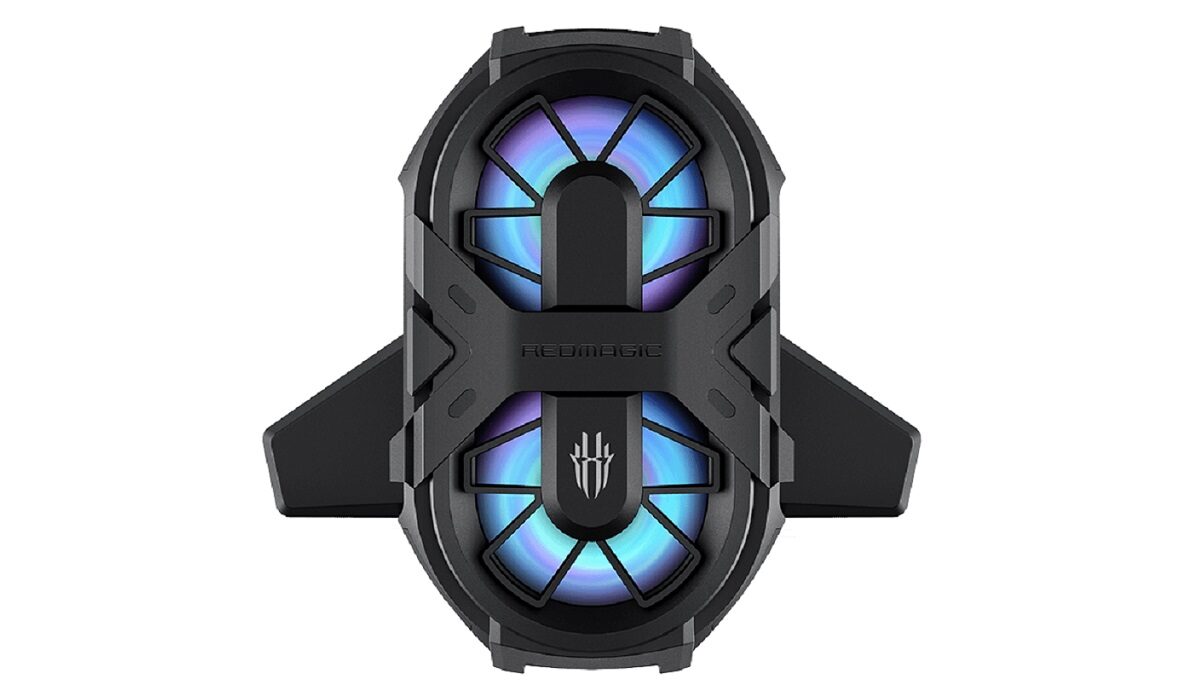
RedMagic Phone cooler
This peripheral device added to the back of an overheating phone actually works. The best part is that it lets you use your phone for long hours without the risk of overheating.
Phone coolers make use of heat sink technology for cooling phones. This device is a fan that can be adjusted to sit perfectly on the back of your phone. Some of these phone coolers also offer rapid cooling. There are different brands available with different features, do thorough research before settling for any phone cooler. A good brand to opt for is Black Shark.
Where is the heat coming from?
The battery, screen, or processor is the places that heat usually comes from which makes a phone overheat. The battery creates electricity, the screen emits light, and the high-speed information transfer happens in the processor, so all these actions produce heat.
You might have noticed that sometimes it could be the bottom of your phone that is hot, other times it is the back of your phone, and sometimes it could even be the area around the top of your phone. All these areas can give you an educated guess on what made your phone hot.
• Bottom of the phone
If you’re charging and the bottom is hot, then the issue may be from the charger. If you’re using the charger from the phone’s manufacturer, you shouldn’t experience this. If you are using a third-party charger, make sure the manufacturer is a reputable one because there are lots of fake chargers in stores.
• Back of the phone
This is a very common occurrence. If the back of your phone is hot, then the battery might be overheating. If this occurs frequently especially when you haven’t been using your phone for long hours, then this means the battery needs to be replaced because it will rapidly be losing its efficiency until it can’t hold enough charge.
• Above the battery
If the top of your screen is getting hot, then it’s most likely caused by an overworked processor. If you have been outside for a long time, then it could be because of long exposure to direct sunlight. Leave your phone alone and let it sit idle for 30 mins or more, so it can cool down.
Conclusion
If you want to cool down your phone very fast, the device you should use is a phone cooler. Some of them are designed with a rapid cooling mechanism, so frequent users of smartphones will be able to use their phones for long hours. I made sure to also include the causes of overheating and solutions, so you can increase your battery life without peripherals.
