Add MobilityArena as a preferred source on Google
OnePlus Nord N100 is a 4G LTE cell phone, and is one of the most affordable OnePlus devices you can buy. It comes in only one colour scheme, Midnight Frost.
Summary of OnePlus Nord N100
- OS: Android 11
- Release Date: 2020
- Network Type: 2G/3G/4G
- Display: 6.52-inch, 720 x 1600 pixels resolution
- Processor: Snapdragon 460
- Selfie Camera: 8 MP
- Rear camera: 13 MP triple
- RAM: 4 GB
- ROM: 64 GB
- Battery: 5000 mAh
- Related:
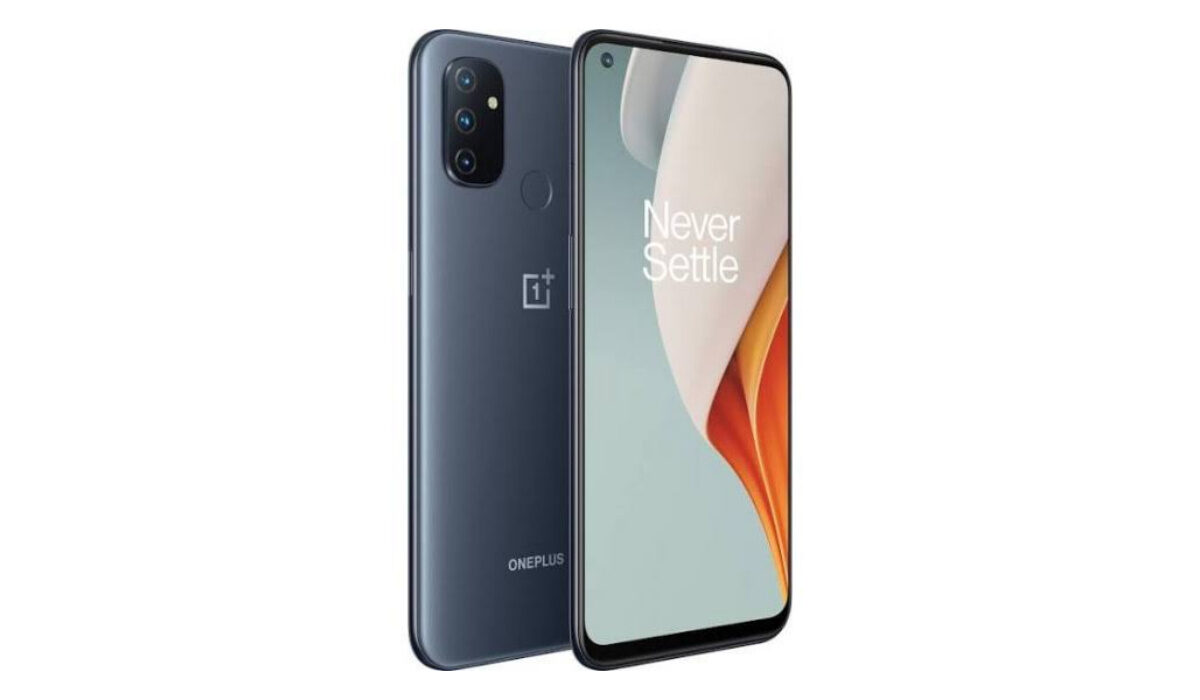
OnePlus Nord N100 cell phone
- OnePlus Nord N100 specifications Is OnePlus Nord N100 a 4G phone? Is OnePlus Nord N100 battery removable? Is OnePlus Nord N100 good for gaming? Does OnePlus Nord N100 support OTG? How much is OnePlus Nord N100? Does OnePlus Nord N100 have Google Play Store? Will OnePlus Nord N100 work in the USA?
OnePlus Nord N100 specifications
Mobile Wireless Network and Software
- 2G mobile network bands : GSM, GPRS, EDGE 850 / 900 / 1800 / 1900 MHz. CDMA 800 / 1900
- 3G mobile network bands : UMTS, WCDMA, HSDPA 850 / 900 / 2100 MHz
- 4G mobile network bands : LTE. 1, 2, 3, 4, 5, 7, 8, 12, 17, 20, 28, 38, 40, 41 (International). 1, 2, 3, 4, 5, 7, 8, 12, 13, 17, 20, 25, 26, 28, 38, 41, 66, 71 (USA)
- 5G mobile network bands : No
- SIM Type : Nano-SIM, Dual SIM
- Software / OS : OxygenOS 10.5.9 based on Android 10
Design, Form Factor, Appearance
- Dimensions : 165 x 75 x 8.5 mm
- Weight : 188g
- Display : 6.52 inches, 720 x 1600 pixels, 90 Hz refresh rate, 20:9 aspect ratio, IPS LCD screen, Gorilla Glass 3
- Colours : Midnight Frost.
- Physical Build : Plastic frame, plastic back panel
Internal Hardware Specs
- CPU/ Processor : 64-bit, 1.8 GHz Octa-core
- Chipset : Qualcomm SNapdragon 460 (11 nm)
- GPU/ Graphics Processing Unit : Adreno 610
- RAM : 4 GB
- Extended/Virtual RAM : No.
- Internal Storage : 64 GB
- External Storage : microSDXC
Photography, Video Recording
- Main Camera : 13 MP main sensor + 2 MP macro lens + 1 MP depth sensor, autofocus, LED flash, 1080p@30fps video recording
- Front Camera : 8 MP, fixed focus, Face Recognition, 1080p@30fps video capture
Audio, Video Playback
- Music Support : PCM, AAC / AAC + / eAAC + / MP3 / AMR – NB / WB / APE
- Audio : 3.5 mm audio jack
- Loudspeaker : Stereo speakers
- Video Support : H.264/MP4/MPEG4 player
- FM Radio : Yes.
Phone Sensors
- Digital Compass : Yes.
- Accelerometer : Yes.
- Proximity Sensor : Yes.
- Ambient Light Sensor : No.
- Barometer : No.
- Pedometer : No.
- Heart Rate Monitor : No.
- Gyroscope (G-Sensor) : Yes.
- Fingerprint Scanner : Yes; rear-mounted.
- Face Unlock : Yes.
- Iris Scanner : No.
- Motion Sensing / Gesture Control : No.
- Voice Control : No.
- Intelligent Digital Assistant : Yes; Google Assistant.
- Infra-red Blaster : No.
Connectivity Options
- Bluetooth Version : 5.0
- Bluetooth Profiles : A2DP, LE
- WiFi : Wi-Fi 802.11 a/b/g/n/ac, hotspot
- GPS : Yes, A-GPS, GLONASS, BDS, Galileo
- USB : microUSB v2.0. Type-C. USB-OTG.
- NFC :
Miscellaneous Specs and Features
- Battery Type and Capacity : Non-Removable Lithium-Polymer 5000 mAh
- Battery Charging : 18W fast charging
- Wireless Charging : No.
- Reverse Charging : No.
- Model Version/Number :
Launch/Release Dates and Information
- Announced : October 2020
- Release Date : October 2020
OnePlus Nord N100 Prices by Country
- USA : $179
- Canada : C$250
- UK : 167 GBP
- Australia : AUD 328
- European Union :
The above prices may change with time from country to country, as market forces and economic policies influence product price movements.
Is OnePlus Nord N100 a 4G phone?
The Nord N100 supports 2G, 3G, and 4G mobile networks.
Is OnePlus Nord N100 battery removable?
The 5000mAh battery is not removable.
Is OnePlus Nord N100 good for gaming?
The mid-range processor is not a power house and so will stutter under intense or heavy use.
Does OnePlus Nord N100 support OTG?
Yes; Nord N100 supports USB-on-the-go.
How much is OnePlus Nord N100?
Does OnePlus Nord N100 have Google Play Store?
It supports Google Services and software applications, including Play Store and Maps, Gmail, YouTube, and others.
Will OnePlus Nord N100 work in the USA?
This is a GSM and CDMA hybrid cell phone and is supported on US GSM and CDMA carriers like Verizon, AT&T and T-Mobile and other networks riding on their networks. Do make enquiries from your carrier to know what bands/frequencies are supported on their service.
MobilityArena Buyer’s Guide Verdict
Not available.
Our Buyer’s Guide Verdict is a recommendation based on the specifications of the device and a general guide to help you understand how much value a device offers for its price. It is not an endorsement of the device. Ask questions and use your judgement when buying any device; MobilityArena takes no responsibility for your buying decisions .
OnePlus Nord N100 Phone Review & Rating
The Nord N100 is a decent budget smartphone that gets the job done. That is it. Don’t expect fantastic performance; it is a budget phone, after all. It isn’t spectacular, and there is nothing wrong with that, considering the price range. The 90Hz display is a plus, and in our use , we find that the stereo speakers pump out good quality audio. If you love the OnePlus brand and want an affordable model, this is what the doctor ordered.
Author:InfoDesk
Add MobilityArena as a preferred source on Google
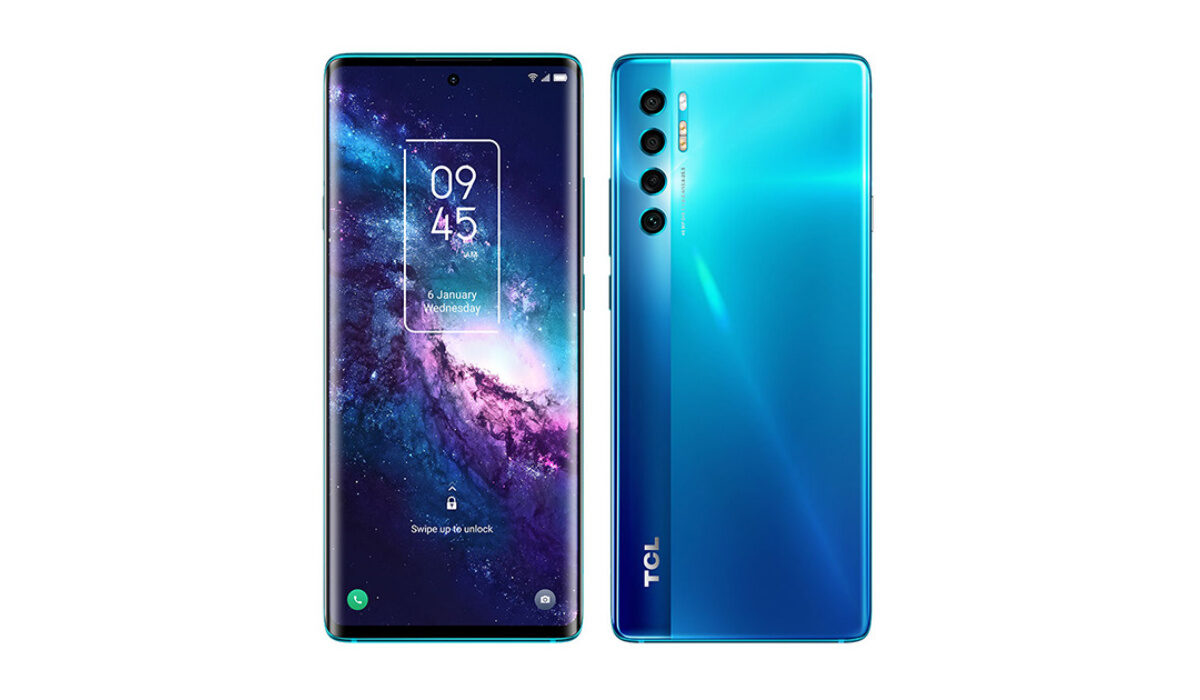
The TCL 20 Pro 5G is a mid-range smartphone that several users and non-users feel is a little overpriced for what it offers. It has some nice features that are usually only common with high-end smartphones and a slick design, but it comes with problems of its own. Let’s take a look at them.
TCL 20 Pro 5G problems: Notifications issue
One issue that has been quite common amongst users is a problem with the TCL 20 Pro 5G’s notifications. When some apps stop running in the foreground they will stop giving notifications. A temporary fix for this issue was to keep them running to bypass the problem but it doesn’t last. Users have tried tweaking their settings among other things to try to solve it but all were to no avail.
A way to solve this problem is to go into the phone’s app settings. Here you can change the notifications for every app. By default, it will be set to “Do not disturb”, you can customize it to make notifications available. If this doesn’t work, you can try a factory reset, although it also doesn’t guarantee that it will be any different.
TCL 20 Pro 5G problems: Google Assistant
There have been complaints about Google Assistant not working when the TCL 20 Pro 5G is turned off. This is a permission-related issue. To fix this problem, you need to go into the device’s app settings and grant background access to the Assistant. This will make sure your Google Assistant works when the phone is locked and on standby.
TCL 20 Pro 5G problems: Unresponsive touch screen
Having a smartphone that has some form of a problem when it comes to the screen being unresponsive to touch, can be downright annoying, to say the least. There are many causes of this problem but the most common reason is the device is physically damaged in one way or another. Another reason could also be the presence of some bugs or glitches that are caused by software updates. Here are a few ways to fix this problem on your TCL 20 Pro 5G.
Safe mode: Restarting your phone with safe mode usually returns your device to its original condition when it was first used. It is a feature that disables all third-party applications on your smartphone for a temporary period. To do this Press and hold the Power Button > Menu will pop up > Press and hold the Power off symbol for 3 to 4 seconds > You’ll see, “Reboot to safe mode” notification > Press Ok.
Restarting your phone : restarting your phone alone can help fix an unresponsive screen. It clears all processes running in the background and frees up the memory. It is one of the most common solutions to this problem, although it is also on the temporary side.
Side sensitivity: touching the screen sides of your TCL 20 Pro 5G, even slightly, will render the screen unresponsive. To solve this issue, go to Settings and disable Side sensitivity and it will be back to normal.
Factory reset: Doing a factory reset can also solve this problem. It will wipe all the data on your phone and make it seem like a new device. Although, there is no guarantee that it will solve the issue.
TCL 20 Pro 5G problems: Scrolling
The TCL 20 Pro 5G has a scrolling problem that a bunch of users have complained about. It is quite difficult to slide the settings bar down and even go back using the back button. Scrolling itself is quite choppy. If you are experiencing some of these issues it is probably because of your screen protector, if you have one. You can either change it or forget about screen protectors altogether and use your device without one.
If it is not the screen protector then it’s probably the system itself. Users have reported that there was an improvement after updating to Android 12. So if you have not updated your device yet, you probably should.
These are some of the most common TCL 20 Pro 5G problems that users experience. If you have any issues that were not mentioned, comment down below and we will get back to you.
Author:Flamez
Flamez loves basketball, art, gadgets and cars.
