Add MobilityArena as a preferred source on Google
Why am I publishing a OnePlus Nord N100 hands-on review in April 2022? Yes; I know the OnePlus Nord N100 is a year and a half old, having been released in October 2020, so a hands-on review in Q2 2022 seems strange; right?
Just last year, I had on written about the N100 as a valid option if you want a $200 smartphone with 90Hz refresh rate . It still is, and you should probably try it, if that is the value you are looking for. But that’s not why I am writing a OnePlus Nord N100 hands-on review in April 2022. I am doing so because this is my first OnePlus smartphone ever.
I have had tons of Nokias, some Samsungs, iPhones, Xiaomis, BlackBerrys, and others. But never a OnePlus before now. And I have wanted to for a while now.
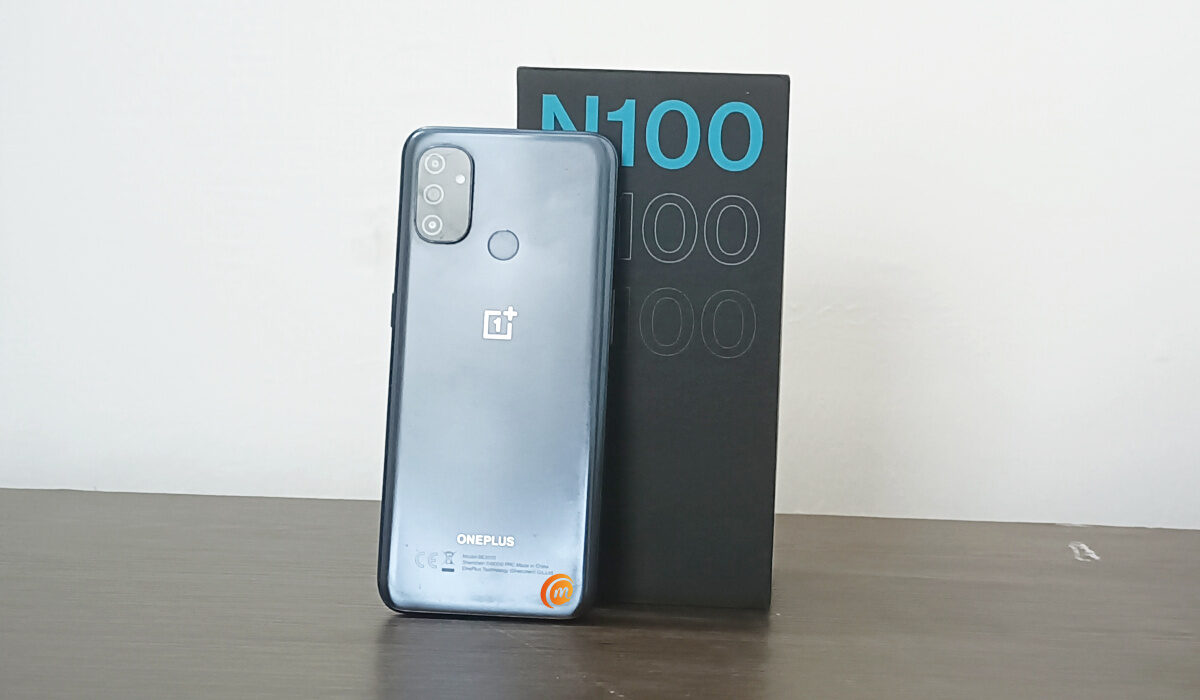
I am testing the waters, and a budget OnePlus phone makes sense. What is OxygenOS like? What was it like before the recent mishmash with ColorOS? Those are questions I am particular about.
If you are a OnePlus lover, or you have been considering buying a OnePlus phone, this hands-on article will interest you, as old as the N100 is. One thing I will find out from this experience is how its age impacts on the everyday experience. I really don’t think that the Snapdragon 460 processor is that aged that it is redundant in 2022, but I shall find out. Let’s look at the key specs of the phone, for starters.
- Phone Specs
- Unboxing
- First Impressions
- OxygenOS
- Competitors How old is OnePlus Nord N100? Is OnePlus Nord N100 waterproof? Does the OnePlus Nord N100 have a fingerprint sensor? Does the Nord N100 have 5G? Does OnePlus Nord N100 support NFC? Does OnePlus Nord N100 have SD card slot? Does it have expandable memory? Does OnePlus Nord N100 have a headphone jack? Does the Nord N100 have dual SIM? What kind of phone is a N100? Is OnePlus Nord N100 worth buying?
Phone Specs
- Launched with OxygenOS 10.5, based on Android 10
- 2G/3G/4G mobile networks
- 6.52”, 720 x 1600 pixels, 90Hz refresh rate, IPS LCD, Gorilla Glass 3
- 8 MP selfie camera
- 13 MP main lens + 2 MP macro lens + 2 MP depth sensor
- Qualcomm Snapdragon 460 chipset (11 nm)
- Adreno 610 GPU
- 4 GB RAM
- 64 GB built-in storage
- memory card slot (dedicated)
- Dual Speakers
- Fingerprint scanner (rear-mounted)
- USB-C connector.
- 5000 mAh battery, with 18W fast charging
- Colours: Midnight Frost
Unboxing
The box is a decent package that contains the phone itself, a red USB cable, a power adapter, and documentation. There is no 3.5mm audio headset in there.
First Impressions
The N100 has a good feel in the hand: you will be forgiven for supposing that it is more premium than its price indicates. Setting it up was fairly easy. Using the OnePlus switch app (now called Clone Phone), I was able to move everything – audio, images, video, and apps – from the phone I was using to the Nord N100. And it all happened in under 30 minutes.
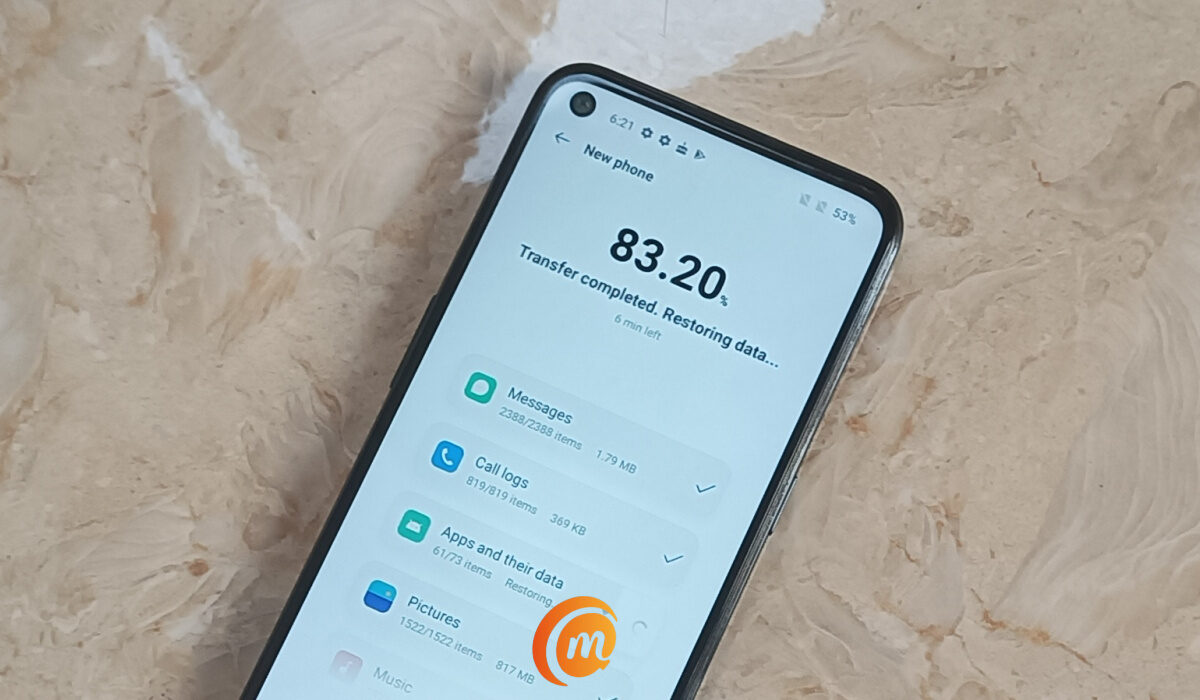
I didn’t have to install my apps on the phone. Beautiful. That is usually the most painful part of switching to a new smartphone. It also copied text messages and phone call logs over. Did I say, beautiful? Thereafter, I logged into all my regular apps – Google apps, Twitter, Facebook, Instagram, WhatsApp, etc. I was ready to start using it.
I didn’t take note of how long it took to charge the battery from around 39 to 100%, because I was busy with other things. So, I can’t provide any definite feedback on the charging in this Nord N100 hands-on review. But you can be sure I will pay attention to charging times and include that info in this article as soon as I can. But OnePlus Nord N100 has 18W fast charging for filling up its big 5000mAh battery.
As for performance, I already had an idea of what to expect from a Snapdragon 460 processor and 4 GB of RAM. I still have access to a Nokia 3.4, which has those exact specs. Here is the conclusion about the performance on the 3.4:
Clearly, Qualcomm’s claims about the Snapdragon 460 chipset are true. Plus, the Nokia 3.4 uses Adreno 610, the same GPU coupled with the more powerful Snapdragon 665 chipset. Then, there’s 4 GB RAM bolted in there to help with app launching and switching. Altogether, Nokia 3.4‘s performance has been dreamy. Nokia 3.4 review
OxygenOS
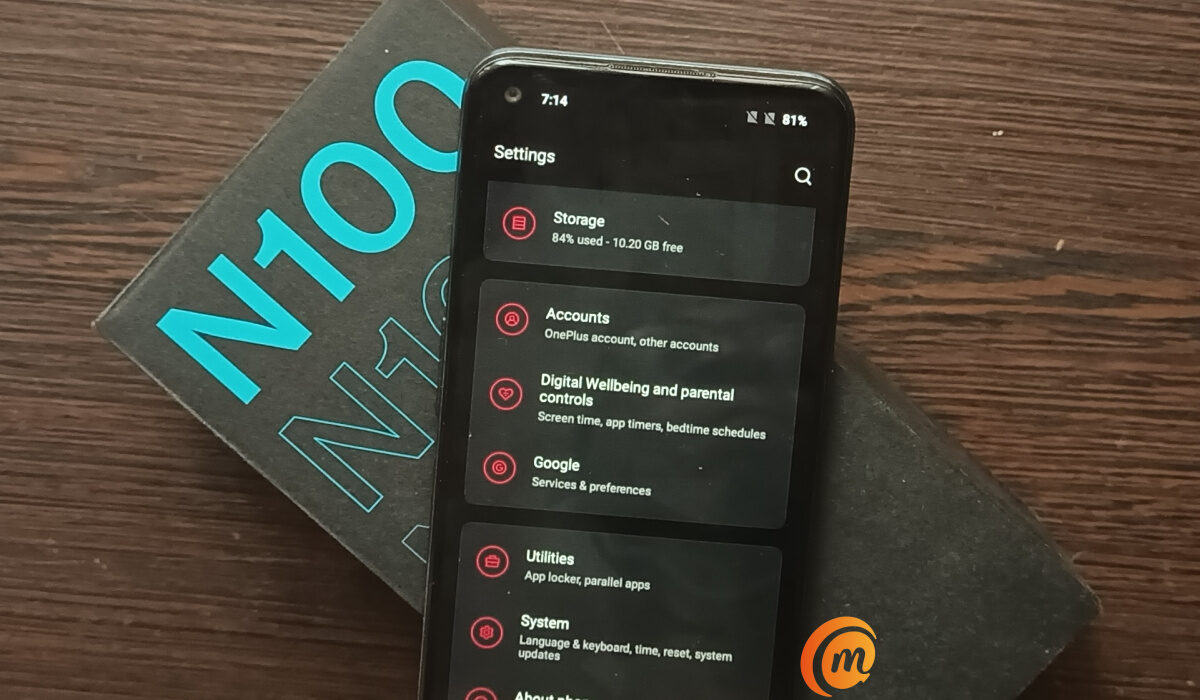
OnePlus Nord N100 shipped with OxygenOS 10.5, based on Android 10. It has received a number of smaller updates and one major update, which is its last. It now runs OxygenOS 11.0.5, based on Android 11. And that is sad for me, because I was hoping to have an experience of OxygenOS 10, which was the last time the UI had the classic look and feel before the new visual changes, including the dalliance with OPPO’s ColorOS UI took place.
I have played with OxygenOS 11 a bit. I got used to it quickly, which is a good thing. I don’t think it is bad, but it isn’t what I was looking forward to. What I really wanted to experience was the classic OxygenOS experience, so I decided to make it happen. I decided I would find the original OxygenOS 10 system file and downgrade the OS to v10.
I haven’t done any flashing or manual firmware installation in years, having decided long ago that I was done with that life. But I really wanted to experience OxygenOS as it originally was, so I set out to find stock OxygenOS 10. I found a website that had the firmware file for OxygenOS 10.5.7 – total of 2.2GB in size. I figured I would need a download accelerator to make the download happen really fast, so I installed one and set myself to the task. Some adventure again; right?
I got the firmware file in the foot folder of the Nord N100 and went over to the Local upgrade menu to run it. Alas; I got a message that says, “The version of your selected package is lower than that of the current system. To avoid failure when booting up, downgrading is not allowed”. Tears . Looks like I do not get the chance to talk about legacy OxygenOS in this Nord N100 hands-on review.
My conclusion about OxygenOS 11 is that it looks like OnePlus tried to implement a one-handed style similar to what Samsung did with OneUI, but didn’t implement it across board, and certainly didn’t implement it as well as Samsung did.
Competitors
It is natural to compare it with a phone like Nokia 3.4, which exists in a similar bracket. Like the N100, the 3.4 shipped with Android 10, is powered by a Snapdragon 460 too, has 4GB RAM and 64GB built-in storage, a 13 MP rear camera and an 8MP front camera. See our Nokia 3.4 review .
My first encounter with OnePlus Nord N100 has been good. Also, because this is an older device, there will not be a follow-up full review. Anything I have to say about my experience with it will keep being added to this OnePlus Nord N100 hands-on review article.
How old is OnePlus Nord N100?
The N100 was released in October 2020.
Is OnePlus Nord N100 waterproof?
Not at all. The N100 is not waterproof and has no IPX rating. Keep it away from water and other fluids.
Does the OnePlus Nord N100 have a fingerprint sensor?
If you flip the phone over to see the back, you will find a fingerprint sensor there.
Does the Nord N100 have 5G?
It does not. This is a 4G smartphone, meaning it supports 2G, 3G, and 4G wireless networks.
Does OnePlus Nord N100 support NFC?
Nord N100 does not support NFC.
Does OnePlus Nord N100 have SD card slot? Does it have expandable memory?
The Nord N100 has expandable memory. You can insert an SD card.
Does OnePlus Nord N100 have a headphone jack?
Yes; the N100 has a 3.5mm audio headphone slot.
Does the Nord N100 have dual SIM?
Yes; it is a dual SIM smartphone.
What kind of phone is a N100?
The Nord N100 is a budget Android phone that offers very good battery life.
Is OnePlus Nord N100 worth buying?
This is a budget Android smartphone with 4G LTE, a 90Hz display, a big battery, and 18W fast charging. If you are looking for a decent affordable smartphone with decent performance, you should consider the N100.
You can read our Nokia 3.4 review .
Author:Mister Mobility
Digital Skills and Communication Coach | Mobile Phone Connoisseur since 2001 | Tech Blogging since 2004
Add MobilityArena as a preferred source on Google
Why is your Smart TV not connecting to the Internet? There are a number of possible reasons why this happens. They include: software issues, including bugs, as well as hardware issues.
Whether you own a Samsung Smart TV, or one from Sony, LG, Hisense, TCL, Vizio, or any of the other brands, sometimes, you run into a hitch when your TV refuses to connect to your Wi-fi hotspot. Of course, a smart TV can be used without an internet connection. You can use it like any other non-connected TV sets.
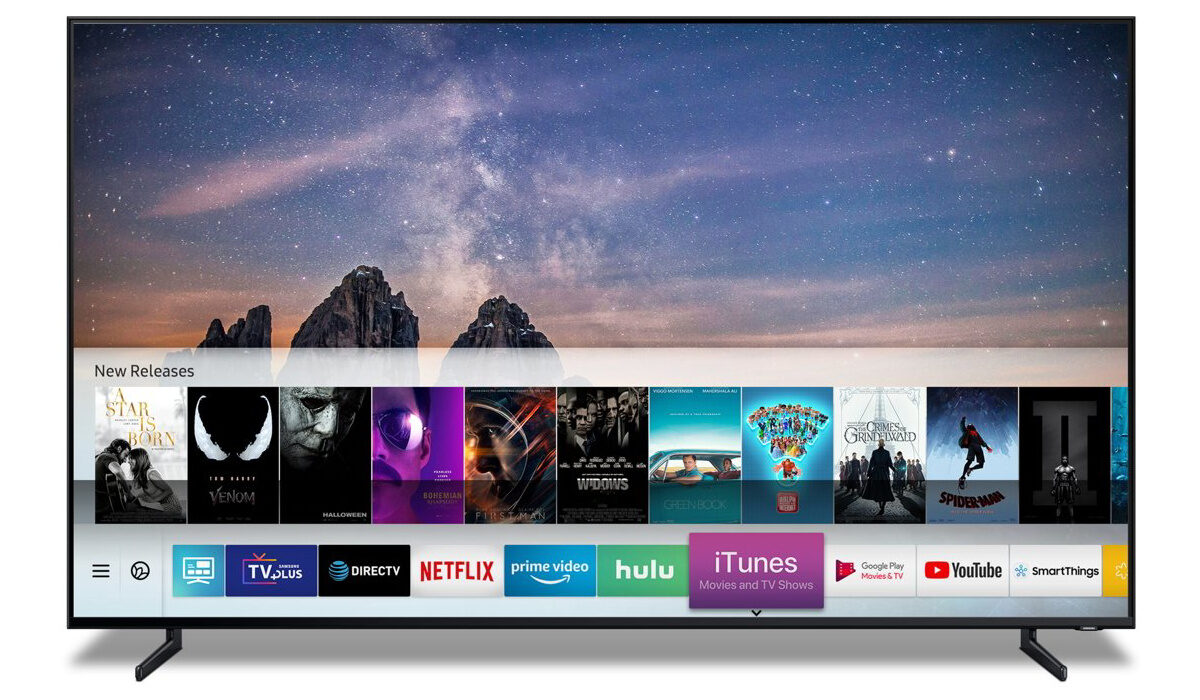
But if you want to enjoy the features for which it is called smart, if you want to use YouTube, Netflix, Hulu, and other services on it, you will need an Internet connection. As such, you need to fix the problem of your Smart TV not connecting to the Internet.
- Things to do to fix your Smart TV not connecting to the Internet
- Contact your ISP and/or reboot your router
Things to do to fix your Smart TV not connecting to the Internet
The first thing you should do to get an idea of what is happening is to change your internet connection, if you have an alternative service. Switch from one WiFi connection to another and see if the connection problem goes away. If it does, the problem was from your default Internet connection – perhaps a temporary issue from your service provider, or an issue with your router, mifi, or phone hotspot.
Contact your ISP and/or reboot your router
Sometimes, when your Smart TV stand there is no Internet connection, it means that something is wrong from your ISP’s end. To clear an issue from your service provider, reach out to them with an explanation that your Smart TV connects on an alternative link but not theirs. They will fix it and ask you to restart your router or other sharing device.
To clear most issues on your router or mifi, a restart is a great idea. Reboot it and if the connection issue is from that end, things should work fine again. A reboot, or restart, works wonders.
If you changed your Internet connection and your TV still won’t connect, that is an indication that the problem is not from your Internet connection. In which case, all our attention is on the TV set from here. The next step is to restart your TV. Why?
Like any other computing system, your Smart TV sometimes gets clogged up and a simple reboot often does wonders, clearing issues of this kind most of the times. Preferably, switch it off from the power mains for about 30 seconds, before powering it on again.
There are other technical things you can do to fix your Smart TV not connecting to the Internet. For example, you can manually change its DNS and allied network settings. But I don’t advice that you tamper with technical things, unless you really know what you are doing. And if you were technical enough to understand the issues, you would not be reading this article.
One last thing you can do to fix your Smart TV not connecting to the Internet, though, is to update the software (or firmware). If you are already comfortable with the idea of software updates for your phone, this is a piece of cake. Find the software update menu under the System settings on your TV, and check if any updates are available. If there is, download and run it, then restart your TV and try to connect again.
Hopefully, one of the above procedures solves the problem of your Smart TV not connecting to the Internet. If the problem is still present, this is where you should get some technical help to fix it. As mentioned earlier, I do not advice that you fiddle with the connection settings of your Smart TV unless you know what you are doing.
Any of the above fixes are for software-related issues. Should your TV’s problems spring from the hardware, only a qualified technician should be allowed to tamper with it. Preferably, have it examined by a qualified person at an authorised service centre.
Author:Mister Mobility
Digital Skills and Communication Coach | Mobile Phone Connoisseur since 2001 | Tech Blogging since 2004
