Add MobilityArena as a preferred source on Google
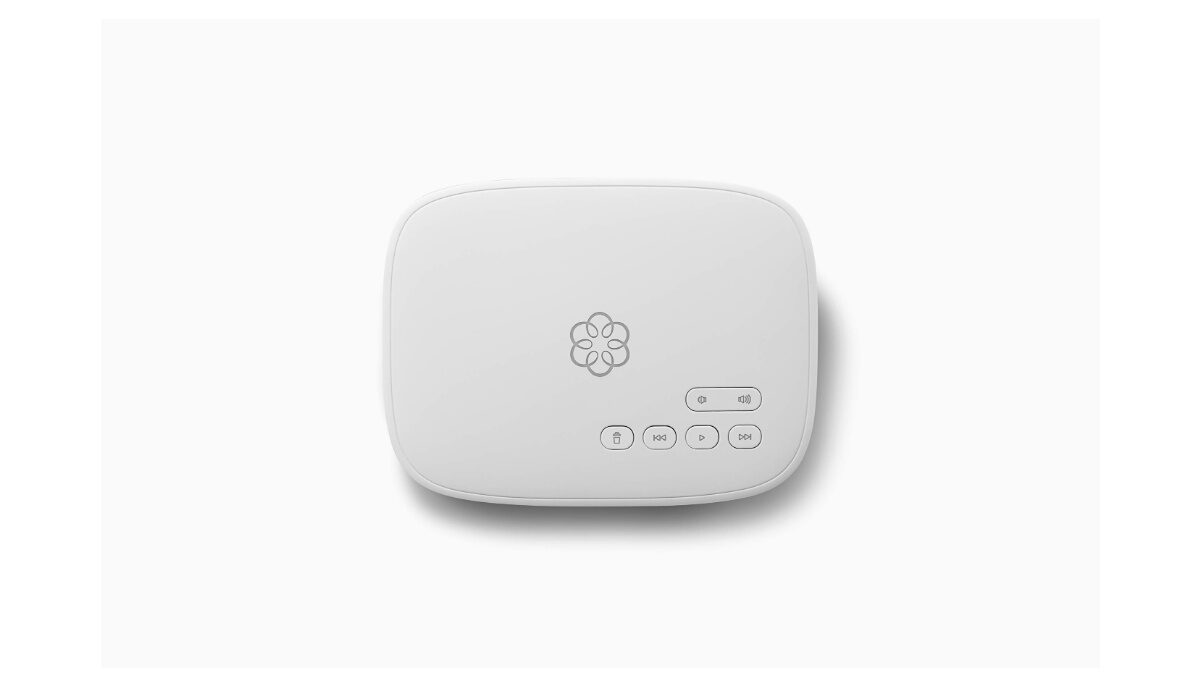
Ooma is a standalone device that does not require a computer and no software to install. Ooma replaces your current phone service and delivers clear, landline quality calling over your existing phone and high-speed Internet connection.Ooma is an American publicly traded telecommunications company based in California. Let’s go through a few reviews and see what Ooma is all about.
Ooma phone service reviews on the Ooma official website
The official Ooma site was the first site I visited to check out reviews and the site had an overall star review rating 4.8 out of 5 stars. Majority of the reviews were good even though there were some complaints. A lot of customers were happy with the customer service. They wrote about how friendly customer service was and how they were quick to reply and fix customer issues. The affordability of their services was also spoken about. Here’s one of the positive reviews:
•I have had my Ooma Telo since 2009 and have been extremely satisfied with the system. Twice, in the past 13 years, I have had a slight problem with my system. Both times I called customer service, explained my issues to them, and was told the problem was on their end and not to worry they would fix the problem. Both times, in a very short time I was called back by the Ooma telling me the issue was resolved.
I wouldn’t say there were necessarily bad reviews on the site, there were like one or two reviews with 2.5 stars and that was the lowest star rating. No one flat out dissed Ooma’s service, there were just some complaints. Ther were a few complaints about call quality, customer service, lack of accessories and a complaint about unauthorized charges. Here’s one:
•I started with 2 Ooma accounts. One standard, one Premier. I let the Premier run out after a year but was charged for a 2nd year. Had to call online to cancel the Premier. In fairness cancelling was easy.I still see lots of charges from Ooma that I don’t believe I’ve authorized. I don’t get any invoices e-mailed to me, just charges on my CC after I confirmed with the billing people that I have just 2 basic services, no add on features and should only pay for long distance and for 911 charges. Now I have to waste time talking to them again to review/revise my account settings.Other beef is that they send you TONS of advertising emails. I don’t want to block all Ooma emails but I can’t seem to find settings to reduce that amount of ad messages.Overall, actual service is fair
(source)
Ooma phone service reviews on the Trustpilot website
On the Trustpilot website, almost 90% of the reviews on the site were positive. A lot of reviews praised their customer service, tech support, internet service and affordability. Here’s one of the reviews:
•We had CenturyLink landline for years and after several problems we researched and decided to give Ooma a try. Five years later…clearer communication, no problems and $2,230 in savings.
Wish we would have known about it earlier. Couldn’t be more pleased!
The remaining percentage of reviews were not so good. Some customers were not happy with the company, they wrote about issues with Ooma charging their account without authorization. There were also complaints about refusal and difficulty with cancelling of accounts and Ooma not being compatible with Venmo. Here’s one:
•Ooma products are ok but, when you try to cancel they will put you on hold and transfer you to the “no cancel” department. This department will waste 30 minutes of your life to convince you not to cancel or accept another product. They also won’t give you a confirmation number, they said they would email a confirmation number. In the end the only way to cancel was through my credit card company.
(Source)
Last Words
After reading through a lot of reviews, I would say that it seems like Ooma phone service deserves a try. They do have a lot of improvements to make. Most of the reviews were good and to be honest, no company is perfect.
- Don’t miss our reviews .
- Join our WhatsApp Group , to be notified of the most important articles and deals,
- Follow us on Instagram , Facebook , Twitter , and YouTube .
Author:Dun
Dun enjoys reading and writing, and is always on her smartphone. She currently uses a Google Pixel 3.
Add MobilityArena as a preferred source on Google
Deleting your Facebook, Instagram, or WhatsApp account is not as easy as tapping a delete button, like some other apps. There is a process to follow if you want to delete your account on these apps and this article is here to help you with that. Let’s start with the deleting of your account on the Instagram app.
How to delete your Instagram account

You can delete your Instagram account on the website. Go to the Instagram website and log in to the account you want deleted. Once you’ve logged in, tap on settings and scroll until you see ‘help’ and tap on it. On the help page, there are three choices, tap on ‘help centre’. Once you are on the ‘help centre’ page, click on the search bar below ‘hi, how can we help you’ and type in ‘delete your account’. You will be taken to a page giving you three options, the options you should focus on should be either to disable your account temporarily or delete your account.
If you want to delete your account permanently, pick the ‘delete your account’ option. Instagram has a few words written to make sure you understand and want to delete your account. The picture below is what you will see when you pick the ‘delete your account’ option. Once you see that, just follow the three steps laid out and in a few minutes your Instagram account will be deleted.
2022 update : Instagram has now made it possible to delete your account right in the iOS mobile app, without needing to visit the website. Here is how iPhone and iPad users can delete your Instagram account in the mobile app:
- Open the Instagram app on your iPhone or iPad.
- Tap on the profile tab in the bottom-right corner of the screen.
- Tap on the menu button (three horizontal lines) in the top-right corner.
- Go to Settings > Account > Delete account .
- Tap on the “Delete account” button and confirm that you want to delete the account by tapping on the “Continue deleting account” button.
Once you complete the process, Instagram will mark your account for deletion in 30 days. If you change your mind, you can stop the deletion process within that 30-day period.
How to delete your Facebook account
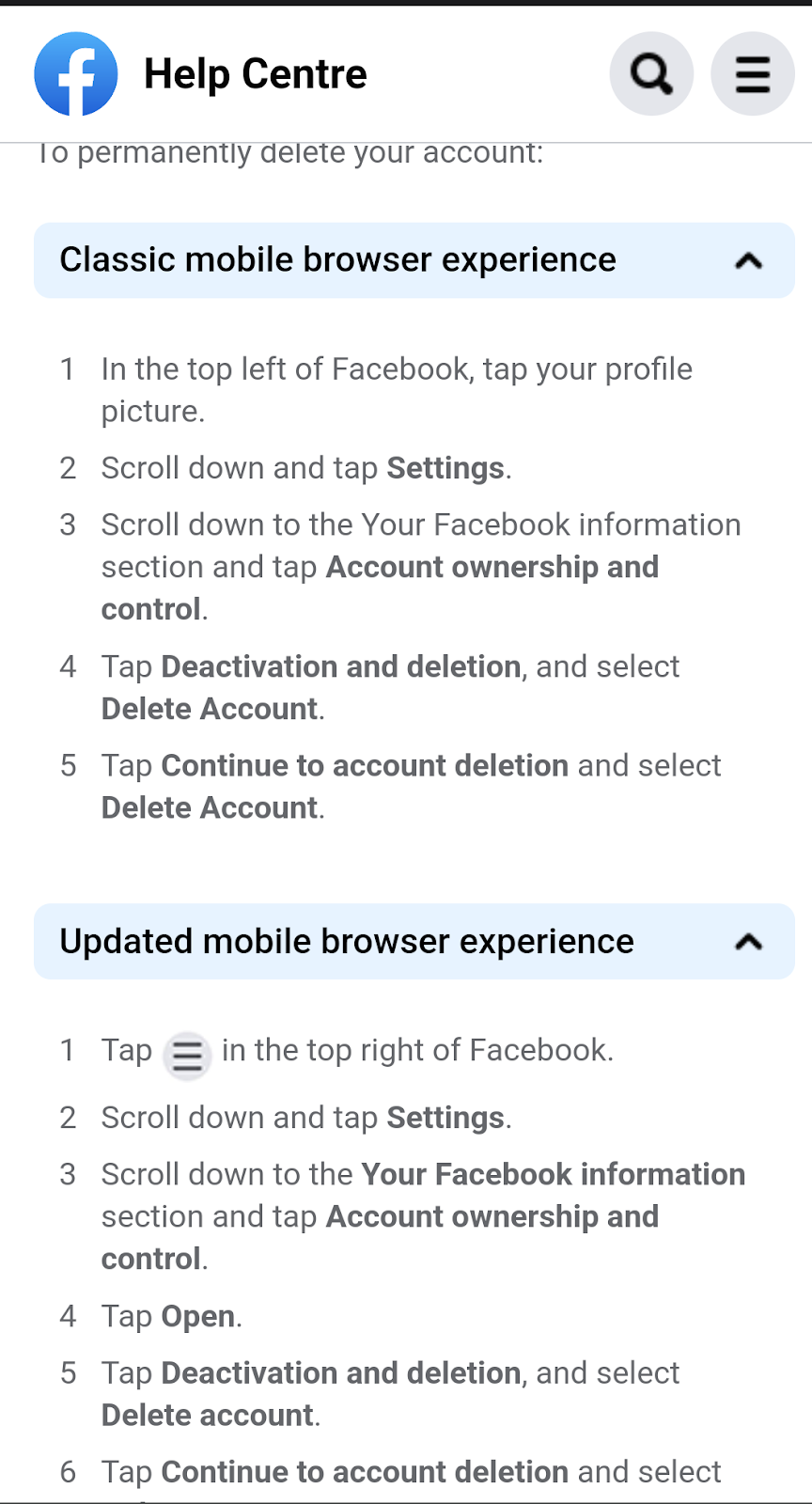
Follow the steps below if you want to permanently delete your Facebook account. Once you are on your Facebook account, tap your profile picture at the top left of the page. Scroll down until you see ‘settings’ and tap on it.
When you get to the setting page, scroll down to your Facebook information centre and tap account ownership and control. On that page, tap ‘deactivation and deletion’ and select ‘delete account’. Tap ‘continue to account deletion’ and select ‘delete account’. Your account should be no more after following these steps.
How to delete your WhatsApp account
Open the WhatsApp app on your device and tap on the more options icon ‘three vertical dots at the top right’. Select ‘settings’ and tap on ‘accounts’. Tap on ‘delete my account’ and fill your country and phone number into the field where it is required and tap DELETE MY ACCOUNT.
A dropdown menu will appear, and you will be asked to select a reason as to why you are deleting your account. Tap on ‘delete my account’ and your account will be deleted.
- Don’t miss our reviews .
- Join our WhatsApp Group , to be notified of the most important articles and deals,
- Follow us on Instagram , Facebook , Twitter , and YouTube .
Author:Dun
Dun enjoys reading and writing, and is always on her smartphone. She currently uses a Google Pixel 3.
