Add MobilityArena as a preferred source on Google
OnePlus sells only a small handful of its models in the United States. The current list of US OnePlus phones in 2024 include the OnePlus 12, OnePlus 12R, OnePlus Open, OnePlus Nord N30 5G , and OnePlus 11 5G .
The OxygenOS 15 update comes with a number of improvements that include faster and smoother user experience, new AI tools, better lockscreen customization, and improved security. Which of these models will get updated? We have the list and other details for you.
- The OxygenOS 15 Update List
- Stable OxygenOS 15 Update Timetable
- Features of OxygenOS 15
The OxygenOS 15 Update List
Firstly, the Android 15 Open Beta Version Rollout Timeline has a total of 16 OnePlus smartphones on it, as follows:
From October 30th 2024 : OnePlus 12, OnePlus 12R, OnePlus 12R Genshin Impact Edition
From November 2024 : OnePlus Open, OnePlus Pad 2
From December 2024 : OnePlus 11 5G, OnePlus 11R 5G, OnePlus Nord 4, OnePlus Nord CE 4, OnePlus Nord CE 4 Lite 5G, OnePlus Pad
From January 2025 : OnePlus 10 Pro 5G, OnePlus 10T 5G, OnePlus Nord 3 5G
From February 2025 : OnePlus 10R 5G, OnePlus Nord CE 3 5G
This Open Beta version will be released on a batch-by-batch basis and is only applicable to certain markets. The current premium flagship model, OnePlus 12, will get it first from the 30th of October.
But we don’t recommend that everyday users install beta software on their daily drivers, so you might want to skip that. The final stable version is what you should have your eyes on.
The final stable version of OxygenOS 15 will be rolled out to the following OnePlus phones sold in the US:
- OnePlus Open
- OnePlus 12
- OnePlus 12R
- OnePlus 11 5G
If you own any one of these four models sold in the US, you can expect to get the update and enjoy the improvements that it brings.
Stable OxygenOS 15 Update Timetable
When will the stable OxygenOS 15 update start rolling out? There is no official confirmation yet, but feelers in the industry is that it can happen as early as November 2024.
Features of OxygenOS 15
The standout features of the OxygenOS 15 update include the folowing:
- New look : OxygenOS 15 comes with a fresh new look that includes revamped icons, a more user-friendly shelf, a new Split mode, and more.
- A faster and snappier experience : OnePlus is bragging about the enhanced experience of their custom skin, including more seamless transitions and smoother animations.
- OnePlus OneTake : This is OnePlus’ take on the popular Always-On Display feature, lock screen customizations, clock color bending, glass textures, blurred wallpapers, depth effects, AI-driven auto-fill options, and more.
- OnePlus AI : is any phone brand relevant in 2024 if it does not include and mention AI in its custom user interface? OnePlus AI suite includes AI Eraser, AI Unblur, AI Reflection Eraser, AI Detail Boost, and Pass Scan. Mostly what other brands have under the AI umbrella.
- Enhanced Productivity Tools : These are basically about helping you write smarter. You know, because being able to write excellently is a superpower. The tools include AI Notes, AI Toolbox 2.0, AI Summary, AI Writer, and AI Reply. Why are these listed separately in a different category instead of under AI?
- Search tools : These include Circle to Search, Intelligent Search.
- OnePlus Share : This is an interesting one, as it allows OnePlus smartphone users to share files seamlessly with iPhones and iPads.
- Google Play Protect Live Threat Detection : this tool constantly monitors app behavior for patterns of malicious activity and can automatically block such activity to protect you.
- Theft Protection : This suite of security tools includes Auto lock screen after theft, Remote Lock, Offline Lock, and Post-steal sensitive operation protection.
Author:Mister Mobility
Digital Skills and Communication Coach | Mobile Phone Connoisseur since 2001 | Tech Blogging since 2004
Add MobilityArena as a preferred source on Google
TL;DR : We tested the ZHIYUN Smooth 5S AI smartphone gimbal and found it to be a nifty tool that eliminates the need for an assistant while you shoot a video, even if you’re moving around.
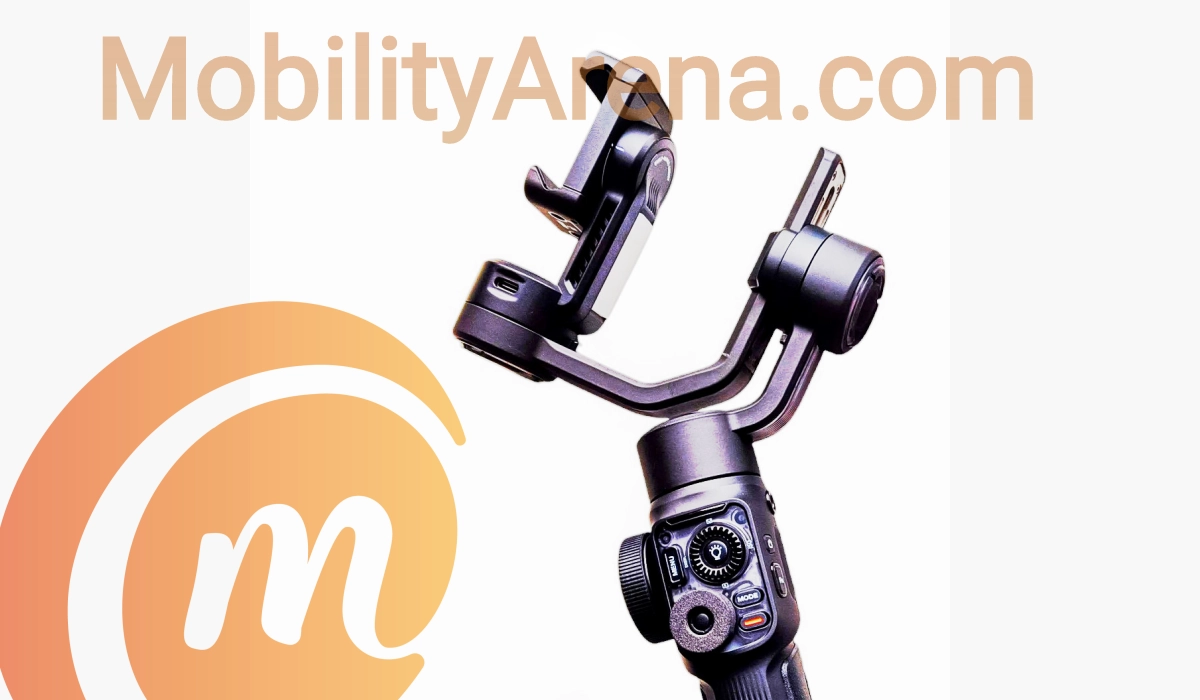
Smartphones have come a long way. Once upon a time, you could not trust a smartphone with professional video content creation, but that has since changed. Modern smartphones shoot 4k and 8k video and are valid choices for video creation. And there is a whole support system of tools to help you along the way. The ZHIYUN Smooth 5S AI smartphone stabilizer gimbal is one of such tools.
The ZHIYUN Smooth 5S AI has lots of useful features and is powerful as an electronic smartphone stabilizer. Those tools include an all-in-one control panel, different shooting modes, built-in flash light, attachable magnetic fill light, orthogonal 3-axis balance, and support for apps.
- Design and Build
- Super Video Stabilization
- The Outstanding Feature
- ZHIYUN Smooth 5S AI included accessories
- Setting up the ZHIYUN Smooth 5S AI
- Hand gestures
- Apps
- Battery life
- Where to buy
Design and Build
The Smooth 5S AI feels solid in the hand. It gives the impression of good quality, even premium, production. The design has clean lines, gradient textures and accents everywhere. There is nothing about it that so much as whispers cheap or low quality. The grip is good as well.
There is a joystick to control the movement of the gimbal while in use. In a similar way, there are other controls for capturing photos and recording, switching between modes, putting on the fill light, zooming in and out, adjusting exposure, ISO, and other variables. This is a full-on high tech gadget for video capturing.
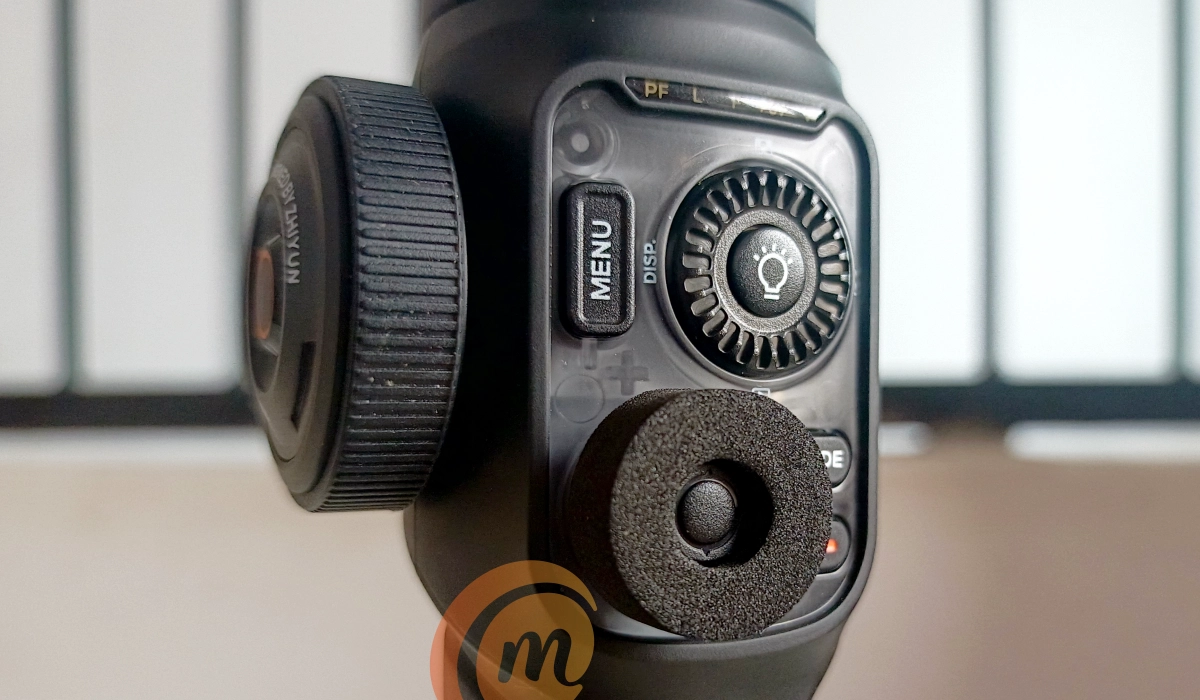
The extensive control panel of the ZHIYUN Smooth 5S AI smartphone stabilizer.
Super Video Stabilization
Video Stabilization is the basis of a smartphone gimbal in the first place and the ZHIYUN Smooth 5S AI gimbal does a fine job of it. Whether it is navigating stairs, walking, running, jumping, crawling while recording, it smoothens out the output, producing videos that you will enjoy watching.
The Outstanding Feature
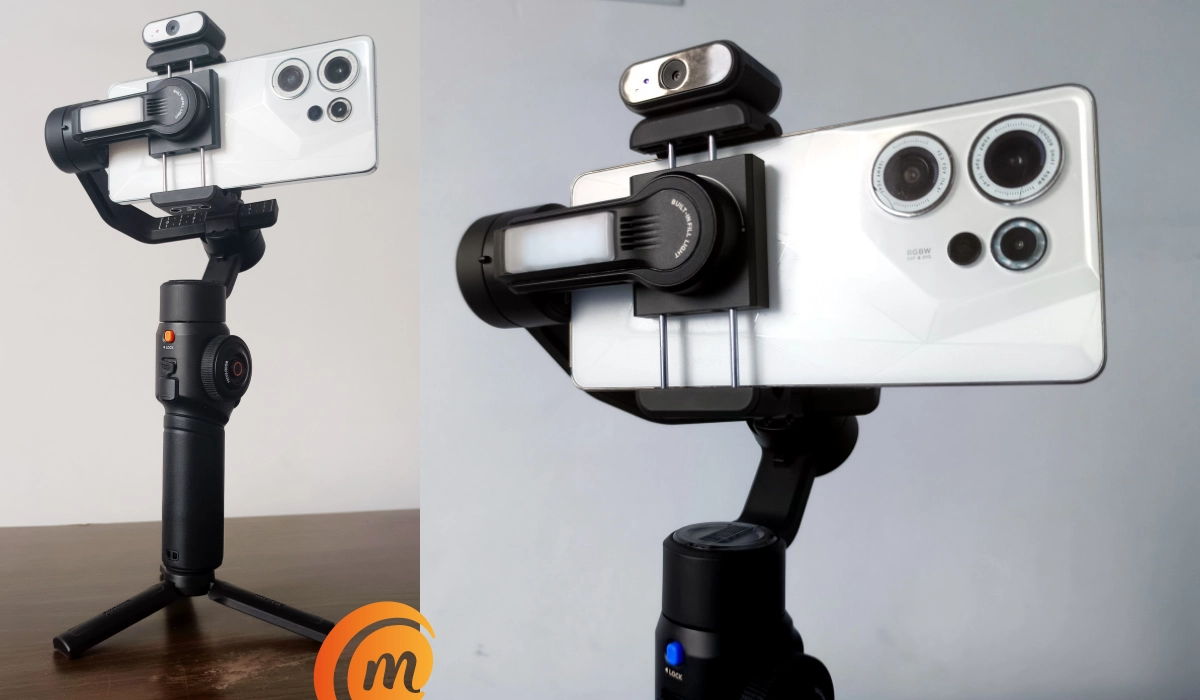
One of the features that distinguishes the ZHIYUN Smooth 5S AI gimbal from its predecessor and from many other smartphone gimbals is the AI tracker. This feature enables the gimbal to track your body movements and follow you both vertically and horizontally as you move around.
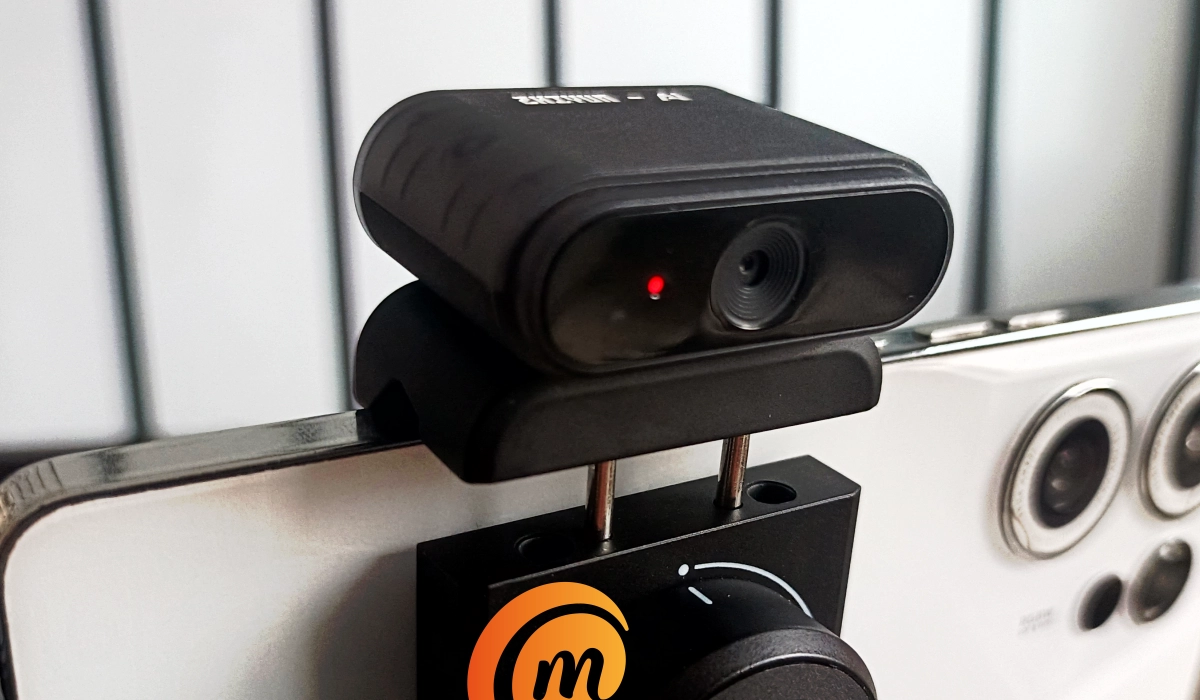
The magnetic AI tracker clipped to the top of the Smooth 5S AI stabilizer.
The AI tracker eliminates the need for an assistant to hold the smartphone or gimbal while you shoot a video, even if you’re moving around.
And the best part is that you do not need any complicated setup or app to use this feature. We have had a unit of the Smooth 5S AI with us for some weeks and we have put it to the test to see how it works. I share the story below.
ZHIYUN Smooth 5S AI included accessories
We got the Combo package of the ZHIYUN Smooth 5S AI gimbal. In the box is everything you need.
- Two pamphlets that include one quick start guide
- USB-C charging cable
- Tripod stand
- Magnetic AI tracker
- ZHIYUN Smooth 5S AI smartphone stabilizer itself
This is your complete mobile video recording equipment (apart from the smartphone). You can have a look at our unboxing video for a visual experience.
This are other packages. I am including more details about what the different packages include at the end of this review article.
Setting up the ZHIYUN Smooth 5S AI
The first step was to charge it. We plugged it into a power socket using the supplied USB-C cable. An LED light indicated that it was charging.
Once charged up, we were ready to go. Setting things up was smooth. First, we powered the Smooth 5S AI up using its power button. The Mode Display, a thin horizontal strip of LED light, came on to indicate that it was up and ready to run.
Next, we paired the gimbal with our chosen smartphone. It was as simple as opening the Bluetooth settings on the phone, selecting the Smooth 5S AI from the list of available devices and completing the pairing process.
And then, we placed the smartphone in the gimbal arms and made the necessary adjustments to get it balanced. Now, we were pretty much ready to go.
Hand gestures
The AI tracker is controlled with hand gestures and there are four of them.
- enable tracking with an okay hand gesture
- disable tracking with a stop hand gesture
- take a photo or start a video recording with a V (or victory) hand gesture
- stop a video recording with the same V (victory) hand gesture.
It sounded easy enough. It took me a bit of trying to get it right, but I eventually did. The AI tracking works whether you are using the front camera or the rear camera of your cellphone.
And it was exciting to see it at work. Years ago, you would need much more expensive equipment to be able to have this body tracking functionality. Yet, here it is now in an affordable, compact, easy-to-use smartphone stabilizer..
Apps
I mentioned earlier that the Smooth 5S AI does not need an app to use the AI tracker, and that is true. You can also do your video recording with the built-in camera app of your smartphone. This is how we have used the product so far.
However, the manufacturer has developed some apps that you can use for your video recording when using the Smooth 5S AI. The apps come with extra functions for more advanced users. I am convinced that most people just want things as simple as possible – something that works out of the box.
But more technical and more professional people will want to try out those apps for their extra functionality.
Download StaCam and/or ZY Play from the Google Play Store for use with your Smooth 5S AI.
Battery life
The manufacturer says that with a fully charged battery, the Smooth 5S AI will run for 26 hours if you are using only the gimbal. With the gimbal, AI tracker and one fill light, the claim is 7 hours of operation. And if you use it with three fill light running, the claim is 2 hours and 20 minutes of battery life. Expect real world usage to vary.
Where to buy
The Smooth 5S AI comes in three packages – Standard, Combo, and Pro.
The Standard package does not include the magnetic AI tracker. This is ideal for you if you don’t need the tracking feature. You will save some cash, too.
The Combo package is what we have shown you in this review article and in our unboxing video .
In addition to what is in the Combo package, the Pro package includes a magnetic fill light, coloured filters for the fill light, a lanyard, and a carry case.
Author:Mister Mobility
Digital Skills and Communication Coach | Mobile Phone Connoisseur since 2001 | Tech Blogging since 2004
