Add MobilityArena as a preferred source on Google
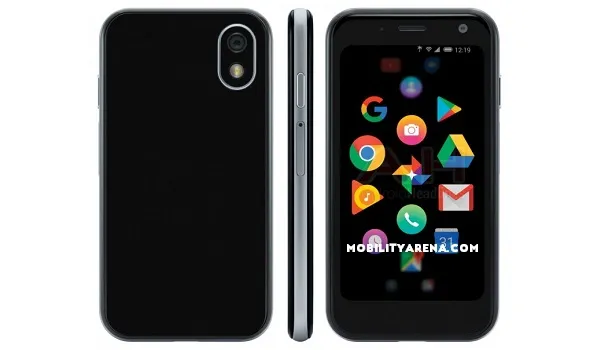
Palm Phone 2018 : Android smartphone. Announced October 2018. Features 3.3-inch IPS LCD display, Qualcomm Snapdragon 435, 800 mAh battery, 32 GB storage, 3 GB RAM .
The Palm brand is back in mobile after a number of years on holiday. And their first “smartphone” is an odd one – a diminutive device with a 3.3-inch screen, a very small battery (that 800mAh capacity that was leaked earlier is for real) and an interesting user interface.
While it looks like a phone, it isn’t. It has got LTE connectivity but you cannot make traditional telephone calls on it. You use it by pairing it with your smartphone, so it works like an extension – like a smartwatch. Any calls/messages that come to your phone can be managed on the Palm Phone 2018, so you can leave your phone in a bag.
Odd stuff. A tiny device that looks like a smartphone but isn’t quite one. In terms of software, it runs Android 8.1 Oreo, not Pie. Check out the Palm Phone 2018 specs below.
Wireless Network and Software
- 2G mobile networks : No
- 3G mobile networks : No
- 4G : LTE
- SIM Type : Nano-SIM or eSIM.
- Software / Operating System : Android 8.1 Oreo + Custom UI
Design, Form Factor and Appearance
- Dimensions : 96.5 x 50.5 x 10 mm
- Weight : 62.5g
- Display : 3.3 inches, 720 x 1080 pixels, LCD display with Gorilla Glass 3
- Sensors : Face Unlock, Ambient light, Accelerometer, Proximity, E-Compass, G-Sensor, Gyro
- Build : Corning Gorilla Glass + Aluminium; IP68 water and dust resistance
- Colours : Titanium. Gold..
Internal Hardware Specs
- Processor Type : Octa-core 1.4 GHz Cortex-A53
- Processor Name : Qualcomm Snapdragon 435
- Graphics Processor : Adreno 5050
- RAM : 3 GB
- Internal Storage : 32 GB
- External Storage : None
Photography and Video
- Rear Camera : 12 megapixels, LED flash
- Front-facing Camera : 8 megapixels
Multimedia Playback
- Music Support : MP3/WAV/eAAC+ player
- Audio :
- Loudspeaker : front-facing Mono speaker
- Video Support : MP4/MPEG4 player
- FM Radio : Yes
Connectivity Features
- Bluetooth : v5.0, A2DP
- WiFi : Wi-Fi 802.11 a/b/g/n, hotspot
- GPS : Yes, A-GPS, GLONASS, BDS, GALILEO
- USB : microUSB v2.0
Miscellaneous Specs and Features
- Charging : Regular
- Battery Type and Capacity : Non-Removable Lithium-Polymer 800mAh
- Announced : October 2018
- Availability : November 2018
Palm Phone 2018 Price
The Palm 2018 is a Verizon exclusive and costs $350. You can buy it outright or pay $14.58 per month per month for two years. This new Palm device will go on sale in November 2018.
Updates
In June 2019, the Palm Phone 2019 became available as an unlocked smartphone priced at $350. So anyone on AT&T, T-Mobile, or other compatible GSM-based LTE networks can purchase one and use freely on those networks. It can be purchased directly from Palm’s website. For a limited time, buyers get a free leather case and lanyard as freebies.
Palm Phone 2018 Photos
Official photos of the device are not out yet, but here is a photo from Digital Trends, showing what the Palm 2018’s user interface. Interesting; right?
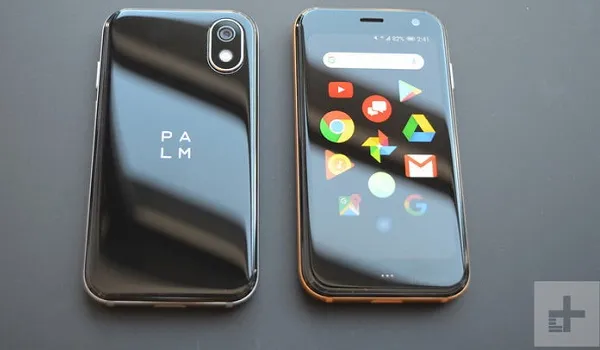
Image Source:Digital trends
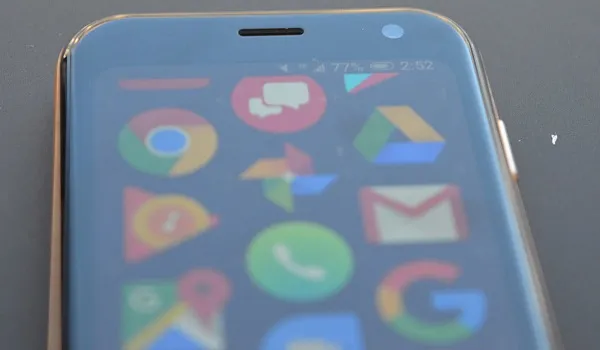
Image Source:Digital trends
You can see more photos of the Palm 2018 on Digital Trends .
- Don’t miss our reviews .
- Join our WhatsApp Group , to be notified of the most important articles and deals,
- Follow us on Instagram , Facebook , Twitter , and YouTube .
Author:InfoDesk
Add MobilityArena as a preferred source on Google
Using a spy app for parental supervision of children is harmless and often necessary in today’s world. This article walks you through using Hoverwatch spy app
With the availability of extensive use of the smartphone in today’s evolving world, various applications have been designed to spy on a cell phone. However, spying on a cell phone may be considered an act of breaching someone’s privacy. This doesn’t despise the fact that spy apps are the future generation of smartphone surveillance software.
Mobile tracker apps record all the incoming and outgoing phone calls, SMS and surrounding. It tracks GPS locations, messages from applications like Facebook, Skype, WhatsApp and browser activities. This app is intended for legal purposes, for instance parental control. You are required to observe all applicable legislation in your country.
- How Hoverwatch spy app works
- How to install Hoverwatch spy app on your phone Installing the Hoverwatch spy app on Android phones
- What are the difficulties of installing the application on the phone?
- What are the features of the installed application?
- A story about using a spyware application
- Conclusions and results
How Hoverwatch spy app works

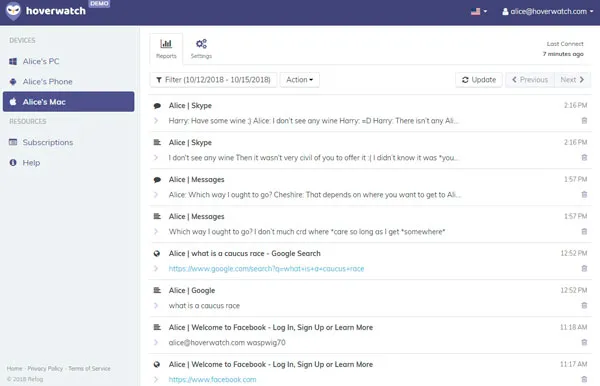
Different spy apps use different terminology, but they all work the same way. First, you have to install the Hoverwatch app on the target phone, enter your licence key, then let the app run. After installing and configuring the software, the activities taking place on the monitored phone will be recorded.
The data logs will after that be sent to the spy company web servers via an internet connection. These data logs and reports will be presented and stored in your online dashboard. This is the platform that you can access all your reports. There is guaranteed data security, which you can only view by logging in and displaying it on your device.
Additionally, this dashboard allows you to download your reports, control target phone and manage your account settings including payment plans.
How to install Hoverwatch spy app on your phone
Mobile phone spy apps are not available on Google Play Store; therefore you will need to download them from their respective company websites. However, the installation process differs depending on the type of software and phone.
Before you install a spy app you need to do the following:
- You should have access to the target device.
- Ensure the app is compatible with the phone that you want to monitor.
- Have an internet connection.
Installing the Hoverwatch spy app on Android phones
To achieve a successful installation of the spy app for android phones , you need to follow the following procedure:
- Under settings enable installation of apps from unknown sources
- After that, copy paste the URL of the spy APK file on your web browser to download the Hoverwatch app
- After it has been downloaded successfully, run the file and follow the guide displayed on the screen prompts to install the app
- Finally,after installing the app open it and enter your activation code, you will be now set to monitor, track and control the mobile phone through a web-based portal.
What are the difficulties of installing the application on the phone?
Personally, I have experienced these problems. I came to realize this problem can be traced to the user and the software itself. However, the problem installation and set up is common, but it is usually easy to fix.
The programs are installed and configured the same way but with only a slight difference. The most fundamental thing to do to avoid these problems is to follow the instructions carefully. You need to relax and take your time nobody will penalize you. Some of these problems arise because of:
- Corrupt APK file
- Poor internet connection
- Failure of the software to be compatible with the device
- Some users fail to follow prompt instructions appearing on the screen
- Some users use the outdated or unsupported browser
If you are a beginner choose a company with the best support team to guide you through the all process.
What are the features of the installed application?
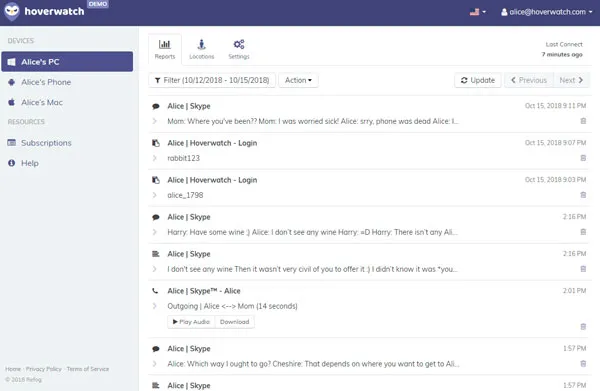
Are you aggressive to find out if your employee or your child is abusing the phone? Hoverwatch spy app has features that will enable you to achieve this effect. The following are general features of the installed app:
- Control panel
The active control panel is one of the most significant innovations that help you to view the screen in real time. Additionally, you will get notifications on commands such as play-siren and lock-device. The actual viewing of the screen device is updated every 90 seconds.
- Messaging
This feature allows you to get both sent and received messages.You can follow up all conversation and know if the mobile phone is being abused.
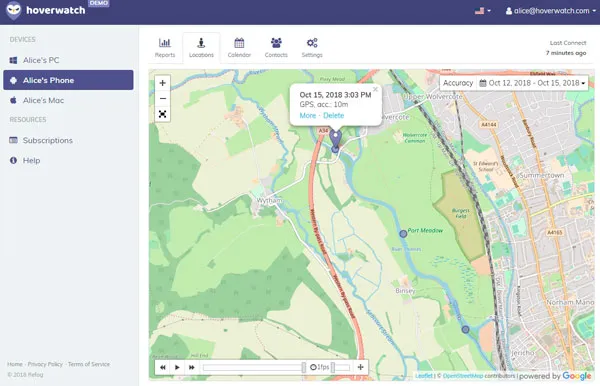
- GPS location log
This enables you to track location. If you are worried about your child’s location while you are away, this is a perfect solution for you.
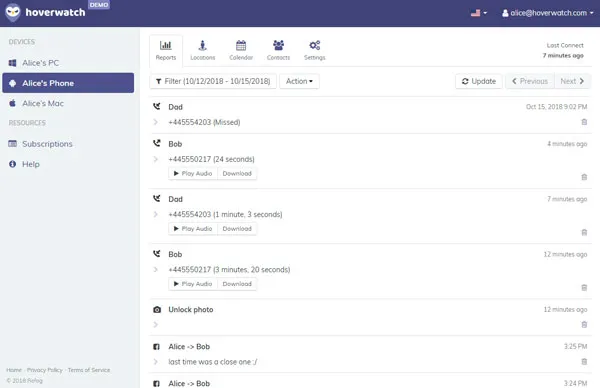
- Call registry
If you are interested to know who are making calls, then this feature will allow you to do that.You will be able to monitor phone numbers and the number of times of both incoming and outgoing calls.
- URL log
This feature enables you to track all the activities being performed on the device while on the internet. You will be able to view visited website to ensure that the displayed content is clean and safe.
- Photos
Through this, you will be able to know the kind of pictures contained in the gallery. Are they suggestive and dirty?
- Email-log
It tracks all email activities and synchronized accounts on the internet which are attached to the respective email.
- Social net-logs
This monitors activities of all social media platforms such as WhatsApp, facebook, twitter, etc
- Alerts
It allows you to set up events that you want to be alerted about. It can be intrusion alert,geo-fence signal among others based on your own choice.
- Application blocking
Several inappropriate apps have been developed. You can block any installation or monitor activities of such apps.
A story about using a spyware application
I always thought I was protected from intrusions of spyware until this day when my computer’s screen turned blue, and a prompt message indicated that I had been infected with spyware.
Naturally, I was tensed up, and I didn’t know what to do. I first chose to unplug my internet cable. After that,I decided to run my anti-spyware software. The results were shocking, I found 87 Instances of spyware, but I was not able to remove all. I decided to take my PC to our local technician for further diagnosis.
Conclusions and results
If you are interested in spying, go for an app that is easy to use and has a more secure system. People have varied reasons of spying someone’s activities but be cautioned. Your intentions should be valid and in line with the laws. Using a spy app for parental supervision of children is harmless.
“Home use is interpreted differently from supervision at the workplace. The latter is a complex area that requires careful observation of the law and the consent of the employee, cannot be considered as the key to solving all problems.”
Exploitative use of these applications will be considered illegal. Therefore, let us use this technological innovation responsibly.
