Add MobilityArena as a preferred source on Google
Good news, Team Pixel! You can now pre-order the Pixel 4a in more countries around the world. Which countries have been added to the list?
- Australia ($599),
- France (€349),
- Germany (€340),
- Ireland (€382),
- Singapore ($499),
- Spain (€389),
- Taiwan ($11,990),
- UK(£349)
Of course, the United States and Canada were already on the list.
Pre-orders can be done from each country’s official Google Store website. It is one of the affordable smartphones with the best camera .
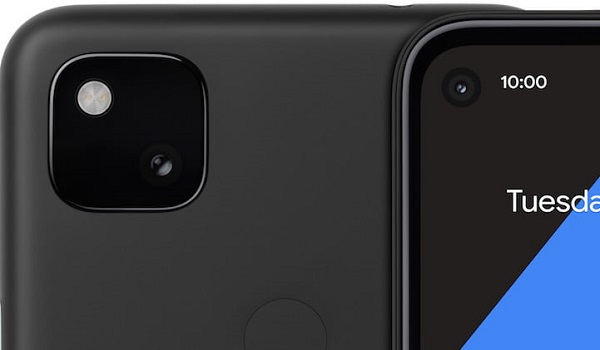
Google Pixel 4a is one of the affordable smartphones with the best camera
/e/OS installation gets easier, thanks to new easy installer for Windows
If you have been looking for an easy way to try out the /e/OS deGoogled experience, a new easy installer for Windows PCs and laptops sounds like what the doctor ordered.
It currently only supports a handful of Samsung and Fairphone models, meaning those are the only phones you can use it to install the privacy-focused operating system on.
Motorola launches Moto G9 Plus
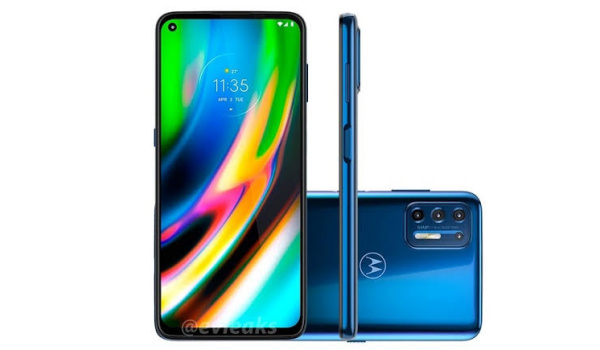
Motorola has launched the Moto G9 Plus, a mid-range smartphone with a massive 6.8-inch display, 64MP quad cameras, and a 5,000mAh battery coupled with 30W fast charging.
It runs Android 10, uses a Snapdragon 765G processor and 4GB RAM, along with 128GB onboard storage.
Colour options are Rose Gold and Indigo Blue.
The Moto G9 Plus is immediately available in Brazil for R$2.499,10. Will it show up in other countries? We have to wait and see.
Huawei Watch GT 2 Pro smartwatch and Huawei FreeBuds Pro are official
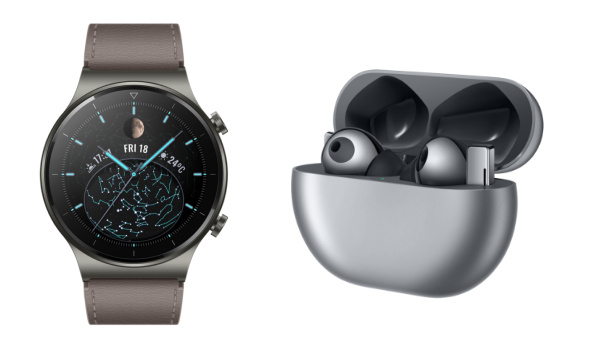
In other news, Huawei Watch GT 2 Pro smartwatch and Huawei FreeBuds Pro Bluetooth earbuds are now both official. Price and availability are yet to be announced though, so you have to sit this out till then.
LG’s weird T-shaped smartphone
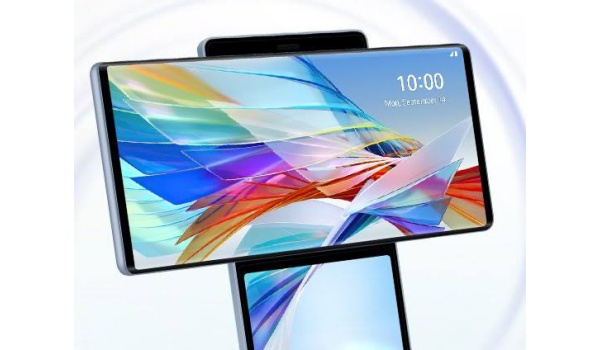
It has been years since we saw really bizzare smartphone designs similar to the ones Nokia used to treat us to, but it appears those days are over.
LG has stepped up with the first experiment in its Explorer programme, and it is as weird as can be. A smartphone with two screens – one laid on top of the other and able to swing to form a cross.
Here’s a brief video showing how it works:
What do you think? We expect to hear more about this interesting smartphone before its official announcement on October 2020. It is likely to be pricey too; smartphone displays are expensive and having two is just begging for it.
But there is no doubt about it: LG Wing is likely to win the 2020 smartphone Nobel prize for weirdness. The year 2020 keeps doing the most.
Author:Mister Mobility
Digital Skills and Communication Coach | Mobile Phone Connoisseur since 2001 | Tech Blogging since 2004
Add MobilityArena as a preferred source on Google
Every smartphone user needs or wants 3rd party apps on their devices. Three (3) different ways to download apps on a Windows Phone (Windows 10 Mobile too) .
Like all smartphone operating systems, Windows Phone and Windows 10 Mobile need apps. While every smartphone comes with pre-installed apps, we all want to be able to add functionality to our devices via 3rd party apps.
To download apps to your Windows Phone device is a straightforward process via the Windows 10 Mobile apps store, but there are other ways to get apps on your phone, just in case something goes wrong. Here are all the ways to go about it.
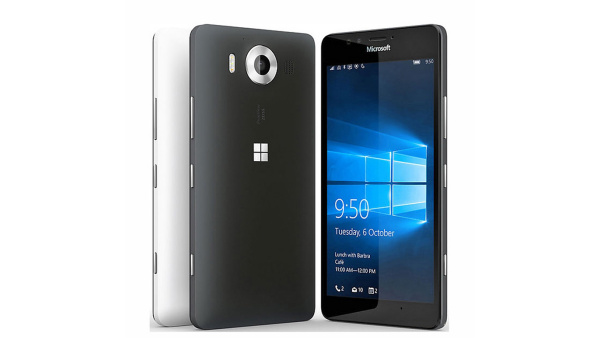
The Windows 10 Mobile apps store is the official source of applications for Windows-powered handhelds.
- How do you download apps on a Windows Phone?
- How to download apps on a Windows Phone 8 device without using the app store
- How to download apps on a Windows 10 Mobile device using a Web browser
- Windows 10 Mobile apps are on a life line
How do you download apps on a Windows Phone?
We start with the direct approach – how to download apps on a Windows phone via the app store
- On your phone’s Start screen, scroll down to ‘Marketplace’ (later renamed Microsoft store)..
- Locate the search button placed at the top of the screen and enter the name of the app you want e.g. Photoshop, or what the app does .e.g image editor
- Select the app to open its details page.
- Select Install .
- The app will ask for permission to access some of the information and functions in your phone. Tap Allow .
- The download will begin and the app will be installed right after.
Once the download completes, you are good to go.
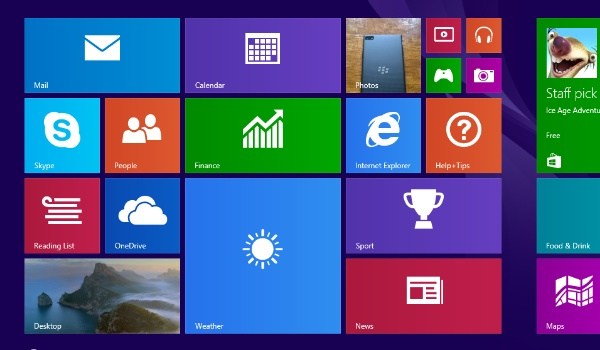
How to download apps on a Windows Phone 8 device without using the app store
If you need to download apps to a smartphone running Windows Phone 8, or higher, and it has an SD card slot, you will be able to .xap files to install manually. XAP files are native Windows Phone app format. Here is how to go about it:
- On your smartphone’s web browser, go to http://www.windowsphone.com/
- Locate the search button placed at the top of the screen and enter the name of the app you want e.g. Photoshop, or what the app does .e.g image editor
- Select the app to open its details page.
- Click the Download and install manually link down the bottom-left of the page.
- Copy the downloaded .xap file to root path your SD card.
- Reboot your phone and wait for 1-2 minutes.
- Open the store app on your phone and then tap SD card.
- Select the applications that you want to install.
This method is important because the Windows Phone 8.1 app store was shut down in December 2019, so this is perhaps the only way to get apps on them now. The limitation with this method is that you need a Developer Account for it to work.
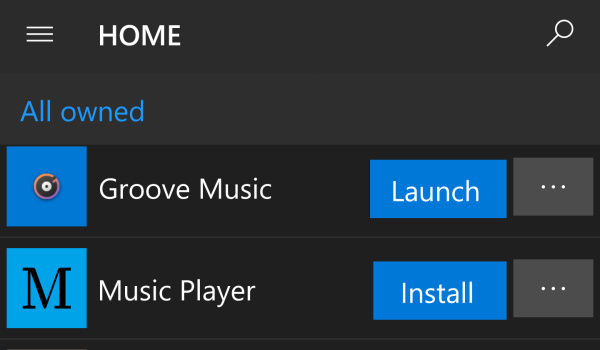
How to download apps on a Windows 10 Mobile device using a Web browser
If you own a Windows 10 Mobile smartphone, you can also install apps to it using a Web browser. This one does not require a Developer Account, but you will need to sign in to your Microsoft account..
- On your smartphone’s web browser, go to http://www.windowsphone.com/
- Locate the search button placed at the top of the screen and enter the name of the app you want e.g. Photoshop, or what the app does .e.g image editor
- Select the app to open its details page
- Tap on the Get the app button
- Next, you will see a Get button. Tap on it.
- You might be required to sign in with your Microsoft account. If so, sign in with your username and password
- Wait for your app to download and install.
Once the installation is completed, you can launch the app to use it.
Windows 10 Mobile apps are on a life line
The Windows 10 Mobile app store is still alive, delivering updates to Microsoft’s own suite of productivity apps – Word, Excel, PowerPoint and OneNote. However, it will likely be shut down in January 2021, when support for those apps end.
No new apps are being developed or accepted for Windows 10 Mobile any more, and all support for the platform, including security updates, hotfixes, ended in December 2019. Effectively, Windows Phone and Windows 10 Mobile are dead, and you should be looking to switch to an Android smartphone or iPhone at this point.
