Add MobilityArena as a preferred source on Google

Computer Virus. Source: iStock.
Virus attacks on PC’s (Private Computers) are getting more common now because work activities are being carried out from the comfort of our homes (as effects of the pandemic are still in full swing). According to Statista a total of 5.6 billion malware attacks were recorded worldwide in 2020 alone, the all-time high between 2015-2020 was 10.5 billion recorded in 2018. In 2020 the number of identity theft related to computer viruses was double that recorded in 2019.
A lot of firms, companies, private businesses are at risk of getting hit by a computer virus. You will agree with me that your PC can be a doorway to a lot of your private or business-related information. Buying and selling, keeping track of banking activities are performed on a PC by so many people today, this means that your bank details might be saved on your PC, business-related records and files, important documents are all stored on your PC. So, gaining access to one’s computer can mean gaining access to a lot of private information.
What Is A Computer Virus?
A computer virus is a program that when run on a computer affect the normal function of the computer for bad. In other to take down the system, a computer virus replicates (like regular viruses) by copying itself into other programs already existing on the computer.
This might sound frightening, the fact is that it is, you might start to wonder how these malicious software programs get into your computer.
It is essential to note that these viruses might or might not need someone to install them into an uninfected system before they begin to wreak havoc. One very common way people get a computer virus into their system is via a means called malvertising. All you have to do is click on an infected advert placed on the internet and “boom” you have yourself a problem to contend with.
Another mean by which one can unknowingly get a computer virus is by running infected executable files on his/her system, clicking on infected mail attachments from unknown sources. Some can come bundled with the apps that you install, infected removable drives can also cause a risk (e.g: external hard drive or USD flash drives) this is called a USB drop attack.
Symptoms That Prove Your PC Has A Computer Virus
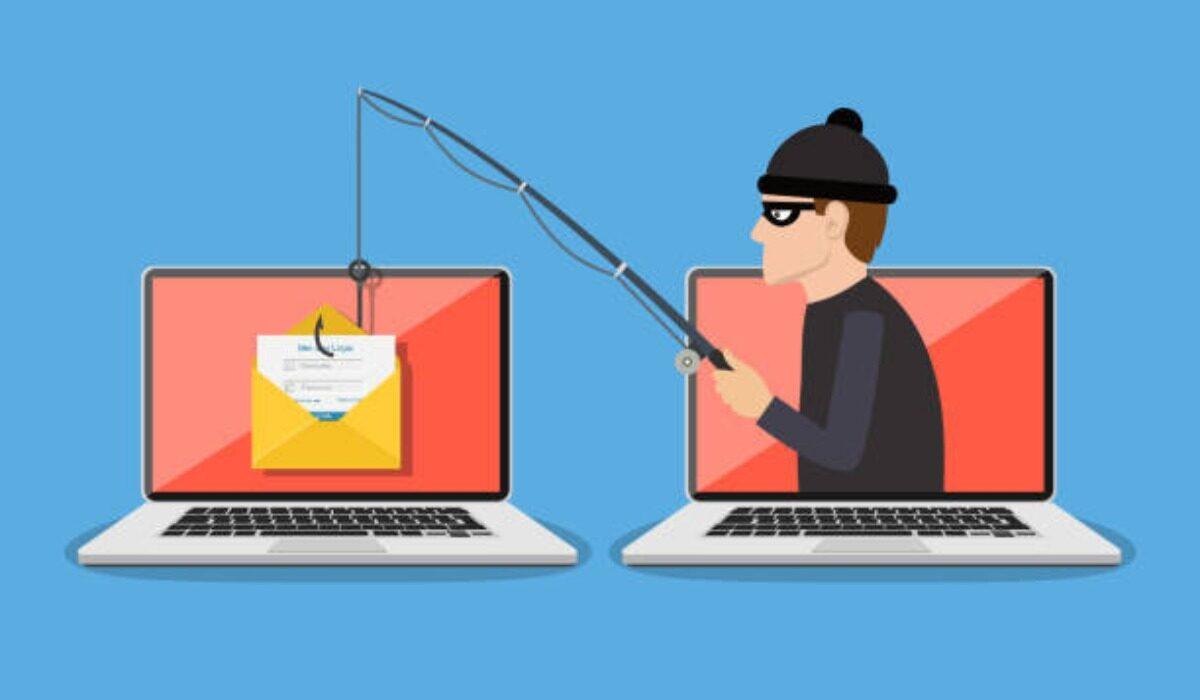
Just like every other viral infection out there, computer viruses as well come with symptoms. Some of these symptoms may be subtle, while still others very obvious. If your PC (laptop or desktop) starts to show any of the symptoms below, it is time for you to act fast:
- The appearance of applications you did not install and were not pre-installed on your computer.
- Unusual slow performance of your computer and prolonged system boot up.
- Frequent and unexplained pop-up windows.
- Sudden system crashes and blue screen errors.
- Change to the look and appearance of your system home screen.
- Missing files from your storage.
These are just a few symptoms to show that you might have a computer virus lurking around in your PC. Various types of computer viruses have different effects and symptoms on the victim’s computer, but they all have a common goal, which is exploitation (money via payment for antivirus or personal information).
How To Protect Your PC From Computer Virus
To keep your PC safe from any computer virus, steps need to be taken, the first being preventive and the second corrective. Well, truth be told, the corrective step is not the way to go as the computer virus must have already taken effect. Prevent situations from getting out of hand with these steps:
- Do not click web links or download files sent from unknown sources via email or any other means.
- Run a regular scan of your antivirus software, it might be quite stressful to do this daily but try to make your scans at close intervals (maybe weekly). To save yourself from stress, download a real-time virus scanner. What it does is to constantly check for the presence of any computer virus the moment data is loaded into your system.
- Install a firewall, anti-spy and antivirus software that is up-to-date.
- Stay on a safe network. We talked about how you can stay safe on a public network in this article . Public Wi-Fi networks can serve as bait for these hackers to gain access to your device, so only connect to networks that you know and trust and not just any available network.
- Make sure your antivirus software is always up-to-date. Whenever new exploits are found in the system, antivirus software company’s or producers immediately make an update available to their users to keep them safe from getting malicious software programs into their system. So always check for available updates and if any immediately download and install them.
Ensure to take these steps to heart to protect your organization or personal information from malicious software attacks.
Author:KittysTech
Tech analyst, Collins Eshiet, writes about technology. Follow me on Twitter @KittysTech.
Add MobilityArena as a preferred source on Google
Web and mobile app publishers the world over use Google Adsense to monetize their websites and apps. But there is more to website monetization than Adsense. Google Ad Manager is another solution – a more advanced one – to monetize your website.
Many years back, Google had two other monetization platforms named DoubleClick for Publishers (DFP) and DoubleClick AdExchange (AdX). Both of these were eventually merged into one solution, which was named Google Ad Manager (GAM). That is the origin story.
Google Ad Manager versus Google Adsense
What separates Google Ad Manger from Adsense? For starters, Adsense is available to publishers of all sizes, including small websites. However, GAM is available to only Web publishers with monthly traffic of over 100,000. Also, it requires more technical knowledge to use than Adsense. Almost anyone can use Adsense, as mostly what is requires is to copy and paste codes. With Google Ad Manager, you need a more technical grasp of things to put it to use.
Lastly, and perhaps the real benefit of GAM, is that it allows you to take advantage of multiple ad exchanges and ad networks (including Adsense), and so can deliver much higher revenue for your website. When you use Adsense, you are relying on only one ad exchange/network, Google. With Google Ad Manager, you can earn income from multiple exchanges/networks.
Like Adsense, GAM involves inserting tags in your website’s header, as well as at locations where you want your banners to be displayed. It is recommended that you use an ad plugin for inserting your tags and codes.
While Adsense provides both responsive and fixed ad banners, ad banners from Google Ad Manager are usually in fixed sizes. As such, you will need to use an ad manager plugin to display different banners for when your website is accessed on desktop and when it is accessed on mobile devices.
While Adsense is free to use, GAM works a little differently: there is a free version named Google Ad Manager Small Business, and there is a commercial version named Google Ad Manager 360.
Again, to use Google Ad Manager, you need to have some more advanced technical skills. It isn’t as simple as copying and pasting codes as AdSense requires. It will likely be overwhelming for non-technical people.
A way out is to work with Google Partner agencies who do all the heavy lifting behind the scenes and provide you with the codes to place on your website. These partners include companies like AdPlus, Setupad, and Ezoic, among others. Signup with them and hand them your Google Ad Manager network/company.
Note that you will need a Gmail account to sign-up for both. Once signed up, the Google partner of your choice will take care of the technical details. Note also that these Partners have different requirements for acceptance on their services. For example, your website must meet a minimum traffic level that varies from Partner to Partner.
If your website is still small, it isn’t ready yet for GAM. You will need to grow it for a while. But you can use AdSense to monetise in the meantime till it is big enough to qualify for Google Ad Manager and Google Partners who will manage it for you.
Google Partners earn a small commission on the total revenue that your website generates from GAM. It is worth it though, as the work they do helps you increase your website revenue, as much as five times, and sometimes more.
- Don’t miss our reviews .
- Join our WhatsApp Group , to be notified of the most important articles and deals,
- Follow us on Instagram , Facebook , Twitter , and YouTube .
