Add MobilityArena as a preferred source on Google
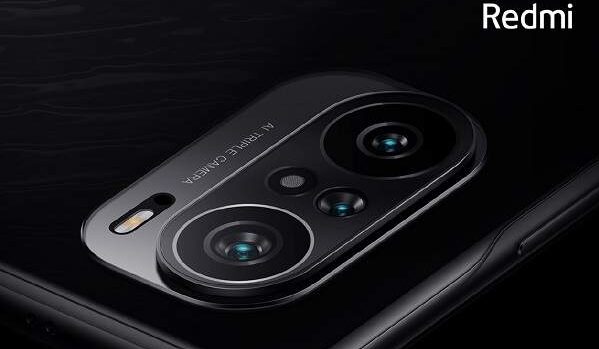
After series of leaks concerning the Redmi K40 series, all smartphones in this series are now official. Some of the leaks provided accurate information, as the Redmi K40 launched with the Snapdragon 870 SoC, while the other two variants offer the Snapdragon 888 SoC. They also bring triple-rear cameras, a hole-punch display design and a 120Hz AMOLED display.
Redmi K40
The Redmi K40 runs the Android 11 with MIUI 12 on top and brings a 6.67-inch full-HD+ (1,080×2,400 pixels) E4 AMOLED display wit a 120Hz refresh rate and a 360Hz touch sampling rate. Its display also has a 20:9 aspect ratio and a 2.76mm hole-punch design that is said to be the smallest anywhere in the world.
Under the hood, the Qualcomm Snapdragon 870 SoC keeps this device ticking and is paired with 12GB of RAM. In the rear, it brings three cameras with a 48MP sensor heading the setup. It is flanked by an 8MP ultra-wide sensor and a 5MP macro sensor. Up front, a 20MP sensor takes care of selfies and video calls.
It also brings 256GB of onboard storage and offers 5G support. The Redmi K40 launched with a moderate 4,520mAh battery that charges at 33W. It weighs 196 grams and is about 7.8mm thick.
It costs $310 for the 6GB/128GB variant, the 8GB/128GB model sells for $340, the 8GB/256GB model costs $387 and the 12GB/256GB model costs $417. The Redmi K40 launched in Icy White, Dreamland and Glossy Black color options.
Redmi K40 Pro
This smartphone shares a number of similarities with its sibling above, bringing the same display and Android version to the fray. It has the Snapdragon 888 chipset under the hood which offers up to 8GB of RAM.
In the optics department, three rear cameras take charge of photography, with a bigger 64MP sensor leading the line. It is assisted by an 8MP ultra-wide sensor and a 5MP tertiary sensor. It also shares the same battery rating as the K40 and brings 256GB of memory to the fore.
The Redmi K40 Pro is priced at $433 for the 6GB/128GB model, $464 for the 8GB/128GB model and $511 for the 8GB/256GB variant.
Redmi K40+ Pro
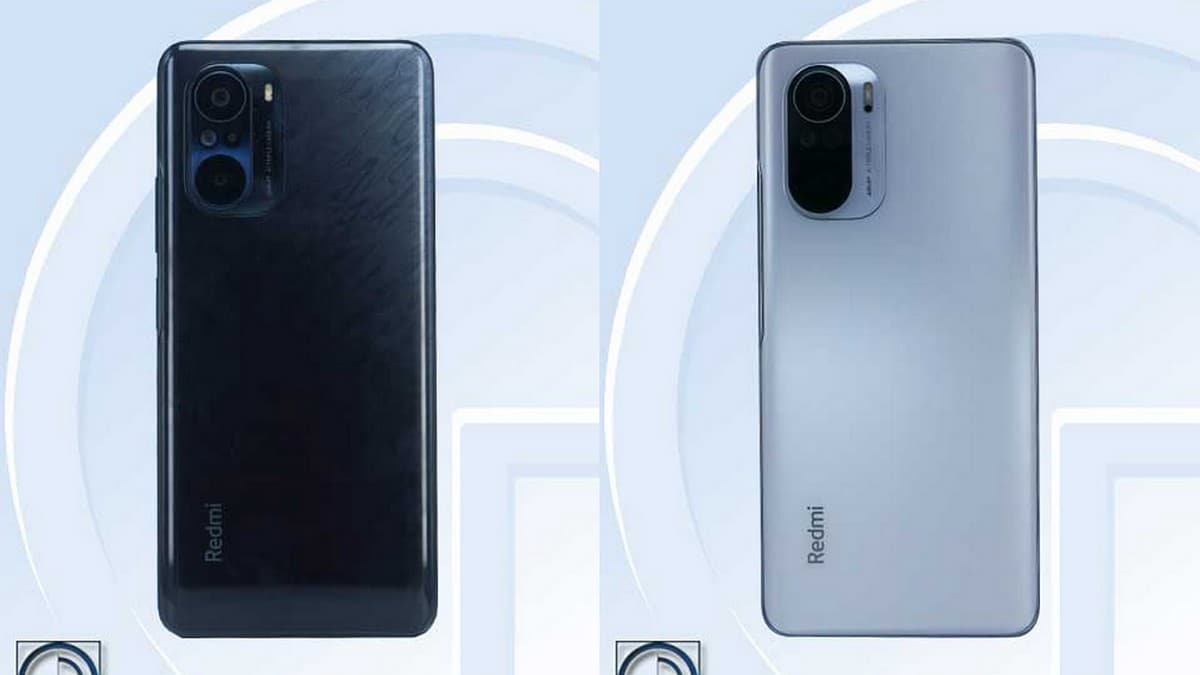
The pick of the pack of all three smartphones, this device shares the same hardware as the Redmi K40 Pro but offers 12GB of RAM. Aside this, its other major difference is in the camera department where it wields a 108MP Samsung HM2 primary sensor instead of the 64MP sensor in the K40 Pro. It shares the rest of its features with the K40 Pro and costs $573 for its lone 12GB/256GB model.
As at the time of this report, the company has not brought forth any details concerning the global availability of these smartphones, but the Redmi K40 and K40 Pro are already available for pre-orders in China, while the K40 Pro+ is expected in China sometime in March.
References
- Source ;
- Source .
Author:Alfa Baye
Staff Writer
Add MobilityArena as a preferred source on Google
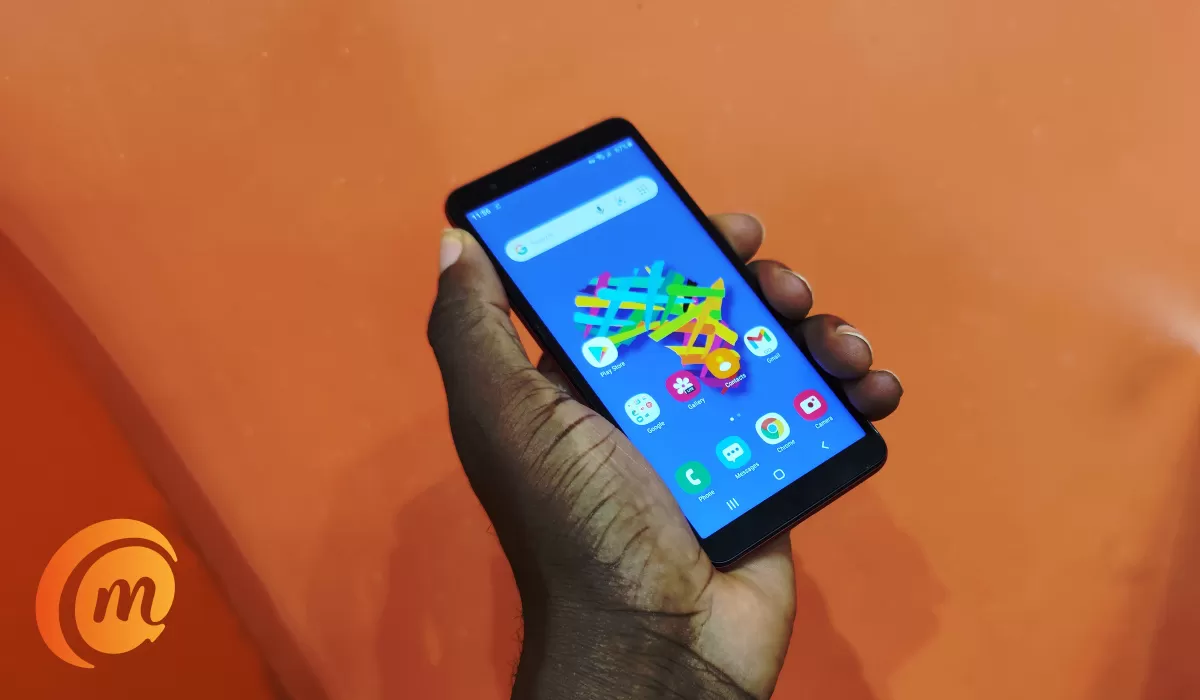
The Samsung A3 Core is an entry-level Android phone that costs in the range of $90. What is it like using this sub-$100 smartphone in 2021? I got my hands on one and have used it for a period, and I am ready with my experience and verdict. So, come along and enjoy my Samsung Galaxy A3 Core review.
There are not a many big smartphone brands making entry-level Android phones any more. Which is understandable, because there isn’t a lot of money to be made per device. Samsung is one of the few who still do.
- Samsung Galaxy A3 Core Review: Quick Specs
- Samsung Galaxy A3 Core Review: Quick Pros And Cons
- Samsung Galaxy A3 Core Review: In the box
- Samsung Galaxy A3 Core Review: Hardware And Design
- Samsung Galaxy A3 Core Review: 360-degree Hands-on Video
- Samsung Galaxy A3 Core Review: Software
- Samsung Galaxy A3 Core Review: Network And Telephony
- Samsung Galaxy A3 Core Review: Display And Multimedia
- Samsung Galaxy A3 Core Review: Photography & Video Samsung Galaxy A3 Core selfie Photos Samsung Galaxy A3 Core Main Camera Night Photos Samsung Galaxy A3 Core Main Camera Daylight Photos
- Samsung Galaxy A3 Core Review: Multitasking And Performance
- Samsung Galaxy A3 Core Review: Battery life
- Samsung Galaxy A3 Core Review: Final Words Is Samsung A3 Core a good phone
- Other Samsung Galaxy A3 Core Resources
Samsung Galaxy A3 Core Review: Quick Specs
Let’s have a quick look at the phone’s specifications to see what to expect.
- 5.3-inch IPS display
- Android 10 (Go Edition)
- 5MP selfie camera
- 8MP main camera with LED light
- 3000mAh battery with regular charging
- Mediatek MT6739 processor
- 1GB RAM
- 16GB internal storage
- Dedicated microSD card slot (up to 512GB)
- 3.5mm audio headset port.
Samsung Galaxy A3 Core Review: Quick Pros And Cons
Before we dive into the review proper, starting with the major pros and cons of this device.
- 4G LTE support
- Good physical build
- Good battery life
- Compact size
- Lacks a fingerprint reader
Samsung Galaxy A3 Core Review: In the box
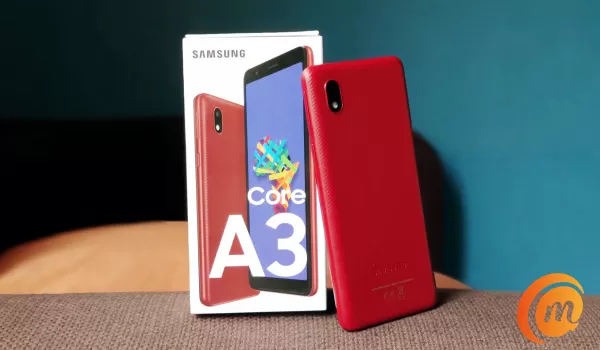
- Samsung A3 Core phone
- Paper documentation
- SIM ejector tool
- USB Wall charger
- 3.5mm audio headset
Samsung Galaxy A3 Core Review: Hardware And Design
I have handled scores of cheap Android phones. Many of them feel flimsy in the hand. The Samsung A3 Core is not one of them. It is a plastic phone that feels quite solid and well built. The handy size makes it a delightful phone in the hand as well.
In terms of looks, it is a little retro and has some bezels all round, but the whole package works well. Here is a phone you can hold and use comfortably without the worry that it will drop from your hand.
The Volume control and Power button are at the top section of the phone’s right side. There are no buttons on the opposite side. Instead, the dual-SIM and memory card slots are there.
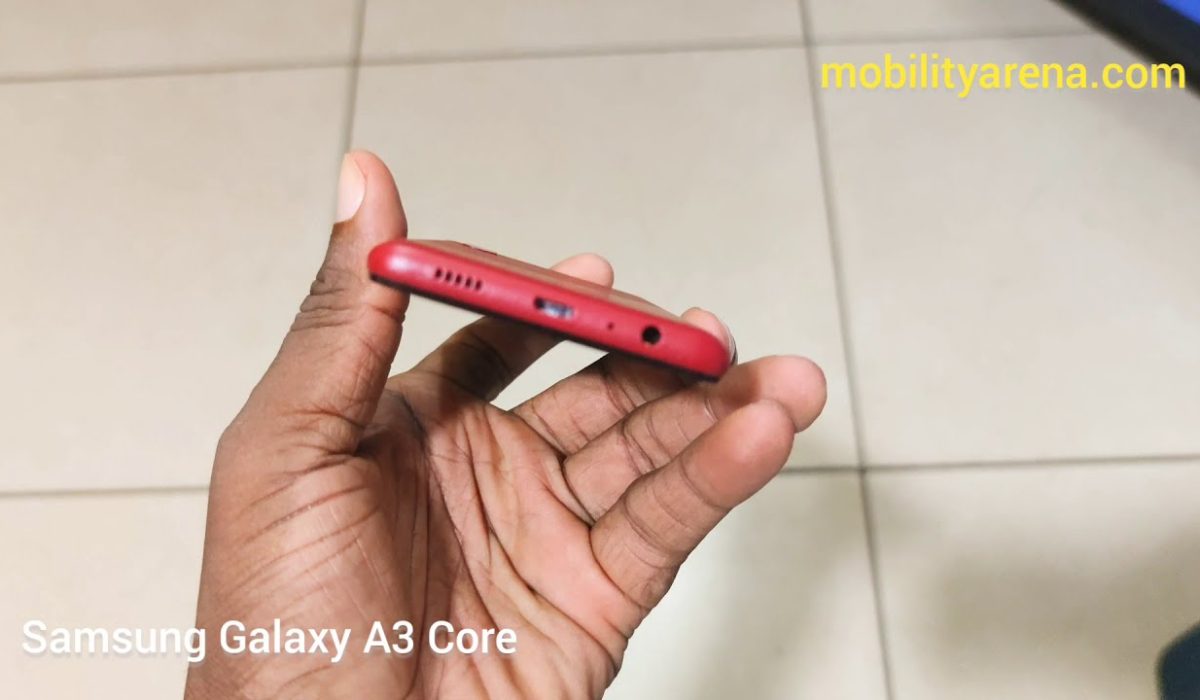
There is nothing on the top edge of the phone. At the bottom are the 3.5mm audio port, microphone, micro-USB port, and loudpeaker grille.
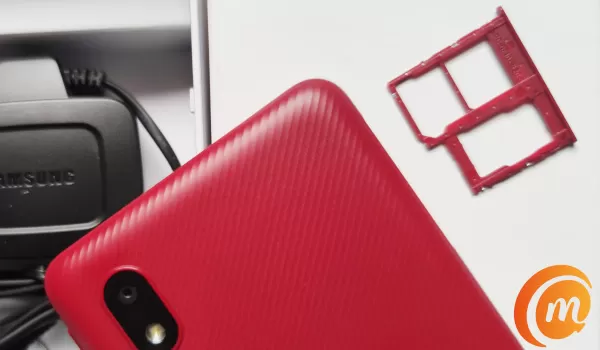
At the back is a single 8-megapixel camera and LED flash on a textured back. If the Samsung logo counts as a design feature, it is there towards the bottom end of the back panel.
Yes; a fingerprint scanner is missing. The Samsung A3 Core does not have one.
Samsung Galaxy A3 Core Review: 360-degree Hands-on Video
Samsung Galaxy A3 Core Review: Software
The Samsung A3 Core runs a version of One UI, based on Android 10 (Go Edition). Going through the About phone menu, I find no mention of One UI at all. But the icons and user interface clearly scream One UI.
Being Android 10, there is the option to turn Dark mode on, which I promptly did the first few minutes of having the phone in my hands. It is mostly consistent but there are a few areas of the phone that do not have Dark mode implemented.
One was inside the Gmail Go app. I use the past tense because the version of Gmail app that came pre-installed in the Galaxy A3 Core did not change to Dark mode. However, as soon as I updated the app, voila, it went Dark. The other is the Software update page. It is still white as I type this. But I am nitpicking. That menu is obscure and will not be seen often.
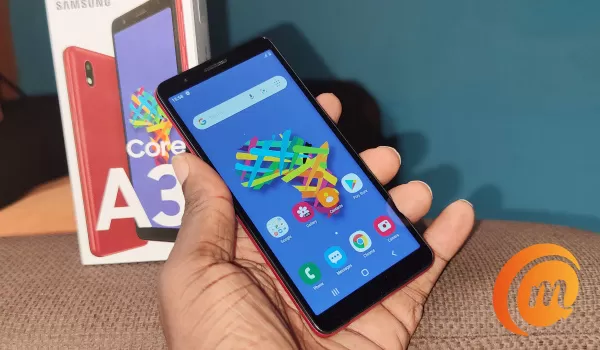
Being an Android Go Edition device, all the Google apps are “Go”: versions. That means, they are the lighter versions optimised for low-hardware devices at the entry level. They are smaller, lighter, and run faster on entry-level devices like this one.
It is good to see Samsung support the Lite apps movement. They have a lite version of their web browser pre-installed (it doesn’t go dark under Dark Mode though). The pre-installed Samsung Max app is also the lite/Go version.
Along with other Google Go apps, Gboard Go comes pre-installed, but the default keyboard is Samsung’s own. It works well, but my personal preference is Gboard.
Samsung Galaxy A3 Core Review: Network And Telephony
If there is one thing that I am glad to see on the Samsung A3 Core, it is the 4G LTE support. Many smartphones at this price point now lack 4G LTE. It is good to see an entry-level Android phone with 4G support. The Samsung A3 Core holds on to a network signal well.
If you have access to Wifi, that is available on this smartphone as well. You can also connect it to the Internet via Bluetooth tethering , should you ever need to.
Samsung Galaxy A3 Core Review: Display And Multimedia
Auto brightness is cranky, often returning the screen to a dimmer mode than I enjoy. It isn’t the first phone this is happening with though. Eventually, I disabled it and manually fixed a brightness that works for me.
The display is good and video and audio are okay as well. Nothing out of the expected for a phone of this price. There are no problems with telephone calls. Audio is clear as well during telephone calls.
Samsung Galaxy A3 Core Review: Photography & Video
Photography and video on a basic smartphone isn’t anything fantastic. Exceptional cameras are expensive, so you won’t find one here or in any low-end Android phone.
In dark environments, photo quality goes totally out the window and becomes trash. So, the A3 Core is not recommended for night or low-light shots. If you are lucky, you will get some good shots.
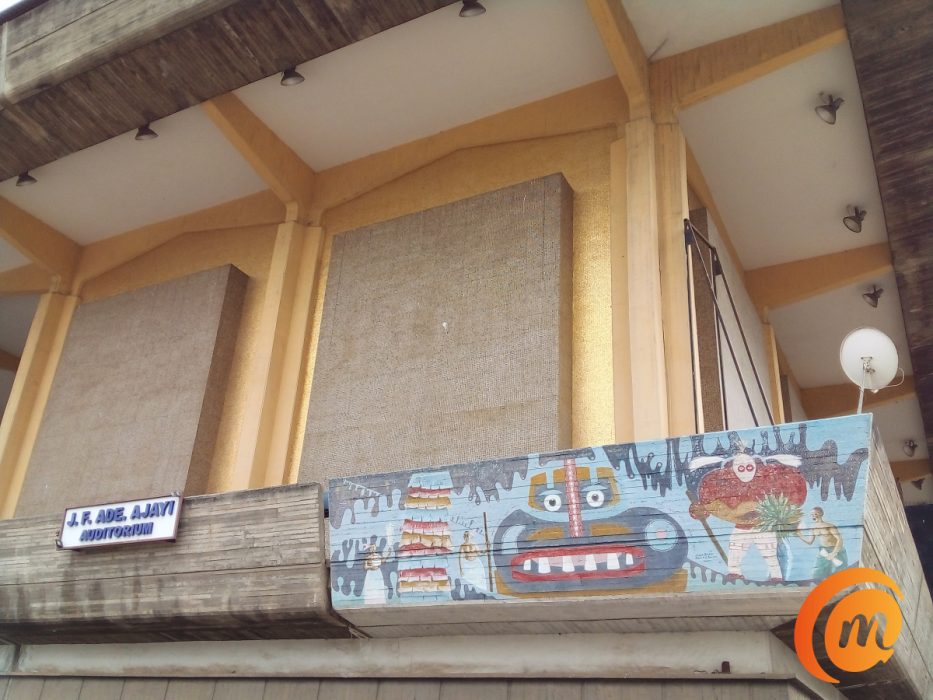
Even in well-lit settings, like bright sunny outdoors, the photos it shoots are inconsistent. I included two selfies shot at the same spot and same time below to illustrate this, but it happens with both cameras. If you buy the A3 Core, I recommend that you take multiple shots of each photo you want and pick the best results.
Samsung Galaxy A3 Core selfie Photos

Samsung Galaxy A3 Core Main Camera Night Photos

Samsung Galaxy A3 Core Main Camera Daylight Photos
Samsung Galaxy A3 Core Review: Multitasking And Performance
Using an entry-level Android phone is like driving a budget city car. They are not built for speed or power. They are built to offer you the best possible experience at the lowest possible prices.
The Samsung A3 Core works well if you don’t load it up with tons of apps and fill it up with junk. Having 1GB of RAM means that app launching and switching is not zippy. It also has a low budget processor. Bear these in mind when using it and you will be fine.
Don’t push it like it is a sports car or 4WD SUV or truck, because it isn’t even close. It is a basic city car. Performance is smooth, but you will get frustrated if you load it up and try to race with it.
Samsung Galaxy A3 Core Review: Battery life
Unsurprisingly, battery life of the Samsung A3 Core is good. On a full charge, the battery runs for over two days – almost running into three. This is on a moderate use case – a few hours of web browsing, email, and the odd telephone call and SMS.
If used more intensively, it will likely not exceed 48 hours. And that is really good. Charging is regular standard, meaning there is no fast charging. Plug it in and wait for at least two hours for a full charge.It is best you leave it plugged in overnight.
Samsung Galaxy A3 Core Review: Final Words
Is Samsung A3 Core a good phone
Samsung Galaxy A3 Core is a decent entry-level Android smartphone with 4G LTE connectivity.
I love that it has support for 4G LTE, though you have to give up the fingerprint scanner. Before you start cussing, competing devices at similar price points mostly lack 4G support and have a fingerprint reader.
This is a trade-off, and you have to decide what option works for you. If a fingerprint reader is more important to you than 4G, there is a catalogue of competing devices from brands like itel, TECNO, and Infinix.
Physically, the Samsung A3 Core feels like a phone that will do well against wear and tear, too. For $90 or ₦33,000, depending on where you live, it isn’t a bad choice.
Other Samsung Galaxy A3 Core Resources
- Samsung Galaxy A3 Core specs
- Samsung Galaxy A3 Core unboxing and hands-on
PS : The Samsung A3 Core is not the same as the Samsung A03 Core . They are two different smartphones.
Copyright Notice : Reproduction of this article on any website, e-book, book, newspaper, magazine or other media without express written permission from MobilityArena is a violation of copyright rules and will result in appropriate action being taken.
Author:Mister Mobility
Digital Skills and Communication Coach | Mobile Phone Connoisseur since 2001 | Tech Blogging since 2004
