Add MobilityArena as a preferred source on Google
The Samsung Galaxy A02 is a decently priced devices from Samsung which was launched early this year, but just shortly after it hit the markets it was immediately followed up by an “s” variant of itself. Which is a better buy and offers better value for money, between Samsung Galaxy A02 and A02s?
Often times most smartphone brands launch more than one type of particular device (not line-up) and this is what Samsung did with the A02. Something’s this addition to an already existing devices comes to make the device either cheaper or it adds even more features to the already existing device at a higher price.
The A02s is that one device from Samsung that we are talking about here. In this article the Galaxy A02 very own follow up the A02s will go head-to-head with its predecessor. Which is better? Was the A02s just a silly downgrade, or does it bring some good features to the table? Mobility Arena has the answers!
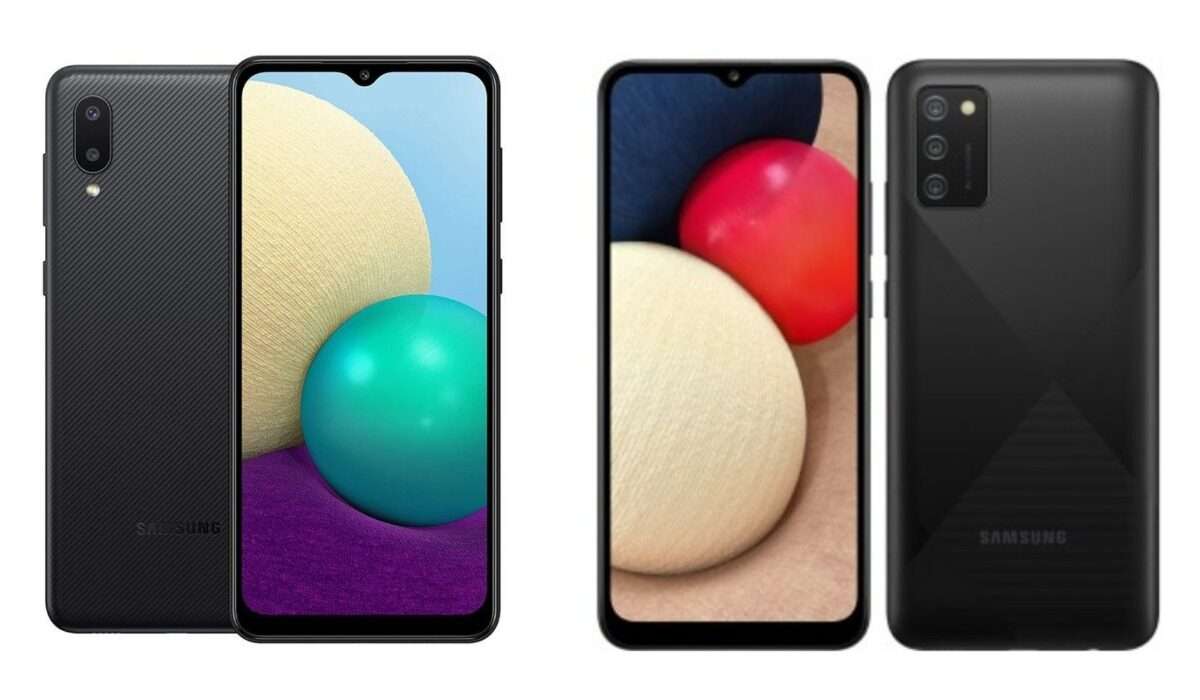
Samsung Galaxy A02 Vs Samsung Galaxy A02s.
Samsung Galaxy A02 and A02s: Comparison Table
| Samsung Galaxy A02 | Samsung Galaxy A02s |
|---|---|
| 6.5 inches, 720 x 1600 pixels, 20:9 ratio PLS IPS display | 6.5 inches, 720 x 1600 pixels, 20:9 ratio PLS IPS display |
| Android 10 + One UI 2.0 | Android 10 + One UI 2.0. Upgradable to Android 11. |
| MediaTek MT6739W | Qualcomm Snapdragon 450 |
| 5 MP selfie camera | 5 MP selfie camera |
| 13 + 2 MP rear quad camera with LED flash | 13 + 2 + 2 with LED flash |
| 32/64 GB internal storage + dedicated microSD slot, | 16/32/64 GB internal storage + dedicated microSD slot |
| 2/3/4 GB RAM | 1/2/3/4 GB RAM |
| 5000 mAh battery | 5000 mAh battery + 15W fast charging |
| $120 | $110 |
Our comparison table has clearly stated out the specs of the two devices. A closer look at the table shows where each device outperforms its counterpart. Let us go on to a more in-depth comparison of the two devices.
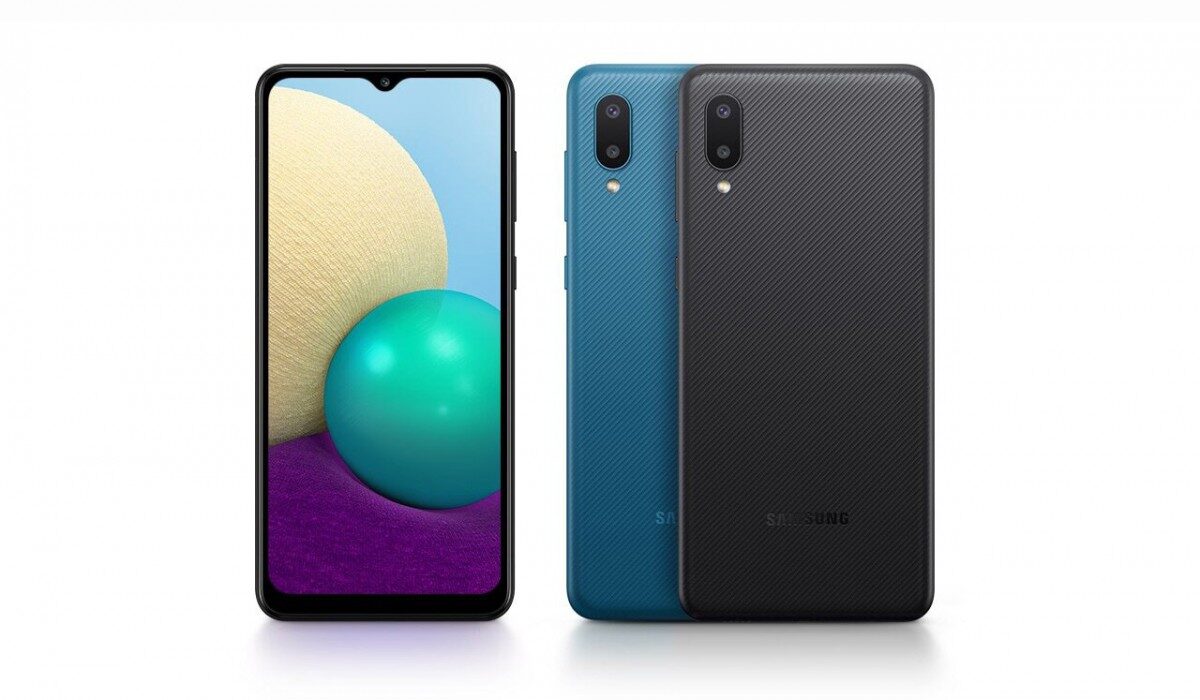
Samsung Galaxy A02.
Samsung Galaxy A02 and A02s: The Similarities
There are very obvious similarities that we can pinpoint when looking at these two devices. The Galaxy A02s is more like an extension from the Galaxy A02, so there are certainly some things or features that these devices share in common.
First is the screen size and type of screen used in each device. They both share the same PLS IPS screen which is not the best you can get in the smartphone market, but at the prices these two devices are going at the screen type is okay. There are no crazy bright colour illustrations, but the colour and brightness you will get here are okay.
The battery capacity on these two devices are the same. They both packs a powerful 5000mAh battery which will get you through a whole day on regular usage and still have something left in it for the next day.
The main camera capacity on the two devices are the same, a 13MP main camera. On the selfie camera, we have a 5MP camera on the both devices. Despite these similarities in the camera of these devices, there are still some differences, which we will come to in a bit.
Storage on the two devices is actually the same, though the Galaxy A02s offers a little more storage variants.
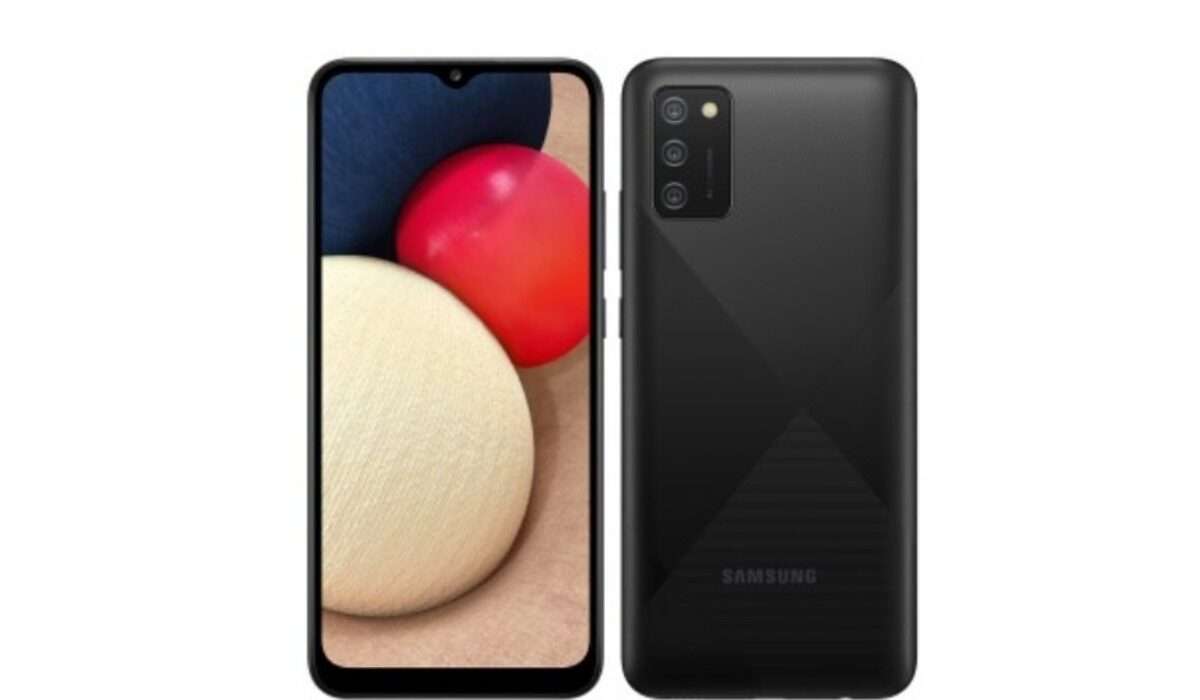
Samsung Galaxy A02s.
Samsung Galaxy A02 and A02s: The Differences
Certainly we have talked about the similarities we can see in the two devices in consideration, let us now look at the differences here. Most of the differences in the two devices put the Galaxy A02s ahead of this competition.
The first difference I will look at here is the availability for Android update. The Galaxy A02s offers users with one major Android update from the on device Android 10 to Android 11, while on the A02 there is no official update yet, though we hope that the A02 will get a major Android update.
Now for the camera, like we said earlier the two devices have a main 13MP camera, but the difference between the two devices is the number of cameras. On the A02s we have a triple camera setup, while on the A02 we have a dual camera setup.
Processor also brings a major difference in the two devices. The Galaxy A02s has a stronger and more capable chipset, the Qualcomm Snapdragon 450. So it is a better device for multitasking and running between applications a bit smoothly.
Samsung Galaxy A02 and A02s: Conclusion
You can see that there is a close competition between the two devices, but the Galaxy A02s surely comes out as the better option at an even lower price. The retail price of the Galaxy A02s is $110 while the Galaxy A02 comes out at $120. For an even lower price, you can get a better device. So definitely there are some updates on the Samsung Galaxy A02s as against the Galaxy A02.
You are reading Mobility Arena .
- Don’t miss our reviews .
- Join our WhatsApp Group , to be notified of the most important articles and deals,
- Follow us on Instagram , Facebook , Twitter , and YouTube .
Author:KittysTech
Tech analyst, Collins Eshiet, writes about technology. Follow me on Twitter @KittysTech.
Add MobilityArena as a preferred source on Google
Pegasus is a spyware developed and sold by Israeli NSO Group. The company says that it sells the spyware only to governments who use it for surveillance of “serious crimes and terrorism”. However, there have been reports of the software being used in hacking and monitoring individuals that do not fall within this classification.
Pegasus has been reported as used to monitor heads of states and other officials of government, including those of countries like France, Algeria, Belgium. Egypt, South Africa, and Uganda, among others.

How Pegasus spyware works
Pegasus is the most cutting edge cellphone hacking/monitoring spyware, because it can be installed on a phone without the user clicking on anything. Most spyware require user action for installation to happen. Usually, a link is sent to the target via email or other medium, and when this link is clicked on, it triggers an installation. Not Pegasus.
NSO’s Pegasus is called a “zero-click” trojan virus and works on both Android smartphones and iPhones. Once installed on a device, this bad boy spyware provides the attacker with full access to the infected cellphone. No information on the infected device is safe – SMS, call records, social media accounts, location, WhatsApp messages and calls, Telegram, Signal, bank records, the whole works. All of these data can be accessed via Pegasus, and without the user having a clue that they are being monitored.
Simply put, this is the spyware that other spyware aspire to be.
Is there any way to prevent Pegasus from being installed on your smartphone?
As at this time, there is no known protection or shield against Pegasus. If an attacker has the software and are interested in you, they will hack your phone . The fairly good news is that most people do not have to worry about being hacked with this spyware. Why? It is very expensive, and usually, only governments have the kind of money to spend on surveillance software of this nature. And governments are not after the average person.
Yet, it is a present danger once your government has its hands on Pegasus. Knowing that they have the capacity to do it is scary. And there is no guarantee that it won’t be used by individuals for personal vendettas and interests. Already, we know that it has been used against journalists, political opponents, and human rights activists in several countries. As things go, there is always more that does not get reported in the news.
Can you find out if your cellphone has been hacked by Pegasus?
Yes; you can find out if Pegasus spyware has been installed on your phone, but only if you use an iPhone. Amnesty International has developed a tool that you can use to detect the activities of this spyware on your iPhone. The tool is not available for Android devices, unfortunately.
How to check if you have the Pegasus spyware installed on your iPhone
Checking your iPhone for Pegasus spyware isn’t as simple as installing and running an app. The procedure is more technical than most people will like. It requires a fair grasp of command line usage. So, you do need to be fairly technically-minded to use it. If interested, here is what to do:
- Carry out an encrypted backup of your iPhone via iTunes or from Finder in more recent MacOS versions.
- Follow Amnesty’s Mobile Verification Toolkit (MVT) installation instructions .
- Run MVT on the encrypted backup moved to these locations: Windows: in %USERPROFILE%\Apple\MobileSync\ or %USERPROFILE%\AppData\Roaming\Apple Computer\MobileSync\ Mac OS: ~/Library/Application Support/MobileSync/
Not for the faint-hearted; right? Hopefully, someone will come up with a less technical way to check for the spyware on your cellphone, and include Android too.
How to remove Pegasus from an infected phone
That is the thing: even if you find traces of Pegasus activity on your smartphone, there is no known way to uninstall or delete the spyware app. Does a factory reset remove Pegasus from an infected phone? Sorry, but it is a futile effort. The spyware is reported as being able to carry out chip-level activity, so it stays on your phone even after a factory reset.
The only known protection against Pegasus is that you stay offline. Do not use an Internet-connected device. Stick with an old school dumb phone for your telephone needs. If your Android device, iPhone, or iPad has been infected with this spyware, your best bet is to destroy it and get another phone. Yes; preferably a dumb phone.
You are reading Mobility Arena .
- Don’t miss our reviews .
- Join our WhatsApp Group , to be notified of the most important articles and deals,
- Follow us on Instagram , Facebook , Twitter , and YouTube .
Author:Mister Mobility
Digital Skills and Communication Coach | Mobile Phone Connoisseur since 2001 | Tech Blogging since 2004
