Add MobilityArena as a preferred source on Google
Samsung’s Galaxy Core models are the company’s entry-level line up. As such, the Galaxy A03 Core is an entry-level Android smartphone. I got my hands on it recently and took it through its paces briefly. I hope this review , in which we take the device for a hands-on experience, and share our first impressions, helps you get a detailed picture of what to expect from this model. Note that this is different from Samsung Galaxy A3 Core . Yes, the naming scheme is a bit confusing.
The Galaxy A03 Core was released in November 2021, just about 7 months ago, with Android 11 (Go Edition). Its replacement, Samsung Galaxy A04S Core, won’t arrive till around the same time this year, so if you want an affordable smartphone from Samsung, the A03 Core is where to start from. Let’s have a look at the key specs first.
- Samsung Galaxy A03 Core Specs
- What’s in the box?
- First Impressions
- Full Evaluation
Samsung Galaxy A03 Core Specs
- Android 11 (Go Edition)
- 6.5″ 720 x 1600 pixels, PLS LCD screen
- 5 MP selfie camera in front
- 8 MP triple camera at the back
- Unisoc SC9863A
- 2 GB RAM
- 32 GB built-in storage
- Dedicated microSD card slot
- 5000 mAh battery.
What’s in the box?
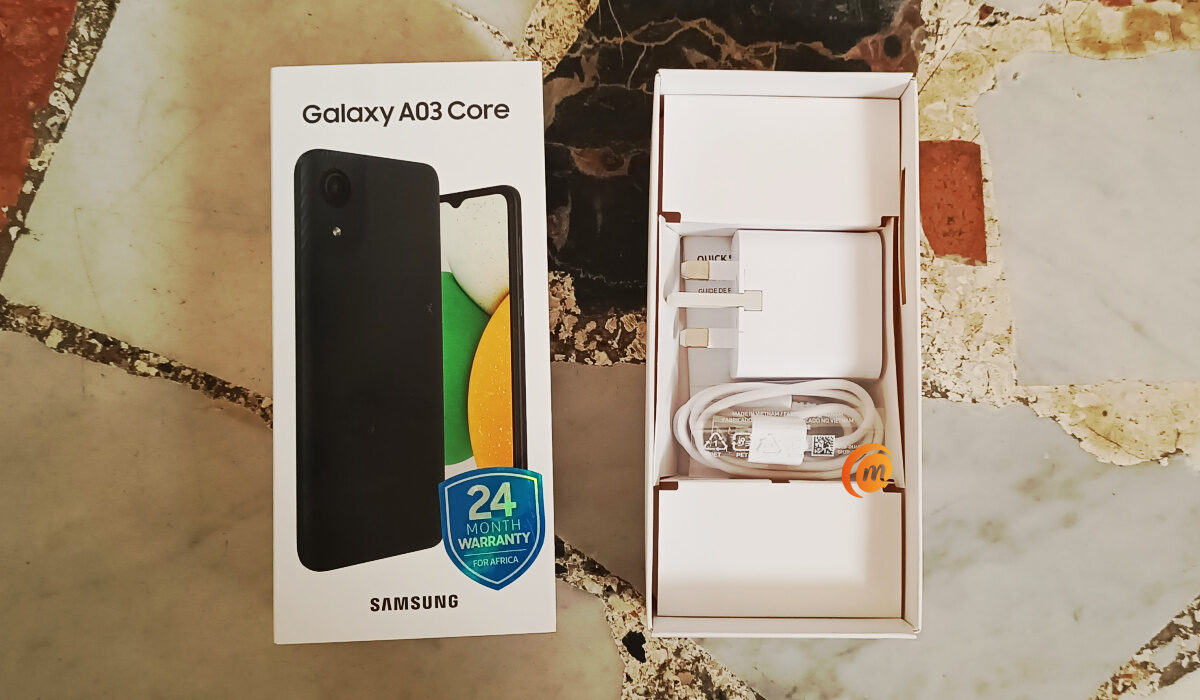
In the box was the phone itself, a 3-pin wall charger, a relatively short USB cable, a warranty card, and a pamphlet.
First Impressions
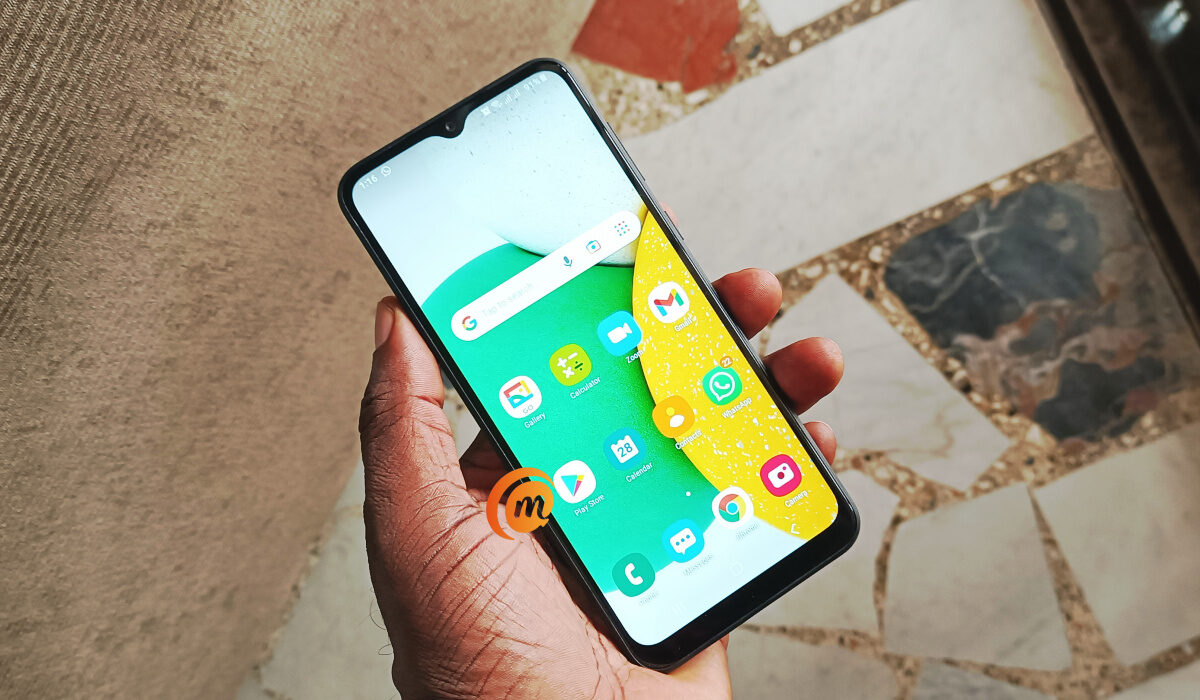
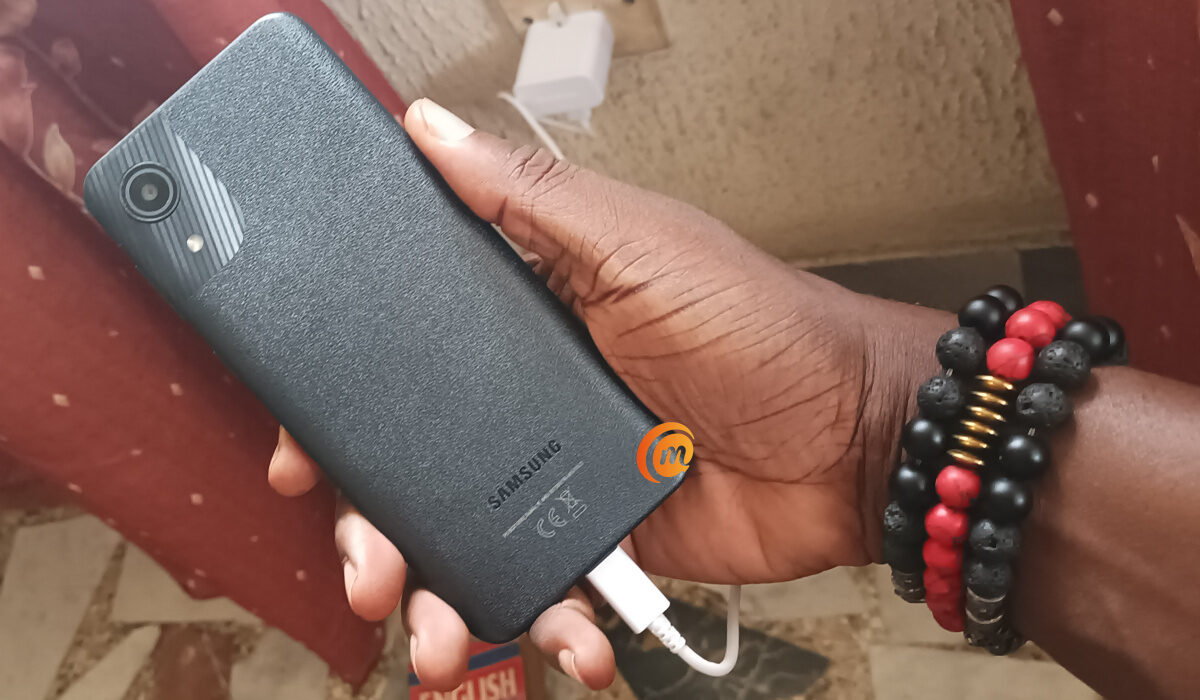
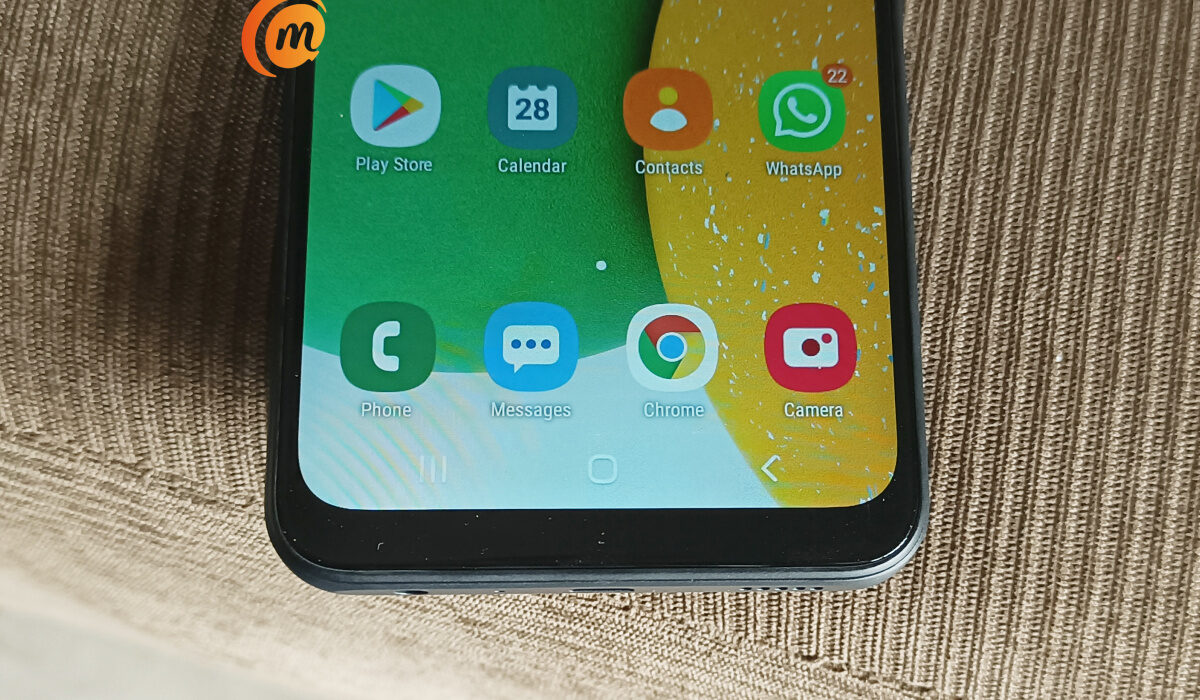
The Galaxy A03 Core is available in only two colours – Blue and Black. This review unit is black. The frame is made of plastic , as is the rear cover/panel. That rear panel is beautiful, though. It has a nice textured, pattern, in contrast to the slippery smooth back we see on some other models.
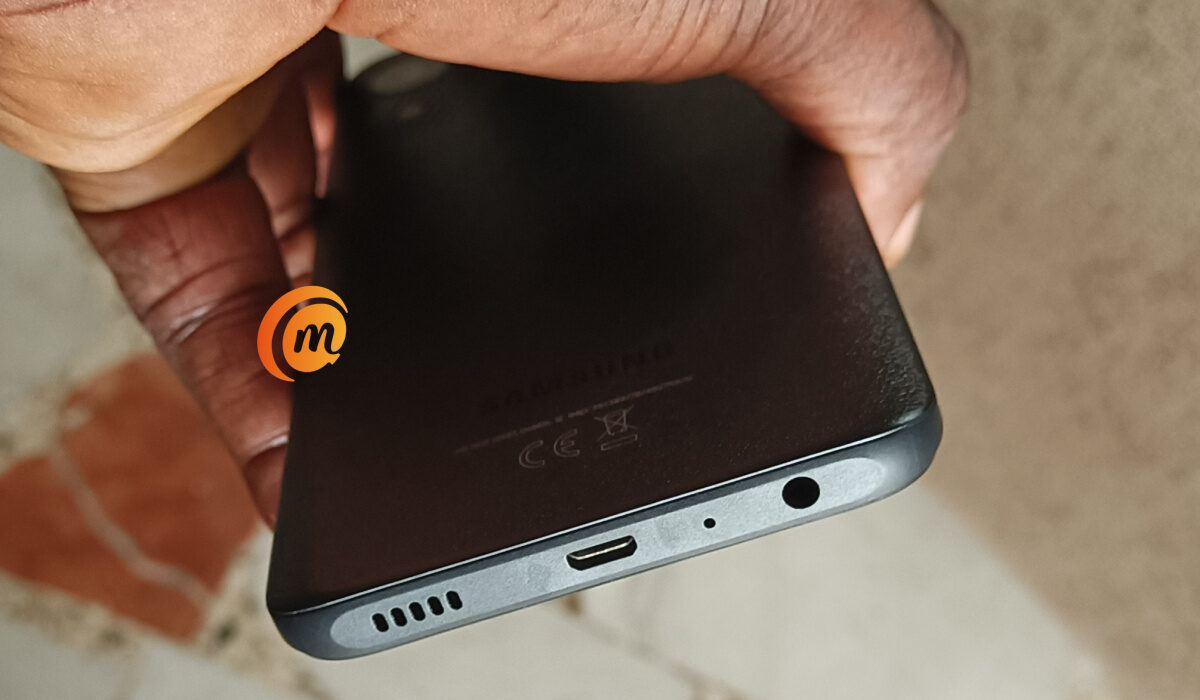
At the bottom edge of the A03 Core is a single firing loudspeaker, a regular micro-USB port (sorry, no Type-C), and a port for a 3.5mm audio headset. There is no fingerprint reader on this device, sorry again. There is nothing along the top and left edges. The right edge houses the volume keys and the power button.
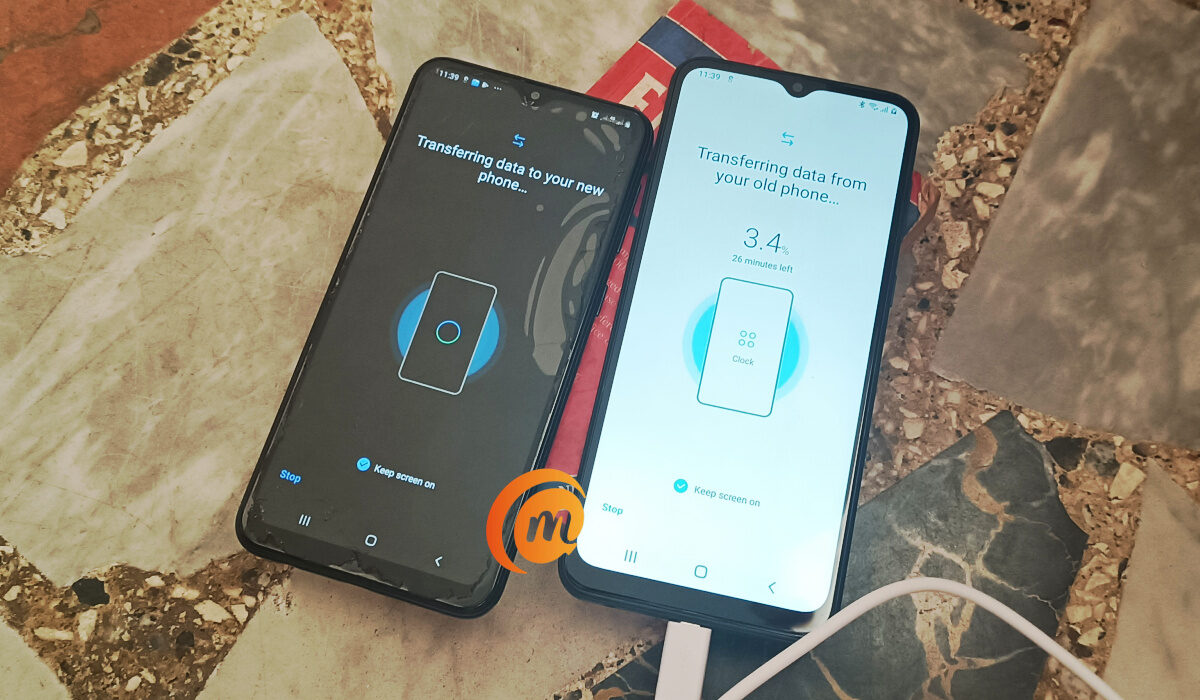
Switching from an older Samsung phone, in the case, Samsung Galaxy A10, was easy. I installed the Smart Switch app on both devices, initiated the transfer, and everything – all 5.7 GB in size – was moved over in under 30 minutes. What got moved? Videos, photos, documents, contacts, phone history, and SMS. Switching between phones should be as easy as this every time.
Full Evaluation
The phone has a good feel in the hand, and Samsung’s custom user interface (One UI) features nifty features and tools. It works well, too. While the true performance of a smartphone cannot be gauged in the first few hours of being setup, the phone ran smoothly while I had access to it. The Unisoc chipset doesn’t appear to be a horrible drag.
I dislike that there is no fingerprint scanner on a phone at this price point. Competing models from rival brands like Xiaomi and TECNO have a fingerprint reader. When you think of it, though, there is no fingerprint reader on the expensive, recent Apple iPhone flagships either. So, maybe this is not the unpardonable sin. Being an entry-level Android phone, there is no fast charging either.
What are the Samsung Galaxy A03 Core alternatives in the market? Depending on your country or region, have a look at Redmi 9A , Infinix Hot 12 Play , TECNO Pop 5 LTE , Nokia C21 , and Realme C11.
Thank you for spending time with my Samsung Galaxy A03 Core unboxing and in-depth review. I hope you enjoyed it and find it informative. I shall be bringing more smartphone unboxing and review articles your way shortly.
Author:Mister Mobility
Digital Skills and Communication Coach | Mobile Phone Connoisseur since 2001 | Tech Blogging since 2004
Add MobilityArena as a preferred source on Google
What is AT&T Home Internet? The Home Internet service allows multiple devices – smartphone, tablet, smart TV, laptop, etc, to connect at the same time via the carrier’s Fiber optic network in cities and big towns. The carrier also provides home service via the AT&T 4G network.
Regardless of which type of AT&T Home Internet you get – fiber or 4G wireless, the service requires a router. In the case of the former, a fiber optic cable delivers the connection to your router, which then distributes it wirelessly to your home gadgets. In the case of 4G wireless Home service, a 4G tower nearby beams a radio signal to your router, which then connects your devices.
Does AT&T offer 5G Home Internet? AT&T doesn’t have 5G home internet service. What the carrier offers is fiber home Internet, as well as 4G home Internet for rural customers and businesses.
What service plans are available on AT&T Home Internet service?
AT&T offers several fiber internet plans, none of which comes with any contracts or data caps, according to the company. The three fiber plans are Internet 300, Internet 500 and Internet 1000 while the rest of the plans are a DSL/Fiber Hybrid approach to service other AT&T customers.
Is AT&T home Internet really unlimited?
All plans with AT&T Fiber come with unlimited data on your home internet connection. That means no data overage fees, no matter how much you stream, game, or download on your home internet connection.
Does AT&T Home internet slow down?
If you exceed the Fair Usage Policy threshold, your connection may also be throttled, though users say AT&T does not enforce any strict data caps.
How many devices can connect to AT&T home internet?
AT&T home service can be connected to 10 devices, like laptops, tablets, and smartphones.
Does weather affect AT&T Home Internet?
Yes; weather conditions can impact the connection speed and stability of the Home Internet service.
How can I improve my AT&T internet speed?
If you intend to increase the speed of your internet connection, you can install a mesh router or range extender. A range extender can help you to improve the connectivity of AT&T Fiber.
Does AT&T home internet have an external antenna?
The AT&T Wireless Internet IFWA40 has two SMA ports on the back, which allow for a 2×2 MIMO antenna to be connected to the device.
Can you add an antenna to AT&T Home internet?
Yes; you can. AT&T says that for most users, the best external antenna choice for the AT&T Wireless Internet IFWA40 is the MIMO panel antenna kit. This antenna doesn’t require line-of-sight to the tower.
How do I access my AT&T Home Internet router?
On your computer, connect to the Wi-Fi network listed under Network Name on the back of the device. Note: The AT&T Wireless Internet network will display as ATT-WI-[xxxx]. Enter the password listed under Password on the bottom of the device, then click Join. From your device’s web browser, go to att.wirelessinternet . Enter your Admin Login, then click Login.
Note: The default admin login is attadmin . The admin login can be found on the bottom of the device.
Where is AT&T Home Internet available?
AT&T’s home internet is available in 21 states across the U.S.A. The list includes Alabama, Arkansas, California, Florida, Georgia, Illinois, Indiana, Kansas, Kentucky, Louisiana, Michigan, Missouri, Mississippi, North Carolina, Nevada, Ohio, Oklahoma, South Carolina, Tennessee, Texas, and Wisconsin. You can dig deeper on the AT&T coverage map to uncover the specific cities included within each state.
How do I download the AT&T Internet app?
You can download the AT&T mobile app from the official website HERE .
How much does the AT&T Home Internet plan cost?
Where available, AT&T FIBER plans start as low as $55/month with no annual contracts and equipment fees included.
Is AT&T home internet good for online gaming?
Feedback from users is that the service works well for online gaming, because AT&T does not enforce any strict data caps.
Is AT&T 5G Home Internet good?
It isn’t as fast as some other Home Internet services, but it is affordable, has about the widest coverage, and generally offers reliable service for a comfortable monthly fee.
How fast is AT&T Home Internet?
Fiber is the fastest residential internet plan you can buy with symmetrical speeds up to 5 GB and comes with a 1000Mbps connection speed.
- Don’t miss our reviews .
- Follow our news on Google News .
- Join our WhatsApp Group , to be notified of the most important articles and deals,
- Follow us on Instagram , Facebook , Twitter , and YouTube .
Author:Dun
Dun enjoys reading and writing, and is always on her smartphone. She currently uses a Google Pixel 3.
