Add MobilityArena as a preferred source on Google
| Samsung Galaxy A03 Core – Specs at a glance |
|---|
| OS: Android 11. Release Date: 2021. Network Type: 2G/3G/4G Display: 6.5-inch PLS TFT Infinity-V Processor: Unisoc SC9863A Selfie Camera: 5 MP Rear camera: 8 MP RAM: 2 GB ROM: 32 GB Battery: 5000mAh. Review |
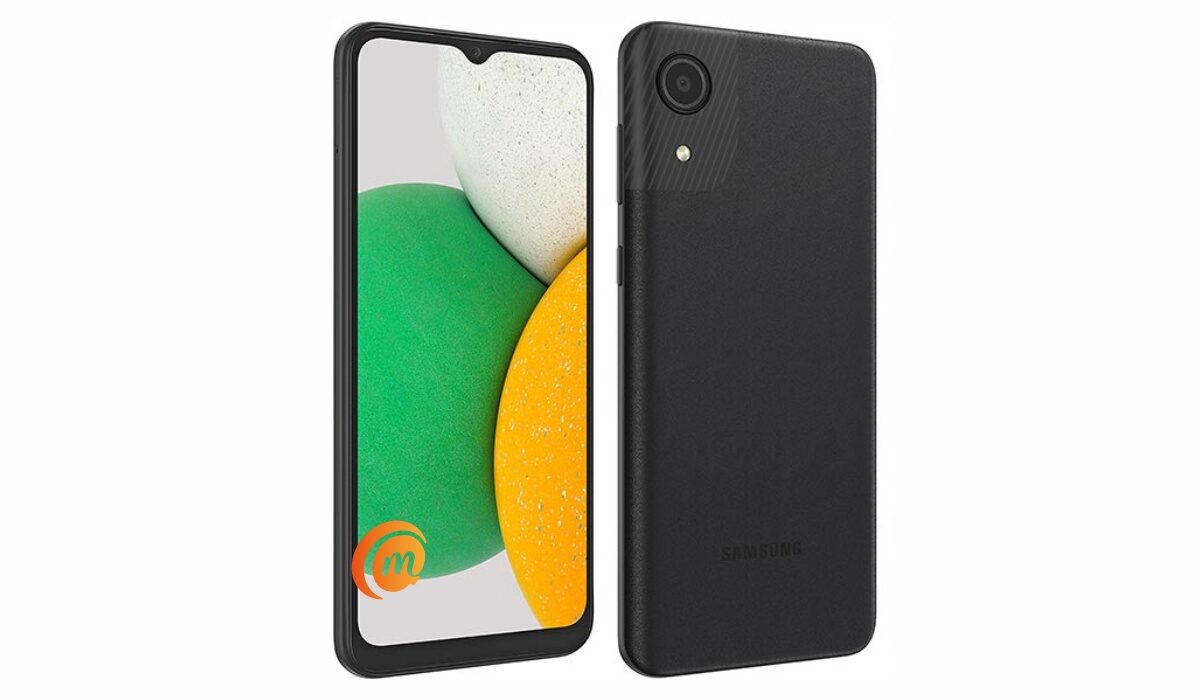
- Samsung Galaxy A03 Core Specs and Features Does Samsung A03 Core have a fingerprint reader? Is Samsung Galaxy A03 Core a dual SIM phone? Does Samsung A03 Core support fast charging? Is Samsung A03 Core’s display/screen Super AMOLED? Is Samsung A03 Core waterproof? Will Samsung Galaxy A03 Core work in the USA? Is Samsung Galaxy a03 Core worth buying?
- MobilityArena Buyer’s Guide Verdict
Samsung Galaxy A03 Core Specs and Features
Mobile Wireless Network and Software
- 2G mobile network bands : GSM, GPRS, EDGE 850 / 900 / 1800 / 1900 MHz.
- 3G mobile network bands : UMTS, WCDMA, HSDPA 850 / 900 / 2100 MHz
- 4G mobile network bands : LTE 1(2100) / 3(1800) / 5(850) / 8(900) / 38(2600) / 40(2300) / 41(2500)
- 5G mobile network bands : No.
- SIM Type : Nano-SIM, Single and Dual SIM options
- Software / OS : Android 11 + One UI 3.1 Core
Design, Form Factor, Appearance
- Dimensions : 166.6 x 75.9 x 9.1 mm
- Weight : 177g
- Display : 6.5 inches, HD+, 19.5:9 aspect ratio, PLS TFT, Infinity-V display.
- Colours : Black. Blue.
- Physical Build : Polycarbonate.
Internal Hardware Specs
- Processor Type : 64-bit, 1.6 GHz Octa-core
- Processor Name : Unisoc SC9863A (28 nm)
- Graphics Processor : PowerVR
- RAM : 2 GB
- Internal Storage : 32 GB
- External Storage : microSD (dedicated slot)
Photography, Video Recording
- Rear Camera : 8 MP single sensor, LED flash, 1080p@30fps video recording
- Front-facing Camera : 5MP, 720p video capture.
Audio, Video Playback
- Music Support : PCM, AAC / AAC + / eAAC + / MP3 / AMR – NB / WB / APE
- Audio : 3.5 mm audio jack; Dolby Atmos* 360˚ surround sound
- Loudspeaker : Mono speaker
- Video Support : H.264/MP4/MPEG4 player
- FM Radio : Yes.
Phone Sensors
- Digital Compass : N/A.
- Accelerometer : N/A.
- Proximity Sensor : Yes.
- Ambient Light Sensor : N/A.
- Barometer : No.
- Pedometer : No.
- Heart Rate Monitor : No.
- Gyroscope (G-Sensor) : N/A.
- Fingerprint Scanner : No.
- Face Unlock : Yes.
- Iris Scanner : No.
- Motion Sensing / Gesture Control : No.
- Voice Control : No.
- Intelligent Digital Assistant : Yes; Google Assistant.
- Infra-red Sensor : No.
Connectivity Options
- Bluetooth : v4.2, A2DP
- WiFi : Wi-Fi 802.11 b/g/n, hotspot
- GPS : Yes, A-GPS
- USB : microUSB v2.0.
- NFC : No.
Miscellaneous Specs and Features
- Battery Type and Capacity : Non-Removable Lithium-Ion 5000 mAh
- Battery Charging : 10W charging
- Wireless Charging : No.
- Reverse Charging : No.
- Model Number : SM-A032FZBDXFE.
Samsung Galaxy A03 Core Price and Launch Date
- Announced : November 2021
- Release Date : November 2021
- United States : $157.00 (Amazon)
- United Kingdom : £100.00
- Australia : A$176.00
- European Union (EU): €78 – €95
Does Samsung A03 Core have a fingerprint reader?
No; Samsung A03 Core does not have a fingerprint scanner.
Is Samsung Galaxy A03 Core a dual SIM phone?
The Samsung A03 Core has both single and dual SIM options available for buyers to pick from.
Does Samsung A03 Core support fast charging?
Samsung Galaxy A03 Core does not have fast charging.
Is Samsung A03 Core’s display/screen Super AMOLED?
No; the display of the Samsung Galaxy A03 Core is not Super AMOLED. It uses an IPS LCD screen.
Is Samsung A03 Core waterproof?
No; Samsung A03 Core is not water or dust-proof.
Will Samsung Galaxy A03 Core work in the USA?
The Galaxy A03 Core has network support across GSM-based US telecom carriers.
Is Samsung Galaxy a03 Core worth buying?
This is Samsung’s entry level smartphone model. In other words, it is the cheapest Samsung smartphone. It has 4G LTE and a good battery, but has no fingerprint scanner.
MobilityArena Buyer’s Guide Verdict
Samsung A03 Core is an entry-level Samsung smartphone. It does not have a fingerprint scanner, though, so if that is important to you, you might want to explore options from other brands.
Our Buyer’s Guide Verdict is a recommendation that we make based on our evaluation the specs of the device. It is a general guide designed to help you understand how much value a smartphone offers for its price. It is not a stamp of quality assessment or an endorsement of the device or of the manufacturers. Be sure to ask questions and use your judgement when buying any device, as MobilityArena may not be held responsible for your buying decisions .
Samsung Galaxy A03 Core Review Rating
Samsung A03 Core is a well-built device. Being an entry-level Android phone, do not expect fantastic performance or cutting edge features. It is simply a phone that gets the job done and nothing else. Read our Samsung Galaxy A03 Core Unboxing and hands-on review .
Successor : Samsung Galaxy A04 Core .
Author:InfoDesk
Add MobilityArena as a preferred source on Google
| Samsung Galaxy A03 Core – Specs at a glance |
|---|
| OS: Android 11. Release Date: 2021. Network Type: 2G/3G/4G Display: 6.5-inch PLS TFT Infinity-V Processor: Unisoc SC9863A Selfie Camera: 5 MP Rear camera: 8 MP RAM: 2 GB ROM: 32 GB Battery: 5000mAh. Review |
- Samsung Galaxy A03 Core Specs and Features Does Samsung A03 Core have a fingerprint reader? Is Samsung Galaxy A03 Core a dual SIM phone? Does Samsung A03 Core support fast charging? Is Samsung A03 Core’s display/screen Super AMOLED? Is Samsung A03 Core waterproof? Will Samsung Galaxy A03 Core work in the USA? Is Samsung Galaxy a03 Core worth buying?
- MobilityArena Buyer’s Guide Verdict
Samsung Galaxy A03 Core Specs and Features
Mobile Wireless Network and Software
- 2G mobile network bands : GSM, GPRS, EDGE 850 / 900 / 1800 / 1900 MHz.
- 3G mobile network bands : UMTS, WCDMA, HSDPA 850 / 900 / 2100 MHz
- 4G mobile network bands : LTE 1(2100) / 3(1800) / 5(850) / 8(900) / 38(2600) / 40(2300) / 41(2500)
- 5G mobile network bands : No.
- SIM Type : Nano-SIM, Single and Dual SIM options
- Software / OS : Android 11 + One UI 3.1 Core
Design, Form Factor, Appearance
- Dimensions : 166.6 x 75.9 x 9.1 mm
- Weight : 177g
- Display : 6.5 inches, HD+, 19.5:9 aspect ratio, PLS TFT, Infinity-V display.
- Colours : Black. Blue.
- Physical Build : Polycarbonate.
Internal Hardware Specs
- Processor Type : 64-bit, 1.6 GHz Octa-core
- Processor Name : Unisoc SC9863A (28 nm)
- Graphics Processor : PowerVR
- RAM : 2 GB
- Internal Storage : 32 GB
- External Storage : microSD (dedicated slot)
Photography, Video Recording
- Rear Camera : 8 MP single sensor, LED flash, 1080p@30fps video recording
- Front-facing Camera : 5MP, 720p video capture.
Audio, Video Playback
- Music Support : PCM, AAC / AAC + / eAAC + / MP3 / AMR – NB / WB / APE
- Audio : 3.5 mm audio jack; Dolby Atmos* 360˚ surround sound
- Loudspeaker : Mono speaker
- Video Support : H.264/MP4/MPEG4 player
- FM Radio : Yes.
Phone Sensors
- Digital Compass : N/A.
- Accelerometer : N/A.
- Proximity Sensor : Yes.
- Ambient Light Sensor : N/A.
- Barometer : No.
- Pedometer : No.
- Heart Rate Monitor : No.
- Gyroscope (G-Sensor) : N/A.
- Fingerprint Scanner : No.
- Face Unlock : Yes.
- Iris Scanner : No.
- Motion Sensing / Gesture Control : No.
- Voice Control : No.
- Intelligent Digital Assistant : Yes; Google Assistant.
- Infra-red Sensor : No.
Connectivity Options
- Bluetooth : v4.2, A2DP
- WiFi : Wi-Fi 802.11 b/g/n, hotspot
- GPS : Yes, A-GPS
- USB : microUSB v2.0.
- NFC : No.
Miscellaneous Specs and Features
- Battery Type and Capacity : Non-Removable Lithium-Ion 5000 mAh
- Battery Charging : 10W charging
- Wireless Charging : No.
- Reverse Charging : No.
- Model Number : SM-A032FZBDXFE.
Samsung Galaxy A03 Core Price and Launch Date
- Announced : November 2021
- Release Date : November 2021
- United States : $157.00 (Amazon)
- United Kingdom : £100.00
- Australia : A$176.00
- European Union (EU): €78 – €95
Does Samsung A03 Core have a fingerprint reader?
No; Samsung A03 Core does not have a fingerprint scanner.
Is Samsung Galaxy A03 Core a dual SIM phone?
The Samsung A03 Core has both single and dual SIM options available for buyers to pick from.
Does Samsung A03 Core support fast charging?
Samsung Galaxy A03 Core does not have fast charging.
Is Samsung A03 Core’s display/screen Super AMOLED?
No; the display of the Samsung Galaxy A03 Core is not Super AMOLED. It uses an IPS LCD screen.
Is Samsung A03 Core waterproof?
No; Samsung A03 Core is not water or dust-proof.
Will Samsung Galaxy A03 Core work in the USA?
The Galaxy A03 Core has network support across GSM-based US telecom carriers.
Is Samsung Galaxy a03 Core worth buying?
This is Samsung’s entry level smartphone model. In other words, it is the cheapest Samsung smartphone. It has 4G LTE and a good battery, but has no fingerprint scanner.
MobilityArena Buyer’s Guide Verdict
Samsung A03 Core is an entry-level Samsung smartphone. It does not have a fingerprint scanner, though, so if that is important to you, you might want to explore options from other brands.
Our Buyer’s Guide Verdict is a recommendation that we make based on our evaluation the specs of the device. It is a general guide designed to help you understand how much value a smartphone offers for its price. It is not a stamp of quality assessment or an endorsement of the device or of the manufacturers. Be sure to ask questions and use your judgement when buying any device, as MobilityArena may not be held responsible for your buying decisions .
Samsung Galaxy A03 Core Review Rating
Samsung A03 Core is a well-built device. Being an entry-level Android phone, do not expect fantastic performance or cutting edge features. It is simply a phone that gets the job done and nothing else. Read our Samsung Galaxy A03 Core Unboxing and hands-on review .
Successor : Samsung Galaxy A04 Core .
Author:InfoDesk
Add MobilityArena as a preferred source on Google
Recently we got two Huion graphics tablets from the Chinese company, like the name implies these tablets are designed to help designers or artists max out on their digital design skills. While we still wait for the in-depth review of the tablets, let us now delve into how you can set up this graphics tablet for use.
So a few laptops now come with full touch screen displays for a more interactive user experience, and the more premium ones even add a pen. As a graphic designer you need these features on a laptop, but are you willing to spend over $700 to get a premium laptop that has features that suit your need? Why spend that much when you could grab a good graphics tablet from Huion at a very friendly price?
- Set Up The Huion Graphics Tablet
- Setup the controls
Set Up The Huion Graphics Tablet
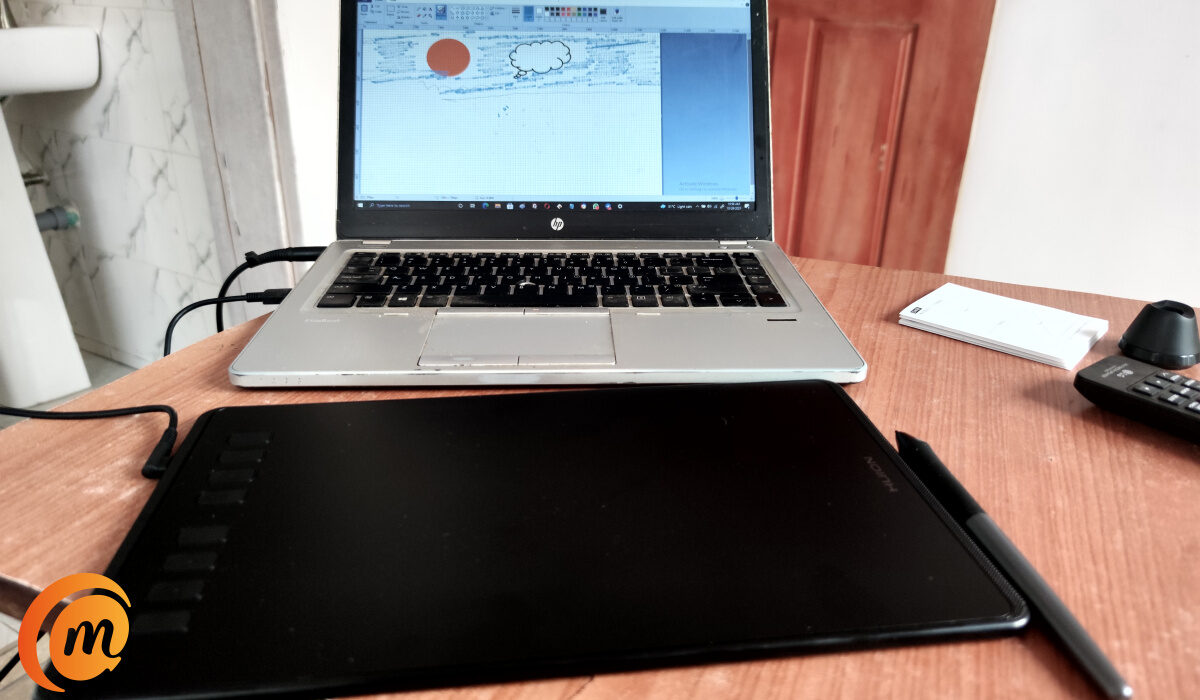
Huion tablet setup
These graphics tablets come in different models and types, yet all the drivers for these tablets are available on the Huion website. Following the steps below will help you to set up the Huion graphics tablet with little or no stress at all.
- Visit the Huion official website, click on driver and manual.
- Search for your tablet model, select the operating system you are running on, the driver and submit.
- Make sure to download the most recent driver for your operating system to get all the cool features.
- Before installation, ensure any design software you have running on your system is closed.
- Now install the driver file to your system.
With these few easy steps, you will have your driver file for your Huion tablet, but your setup does not just end there. You will need to tweak a few settings and adjust controls to suit your taste and pattern of drawing.
Setup the controls
To set up your controls, launch the now installed driver. On the interface, you will be greeted with a four setup options that you can easily work around. The four setup options are:
- Press key: On all graphics tablets from Huion there key that lie along the edges of the drawing area or display. The press key option helps you pick functions for each key.
- Stylus Pen: A very good thing I have personally noticed with the graphics tablets from Huion that I’ve come in contact with is that the pen that comes bundled with each model is the same. So you are expecting the same pen quality no matter what you get. The option for stylus pen helps you pick shortcut keys for the two buttons on the pen and also adjust the pressure sensitivity.
- Work Area: This is the real deal! How wide your work space will be can be determined from this option. It is advisable that you set the work are to be full area, this give you more space to draw on with the Huion graphics tablet.
- About: This is like a homepage where you can either export or import settings and also restore your tablet settings back to default.
Author:KittysTech
Tech analyst, Collins Eshiet, writes about technology. Follow me on Twitter @KittysTech.
