Add MobilityArena as a preferred source on Google
| Samsung Galaxy A03 Quick Phone Specs |
|---|
| OS: Android 11. Release Date: January 2022. Network Type: 2G/3G/4G Display: 6.5-inch PLS TFT Infinity-V Processor: Selfie Camera: 5 MP Rear camera: 48 MP dual RAM: 4 GB ROM: 128 GB Battery: 5000 mAh. Related: Samsung A02 . Samsung Galaxy A03 Core . |
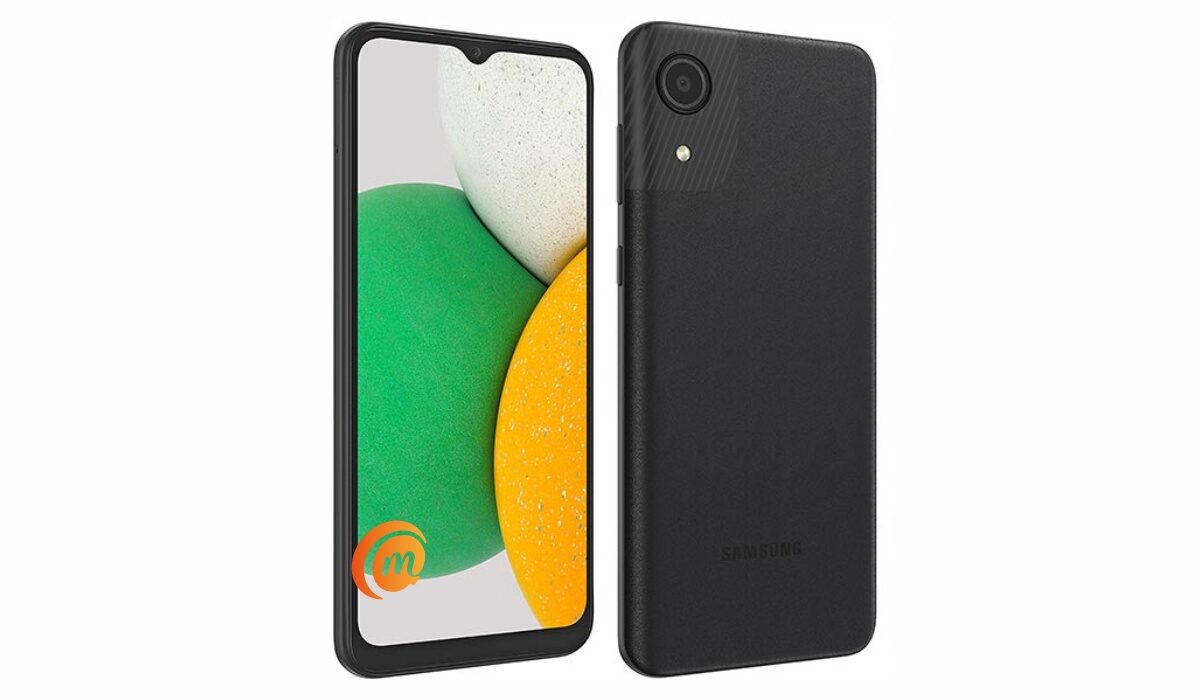
- Specs
- Samsung Galaxy A03 Price and Launch Date
- Frequently Asked Questions About Samsung Galaxy A03 Does Samsung A03 have a fingerprint reader? Is Samsung Galaxy A03 a dual SIM phone? Does Samsung A03 support fast charging? Is Samsung A03’s display/screen Super AMOLED? Is Samsung A03 waterproof? Will Samsung Galaxy A03 work in the USA? Is Samsung A03 worth buying? How do I make my Samsung Galaxy A03 faster?
Specs
Mobile Wireless Network and Software
- 2G mobile network bands : GSM, GPRS, EDGE 850 / 900 / 1800 / 1900 MHz.
- 3G mobile network bands : UMTS, WCDMA, HSDPA 850 / 900 / 2100 MHz
- 4G mobile network bands : LTE 1(2100) / 3(1800) / 5(850) / 8(900) / 38(2600) / 40(2300) / 41(2500)
- 5G mobile network bands : No.
- SIM Type : Nano-SIM, Single and Dual SIM options
- Software / OS: Android 11 + One UI 3.1 Core
Design, Form Factor, Appearance
- Dimensions : 164.2 x 75.9 x 9.1 mm
- Weight : 177g
- Display : 6.5 inches, HD+, 19.5:9 aspect ratio, PLS TFT, Infinity-V display.
- Colours : Black. Blue. Red.
- Physical Build : Polycarbonate.
Internal Hardware Spec ifications
- Processor Type : 64-bit, 1.6 GHz Octa-core
- Processor Name : Unisoc SC9863A (28 nm)
- Graphics Processor : PowerVR
- RAM : 3 GB / 4 GB
- Internal Storage : 32 GB / 64 GB / 128 GB
- External Storage : microSD (dedicated slot)
Photography, Video Recording
- Rear Camera : 48 MP main sensor + 2 MP lens, LED flash, 1080p@30fps video recording
- Front-facing Camera : 5MP, Face Recognition, 1080p video capture.
Audio, Video Playback
- Music Support : PCM, AAC / AAC + / eAAC + / MP3 / AMR – NB / WB / APE
- Audio : 3.5 mm audio jack; Dolby Atmos* 360˚ surround sound
- Loudspeaker : Mono speakers
- Video Support : H.264/MP4/MPEG4 player
- FM Radio : Yes.
Phone Sensors
- Digital Compass : N/A.
- Accelerometer : N/A.
- Proximity Sensor : Yes.
- Ambient Light Sensor : N/A.
- Barometer : No.
- Pedometer : No.
- Heart Rate Monitor : No.
- Gyroscope (G-Sensor) : N/A.
- Fingerprint Scanner : No.
- Face Unlock : Yes.
- Iris Scanner : No.
- Motion Sensing / Gesture Control : No.
- Voice Control : No.
- Intelligent Digital Assistant : Yes; Google Assistant.
- Infra-red Sensor : No.
Connectivity Options
- Bluetooth : v4.2, A2DP
- WiFi : Wi-Fi 802.11 b/g/n, hotspot
- GPS : Yes, A-GPS
- USB : microUSB v2.0.
- NFC : No.
Miscellaneous Spec ifications
- Battery Type and Capacity : Non-Removable Lithium-Ion 5000 mAh
- Battery Charging : 10W charging
- Wireless Charging : No.
- Reverse Charging : No.
- Model Number : SM-A0.
Samsung Galaxy A03 Price and Launch Date
- Announced : November 2021
- Release Date : November 2021
- United States : $200 (3/32 GB). Available on Amazon.
- United Kingdom : £139 (4/64 GB). Available at Car Phone Warehouse.
- Nigeria : ₦61,000 (3/32 GB). ₦69,900 (4/64 GB). Available at Raya Shop, Slot, Pointek, Finet, Swot.
- Ghana :
- Kenya :
- India : INR 10,499 (3/32GB). INR 11,999 (4/64GB).
Does Samsung A03 have a fingerprint reader?
No; Samsung A03 does not have a fingerprint scanner.
Is Samsung Galaxy A03 a dual SIM phone?
The Samsung A03 has both single and dual SIM options available for buyers to pick from.
Does Samsung A03 support fast charging?
Samsung Galaxy A03 does not have fast charging.
Is Samsung A03’s display/screen Super AMOLED?
No; the display of the Samsung Galaxy A03 is not Super AMOLED. It uses an IPS LCD screen.
Is Samsung A03 waterproof?
No; Samsung A03 is not water or dust-proof.
Will Samsung Galaxy A03 work in the USA?
The Galaxy A03 has network support across GSM-based US telecom carriers.
Is Samsung A03 worth buying?
This is a decent budget 4G LTE phone with good amounts of RAM, storage, and battery. Do note that it lacks a fingerprint scanner.
How do I make my Samsung Galaxy A03 faster?
You can make the Samsung Galaxy A03 faster by following this guide: How to make my Samsung A03 faster .
MobilityArena Buyer’s Guide Verdict
Not available.
Our Buyer’s Guide Verdict is a recommendation that we make based on our evaluation of the specifications of the device. It is a general guide designed to help you understand how much value a smartphone offers for its price. It is not a stamp of quality assessment or an endorsement of the device or of the manufacturers. Be sure to ask questions and use your judgement when buying any device, as MobilityArena may not be held responsible for your buying decisions .
Samsung Galaxy A03 Review Rating
We are yet to review the Samsung Galaxy A03 and so do not have a review rating for it yet. This section will be updated with our review rating and a link to the review page, as soon as we have a review ready.
Author:InfoDesk
Add MobilityArena as a preferred source on Google
| Samsung Galaxy A03 Quick Phone Specs |
|---|
| OS: Android 11. Release Date: January 2022. Network Type: 2G/3G/4G Display: 6.5-inch PLS TFT Infinity-V Processor: Selfie Camera: 5 MP Rear camera: 48 MP dual RAM: 4 GB ROM: 128 GB Battery: 5000 mAh. Related: Samsung A02 . Samsung Galaxy A03 Core . |
- Specs
- Samsung Galaxy A03 Price and Launch Date
- Frequently Asked Questions About Samsung Galaxy A03 Does Samsung A03 have a fingerprint reader? Is Samsung Galaxy A03 a dual SIM phone? Does Samsung A03 support fast charging? Is Samsung A03’s display/screen Super AMOLED? Is Samsung A03 waterproof? Will Samsung Galaxy A03 work in the USA? Is Samsung A03 worth buying? How do I make my Samsung Galaxy A03 faster?
Specs
Mobile Wireless Network and Software
- 2G mobile network bands : GSM, GPRS, EDGE 850 / 900 / 1800 / 1900 MHz.
- 3G mobile network bands : UMTS, WCDMA, HSDPA 850 / 900 / 2100 MHz
- 4G mobile network bands : LTE 1(2100) / 3(1800) / 5(850) / 8(900) / 38(2600) / 40(2300) / 41(2500)
- 5G mobile network bands : No.
- SIM Type : Nano-SIM, Single and Dual SIM options
- Software / OS: Android 11 + One UI 3.1 Core
Design, Form Factor, Appearance
- Dimensions : 164.2 x 75.9 x 9.1 mm
- Weight : 177g
- Display : 6.5 inches, HD+, 19.5:9 aspect ratio, PLS TFT, Infinity-V display.
- Colours : Black. Blue. Red.
- Physical Build : Polycarbonate.
Internal Hardware Spec ifications
- Processor Type : 64-bit, 1.6 GHz Octa-core
- Processor Name : Unisoc SC9863A (28 nm)
- Graphics Processor : PowerVR
- RAM : 3 GB / 4 GB
- Internal Storage : 32 GB / 64 GB / 128 GB
- External Storage : microSD (dedicated slot)
Photography, Video Recording
- Rear Camera : 48 MP main sensor + 2 MP lens, LED flash, 1080p@30fps video recording
- Front-facing Camera : 5MP, Face Recognition, 1080p video capture.
Audio, Video Playback
- Music Support : PCM, AAC / AAC + / eAAC + / MP3 / AMR – NB / WB / APE
- Audio : 3.5 mm audio jack; Dolby Atmos* 360˚ surround sound
- Loudspeaker : Mono speakers
- Video Support : H.264/MP4/MPEG4 player
- FM Radio : Yes.
Phone Sensors
- Digital Compass : N/A.
- Accelerometer : N/A.
- Proximity Sensor : Yes.
- Ambient Light Sensor : N/A.
- Barometer : No.
- Pedometer : No.
- Heart Rate Monitor : No.
- Gyroscope (G-Sensor) : N/A.
- Fingerprint Scanner : No.
- Face Unlock : Yes.
- Iris Scanner : No.
- Motion Sensing / Gesture Control : No.
- Voice Control : No.
- Intelligent Digital Assistant : Yes; Google Assistant.
- Infra-red Sensor : No.
Connectivity Options
- Bluetooth : v4.2, A2DP
- WiFi : Wi-Fi 802.11 b/g/n, hotspot
- GPS : Yes, A-GPS
- USB : microUSB v2.0.
- NFC : No.
Miscellaneous Spec ifications
- Battery Type and Capacity : Non-Removable Lithium-Ion 5000 mAh
- Battery Charging : 10W charging
- Wireless Charging : No.
- Reverse Charging : No.
- Model Number : SM-A0.
Samsung Galaxy A03 Price and Launch Date
- Announced : November 2021
- Release Date : November 2021
- United States : $200 (3/32 GB). Available on Amazon.
- United Kingdom : £139 (4/64 GB). Available at Car Phone Warehouse.
- Nigeria : ₦61,000 (3/32 GB). ₦69,900 (4/64 GB). Available at Raya Shop, Slot, Pointek, Finet, Swot.
- Ghana :
- Kenya :
- India : INR 10,499 (3/32GB). INR 11,999 (4/64GB).
Does Samsung A03 have a fingerprint reader?
No; Samsung A03 does not have a fingerprint scanner.
Is Samsung Galaxy A03 a dual SIM phone?
The Samsung A03 has both single and dual SIM options available for buyers to pick from.
Does Samsung A03 support fast charging?
Samsung Galaxy A03 does not have fast charging.
Is Samsung A03’s display/screen Super AMOLED?
No; the display of the Samsung Galaxy A03 is not Super AMOLED. It uses an IPS LCD screen.
Is Samsung A03 waterproof?
No; Samsung A03 is not water or dust-proof.
Will Samsung Galaxy A03 work in the USA?
The Galaxy A03 has network support across GSM-based US telecom carriers.
Is Samsung A03 worth buying?
This is a decent budget 4G LTE phone with good amounts of RAM, storage, and battery. Do note that it lacks a fingerprint scanner.
How do I make my Samsung Galaxy A03 faster?
You can make the Samsung Galaxy A03 faster by following this guide: How to make my Samsung A03 faster .
MobilityArena Buyer’s Guide Verdict
Not available.
Our Buyer’s Guide Verdict is a recommendation that we make based on our evaluation of the specifications of the device. It is a general guide designed to help you understand how much value a smartphone offers for its price. It is not a stamp of quality assessment or an endorsement of the device or of the manufacturers. Be sure to ask questions and use your judgement when buying any device, as MobilityArena may not be held responsible for your buying decisions .
Samsung Galaxy A03 Review Rating
We are yet to review the Samsung Galaxy A03 and so do not have a review rating for it yet. This section will be updated with our review rating and a link to the review page, as soon as we have a review ready.
Author:InfoDesk
Add MobilityArena as a preferred source on Google
In order to Unlock Developer Options in Android 12, you need to have an Android 12 phone first. Thankfully, Android 12 phones are already in the hands of millions of people around the world. The first set are Google’s Pixel phones – from Pixel 3 all the way to the latest Pixel 6 and Pixel 6 Pro . Others include Samsung Galaxy S21, S21+, and S21 Ultra , which are now getting One UI 4, based on Android 12. The beta update is also rolling out to unlocked Samsung Galaxy Note20 and Note20 Ultra in the US and UK.
More devices from Samsung will get the update over time, and devices from other manufacturers like Xiaomi, OnePlus, Nokia, TECNO, among others, will join the list. This means that if you own any of these devices, you can unlock Developer Options in Android 12 on them to get access to extra features.
What can I do with Developer Options?
Enabling Android’s Developer Options gives you access to some hidden, powerful tools on your smartphone. Here is a short list of some things you can do when you unlock Developer Options in Android, even in versions before Android 12.
- Tweak animation settings
- Enable/disable feature flags
- Modify mobile data activity
- Recover deleted SMS on your smartphone
- Improve video games graphics on your Android phone
- Use your phone as a microphone for your PC
- Control background processes on your Android phone
- Make your Android phone run faster
As Android 12 is new, there are new features to discover and unlock. Below are the steps to unlock Developer Options in Android 12. If you are a developer, you likely have been playing around with it for a while and have an idea of what to do. If you are new to app development, or just a regular phone user, and need to be guided, you will find the steps below helpful.
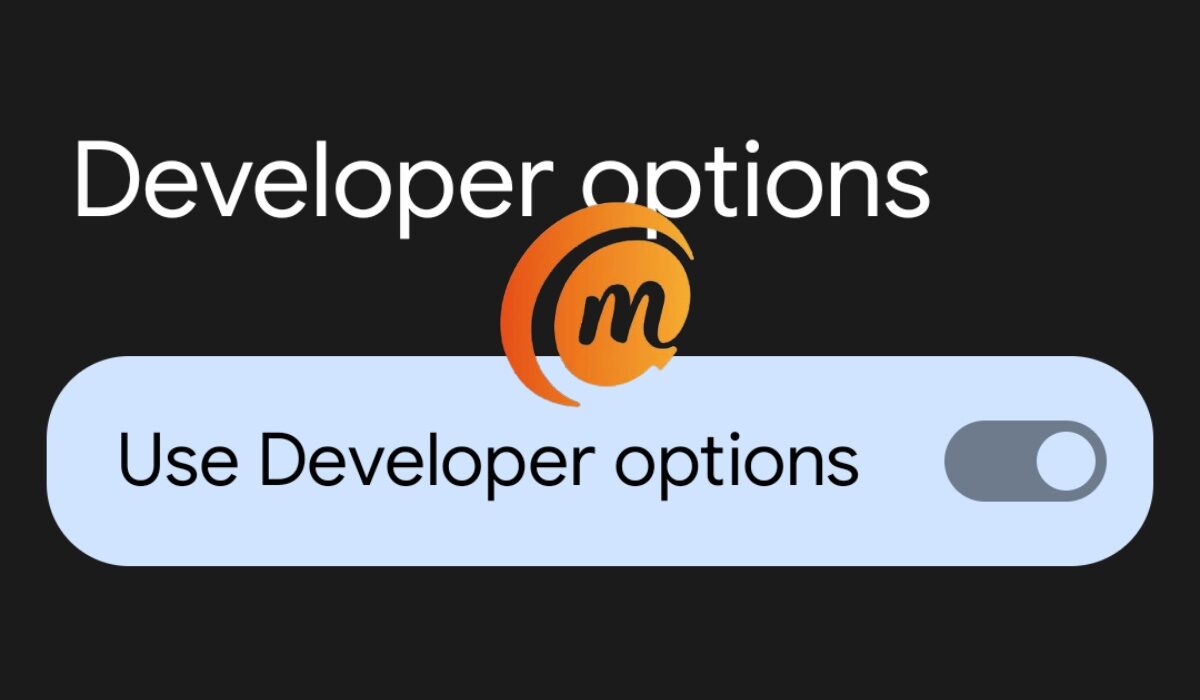
Steps to Unlock Developer Options in Android 12
As technical as the subject may sound, unlocking developer options is quite an easy process. You do not need to know how to code or know any technicalese . Here are the steps to take.
Launch your Android phone’s Settings menu.
Scroll down till you see About Phone , and tap on it.
On the new menu, scroll down to the end till you see Build Number , and tap on it seven (7) times.
After the seventh time, you will see the prompt telling you, “ You are now a developer! “
The phone will ask you to enter your passcode to unlock developer options.
You have now enabled Developer Options and can access the menu to customize your smartphone to your needs.
Access Developer Options in Android 12
Now that Developer Options is unlocked, you need to actually access the menu for use. Follow these steps.
Open your phone’s Settings again.
Tap on System .
Tap on Developer Options . You will find it enabled there, and you are in the menu where you can enable and/or disable lots of options to make your phone run better or to add extra functionality to it.
You can now enable and disable a wide array of tools as you require to improve or restrict the performance of your Android smartphone. Make sure that you know what you are doing, though; it is easy to tamper with something and mess up your phone. It is a very powerful tool that should not be unnecessarily toyed with.
- Don’t miss our reviews .
- Join our WhatsApp Group , to be notified of the most important articles and deals,
- Follow us on Instagram , Facebook , Twitter , and YouTube .
