Add MobilityArena as a preferred source on Google
If you have been looking at the prospect of purchasing a Samsung A21 but have yet to do so, you might want to hold off and consider what Samsung has to offer in the A21s. Samsung Galaxy A21s is a minor upgrade, to be sure, but it just might be what you are looking for. Come along with me as I walk you through this Samsung Galaxy A21 vs Samsung Galaxy A21s comparison.
It is difficult to talk about the Samsung A21 and A21s without mentioning the Galaxy A20, the Samsung cell phone that started it all. Samsung Mobile was taking a lot of heat from its Chinese competitors and designed the new Galaxy A-series to take up the challenge. They would be feature-packed and more pocket-friendly than previous Samsung phones had been. And so the Galaxy A20 was born.
It became an instant hit and has sold well. Samsung capitalized on that and announced the Samsung A20s, a more enhanced version. And now, the successors to those two pioneers are here – Samsung A21 and Galaxy A21s. They are both improvements and bring fresh blood to the game.
On their own, they are valid Samsung A20/A20s alternatives. What are the differences between the Galaxy A21s and A21 cell phones? If you are in the market for one, this comparison between the Samsung A21 and Samsung A21s should help you make up you make an informed choice.
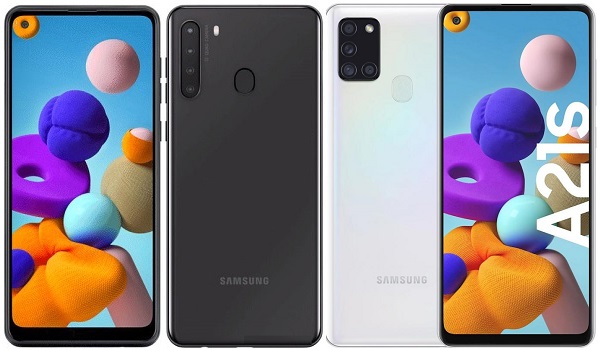
Samsung Galaxy A21 vs Samsung Galaxy A21s
Our faithful comparison table is our first stop to see how these two devices compare.
- Samsung Galaxy A21 vs Samsung Galaxy A21s Comparison Table
- Samsung Galaxy A21 vs Samsung Galaxy A21s: The Similarities
- Samsung Galaxy A21 vs Samsung Galaxy A21s: The differences
- Samsung Galaxy A21 vs Samsung Galaxy A21s: Conclusions
- Related Content
Samsung Galaxy A21 vs Samsung Galaxy A21s Comparison Table
Here is a quick comparison table to help you see how the Samsung Galaxy a21 vs a21s smartphones stand side by side.
| Samsung Galaxy A21 | Samsung Galaxy A21s |
|---|---|
| 6.5 inches, 720 x 1600 pixels, 20:9 ratio IPS LCD | 6.5 inches, 720 x 1600 pixels, 20:9 ratio PLS TFT display |
| Android 10 + One UI 2.0 | Android 10 + One UI 2.0 |
| Octa-core MediaTek Helio P35 2.3 GHz | Octa-core EXYNOS 850 , 2.0 GHz |
| 13 MP selfie camera | 13 MP selfie camera |
| 16 + 8 + 2 + 2 MP rear quad camera with LED flash | 48 + 8 + 2 + 2 MP rear quad camera with LED flash |
| 32 GB internal storage + dedicated microSD slot, | 32 GB / 64 GB internal storage + dedicated microSD slot |
| 3 GB RAM | 3 GB / 4 GB / 6 GB RAM |
| 4000 mAh battery + 15W fast charging | 5000 mAh battery + 15W fast charging |
| $231 | $233 (3/32 GB) |
Samsung Galaxy A21 vs Samsung Galaxy A21s: The Similarities
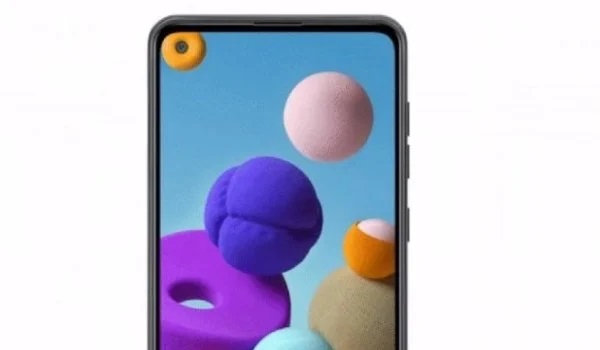
Samsung A21 and Samsung Galaxy A21s are very identical in size, with just minor differences in dimensions, so you might not be able to tell them apart without a close-up side-by-side line-up. Both smartphones are very similar in terms of design, and that is understandable. After all, what separates one from the other is an “s”.
For starters, they have exactly the same screen size – 6.5 inches. The selfie cameras and fingerprint scanners are the same, the latter are located at the back of each phone.
What else do they have in common? They both have a punch hole display of the same resolution – 720 x 1600 pixels. The A21 has one memory variant with 3 GB RAM and 32 GB storage, while the A21s has three different memory variants. The base variant of the A21s shares the same 3 GB + 32 GB specs as the A21. Both phones run Android 10. As far as expandable memory capability is concerned, both phones have a dedicated microSD card slot.
Samsung A21 and A21s are pretty much identical twins. But even identical twins have tiny, noticeable differences. So, let’s have a look at where these two siblings differ.
Samsung Galaxy A21 vs Samsung Galaxy A21s: The differences
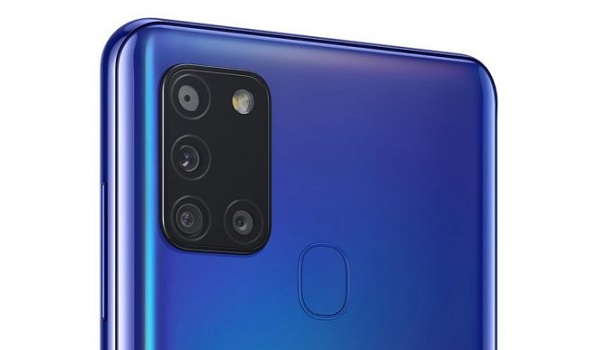
Samsung Galaxy A21 vs Samsung Galaxy A21s: the A21s has a 48 megapixel quad camera
While the two phones have the same size of display, there is a minor difference in the display technology. The A21 has an IPS LCD, while the A21s has a PFT LCD. That difference is not noticeable in most use cases, so you can ignore it.
If you look at the back side of both phones though, there is a marked difference: both the Samsung A21 and A21s have quad cameras, they are specified differently and the camera modules look different. The A21’s main camera lens is 16 megapixels, while the A21s is a 48 megapixel lens. The rest of the lenses are the same.
This Samsung Galaxy A21 vs Samsung Galaxy A21s comparison will be incomplete without a look at the batteries of these two cell phones. The A21 has a 4000 mAh battery, but the A21s beats it with a more massive 5000mAh battery. Both phones are equipped with 15W fast charging for quicker battery top-ups.
On the inside, the Galaxy A21s has a more capable, more powerful processor and so delivers better performance compared to its older sibling.
Lastly, as already mentioned, while the A21 has only one variant (3 GB + 32 GB), the Samsung A21s has that same combination, and adds 4 GB + 64 GB and 6 GB + 64 GB variants, so you have more options and better performance to pick.
Samsung Galaxy A21 vs Samsung Galaxy A21s: Conclusions
Samsung A21s has a more capable rear camera, has a beefier battery, and has a more capable chipset.
The A21s also offers you more memory options – 3 in all. These are 3/32 GB, 4/64 GB, and 6/64 GB. Of course, that higher variants cost more.
The prices of the A21 and the base model of the A21s are pretty much at par. We wouldn’t consider a difference of $2 or $3 a real difference. Where you will have to deal with serious price differences is if you want one of the other two variants of the A21s. At the end of the day, your decision will depend on your purchasing power. But costs aside, which of these two budget Samsung phones will you opt for?
Related Content
You may also be interested in having a look at other content related to the Samsung A21 and A21s.
- Samsung Galaxy A20 vs Samsung Galaxy A20s
Author:InfoDesk
Add MobilityArena as a preferred source on Google
If you are looking for a way to update your OnePlus 7 Pro to Android 10, we have the answer you seek. OnePlus 7 Pro hit the market in May 2019 to a loud welcome by fans of the brand. It is a flagship smartphone that oozed power and style. Launching with Android 9 Pie software with OnePlus’ custom skin, OxygenOS 10.0.5, out of the box, it was ready for primetime and it met expectations.
OnePlus has been impressive with Android 10 updates and quickly released the Android 10 update for the 7 Pro a few weeks after Google released the software, but some users have not been able to get that update. Some users are buying the phone in 2020 and finding that it still runs Android 9. The expectation is that OnePlus would have updated them by now before shipping.
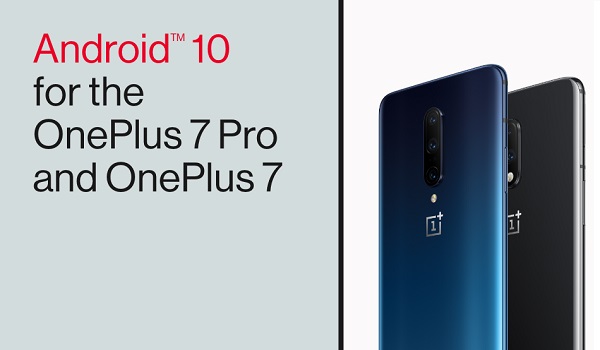
But if the devices were already packed and packaged before Android 10 began rolling out, it is understandable that buyers of that batch of OnePlus 7 Pro are still finding that their spanking new toys run a slightly dated software. No problem; right? All they have to do is head to Settings on their phone, find the Software Update menu, search for available updates and download them to bring their device up-to-date.
However, it is disappointment that many OnePlus 7 Pro users have met, when they did that and their beloved smartphones told them that their Android 9-based operating system is up-to-date. Perhaps you are one of them. You know for a fact that Android 10 update is available for the OnePlus 7 Pro, so it can’t be truly up-to-date.
What then is the problem? Why is your precious OnePlus phone telling you that there are no updates? You have tried again and again, but keep getting the same message.
How can you update your OnePlus 7 Pro to Android 10?
You can update your OnePlus 7 Pro to Android 10 by using an app called Oxygen Updater. It is a very useful app that assists in delivering available software updates to your OnePlus phone in a speedy manner. It actually gets the updates to you faster than if you had to wait for the oficial notificatiion.
Oxygen Updater is not an official app from OnePlus, but the work of an independemt 3rd party app developer. As such, it is important to note that OnePlus, the developer of the app, and even MobilityArena are not responsible for the consequences of anything going wrong if you choose to use this app. You use it at your own risk.
A question that may be running in your mind is, “Where does this app source its updates from?” It is normal to be worried about that. The good news is that the app downloads official updates directly from OnePlus servers. It just does it faster than OnePlus’ own update system.

Which is why it is the perfect solution if you have a OnePlus 7 Pro unit that isn’t detecting the Android 10 update.
How OnePlus Updater works to update your OnePlus 7 Pro to Android 10
- Download Oxygen Updater from Google Play Store HERE and install it on your phone.
- Run the app and follow the instructions to download and install Android 10 to your phone.
That is it! In a few minutes, you should have your OnePlus 7 Pro updated to Android 10. Note that during the update process, your smartphone will restart. If possible, make sure you have a full battery, or as close to that as possible, before starting the update process.
A member of the MobilityArena team had trouble and could not update is OnePlus 7 Pro to Android 10, found this app in the Play Store and successfully used it to update his device.
The Oxygen Updater app works the same way for other OnePlus models. As a matter of fact, the developer is so on top of things that oxygen Updater already supports the spanking new OnePlus Nord.
PS : Don’t forget that you use this app and update your phone at your own risk. Neither the author nor MobilityArena takes responsibility for the consequences of you using this app to update your OnePlus 7 Pro to Android 10 – or to any other future version of Android OS.
Author:Mister Mobility
Digital Skills and Communication Coach | Mobile Phone Connoisseur since 2001 | Tech Blogging since 2004
