Add MobilityArena as a preferred source on Google
Samsung Galaxy A25 in brief:
- OS: Android 14
- Release Date: 2023
- Network Type: 2G/3G/4G/5G
- eSIM: No
- Display: 6.5-inch, 1080 x 2400 pixels resolution
- Processor: Exynos 1280 (5 nm)
- Selfie Camera: 13 MP
- Rear camera: 50 MP
- RAM: 8 GB
- ROM: 128 GB / 256 GB
- Fingerprint: Yes
- Headphone Jack: Yes
- Infrared/IR Blaster: No.
- Battery: 5000 mAh
- Fast Charging: 25W
- Wireless Charging: No.
Samsung Galaxy A25 5G
- Introduction
- Samsung Galaxy A25 Specs
- Prices in the USA, UK, and EU
- Dust and Waterproof IP Rating
- eSIM Support
- Dual SIM Support
- Wireless Charging
- Glass Back/Rear Cover
- Fingerprint Scanner
- Gorilla Glass Protection
- Fast Charging
- 3.5mm Headphone Jack
- Android 15 Update
- aptX Bluetooth codecs, Wireless Charging, IP Rating, and IR blaster
- Factory Unlocked Availability
- Google Play Store Support
- USA Carrier Support
Introduction
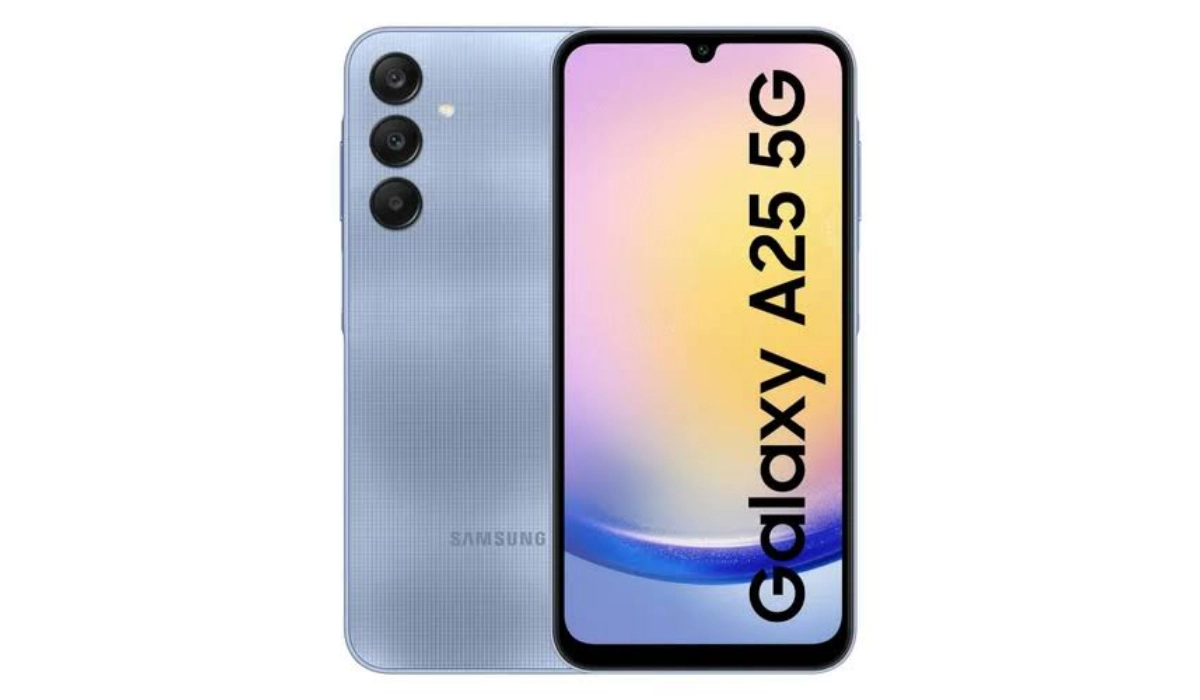
Samsung Galaxy A25 is a mid-range Android phone sporting a 6.5-inch Super AMOLED display and powered by an Exynos 1280 chipset. It supports 3.5mm audio headphone jack, but not eSIM or wireless charging. It is the successor to the Galaxy A24.
Samsung Galaxy A25 Specs
Mobile Wireless Network and Software
- 2G mobile network bands : GSM, GPRS, EDGE 850 / 900 / 1800 / 1900 MHz.
- 3G mobile network bands : UMTS, WCDMA, HSDPA 850 / 900 / 2100 MHz
- 4G mobile network bands : LTE.
- 5G mobile network bands : NSA/SA
- SIM Type : Nano-SIM, Dual SIM
- Software / OS : One UI 16 based on Android 14
Design, Form Factor, Appearance
- Dimensions : 161 x 76.5 x 8.3 mm
- Weight : 197g
- Display : 6.5 inches, 1080 x 2400 pixels, 120 Hz refresh rate, 20:9 aspect ratio, Super AMOLED screen
- Colours : Brave Black, Personality Yellow, Fantasy Blue, Optimistic Blue.
- Physical Build : Glass front, plastic frame, plastic back
Internal Hardware Specs
- CPU/ Processor : 64-bit, 2.3 GHz Octa-core
- Chipset : Exynos 1280 (5 nm)
- GPU/ Graphics Processing Unit : ARM Mali-G68
- RAM : 6GB / 8GB
- Extended/Virtual RAM :
- Internal Storage : 128 GB / 256 GB
- External Storage : microSD
Photography, Video Recording
- Main Camera : 50 MP main sensor + 8MP ultra-wide lens + 2 MP macro lens, autofocus, LED flash, 4k video@30fps, 1080p@30fps video recording
- Front Camera : 13 MP, fixed focus, Face Recognition, 1080p@30fps video capture
Audio, Video Playback
- Music Support : PCM, AAC / AAC + / eAAC + / MP3 / AMR – NB / WB / APE
- Audio : 3.5 mm audio headphone jack
- Loudspeaker : Stereo speakers
- Video Support : H.264/MP4/MPEG4 player
- FM Radio : Market-dependent.
Phone Sensors
- Digital Compass : Yes.
- Accelerometer : Yes.
- Proximity Sensor : Yes.
- Ambient Light Sensor : Yes.
- Barometer : No.
- Pedometer : No.
- Heart Rate Monitor : No.
- Gyroscope (G-Sensor) : Yes.
- Fingerprint Scanner : Yes; side-mounted.
- Face Unlock : Yes.
- Iris Scanner : No.
- Motion Sensing / Gesture Control : No.
- Voice Control : No.
- Intelligent Digital Assistant : Yes; Google Assistant, Bixby.
- Infra-red/IR Blaster : No.
Connectivity Options
- Bluetooth Version : 5.3
- Bluetooth Profiles : A2DP, LE
- WiFi : Wi-Fi 802.11 a/b/g/n/ac, hotspot
- GPS : Yes, A-GPS, GLONASS, GALILEO, BDS, QZSS
- USB : microUSB v2.0. Type-C.
- NFC : Market dependent.
Miscellaneous Specs and Features
- Battery Type and Capacity : Non-Removable Lithium-Polymer 5000 mAh
- Battery Charging : 25W fast charging
- Wireless Charging : No.
- Reverse Charging : No.
- Model Version/Number :
Launch/Release Dates and Information
- Announced : December 2023
- Release Date : December 2023
Prices in the USA, UK, and EU
- USA : from $247
- United Kingdom (UK) : from £229
- European Union (EU) : from €290
The above prices may change with time from country to country, as market forces and economic policies influence product price movements.
Dust and Waterproof IP Rating
Samsung Galaxy A25 has no ingress protection. It is not water proof or dust proof.
eSIM Support
The Samsung Galaxy A25 does not support eSIM, so you cannot use an eSIM with it.
Dual SIM Support
The Samsung Galaxy A25 has both single SIM and dual SIM versions..
Wireless Charging
Unfortunately, Samsung Galaxy A25 does not have any form of wireless charging. You can only charge it via a cable.
Glass Back/Rear Cover
The Samsung Galaxy A25 has a plastic back panel.
Fingerprint Scanner
The Samsung Galaxy A25 has a side-mounted fingerprint sensor located in the power button.
Gorilla Glass Protection
Samsung Galaxy A25 has a 6.5-inch Super AMOLED display with a 1080×2340-pixel resolution and it does not have Gorilla Glass protection.
Fast Charging
The Samsung Galaxy A25 is equipped with a 5000mAh battery and 25W fast charging.
3.5mm Headphone Jack
The Samsung Galaxy A25 does not have a headphone jack. As such, you can only use a Bluetooth wireless earphone or a USB-C earphone.
Android 15 Update
Samsung says it will get four years of Android updates, so it is certain that the Galaxy A25 will get updated to Android 15.
aptX Bluetooth codecs, Wireless Charging, IP Rating, and IR blaster
- It supports Bluetooth 5.3 with A2DP and LE profiles, but it does not have aptX Bluetooth codecs.
- It has a 5000 mAh battery with 25W fast charging, but it does not have wireless charging.
- It does not have an IP rating for water and dust resistance.
- It has a fingerprint sensor on the side, but it does not have an IR blaster.
Factory Unlocked Availability
In the United States, the Samsung Galaxy A25 is available in both unlocked and locked forms, depending on what carrier or retailer you buy it from. Ask your carrier or store attendant for details.
Google Play Store Support
It supports Google Services and software applications, including Play Store and Maps, Gmail, YouTube, and others.
USA Carrier Support
This is a GSM phone and is supported on US GSM carriers like AT&T and T-Mobile and other networks riding on their networks. It does not support CDMA networks. Do make inquiries from your carrier to know what bands/frequencies are supported on their service.
Author:InfoDesk
Add MobilityArena as a preferred source on Google
Samsung Galaxy A25 in brief:
- OS: Android 14
- Release Date: 2023
- Network Type: 2G/3G/4G/5G
- eSIM: No
- Display: 6.5-inch, 1080 x 2400 pixels resolution
- Processor: Exynos 1280 (5 nm)
- Selfie Camera: 13 MP
- Rear camera: 50 MP
- RAM: 8 GB
- ROM: 128 GB / 256 GB
- Fingerprint: Yes
- Headphone Jack: Yes
- Infrared/IR Blaster: No.
- Battery: 5000 mAh
- Fast Charging: 25W
- Wireless Charging: No.
Samsung Galaxy A25 5G
- Introduction
- Samsung Galaxy A25 Specs
- Prices in the USA, UK, and EU
- Dust and Waterproof IP Rating
- eSIM Support
- Dual SIM Support
- Wireless Charging
- Glass Back/Rear Cover
- Fingerprint Scanner
- Gorilla Glass Protection
- Fast Charging
- 3.5mm Headphone Jack
- Android 15 Update
- aptX Bluetooth codecs, Wireless Charging, IP Rating, and IR blaster
- Factory Unlocked Availability
- Google Play Store Support
- USA Carrier Support
Introduction
Samsung Galaxy A25 is a mid-range Android phone sporting a 6.5-inch Super AMOLED display and powered by an Exynos 1280 chipset. It supports 3.5mm audio headphone jack, but not eSIM or wireless charging. It is the successor to the Galaxy A24.
Samsung Galaxy A25 Specs
Mobile Wireless Network and Software
- 2G mobile network bands : GSM, GPRS, EDGE 850 / 900 / 1800 / 1900 MHz.
- 3G mobile network bands : UMTS, WCDMA, HSDPA 850 / 900 / 2100 MHz
- 4G mobile network bands : LTE.
- 5G mobile network bands : NSA/SA
- SIM Type : Nano-SIM, Dual SIM
- Software / OS : One UI 16 based on Android 14
Design, Form Factor, Appearance
- Dimensions : 161 x 76.5 x 8.3 mm
- Weight : 197g
- Display : 6.5 inches, 1080 x 2400 pixels, 120 Hz refresh rate, 20:9 aspect ratio, Super AMOLED screen
- Colours : Brave Black, Personality Yellow, Fantasy Blue, Optimistic Blue.
- Physical Build : Glass front, plastic frame, plastic back
Internal Hardware Specs
- CPU/ Processor : 64-bit, 2.3 GHz Octa-core
- Chipset : Exynos 1280 (5 nm)
- GPU/ Graphics Processing Unit : ARM Mali-G68
- RAM : 6GB / 8GB
- Extended/Virtual RAM :
- Internal Storage : 128 GB / 256 GB
- External Storage : microSD
Photography, Video Recording
- Main Camera : 50 MP main sensor + 8MP ultra-wide lens + 2 MP macro lens, autofocus, LED flash, 4k video@30fps, 1080p@30fps video recording
- Front Camera : 13 MP, fixed focus, Face Recognition, 1080p@30fps video capture
Audio, Video Playback
- Music Support : PCM, AAC / AAC + / eAAC + / MP3 / AMR – NB / WB / APE
- Audio : 3.5 mm audio headphone jack
- Loudspeaker : Stereo speakers
- Video Support : H.264/MP4/MPEG4 player
- FM Radio : Market-dependent.
Phone Sensors
- Digital Compass : Yes.
- Accelerometer : Yes.
- Proximity Sensor : Yes.
- Ambient Light Sensor : Yes.
- Barometer : No.
- Pedometer : No.
- Heart Rate Monitor : No.
- Gyroscope (G-Sensor) : Yes.
- Fingerprint Scanner : Yes; side-mounted.
- Face Unlock : Yes.
- Iris Scanner : No.
- Motion Sensing / Gesture Control : No.
- Voice Control : No.
- Intelligent Digital Assistant : Yes; Google Assistant, Bixby.
- Infra-red/IR Blaster : No.
Connectivity Options
- Bluetooth Version : 5.3
- Bluetooth Profiles : A2DP, LE
- WiFi : Wi-Fi 802.11 a/b/g/n/ac, hotspot
- GPS : Yes, A-GPS, GLONASS, GALILEO, BDS, QZSS
- USB : microUSB v2.0. Type-C.
- NFC : Market dependent.
Miscellaneous Specs and Features
- Battery Type and Capacity : Non-Removable Lithium-Polymer 5000 mAh
- Battery Charging : 25W fast charging
- Wireless Charging : No.
- Reverse Charging : No.
- Model Version/Number :
Launch/Release Dates and Information
- Announced : December 2023
- Release Date : December 2023
Prices in the USA, UK, and EU
- USA : from $247
- United Kingdom (UK) : from £229
- European Union (EU) : from €290
The above prices may change with time from country to country, as market forces and economic policies influence product price movements.
Dust and Waterproof IP Rating
Samsung Galaxy A25 has no ingress protection. It is not water proof or dust proof.
eSIM Support
The Samsung Galaxy A25 does not support eSIM, so you cannot use an eSIM with it.
Dual SIM Support
The Samsung Galaxy A25 has both single SIM and dual SIM versions..
Wireless Charging
Unfortunately, Samsung Galaxy A25 does not have any form of wireless charging. You can only charge it via a cable.
Glass Back/Rear Cover
The Samsung Galaxy A25 has a plastic back panel.
Fingerprint Scanner
The Samsung Galaxy A25 has a side-mounted fingerprint sensor located in the power button.
Gorilla Glass Protection
Samsung Galaxy A25 has a 6.5-inch Super AMOLED display with a 1080×2340-pixel resolution and it does not have Gorilla Glass protection.
Fast Charging
The Samsung Galaxy A25 is equipped with a 5000mAh battery and 25W fast charging.
3.5mm Headphone Jack
The Samsung Galaxy A25 does not have a headphone jack. As such, you can only use a Bluetooth wireless earphone or a USB-C earphone.
Android 15 Update
Samsung says it will get four years of Android updates, so it is certain that the Galaxy A25 will get updated to Android 15.
aptX Bluetooth codecs, Wireless Charging, IP Rating, and IR blaster
- It supports Bluetooth 5.3 with A2DP and LE profiles, but it does not have aptX Bluetooth codecs.
- It has a 5000 mAh battery with 25W fast charging, but it does not have wireless charging.
- It does not have an IP rating for water and dust resistance.
- It has a fingerprint sensor on the side, but it does not have an IR blaster.
Factory Unlocked Availability
In the United States, the Samsung Galaxy A25 is available in both unlocked and locked forms, depending on what carrier or retailer you buy it from. Ask your carrier or store attendant for details.
Google Play Store Support
It supports Google Services and software applications, including Play Store and Maps, Gmail, YouTube, and others.
USA Carrier Support
This is a GSM phone and is supported on US GSM carriers like AT&T and T-Mobile and other networks riding on their networks. It does not support CDMA networks. Do make inquiries from your carrier to know what bands/frequencies are supported on their service.
Author:InfoDesk
Add MobilityArena as a preferred source on Google
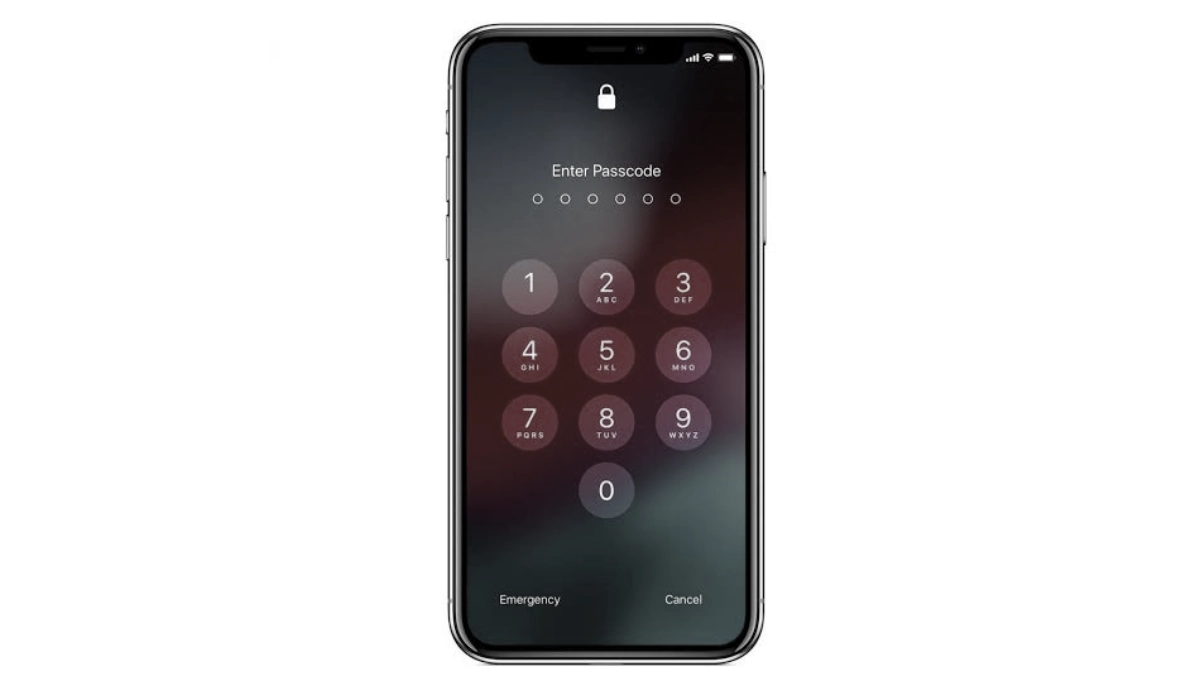
Knowing how to unlock iPhone passcode is important. An iPhone passcode is a security feature designed to protect your device from unauthorized access. It is a combination of numbers or alphanumeric characters that you must enter to unlock your iPhone and gain access to its contents and functions. The passcode can serve as the first line of defense against unauthorized users, ensuring that your personal data remains secure.
Whether it is a more recent model like iPhone 14 Pro Max or an older model from years back, the guide below will show you how to unlock iPhone passcode. Most of the steps are easy to follow, even if you are a non-techie. If you find one too technical, try another. I list four different ways to unlock your iPhone passcode.
- Before You Begin
- Method 1: How to unlock iPhone Passcode with a Known Passcode
- Method 2: How to unlock iPhone Passcode with iCloud
- Method 3: How to unlock iPhone Passcode with iTunes (Recovery Mode)
- Method 4: How to unlock iPhone Passcode with Apple ID (iOS 15 and later)
Before You Begin
Before you go about unlocking the passcode of an iPhone, it is important that you have a backup of your data. Why? Sometimes, unlocking an iPhone can result in data loss. You do not want to find yourself losing all the data on your phone without a backup to fall back on. You can use either iCloud or iTunes for backing up your data.
Method 1: How to unlock iPhone Passcode with a Known Passcode
- Go to “Settings” on your iPhone.
- Scroll down and tap “Touch ID & Passcode” (or “Face ID & Passcode” on newer models).
- Enter your current passcode to access the settings.
- Scroll down to the “Change Passcode” section and tap it.
- Enter your current passcode again to confirm.
- Enter your new passcode twice to confirm the change.
- Tap “Done” to save the new passcode.
Method 2: How to unlock iPhone Passcode with iCloud
- Go to iCloud.com on a computer or another device.
- Log in using your Apple ID and password.
- Click on “Find iPhone.”
- Click on “All Devices” at the top of the screen and select the iPhone you want to unlock.
- Click on “Erase iPhone” to erase all data and settings on the iPhone.
- Follow the on-screen instructions to confirm the erase process.
- Once the iPhone is erased, you can set it up as a new device or restore it from a backup.
Note: This method will erase all data and settings on the iPhone, so make sure to back up your iPhone before using this method if possible. Also, your iPhone needs to be connected to the internet for this method to work.
Method 3: How to unlock iPhone Passcode with iTunes (Recovery Mode)
- Connect your iPhone to your computer using a USB cable.
- Open iTunes on your computer.
- Put your iPhone into recovery mode: For iPhone 8 or later: Press and quickly release the Volume Up button, then press and quickly release the Volume Down button, then press and hold the Side button until the recovery mode screen appears. For iPhone 7 and 7 Plus: Press and hold the Side button and Volume Down button at the same time until the recovery mode screen appears. For iPhone 6s and earlier: Press and hold the Home button and Side button at the same time until the recovery mode screen appears.
- When prompted to “Restore” or “Update” your iPhone, select “Restore.”
- iTunes will download the latest iOS software and install it on your iPhone.
- Once the installation is complete, you can set up your iPhone as a new device or restore it from a backup.
Note: This method will erase all data and settings on the iPhone, so make sure to back up your iPhone before using this method if possible. Also, if you have Find My iPhone enabled, you will need to enter your Apple ID and password after the restore process to activate your iPhone.
Method 4: How to unlock iPhone Passcode with Apple ID (iOS 15 and later)
- On another device, go to iCloud.com/find.
- Log in using your Apple ID and password.
- Click on “Find iPhone.”
- Click on “All Devices” at the top of the screen and select the iPhone you want to unlock.
- Click on “Erase iPhone” to erase all data and settings on the iPhone.
- Follow the on-screen instructions to confirm the erase process.
- Once the iPhone is erased, click on “Remove from Account” to remove the iPhone from your iCloud account.
- Turn on your iPhone and follow the on-screen instructions to set it up as a new device.
Note: This method will erase all data and settings on the iPhone, so make sure to back up your iPhone before using this method if possible. Also, your iPhone needs to be connected to the internet for this method to work. Additionally, if you have Find My iPhone disabled or if your iPhone is not connected to the internet, this method will not work.
Author:MobileChic
That motivated, gadget-loving geeky chic who tries to stay on top of things. Unapologetic iFan.
