Add MobilityArena as a preferred source on Google
What does a smartphone reviewer do when he gets the chance to publish a Samsung Galaxy A3 Core unboxing and hands-on review? Duh. He takes it! And that was exactly what I did.
Samsung is the world’s largest Android phone maker, but the brand is not very prolific at the entry-level. The Galaxy A3 Core is an entry-level Android s.smartphone, and I got my hands in one and took it for a spin.
In this my Samsung Galaxy A3 Core unboxing and hands-on review, I share photos of the box and its contents, as well as my first impressions of the device.
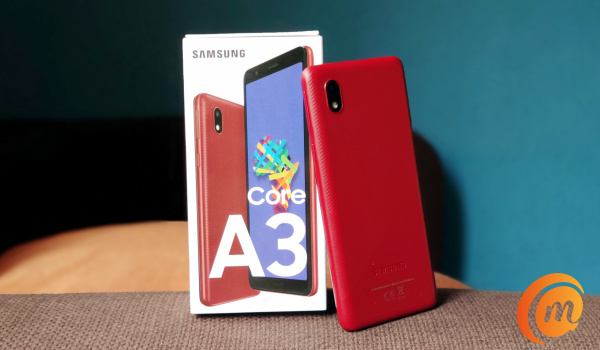
But first, a picture of the positioning of this phone. The Galaxy A3 Core is on the lowest rung of the ladder, occupying the same place as its predecessor, the Galaxy A2 Core . It is directly below the Galaxy A02 and above that is the Galaxy A02s . Higher up the ladder, you will find the Galaxy A10s and the Samsung Galaxy A12 . At the extreme top end are the Samsung Galaxy S21, S21+, and S21 Ultra .
So, again, it is clear that this is Samsung’s entry-level offering. If you want the cheapest Samsung smartphone, it doesn’t get any cheaper than the Galaxy A3 Core. Now, let’s get into the unboxing and hands-on review, and have some fun!
Samsung Galaxy A3 Core unboxing and photos

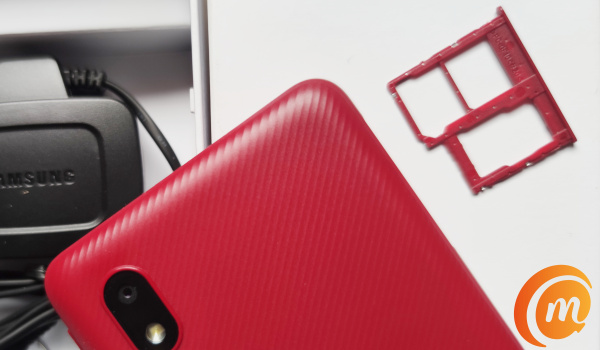
The box contains the phone itself, paper documentation, 3.5mm audio headphones, wall charger, and SIM slot ejector pin.
Samsung Galaxy A3 Core hands-on review
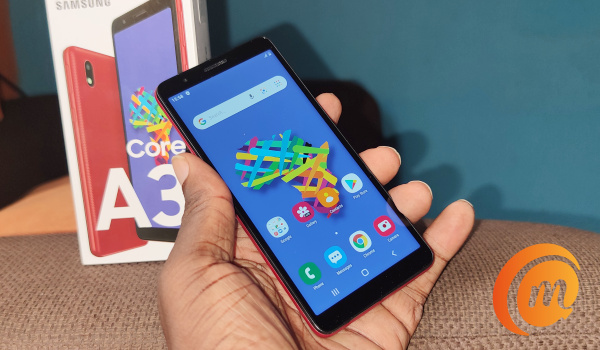
It is time to handle the phone and see what it is like.
Of course, considering its price point, the Galaxy A3 Core is built of plastic material. In the hand, it feels solid – like it is well built.
It is a compact smartphone and feels just right in my hands. I am a fan of compact devices. Those screen sizes that keep inching towards the figure 7 are just stressful to use compared to compact devices.
Samsung Galaxy A3 Core has a 5.3-inch display. Being a low-end phone, it has some bezels all round.
It runs Android 10, so there’s Dark Mode (Yay!). Internal storage is 16GB. Of that, 11GB is free at boot. There’s a memory card slot though, so you can add a microSD card for extra storage.
The card slot is dedicated too, meaning you do not have to give up any SIM in order to put in a memory card. Yes; it has two SIM slots and a memory card slot.
RAM is 1GB. It is early days, but at least the first impression I get is that the switching through apps, the phone runs smoothly. We will see if that changes after a longer period of usage and report on it in our full review.
Of course, the trick with low-end phones is to not switch through many apps at the same time. 1GB RAM is pretty limiting and you have to manage that. You don’t drive a city car like you would a sports car; do you?
Also, this is a 4G LTE smartphone. 4G Android phones are found at slightly higher prices these days, so this is one of the cheapest in the market.
At the back, all you have is the camera. There is no fingerprint reader on this baby. Many competing devices at this price point have one though.
Samsung Galaxy A3 Core hands-on video
Entry-level smartphones are always a game of give and take, as the manufacturer has to decide what features to leave out in order to keep the price below a certain point.
In the case of the Samsung Galaxy A3 Core, it misses a fingerprint scanner and a big display. In exchange, it gets 4G LTE.
Competing phones at the same price point have a fingerprint reader and a bigger display, but lack 4G LTE.
Is that a trade-off you are willing to take? At the end of the day, it is your call.
Copyright Notice : Reproduction of this article on any website, e-book, book, newspaper, magazine or other media without express written permission from MobilityArena is a violation of copyright rules and will result in appropriate action being taken.
Author:Mister Mobility
Digital Skills and Communication Coach | Mobile Phone Connoisseur since 2001 | Tech Blogging since 2004
Add MobilityArena as a preferred source on Google
Android launchers are increasingly becoming an important piece of software for the average Android user in 2021. The best android launchers help you maintain control of your device, making sure you can customize different parts of your home page just the way you want it.
Today, we will take a look at the best Android launchers for your smartphone and what other benefits they offer.
Nova launcher: One of the best launchers you can find out there, Nova launcher is sleek, quick and easily customizable, making it a fan favorite among Android users. It perfectly balances utility customizations and an extensive appearance with a minimal performance backlog, meaning you will not experience freezes with your device. it also offers a Premium version which costs $4.99 and brings a number of improved features to the table. You can download this app through this link.
Niagara launcher: This launcher comes with a unique design which helps to place notifications front and center, helping to keep other distractions at bay. This launcher displays notifications, while filtering out spam. Although it offers a rather minimalistic approach and may not be popular for its aesthetics, it gets the job done effectively and is one of the best Android launchers out there. You can install Niagara launcher for your Android here .
Smart launcher 5: Another launcher that has a decent shout for Best Android Launcher, this launcher is well designed and offers a number of interesting features for Android users. It brings smart search and a customizable app drawer which increases the ease of navigation for users, letting them find what they need easily. It also brings resizable widgets and adaptive icons and colors, making it a top-notch android launcher. The Smart Launcher 5 offers a Pro version which costs $7 and offers a number of extra features and expanded gesture controls.
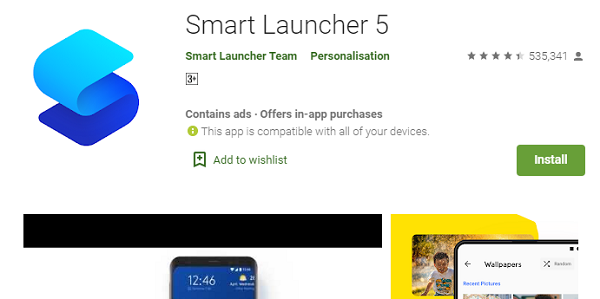
The Smart Launcher 5 app
Hyperion launcher: A wonderfully designed launcher from the brains behind the Substratum theming engine, Hyperion is a customizable launcher that lets users toggle various settings. It brings a ton of features (for free), while also letting users configure a range of settings for folders, transparencies, icon packs, animations and adaptive icons. It also offers a Pro version with a more interesting features for users.
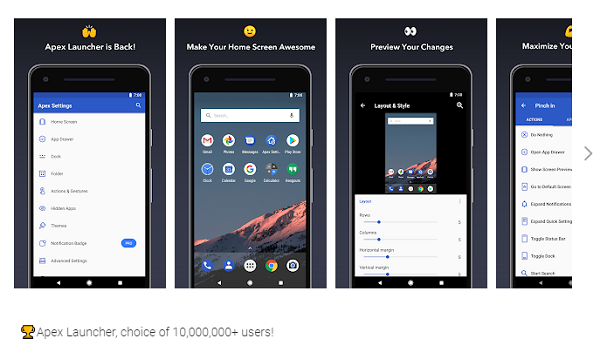
Apex launcher: This amazing Android launcher provides a delicate balance of features and performance, bringing flair and efficiency in one app. It lets users customize the home screen grid size, providing up to nine screens, while also bringing a scrollable dock containing five pages. Apex Launcher also offers a paid version which offers additional gestures and theme support, it costs about $8.99.
While your Android device has its default launcher, trying any of the launchers above can help you discover newer frontiers with your Android device.
- Don’t miss our mobile phone reviews .
- Follow our news on Google News .
- Join our WhatsApp Group , to be notified of the most important articles and deals,
- Follow us on Instagram , Facebook , Twitter , and YouTube .
Author:Alfa Baye
Staff Writer
