Add MobilityArena as a preferred source on Google
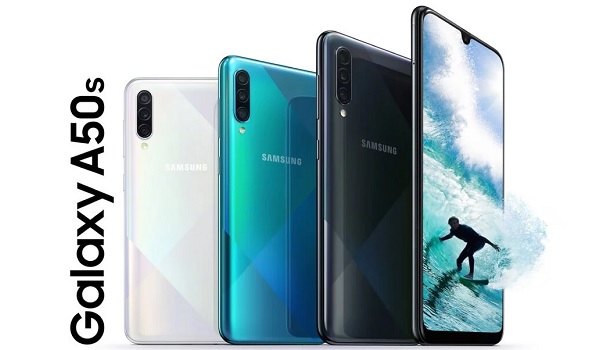
Samsung Galaxy A50s users have reportedly begun to receive the One UI 2.5 update. This update has the November 2020 Android security patch together with a number of new features from the One UI 2.5 update.
This update brings features like an improved camera experience, SOS functionality for messages, Google’s navigational gestures for third-party apps, and much more. This update for the Samsung Galaxy A50s is currently available in Vietnam and has the firmware version A507FNXXU5CTK3 .
This firmware can be downloaded by clicking the update notification the moment it appears on your device. However, if you have not gotten a notification on your Samsung Galaxy A50s, you can check Settings > Software Update > Download and Install .
This update was introduced to the Samsung Galaxy A51 about a month ago, although this update had the October security patch with it.
Reports suggest the South Korean company has started testing the One UI 3.0 with Android 11, with some quarters saying that the company may release this software version this month or in December.
The Samsung Galaxy A50s launched in September 2019, with the Android 9 Pie taking care of its software needs. It has the Exynos 9611 SoC under the hood and packs a 4,000mAh battery.
References
- Source ;
- Source .
Author:Alfa Baye
Staff Writer
Add MobilityArena as a preferred source on Google
By definition a dual flash drive has two connectors so it can plug into both your smartphone and your PC as you need. Dual flash drives have been around for years now, but the technology behind them and their capabilities keep improving. We got our hands on the SanDisk Ultra Dual Drive C flash drive, a lightweight, compact dual drive. What is it like using one?
Having owned another dual flash drive for years, the first thing I noticed about the SanDisk Ultra Dual Drive is how much more compact it is when placed beside my older drive. It is about half the physical size, yet has four times the storage capacity.
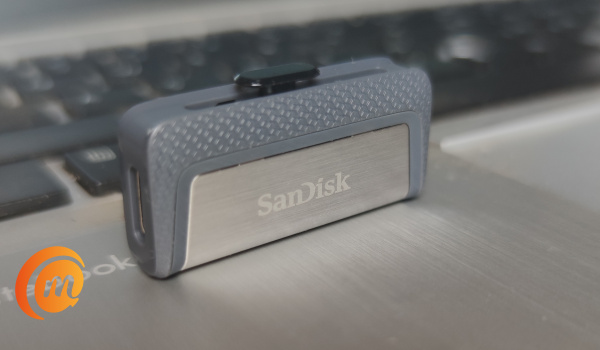
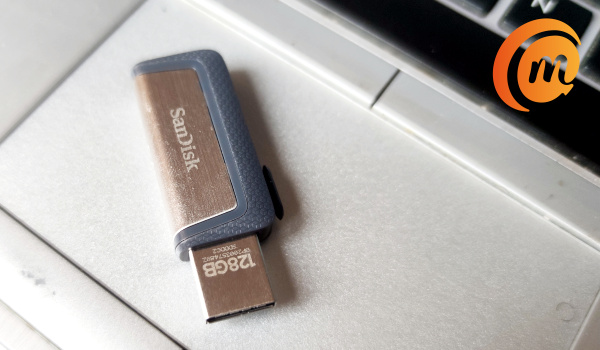
The retractable connectors are a cool part of the design of this model. At one end is a standard PC-compatible USB-A connector, while at the other end is a smartphone-compatible USB-C connector. Both are hidden away from sight when the flash drive is not in use.
To connect, push out which of the connectors you need, depending on whether you want to connect to a PC or a smartphone.
- SanDisk Ultra Dual Drive C Specs
- SanDisk Ultra Dual Drive C Review: In Use
- Using SanDisk Ultra Dual Drive C Flash Drive With Sandisk Memory One Mobile App
- SanDisk Ultra Dual Drive C Flash Drive Review: Conclusions
SanDisk Ultra Dual Drive C Specs
- Storage Capacity: 16GB / 32GB / 64GB /128GB / 256GB
- USB Type: USB 3.1 Gen 1, SATA
- Connectors: USB-C; USB-A
- PC /Laptop Compatibility: Windows Vista®, Windows® 7, Windows 8, Windows 10, Mac OS X v10.6 and higher
- Smartphones, tablets, and other USB devices compatibility: USB Type-C™ port and On-The-Go (OTG) support.
SanDisk Ultra Dual Drive C Review: In Use
Our review unit is of 128GB capacity. Plugging it into my Windows 10 laptop, everything went as it should with flash drives. We have been plugging USB drives into laptops for ages and you already know how to use it. The novelty is worn, and I bet you are not reading this review because the SanDisk Ultra Dual Drive can be plugged into a laptop.
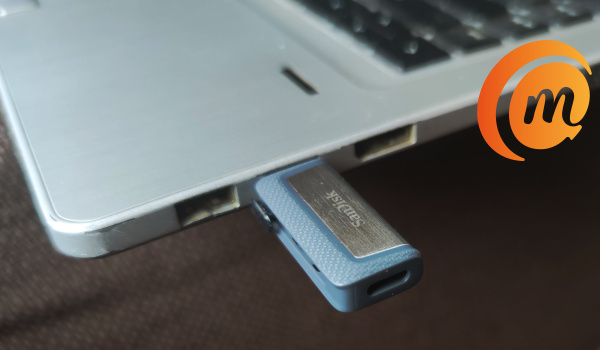
You are likely reading this review to see how the dual drive works with a smartphone, so let’s skip to that. The SanDisk Ultra flash drive works as it should with a laptop. That’s all there is to that.
Using SanDisk Ultra Dual Drive C Flash Drive With Sandisk Memory One Mobile App
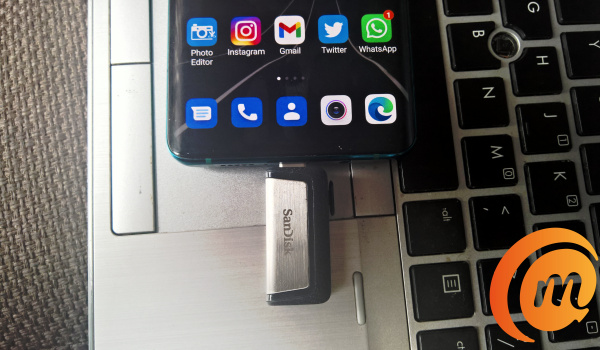
The Ultra dual flash drive is compatible with SanDisk’s Memory Zone app for Android™. It is a mobile application designed to help you m anage the files in your phone memory – photos, videos, documents, etc, on your card, flash drive, and in the cloud. You can easilly free up space on your phone using the app to backup files to a memory card, the SanDisk Ultra Dual Drive itself, or to a range of cloud services like SanDisk drive, Google Drive, One Drive, Box, or DropBox.
Of course, I downloaded it to my Android phone and gave it a spin. On plugging in the Ultra dual flash drive after inatallation of the app, I got a prompt from the app asking for permission for the app to be opened whenever the USB device is connected. You can also set the app to be used by default for the USB flash drive.
Seeing as I was testing it to see how it works, I declined for both. I wanted to see whether my smartphone would work with the drive without the app. Good news: it does. I was able to use my phone;s built-in File Manager to copy and move files from the phone memory to the USB device and vice versa.
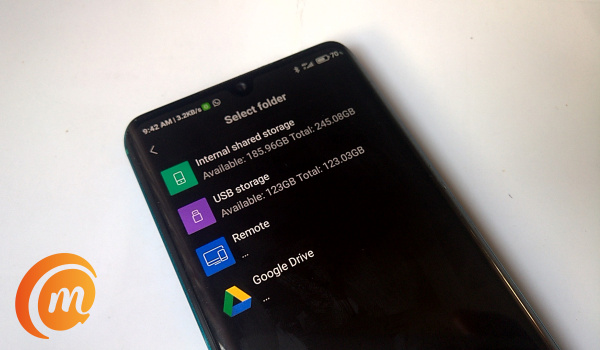
Using the SanDisk Ultra Dual Drive C without the Memory Zone app: my phone’s built-in file manager works fine
When I did use the app, I was able to take advantage of the extra features and benefits it brings – like the ability to configure manual and auto backups to the supported cloud storage services.
The app also provides features that let you delete junk files from your phone, clean up WhatsApp media (for those of you WhatsApp media junkies), and manage apps. Of course, some phones already have some of these functionalities built-in. If yours does not, the SanDisk Memory Zone app puts these tools in your hands.
Of course, the Memory Zone app has its own File Manager too, which you can use for moving files about from your Android phone to the USB drive or to cloud. It has a well refined user interface that is a joy to use.
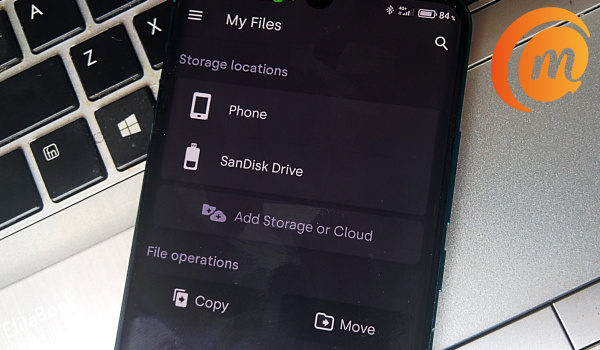
The SanDisk Memory one app is available for Android smartphones for free. One small point is that it does not have any ads on it. As small as that is, it makes for a more enjoyable user experience.
You can download Sandisk Memory One mobile app HERE .
SanDisk Ultra Dual Drive C Flash Drive Review: Conclusions
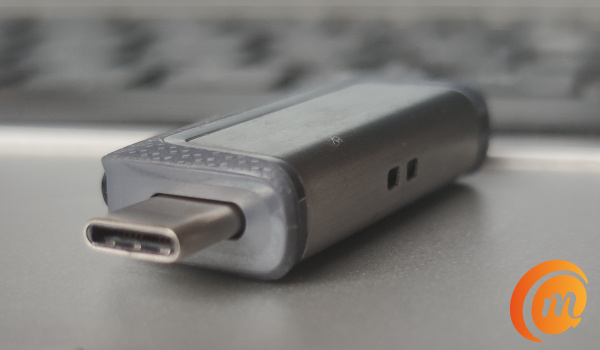
The SanDisk Ultra Dual Drive is a simple but useful USB accessory for anyone who owns an Android smartphone and/or a laptop. Even if you do not own a laptop or PC, you never can tell when having a portable drive that is pluggable into your smartphone will come in handy. Smartphones are today’s PCs afterall.
Note that your smartphone has to have USB-OTG (USB-On-The-Go) support for you to be able to use it with the SanDisk Ultra Dual Drive or any other USB device at all. As such, you need to check your phone’s documentation to see if it has that.
There are different storage capacities available in the market, including 16GB, 32GB, 64GB, 128GB, and 256GB. This 128GB unit we are reviewing is available in the market for ₦9,200 only. You will find it for $21.49 from Western Digital’s website. It is also available from local and international online stores.
Author:Mister Mobility
Digital Skills and Communication Coach | Mobile Phone Connoisseur since 2001 | Tech Blogging since 2004
