Add MobilityArena as a preferred source on Google
Samsung’s Galaxy A series devices have been a big hit since the recent revamping. Last year threw up the A50 and A70 as very popular choices with smartpone buyers in many markets around the world. The Galaxy A71 is a follow-up to the A70 and hopes to gain the same appeal as its predecessor.
In this Samsung Galaxy A71 unboxing and hands-on review, we give you a quick glimpse of the device and share our first impressions.
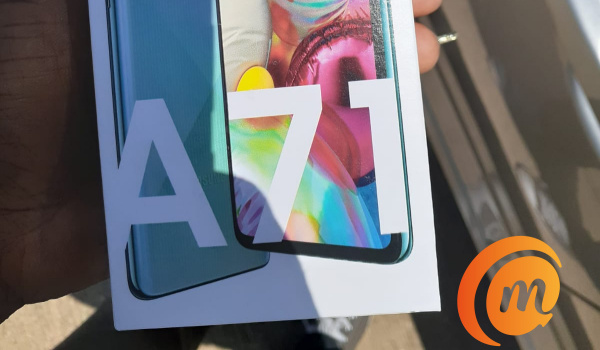
Samsung Galaxy A71 unboxing and hands-on review
Samsung Galaxy A71 Quick Specs
What we have is a 6.7-inch Super AMOLED display and Android 10 running under the hood. It has a 64 MP rear quad camera, a 32 MP selfie camera embedded in a centered punch hole, 8 GB RAM (there is a 6 GB RAM variant as well), 128 GB internal memory, and a 4500 mAh battery.
Its fingerprint scanner is embedded in the display and so won’t be found anywhere near the L-shaped camera island at the back.
Samsung Galaxy A71 Unboxing
In the box is the phone itself, a USB-C cable, fast charging adapter/brick, 3.5mm headset, a silicon case, as well as paper documentation. It is standard fare. There is nothing missing from the usual suspects.
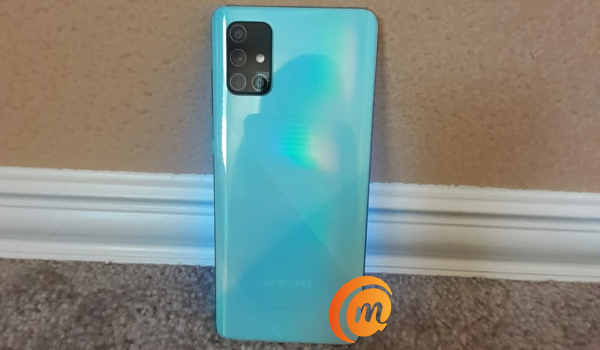
The unit we got to play with is the Prism Crush Blue colour.
Setting up the Galaxy A71 was a smooth and straightforward experience. Samsung’s Smart Switch app helped a great deal in moving everything from an older phone – apps, videos, images, contacts, call logs, and SMS – over to it in a matter of minutes. It even carried over the active wallpaper from the old device. Every smartphone brand should have such an app.
Samsung Galaxy A71 First Impressions
The first time you power on the A71, the AMOLED display welcomes you in all its gorgeousness – sharp, bright, and punchy. Whether you like your displays that way or not, you can’t ignore it. It draws your attention anyway.
With the Samsung Galaxy A71 unboxing and setting up out of the way, it is time to share our first impressions of this budget smartphone.
Samsung’s A series are designed to offer some premium experience at lower price points, and the A71 pulls it off effortlessly. Picking it up in your hands, there is no doubt about the premium feel. Even better, it is quite lightweight in the hand as well.
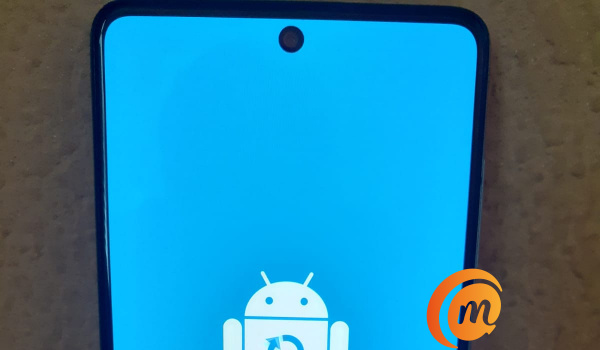
Here at Mobilityarena, there is a general disdain for the notch, especially those wide ones. Punch hole displays have been around for a while now and we are not sure yet what our position is. Perhaps we are indifferent about punch holes, as long as they are not big and bogus.
We will take a good selfie camera any day though, be it located in a notch, in a punch hole, or in a sliding mechanism. Just give us good photos. And the A71’s 32-megapixel selfie camera does that, so we are good.
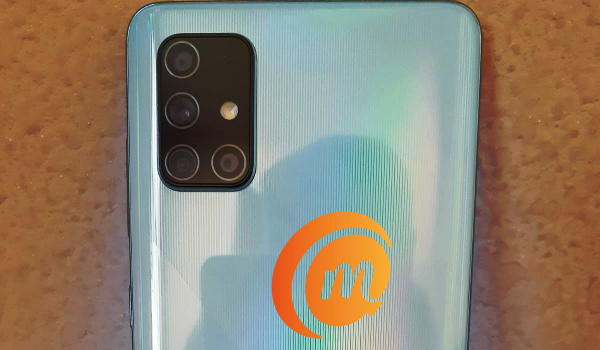
Rear camera modules have gotten ugly in the last one year though, whether L-shaped, vertical, horizontal, circular, or diamond shaped. As we have packed more and more lenses into those modules, things have kept going south.
We think the L-shaped island at the back of the Galaxy A71 is ugly as well, but if the quick sample photos we took with it is anything to go by, who cares? If a camera takes good photos, it can look as ugly as it likes.
That aside, the prism gradient pattern on the shell of the phone is a delight to see. That shell is plastic, not glass; and that is a good thing. Glass bodies are terrible fingerprint magnets, not to mention being highly prone to breaking.
Using the phone, One UI is a delight, and the version here runs on Android 10. In usage, the user interface is smooth and snappy, as we expected. The combination of Snapdragon 730 chipset, 8 GB RAM and 128 GB storage memory, in the Galaxy A71 makes for a jolly good show. It is smooth sailing all the way.
We did run into a snag with our unit: for some reason, the charging port stopped working. We had to send it back. Hopefully, that is an isolated case and not a common problem with the model.
PS : If you live in a region with active 5G networks, you might be interested in the A71’s 5G variant. There are two 5G variants targeted at two different regions,a nd so having different 5G network support, so be sure to ask for the model that is meant for your region.
As part of this Samsung Galaxy A71 unboxing and hands-on, we are including answers to some of the most common questions that we have been asked about the phone.
Does Samsung A71 support fast charging?
Yes; Samsung Galaxy A71 supports 25W fast charging standard, and a 25W charger is provided in the box.
Does Samsung A71 have Gorilla Glass?
According to the manufacturer, Samsung A71’s Super AMOLED display is protected by a layer of Gorilla Glass 3. No; we didn’t drop the phone to test it.
Does Samsung A71 have a headphone jack?
Yes; Samsung Galaxy A71 has a 3.5mm headphone jack and a headset is provided in the box.
How much is Samsung Galaxy A71?
The 8GB RAM variant does not seem to be officially available in Nigeria, but the 6GB RAM variant sells for about N180,000 at major retailers around the country, including on Jumia, Slot, Pointek, Jiji, and Konga.
Author:InfoDesk
Add MobilityArena as a preferred source on Google
There are symptoms that indicate that your phone has been hacked, along with steps to take to both prevent and get rid of any spy apps on your smartphone. It does not matter whether you use an Android phone or an iPhone, both can be compromised and tracked. You can own one of the best smartphones in the world and still fall victim to this .
There is a booming industry around phone hacking, cloning, and spying on individuals via their mobile devices. In today’s world, spy apps exist by the bucketful, and even people with no technical knowledge can install one on your smartphone within minutes.

Was I hacked? How to tell if your phone has been hacked or cloned, and what to do
There are ethical issues to this practice. The first is that anyone who goes through your personal effects without your consent is violating a fundamental right of yours. This includes your phone. A smartphone is a very personal tool, with access to not just your conversations, but very often bank accounts, other financial systems, work systems, and more.
If someone sets out to hack or clone your phone, or to monitor your personal activities in other ways, there is a problem.
Even as a parent who has implemented some form of monitoring for their child out of concern for safety, there are ethics to it. Mrs. Mo and I needed to do this once. What we did was tell the children upfront that we would be monitoring their phones as part of our responsibilities as parents.
We made them fully aware that we would be able to see their location, messages, and social media activities. This was not a sneaky exercise. We are family and would not go about sneaking. We let our children know we would randomly go through the effects in their rooms too. We carried them along.
I shared that story to show you that the excuse that people who spy on you by hacking your phone or monitoring your activities through other means, without your consent or awareness, tender is invalid for the most part. There may be exceptions – cases in which tracking someone’s phone might be valid, but that is beyond the scope of this article.
- What are the differences between hacking a phone and cloning a phone?
- Who would hack your phone to track you?
- How to prevent your phone from being hacked or cloned
- How to tell if your phone has been hacked or cloned, or that someone is tracking your smartphone
- What to do if you suspect that your phone has been hacked and is being tracked or has spyware
What are the differences between hacking a phone and cloning a phone?
In phone hacking, someone installs a spy app to gain unauthorized access to the information and activities on your smartphone. Usually, the app is invisible/hidden, or appears to be a harmless tool or utility, but in reality transmits data to a 3rd party such that they can see your messages, your location, and in some cases even listen in on your telephone calls. All of these happen without your knowledge.
With SIM cloning , the 3rd party makes a copy of your SIM card, so they can not only monitor your messages and location, but can also initiate messages and calls on your line from their end. It is more difficult to execute. It requires more advanced technology.
As such, most cases of phone monitoring are hacks – a spy app is installed on the victim’s phone and used to track them.
Who would hack your phone to track you?
An insecure or suspicious spouse. A jealous boyfriend or girlfriend. A competitor. An enemy pretending to be a friend. An irate or envious family member – sister, brother, cousin, et al. Pretty much anyone who is a wolf in sheep’s clothing.
Family members get access to someone’s phone and transfer money out of their account. Supposed friends do it too. It happens every day on this planet. The statistics showing large numbers of spy apps in use confirm it. Nightmarish stories from people it has happened to confirm it.
Finding out that someone has been listening in on your calls, reading your messages, and tracking your movements is a highly traumatic experience. To find out that someone has accessed your phone and transferred money out of your account is not an experience you want to have either.
These things do not have to happen to you though, if you take the right steps. You do not have to wait to find out that your phone has been hacked before acting. Prevention is better than cure.
Even the best smartphones can be hacked, though you can reduce the odds by taking security measures.
How to prevent your phone from being hacked or cloned
The first rule of privacy is to prevent unauthorized physical access . In other words, if someone can get their hands on your phone for as little as 2 to 5 minutes while you are not present, they can download and instal a spy app on it. From that point, they never have to bother checking your phone again.
Put a password on your phone to secure it. Also make sure that in the settings, you enable the screen lock to kick in immediately the display goes off. Once you have that active, it means every time you turn off the display of your phone, the lock activates and a password is required to access the phone again.
Stop using silly passwords . Your cat’s name. Your date of birth, first name, middle name, or surname are the most useless things you can use as a password or PIN. Stop being lazy about your security, privacy, and peace of mind.
Stop sharing your passwords . This cannot be said too much. It may sound cute and loving and mushy, but sharing your passwords with lovers and friends is a huge security risk. There is a reason why the Police and your banker tell you not to do it. They are not being paranoid; they deal with these cases daily.
Also, if you get a call from anyone alleging to be from a bank or any other service provider, and they ask for your login details, end the call immediately. Do not give those details out.
Lastly, do not click on suspicious or unverifiable links in emails, especially. This is also valid for chat messages. A simple click sometimes triggers a silent installation of a tracker or malware on your smartphone or laptop.
Don’t forget these security tips. Violate any of them, and you are placing yourself at risk.
How to tell if your phone has been hacked or cloned, or that someone is tracking your smartphone
Despite the differences in phone hacking and cloning, the symptoms are similar. If you suspect that your phone may be hacked, here is a checklist to run through:
Sudden unexplained, irrational behaviour by your smartphone is a red flag. Your phone used to run smoothly and without issues, but suddenly it heats up more, or you hear quiet clicking sounds during phone calls may be pointers that your phone has been hacked or cloned. Of course, some of these symptoms could also be from a poorly designed app.
It could also be that you have been hacked if you suddenly begin to experience random apps launching and closing, you now get bad network signal during calls, or your phone now consumes more data than it used to, even though you are not doing anything different on it than you have always done.
One or more of these can be an indicator that your phone has been hacked or cloned and that someone is tracking you. If some of your contacts are getting random text messages from you that you did not send, chances are that your line has been cloned. Sometimes, those you send messages to will get two of them. That is a red flag that cloning has happened on your line.
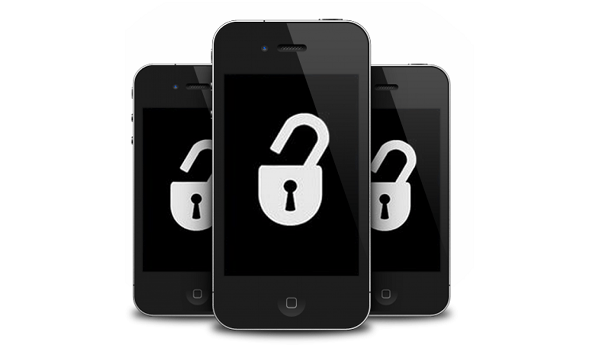
What to do if your phone has been hacked
What to do if you suspect that your phone has been hacked and is being tracked or has spyware
If you suspect that your phone has been hacked, use a security app to scan your phone for malware and spy apps. Options include Avast Mobile Security, AVG, Incognito, among others. Search your phone’s app store to download and run the scan.
Don’t just use only one. Scan your smartphone with at least three different mobile security apps to increase the chance of detecting any spy apps and malware. If any is found, delete it off your phone.
Also, change your passwords. All of them that you have entered on that phone – email, social media, banking account, everything. Chances are that they could have been compromised too.
If the symptoms that your phone has been hacked persist or you are not convinced that you are still not being spied on, format or factory reset your phone to wipe it completely. A format or factory reset is one of the most effective ways to get rid of malware, though some of them have been known to survive it. Hopefully, you have backups of your most important files and can restore those after the reset.
The best way to get rid of difficult spyware after your phone has been hacked, where all else fails, is to buy a new phone and implement all the security protocols shared above right from the very start. Note : Do not restore a recent backup from the hacked phone to the new one, or you will likely end up with the same malware. Perhaps a much older backup will be malware-free. So, if you know when the hack happened, you can restore a backup from before that date.
Prevent unauthorized physical access, be smart with your passwords, and don’t click on suspicious links or give out your passwords. After buying the new phone, format the old and get rid of it. A similar security risk that you should read about is SIM card cloning .
Author:Mister Mobility
Digital Skills and Communication Coach | Mobile Phone Connoisseur since 2001 | Tech Blogging since 2004
