Add MobilityArena as a preferred source on Google
| Samsung Galaxy F23 5G in brief |
|---|
| OS: Android 12 Release Date: March 2022 Network Type: 2G/3G/4G/5G Display: 6.5-inch, 1080 x 240 pixels resolution Processor: Snapdragon 750G Selfie Camera: 8 MP Rear camera: 50 MP RAM: 6 GB ROM: 128 GB Battery: 5000 mAh Related: . |
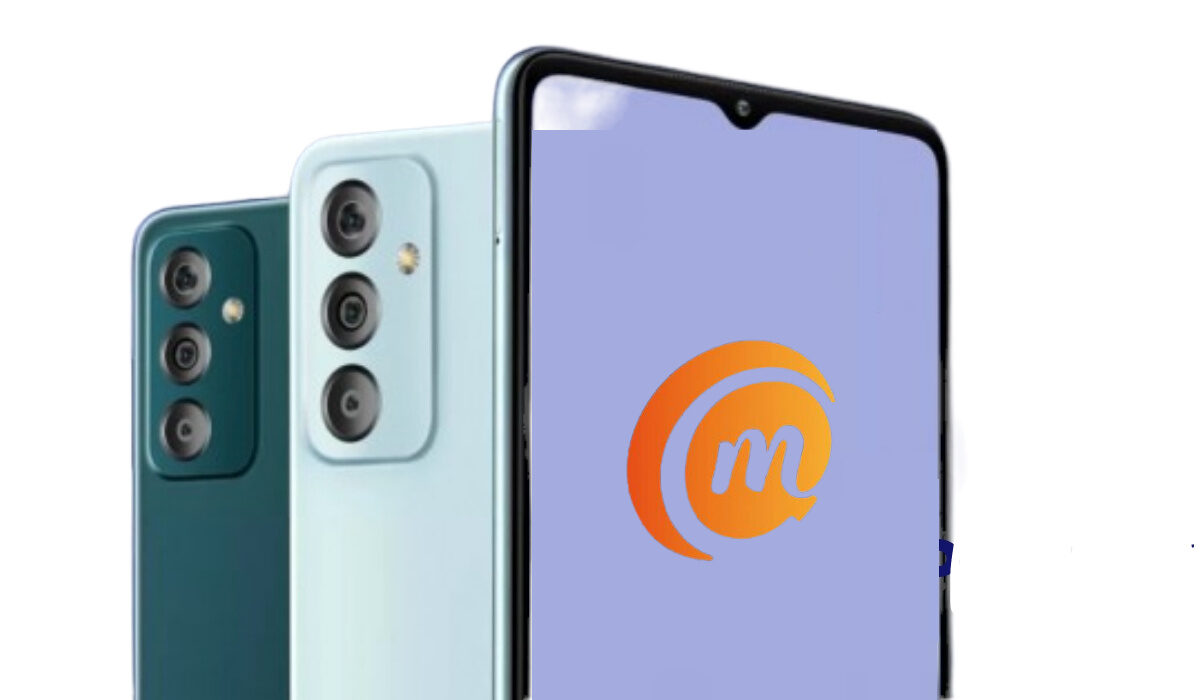
Samsung Galaxy F23 5G specifications & features
Mobile Wireless Network and Software
- 2G mobile network bands : GSM, GPRS, EDGE 850 / 900 / 1800 / 1900 MHz.
- 3G mobile network bands : UMTS, WCDMA, HSDPA 850 / 900 / 2100 MHz
- 4G mobile network bands : LTE.
- 5G mobile network bands : NSA/SA
- SIM Type : Nano-SIM, Dual SIM
- Software / OS : One UI 4, based on Android 12
Design, Form Factor, Appearance
- Dimensions : 160 x 77.25 x 9.3 mm
- Weight : g
- Display : 6.5 inches, 1080 x 2400 pixels, 120 Hz refresh rate, 19.5:9 aspect ratio, IPS LCD screen, Corning’s Gorilla Glass 5.
- Colours : Blue. Green.
- Physical Build : Plastic
Internal Hardware Specs
- Processor Type : 64-bit, 2.3 GHz Octa-core
- Processor Name : Qualcomm Snapdragon 750G 5G
- Graphics Processor : Adreno
- RAM : 4 GB / 6 GB
- Internal Storage : 64 GB / 128 GB
- External Storage : microSD, up to 256 GB (dedicated slot)
Photography, Video Recording
- Main Camera : 50 MP main sensor + 8MP ultrawide lens (123-degree field of view), + 2MP macro lens, autofocus, dual LED flash, 1080p@30fps video recording
- Front Camera : 8 MP, fixed focus, Face Recognition, 1080p@30fps video capture
Audio, Video Playback
- Music Support : PCM, AAC / AAC + / eAAC + / MP3 / AMR – NB / WB / APE
- Audio : 3.5 mm audio jack
- Loudspeaker : Mono speaker
- Video Support : H.264/MP4/MPEG4 player
- FM Radio : Yes.
Phone Sensors
- Digital Compass : Yes.
- Accelerometer : Yes.
- Proximity Sensor : Yes.
- Ambient Light Sensor : Yes.
- Barometer : No.
- Pedometer : No.
- Heart Rate Monitor : No.
- Gyroscope (G-Sensor) : Yes.
- Fingerprint Scanner : Yes; side-mounted.
- Face Unlock : Yes.
- Iris Scanner : No.
- Motion Sensing / Gesture Control : No.
- Voice Control : No.
- Intelligent Digital Assistant : Yes; Google Assistant.
- Infra-red Sensor : No.
Connectivity Options
- Bluetooth Version : 5.2
- Bluetooth Profiles : A2DP
- WiFi : Wi-Fi 802.11 a/b/g/n/ac, hotspot
- GPS : Yes, A-GPS, GLONASS, BDS, Galileo
- USB : microUSB v2.0. Type-C. USB-OTG.
- NFC : Yes.
Miscellaneous Specs and Features
- Battery Type and Capacity : Non-Removable Lithium-Polymer 5000 mAh
- Battery Charging : 18W fast charging
- Wireless Charging : No.
- Reverse Charging : No.
- Model Version/Number : SM-E236
Launch/Release Dates and Information
- Announced : March 8, 2022
- Release Date : March 16, 2022
Samsung Galaxy F23 5G Prices by Country
- International/Global : available starting at around $228 for the 4GB/128GB variant and $241 for the 6GB/128GB trim.
- European Union :
- Nigeria : ₦
- Egypt : Egyptian Pound
- UAE : AED
- India : available starting at Rs 17,499 for the 4GB/128GB variant and Rs 18,499 for the 6GB/128GB trim.
- Iraq : Iraqi Dinar
- Kenya : Ksh.
- Ghana :
The above prices may change with time from country to country, as market forces and economic policies influence product price movements.
Does Samsung Galaxy F23 5G have Google Play Store?
It supports Google Services and software applications, including Play Store and Maps, Gmail, YouTube, and others.
Will Samsung Galaxy F23 5G work in the USA?
This is a GSM phone and is supported on US GSM carriers like AT&T and T-Mobile and other networks riding on their networks. It does not support CDMA networks. Do make enquiries from your carrier to know what bands/frequencies are supported on their service.
MobilityArena Buyer’s Guide Verdict
Not available.
Our Buyer’s Guide Verdict is a recommendation based on the specs of the device and a general guide to help you understand how much value a device offers for its price. It is not an endorsement of the device. Ask questions and use your judgement when buying any device; MobilityArena takes no responsibility for your buying decisions .
Samsung Galaxy F23 5G Phone Review Rating
Not available.
- Don’t miss our reviews .
- Join our WhatsApp Group , to be notified of the most important articles and deals,
- Follow us on Instagram , Facebook , Twitter , and YouTube .
Author:InfoDesk
Add MobilityArena as a preferred source on Google
Starting a YouTube channel, developing it and making money from it is not as easy as it seems. After all, not all that glitters is gold. The money making part of YouTube is what draws people to the app. If you are looking to successfully start a YouTube channel, I have a few tips for you.
What do you need to get started? Your smartphone, a video editing app, and the YouTube mobile app installed on your phone. If you already have a smartphone, you are good to go. Do not worry about how expensive or capable the phone is. You can record great videos if you pay attention to lighting and location. And you should pay attention to those. Beyond these basics, let’s look at the pro-tips that will give you an edge in making your YouTube channel successful.
So, you want to start a YouTube channel?
So, you want to start a YouTube channel? Here are a few important things
- Find your niche
Finding something you are interested in is a big deal when it comes to YouTube. You need to be interested in the content you put out, because gaining an audience requires patience. And if you don’t enjoy what you create, you will likely get frustrated and quit before you get that chance to grow. If you like singing, making jokes, pranks, vlogging, reaction videos, tech, beauty, fashion, e.t.c., go for it.
- Video Editing
Recording a video is one thing; editing it is another. The editing part of your video can make or break it. Different YouTubers have different editing styles, so find what works for you. Put in music, memes, sound effects, anything that will make your video more interesting or funny. Making a thumbnail is also part of editing. There are popular editing apps like Adobe Premiere, Canva, iMovie, VLLO, YouCut e.t.c. Thumbnails and titles are the first things people see when they come across your video, and if your thumbnail is attractive, I assure you that more people will click on your videos.
- Branding: Give thought to your Channel profile and banner
Channel banner and profile are important when starting a YouTube channel. This will help people to understand what your channel is about. So make sure your channel banner fits the aesthetic you want as you start your YouTube channel.
- Video tags and keywords are important
Using the right keywords or tags will enable YouTube to know who to show your videos to and when to show them. So, be sure to add keywords and tags when uploading your finished videos to YouTube. It is really important to use keywords for your channel because it will increase your content reach. If anyone searches for any keyword listed in your video, your video will be recommended.
Consistency is key
Don’t Ignore YouTube Shorts
Making money/getting paid
Patience
This is the number one thing you need when starting YouTube. It could take months or even years before you start growing on YouTube, so you have to keep going and be patient. All these tips will help you with your channel, but success doesn’t start immediately, so have that in mind when starting.
If you haven’t started one yet, the next best time to start a YouTube channel is now. Give it your best.
- Don’t miss our reviews .
- Join our WhatsApp Group , to be notified of the most important articles and deals,
- Follow us on Instagram , Facebook , Twitter , and YouTube .
Author:Dun
Dun enjoys reading and writing, and is always on her smartphone. She currently uses a Google Pixel 3.
