Add MobilityArena as a preferred source on Google
Released in 2019, the original Samsung Galaxy Fold was groundbreaking and a giant step into the new world of foldable devices. Here is a round-up of various Samsung Galaxy Fold phone reviews from different sources. The idea is to give you a rounded picture of the device in use.
The phone has a large 7.3-inch Dynamic AMOLED Infinity Flex Display that folds inwards on itself. In its folded state, you can use the secondary 4.6-inch Super AMOLED screen the way you use the display on your regular smartphone. Keeping the screens lit up is a 4,380mAh battery, coupled with 15W fast charging, if you can really call that fast.
Powering the phone is the powerful Snapdragon 855 chipset, and there is 12 GB of RAM to make app launches and switches as smooth as possible. To store your files, there is 512 GB built-in storage, but no microSD card slot. The fingerprint scanner is on the side and embedded in the Power button.
There is 5G connectivity, stereo speakers, and a slew of other premium flagship features and specs.
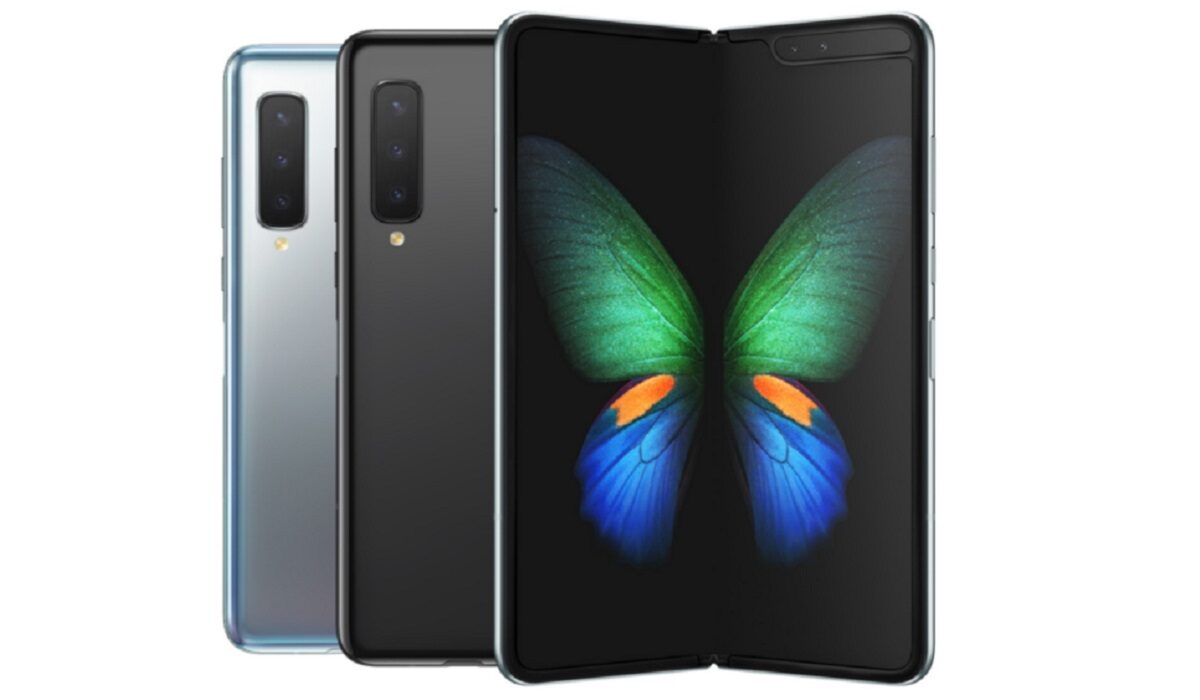
A round-up of Samsung Galaxy Fold phone reviews
The Samsung Galaxy Fold phone reviews
Let’s start with what GSMArena has to say about it. They state that a lot of people expecting to be carried away by the Galaxy Fold “may be disappointed in the end, because the Galaxy Fold is not only far from perfection, but it’s not even close to today’s flagship standards.”
More excerpts from GSMArena’s conclusions:
After a couple of days playing with this new toy, the joyful sighs will pass and the golden dust will eventually settle down. The Galaxy Fold is a concept device first and foremost. It has all the flaws you can expect from a first generation of any technology, and if you are not ready to accept them, your journey into the future cannot start with the first Fold. The Fold is like a prototype device you can buy a few months (or years) before it is completely ready, and it will show you a glimpse of the future. Perfect, it is not. But a perfect show-off it truly is. – GSMArena
Cnet’s review points out that the Galaxy Fold’s 4,500-mAh battery “lasted an average of 12 hours, 15 minutes in CNET’s looped video test in airplane mode, compared to over 21 hours for the Galaxy Note 10 Plus.”
Here is their conclusion at the end of their Samsung Galaxy Fold phone review:
The Galaxy Fold makes a convincing case for foldable phones, but wait for Samsung and others to fix inherent problems that keep it costly and plague the screen. – CNET
Android Authority is next and in their Samsung Galaxy Fold review, they set out to answer whether the device is worth $1,980. Let’s see what they came up with. AA says that the “Galaxy Fold is a significant piece of hardware that grabs the attention of nearly everyone who sees it.” And that is no surprise. If you are someone who wants to make a statement with your device, this might just be what you are looking for.
The Samsung Galaxy Fold takes some getting used to. It’s a touch ungainly when closed due to the chunky thickness. You can definitely feel it in your pocket as you walk around. The weight and blockiness both contribute here. It looks a bit gangly when closed, as it’s so narrow and long. There’s nothing real in the Fold that you can’t get elsewhere. True, no other phone folds in such a way, offering both a small and a large screen for people to put to different uses. But at the end of the day, phones are meant as conduits to our friends, family, colleagues, and content. The Fold offers that, but so do most phones, even those that cost under $100. The Galaxy Fold is a show-piece, an extravagance. No one needs the Samsung Galaxy Fold to manage their daily lives. But people will surely want the Fold — not because it represents a new mobile computing paradigm, at least not at first, but because bleeding edge early adopters need something new to show off. There has not been a legitimately new form factor in the mobile space for some time. This is what the Fold represents. – Android Authority
In conclusion of our Samsung Galaxy Fold phone reviews round-up, we can summarize that there is a consensus that the first generation Galaxy Fold was a proof of concept. It was a demonstration of what is possible, and a glimpse into the future. The Galaxy Fold has since been succeeded by the Galaxy Z Fold2 and Galaxy Z Fold3 , in 2020 and 2021 respectively.
Those newer models have brought refinements and improvements over what the original Galaxy Fold brought. And it is those models that you should be looking at if you’d like to embrace Samsung’s new world of foldable devices .
- Don’t miss our reviews .
- Follow us on Instagram , Facebook , Twitter , and YouTube .
Author:MobileChic
That motivated, gadget-loving geeky chic who tries to stay on top of things. Unapologetic iFan.
Add MobilityArena as a preferred source on Google
What is iPhone throttling? It is a performance management feature built into Apple’s devices to limit the processor from performing at its maximum. What? Why would Apple do such a thing? Aren’t we buying these iDevices for their performance? Allow us to explain the situation.
Every time you charge and discharge your smartphone’s battery, a little degradation happens. Every recharge cycle degrades your phone’s battery ever so slightly. Over a period of time, the battery performs less and less at optimum capacity. Apple says that your iPhone battery is optimum if it has a battery health above 80%.

When your iPhone is operating at peak performance, there is greater drain on the battery, so you need to charge it more often. That means it goes through more charging cycles, leading to a faster degradation of the battery. And that is where the idea of throttling came in.
It was implemented to kick in and keep your phone’s performance down, so its battery would last longer. But Apple kept this information away from users, who were shocked and outraged when they found out.
After a blowback from users on the matter, Apple introduced a Battery Health feature to give users the ability to stop or disable throttling. That was a good move. Now, you can choose peak performance or longer battery health.
Is Apple throttling my phone?
How can you tell if or when Apple is throttling your phone? First, you need to make sure that your iPhone is running iOS 11.3 or newer. Unfortunately, if your iPhone is too old to be eligible for that software version, you are out of luck and there is no way to tell.
However, if you have iOS 11.3 running on your device, follow these steps to confirm whether Apple is throttling your device:
- Open your phone settings
- Go to the “Battery” tab and tap the “Battery Health” button.
- Check under “Peak Performance Capability”. It will display whether performance management is active or not. If it is, your phone is being throttled.
How to stop/turn off/disable iPhone throttling
Here is the thing, though: Battery Health was introduced in iOS 11.3, so only iPhones, iPads, and iPods running iOS 11.3 or newer have this feature. You can confirm what version of iOS your device is running by going to Settings > About. The software version of your device will be listed there.
If your device software is older than iOS 11.3, you can check for, and install any available updates, by following these steps:
- Open “Settings”
- Under “General,” tap on “Software Update.”
- The “Software Update” screen will either tell you whether you have the latest available version of iOS installed, or it will notify you of any available updates and prompt you to upgrade. Depending on how old your phone’s software is, you might need to run multiple updates to bring your phone up to date.
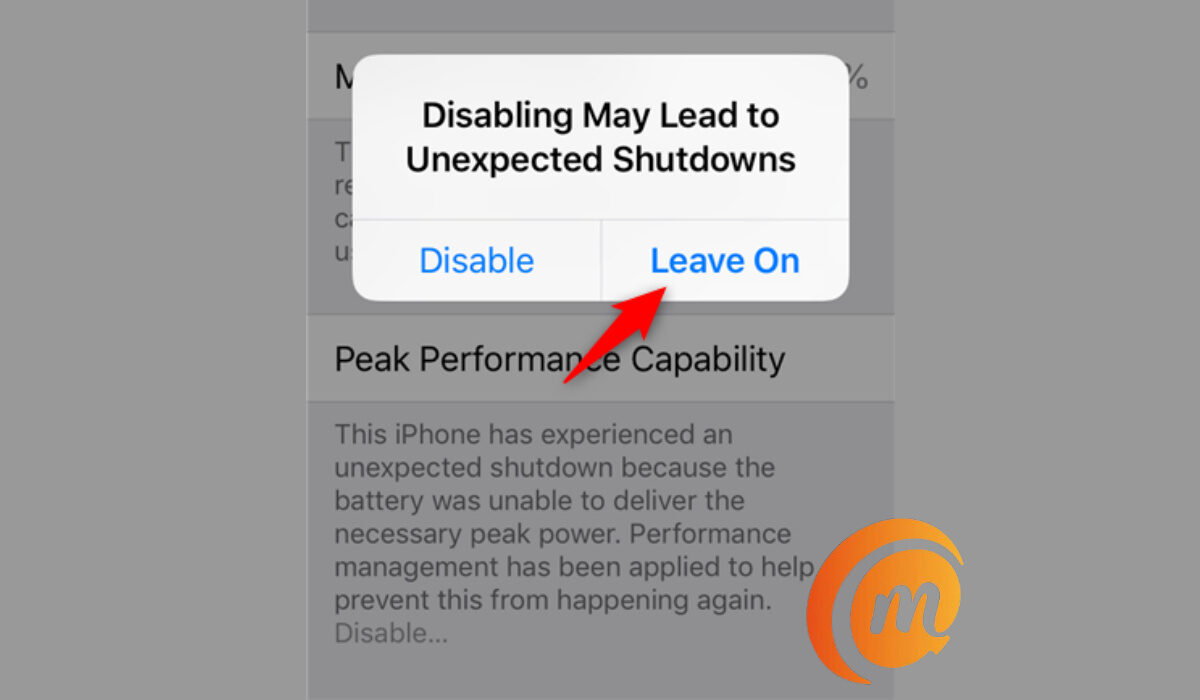
You can disable iPhone throttling in your Settings.
Once you have iOS 11.3 running, dive into Settings > Battery > Battery Health > Peak Performance Capability. If it is automatically enabled, go ahead and disable it.
iPhone Throttling: All your questions answered
What is iPhone throttling?
This is Apple’s measure to make your battery and device last longer by limiting the performance of your device.
When does iPhone throttling start?
There is no set time cycle for throttling to start. It starts after a device has experienced an unexpected shutdown due to the battery degrading and not being able to deliver enough power during a peak power operation. So, when your device is throttled will depend on your phone usage.
In conclusion, iPhone throttling is neither good not bad on its own. It depends on what you prefer – performance or longer battery health. And that is now in your control. Not only can you disable throttling, but you can also enable it if you begin to experience any battery issues with your iPhone or iPad. The power is in your hands.
- Don’t miss our reviews .
- Join our WhatsApp Group , to be notified of the most important articles and deals,
- Follow us on Instagram , Facebook , Twitter , and YouTube .
