Add MobilityArena as a preferred source on Google
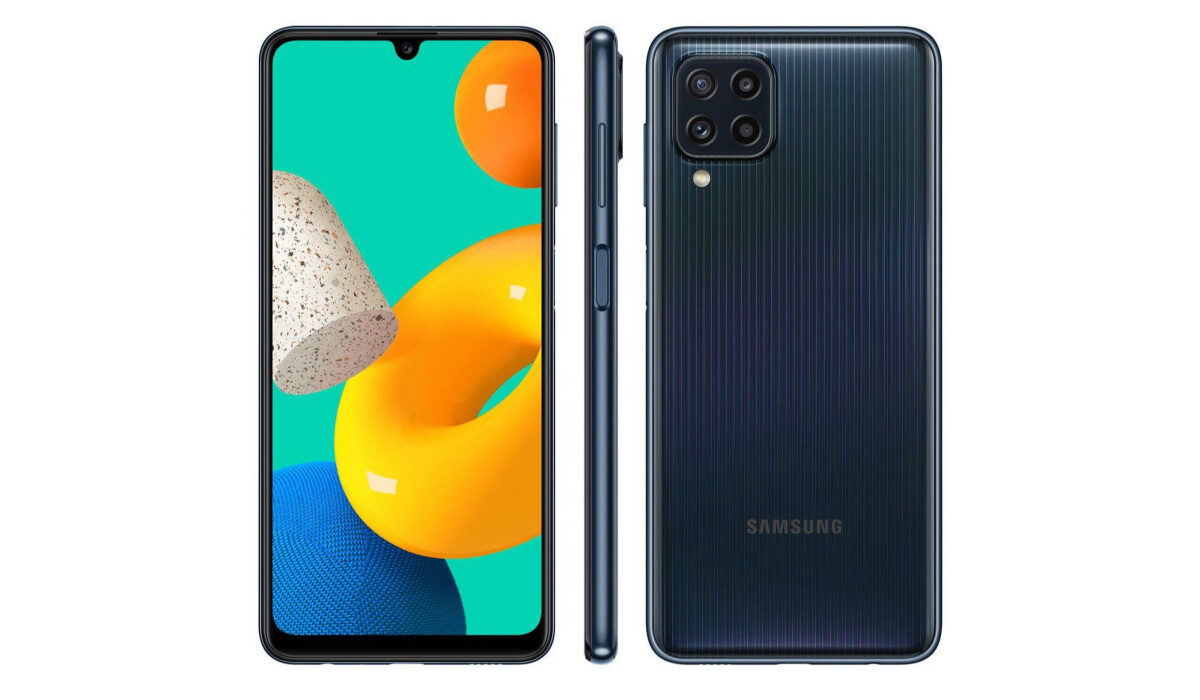
| Samsung Galaxy M32 Quick Phone Specs |
|---|
| Operating System: Android 11 Release Date: July 2021 Compatible Networks: 2G/3G/4G Display: 6.4-inch Processor: Helio G80 Selfie Camera: 20 MP Rear camera: 64 MP RAM: 6 GB ROM: up to 128 GB Battery: 6000mAh |
Samsung Galaxy M32 Specs
Mobile Wireless Network and Software
- 2G mobile network bands : GSM, GPRS, EDGE 850 / 900 / 1800 / 1900 MHz.
- 3G mobile network bands : UMTS, WCDMA, HSDPA 850 / 900 / 2100 MHz
- 4G mobile network bands : LTE 1(2100) / 3(1800) / 5(850) / 8(900) / 38(2600) / 40(2300) / 41(2500)
- 5G mobile network bands : No.
- SIM Type : Nano-SIM, Single and Dual SIM options
- Software / OS : Android 11 + One UI 3.0
Design, Form Factor, Appearance
- Dimensions : 155.3 x 73.9 x 7.9 mm
- Weight : 168g
- Display : 6.4″ FullHD+ 90Hz AMOLED
- Colours : Seawater Blue. Midnight Blue. Cocktail Orange.
- Physical Build : Plastic frame. Plastic back.
Internal Hardware Specs
- Processor Type : 64-bit, 2.0 GHz Octa-core
- Processor Name : MediaTek Helio G80 (11 nm)
- Graphics Processor : ARM Mali
- RAM : 6 GB
- Internal Storage : 128 GB
- External Storage : microSD (shared slot)
Photography, Video Recording
- Rear Quad Camera : 64 MP main sensor + 8MP ultrawide lens + 5MP depth sensor + 5MP macro lens, LED flash, 4k, 1080p@30fps video recording
- Front Camera : 20 MP, Face Recognition, 1080p video capture.
Audio, Video Playback
- Music Support : PCM, AAC / AAC + / eAAC + / MP3 / AMR – NB / WB / APE
- Audio : 3.5 mm audio jack
- Loudspeaker : Mono speaker
- Video Support : H.264/MP4/MPEG4 player
- FM Radio : Yes.
Phone Sensors
- Digital Compass : Yes.
- Accelerometer : Yes.
- Proximity Sensor : Yes.
- Ambient Light Sensor : Yes.
- Barometer : No.
- Pedometer : No.
- Heart Rate Monitor : No.
- Gyroscope (G-Sensor) : Yes.
- Fingerprint Scanner : Yes; rear-mounted.
- Face Unlock : Yes.
- Iris Scanner : No.
- Motion Sensing / Gesture Control : No.
- Voice Control : No.
- Intelligent Digital Assistant : Yes; Google Assistant.
- Infra-red Sensor : No.
Connectivity Options
- Bluetooth : v5.0, A2DP
- Wi-Fi : Wi-Fi 802.11 a/b/g/n/ac, hotspot
- GPS : Yes, with A-GPS, GLONASS, GALILEO, BDS
- USB : microUSB v2.0. Type-C.
- NFC : Yes.
Miscellaneous Specs and Features
- Battery Type and Capacity : Non-Removable Lithium-Ion 6000 mAh
- Battery Charging : 15W quick charging
- Wireless Charging : No.
- Reverse Charging : No.
- Model Number : SM-M325FV
Samsung Galaxy M32 Launch/Release Information
- Announced : July 2021
- Release Date : July 2021
What is the price of Samsung M32?
- USD : $238.00
Does Samsung M32 have a fingerprint reader?
Yes; Samsung Galaxy M32 has a fingerprint scanner. Face Unlock is also available.
Is Samsung Galaxy M32 a dual SIM phone?
Samsung M32 has both single and dual SIM options available for buyers to pick from.
Does Samsung M32 support fast charging?
Yes; Samsung Galaxy M32 supports fast charging.
Is Samsung M32’s display/screen AMOLED?
The display is Super AMOLED.
Is Samsung M32 waterproof?
No; Samsung M32 is not water or dustproof.
Will Samsung Galaxy M32 work in the USA?
The Samsung M32 has limited network support across various US carriers like AT&T, Verizon, Metro PCS, Sprint, T-Mobile, Virgin Mobile, Boost Mobile, H2O Wireless, Ting, US Cellular, and Google Project Fi. What this means that some bands are supported, while others are not. You will have to make enquiries from your carrier to know what bands/frequencies are supported on them.
MobilityArena Buyer’s Guide Verdict
Not available.
Our Buyer’s Guide Verdict is a recommendation that we make based on our evaluation of the specs of the device. It is a general guide designed to help you understand how much value a smartphone offers for its price. It is not a stamp of quality assessment or an endorsement of the device or of the manufacturers. Be sure to ask questions and use your judgement when buying any device, as MobilityArena may not be held responsible for your buying decisions .
Samsung Galaxy M32 Review Rating
We are yet to review the Samsung Galaxy M32 and so do not have a review rating for it yet. This section will be updated with our review rating and a link to the review page, as soon as we have a review ready.
Author:InfoDesk
Add MobilityArena as a preferred source on Google
I am not an avid gamer. I rarely play games of any kind on my PC or smartphone. To make matters worse, the older I get, the less gaming I do, so you can imagine how bad it keeps getting. But a recent interaction with my son triggered a curiosity about cloud gaming on Android . One day, he shared with me how he games online and was a part of a team of players who participate in tournaments involving players from all around the world.
While what he is involved in was not cloud gaming, it was enough to get me snooping around and to trigger me writing this article explaining the subject, for the benefit of those who do not know.
Cloud gaming is a new method of playing games on smartphones and tablets. Because mobile devices often have limited resources, cloud gaming – also called gaming on demand – takes the load off the device, handling the storage and processing on a remote server. That means you are ale to play games on your smartphone without downloading the game. You stream the game, similar to how you stream audio and video.
This form of gaming is a type of online gaming and is suitable for multi-player games. Multiple individuals can connect and play together. Cloud Gaming on Android is possible on smartphones by Samsung, Xiaomi, OnePlus, Google, and others.
- Benefits of Cloud Gaming on Android Smartphones
- Disadvantages of Cloud Gaming
- Cloud Gaming Mobile Apps
- How Cloud Gaming on Android Works
Benefits of Cloud Gaming on Android Smartphones
The first benefit of cloud games is that your Android smartphone becomes a console. You do not need a PS4, PS5 or XBOX console anymore. But that is true for many other types of games.
As already alluded to, a key benefit of cloud gaming on Android is that you do not need large storage on your device, since you will not be downloading the game. Some mobile games are as large as 2 GB and above. If you are a prolific gamer, that means you have to download multiple large game apps. With gaming on demand, you do not have to download those large files.
Disadvantages of Cloud Gaming
One major requirement of cloud gaming is that you need a very strong and reliable Internet connection to stream your games. The games are stored on a server, so playing them is highly dependent on your Internet speed. Again, think of how using YouTube depends on a good Internet connection.
What kind of Internet speeds should you have in order to enjoy cloud games? Many cloud gaming services require 5G or fast Wi-Fi speeds, sometimes specifying an Internet connection speed of at least 0.1mbps for smooth gameplay.
This requirement is one key disadvantage or con of cloud gaming: if your Internet connection is not fast and robust, you will not be able to enjoy streaming games from remote servers.
Cloud Gaming Mobile Apps
Listed below are some cloud gaming mobile apps that you can install on your Android smartphones.
- Google Stadia – This is Google’s cloud gaming platform and has over 100 game titles. These include some of the most popular games in the market. Names like the Assassin’s Creed series, Attack on Titan 2: Final Battle, Chronos: Before The Ashes, Doom, Dragon Quest XI S: Echoes of an Elusive Age, FIFA 21, Hitman series, Star Wars Jedi: Fallen Order, Marvel’s Avengers, Mortal Kombat 11, MotoGP 20, PUBG: Pioneer Edition, Resident Evil 7 biohazard Gold Edition, among others. Download Google Stadia HERE .
- Cloud Games Pro – Titles on this platform include: GTA V, Red Dead Redemption II, Cyberpunk 2077, Assassin and Devil May Cry, WWE2k, and NBA, among others. Download Cloud Games Pro HERE .
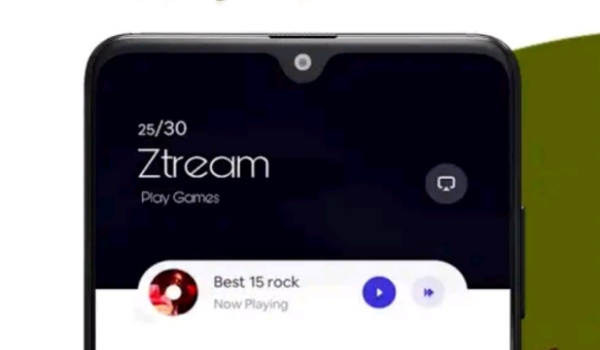
- Ztream – allows you to stream games on your Android phone. The platform has a catalogue of over 30 hyper casual games and supports multiplayer games. Users are able to challenge, chat with, and mingle with each other. Download Ztream HERE .
- Xbox – this is a well-known name by Microsoft in the gaming industry. The mobile app is still in beta at this time, but the platform has a huge catalogue of titles. Download XBOX beta HERE .
How Cloud Gaming on Android Works
While you do not need to download and install the games themselves, you do need to install the cloud gaming platform app, from which you can then stream available titles.
That is it on this easy introduction to cloud gaming, AKA gaming on demand or gaming as a service. No longer do you have to worry about storing large and heavy games on your smartphone. You can merely stream them from a remote server. Do not forget that you will need a fast and stable Internet connection.
Happy cloud gaming on your Android smartphone.
Copyright Notice : Reproduction of this article on any website, e-book, book, newspaper, magazine or other media without express written permission from MobilityArena is a violation of copyright rules and will result in appropriate action being taken against violators.
Author:Mister Mobility
Digital Skills and Communication Coach | Mobile Phone Connoisseur since 2001 | Tech Blogging since 2004
