Add MobilityArena as a preferred source on Google
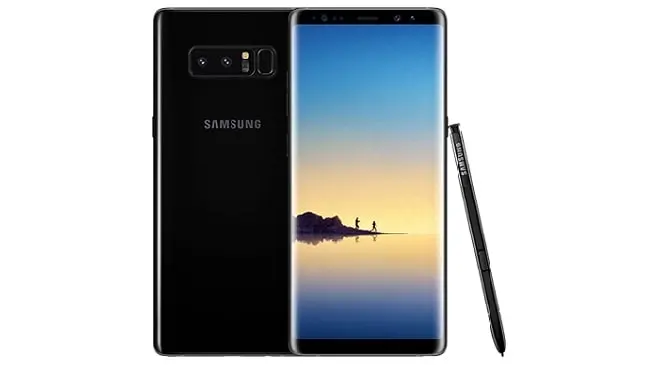
Samsung Galaxy Note 8 is here and takes after the Galaxy S8 and Galaxy S8 Plus with an Infinity curved edge display , water and dust resistance, Bixby, and many other features. With a 6.3-inch Super AMOLED display, it is only marginally bigger than the Galaxy S8 Plus.
But the Note 8 isn’t just a bigger Galaxy S8 (it is only marginally bigger than the Galaxy S8 plus). True to the Galaxy Note series tradition, it comes with an S Pen and custom software to take advantage of that added feature. This is the top smartphone for creative people. We have the complete Samsung Galaxy Note 8 specifications, features, and price listed below.
Samsung Galaxy Note8 Specs
Network and Software
- GSM : GSM
- 3G : HSDPA
- 4G : LTE Frequency Bands 1(2100) / 2(1900) / 3(1800) / 4(1700/2100) / 5(850) / 7(2600) / 8(900) / 12(700) / 13(700) / 17(700) / 18(800) / 19(800) / 20(800) / 25(1900) / 26(850) / 28(700) / 38(2600) / 39(1900) / 40(2300) / 41(2500)
- SIM Type : Nano SIM – Single and dual SIM variants
- OS : Android OS v7.1.1 Nougat + Grace UI
Design
- Dimensions : 162.5 x 74.8 x 8.6 mm
- Weight : 195 g
- Display : 6.3-inch 1440 x 2560 pixels, Super AMOLED Curved edge, FullView Display , Always-on display, with Corning Gorilla Glass 5
- Build : Aluminium body + Corning Gorilla Glass 5 back panel + IP68 certified – dustproof and water-resistant over 1.5 meter and 30 minutes
- Colours : Midnight Black, Maple Gold
- Sensors: Fingerprint, Iris, Accelerometer, Proximity, gyro, compass, barometer, heart rate, SpO2
Hardware
- Processor Type : 64-bit Octa-core 2.3 GHz
- Processor Name : Qualcomm MSM8998 Snapdragon 835 / Exynos 8895
- Graphics Processor : Mali-G71 MP20 (EMEA) / Adreno 540 (USA & China)
- RAM : 6 GB
- Internal Storage : 64 GB / 128 GB / 256 GB
- External Storage : MicroSD card up to 256 GB (dedicated in single SIM variant)
- Cloud Storage : 115 GB OneDrive
Cameras
- Rear : Dual 12 megapixel, f/1.7 + f/2.4, 26mm, autofocus, OIS, LED flash, HDR
- Video recording : dual-video rec., 2160p @ 60 fps
- Front-facing : 8 megapixel, Auto HDR
Multimedia
- Music Support : mp3, aac, aac+, eaac+, amr
- Audio : Regular
- Loudspeaker : Stereo
- Video Support : mpeg4, h.263, h.264
- FM Radio : Yes
Connectivity
- Bluetooth : v5.0
- WiFi : Wi-Fi 802.11 a/b/g/n, Wi-Fi Direct, hotspot
- GPS : Yes
- USB : microUSB v3.1; NFC; USB-C
Miscellaneous
- Payment : Samsung Pay (Visa, MasterCard certified)
- Charging : Adaptive Fast Charging. wireless charging
- Battery : Non-removable Li-ion 3,300 mAh
- Announced : August 23, 2017
- Availability : September 15, 2017
- Smartphone Price : £869.00
For more Samsung mobile price and specification resources, do not forget to check our Samsung Specs archives .
- Don’t miss our reviews .
- Follow our news on Google News .
- Join our WhatsApp Group , to be notified of the most important articles and deals,
- Follow us on Instagram , Facebook , Twitter , and YouTube .
Author:InfoDesk
Add MobilityArena as a preferred source on Google
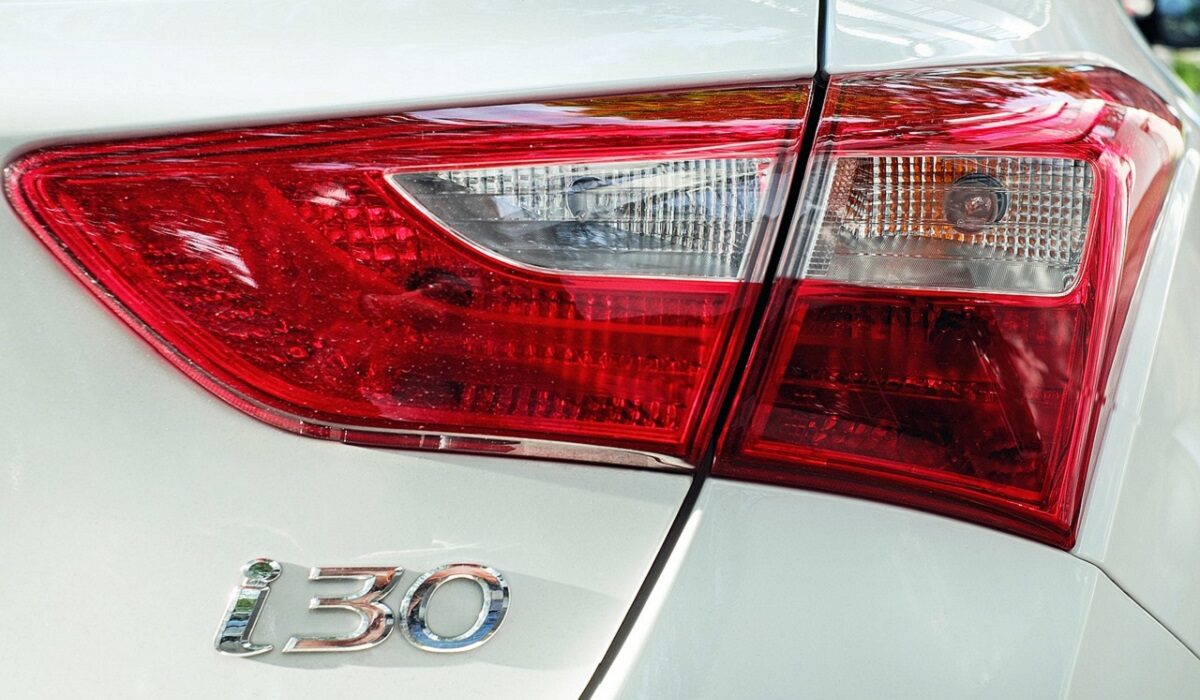
On most vehicles, the brake light system is a simple circuit, which includes a switch, light bulbs or lamps, a fuse, and the wiring that connects these parts. When your brake lights fail, your vehicle becomes a danger to others driving behind you, especially on highways where vehicles are moving at high speed. Being able to see when the car in front applies the brakes is a vital part of preventing accidents.
When the brake lights on your vehicle fail to work, there are several things that could be the cause: a blown fuse, a worn-out light switch, a burned out light bulb, and so many more problems. Here are some things you can do if your brake lights fail and stop working.
- IF ONE OR MORE BRAKE LIGHTS FAIL
- IF NO BRAKE LIGHTS WORK
IF ONE OR MORE BRAKE LIGHTS FAIL
The good news is that if one or more of your brake lights fail suddenly and stop working, it is relatively easy to fix. Here’s what to do:
- Check the condition of the light bulbs.
- Remove the light bulbs. To do this, push each one down and turn it counterclockwise, then pull it out.
- Take a careful look at each bulb. It could be that the bulb itself has failed and simply needs to be replaced. In this case, make sure to replace it with bulbs of the same type and wattage.
What to do should your brake lights fail
IF NO BRAKE LIGHTS WORK
If none if the brake lights work, you might have to take a critical look at the components that affect the entire circuit (the fuse, brake light switch, turn light switch etc.).
- The first thing to check in this case is the fuse. Here’s what to do:
- Find the location for the fuse. For this, consult the car owner’s manual. When you find it, remove the fuse panel lid and look for the descriptions of each fuse, to find the one you are looking for.
- When you find the fuse, pull it out. When you do that, you can tell if the fuse is blown by looking at the fuse element.
- If your fuse is blown, you need to replace it. Make sure you do so with another one of the same amperage, which you can tell by looking on the fuse case.
- You might also need to check out what caused the fuse to blow, which might be a short circuit.
- If your fuse is not the problem, check the brake light switch. You might want to have a repair manual for your vehicle model at hand for this. Here’s what to do in this case: First, find the switch in your car. Once again, you should refer to your car owner’s manual. After finding the switch, look for the electrical connector for the switch. Now, check the switch for a current. Do this by connecting a test light to a good ground under the dashboard, then connecting it to a power source. Now, back probe the terminals on the connector without unplugging it. If your brake light switch is good, your test light should come on when you probe one of the terminals. If the test light does not come on, the power side of the circuit might have an open circuit or a short circuit. Locate the issue using your car repair manual. After this, you can either adjust the brake light switch or replace it.
- On some vehicles, the brake light circuit is part of the rear section of the turn signal circuit. If you still can’t see what’s wrong with your brake lights after the above steps, check the turn signal switch. Here’s how it is done: Find the wiring diagram for your turn signal switch on your repair manual, then locate the wire that goes from the brake light switch to the turn signal switch. Next, try to connect to the electrical connector. Consult your repair manual for this. Depress the brake pedal to activate the brake light switch, then back probe the brake switch wire at the signal switch connector using a test light. The test light should glow. If not, there is an open circuit in the wire between the signal switch and the brake light switch. Depress the brake pedal again, and back probe the terminals that carry current from the signal switch to the left and right turn signal lights. If the test light does not glow, the signal switch is not working.
Note that you should only carry out any of the above steps if you feel comfortable doing DIY work on your car. If not, you might find it more prudent to take the car to the mechanic for proper attention. Whatever your skills level, do not forget that it is dangerous to drive around with brake lights that don’t work.
