Add MobilityArena as a preferred source on Google
Welcome to our complete guide to the Samsung Galaxy S21 series. On this page, we cover everything you need to know about this smartphone, including its specifications, price, release date, and more.
Samsung S21 5G Specs
Mobile Wireless Network and Software
- 2G mobile network bands : GSM, GPRS, EDGE 850 / 900 / 1800 / 1900 MHz.
- 3G mobile network bands : UMTS, WCDMA, HSDPA 850 / 900 / 2100 MHz
- 4G mobile network bands : 1(2100) / 2(1900) / 3(1800) / 4(1700/2100) / 5(850) / 7(2600) / 8(900) / 2(700) / 13(700) / 17(700) / 18(800) / 19(800) / 20(800) / 25(1900) / 26(850) / 28(700) / 32(1500) / 38(2600) / 39(1900) / 40(2300) / 41(2500) / 66(1700/2100).
- 5G mobile network bands : SA/NSA/Sub6/mmWave.
- SIM Type : Nano-SIM, Dual SIM
- Software / OS : One UI 3.0 based on Android 11
Design, Form Factor, Appearance
- Dimensions : 151.7 x 71.2 x 7.9 mm
- Weight : 169g
- Display : 6.2 inches, 120 Hz Refresh rate,, Dynamic AMOLED screen, Gorilla Glass 5
- Colours : Phantom Gray, Phantom White, Phantom Violet, Phantom Pink
- Physical Build : IP68; glass front and back
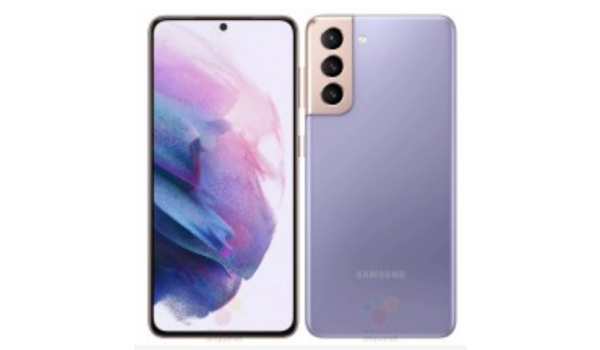
Samsung S21
Internal Hardware Specs
- Processor Type : 64-bit, Octa-core, Cortex
- Processor Name : Qualcomm SNapdragon 888 (5nm)
- Graphics Processor : Adreno
- RAM : 8 GB
- Internal Storage : 128 GB / 256 GB
- External Storage : microSD, up to 1 TB (dedicated slot)
Photography, Video Recording
- Rear Camera : 12 MP sensor + 12 MP ultrawide lans + 64MP zoom lens, auto-focus, LED flash, 4k and 1080p@30fps video recording
- Front-facing Camera : 10 MP, auto focus, Face Recognition, 1080p@30fps video capture
Audio, Video Playback
- Music Support : PCM, AAC / AAC + / eAAC + / MP3 / AMR – NB / WB / APE
- Audio : No audio jack.
- Loudspeaker : Mono speaker
- Video Support : H.264/MP4/MPEG4 player
- FM Radio : .
Phone Sensors
- Digital Compass : Yes.
- Accelerometer : Yes.
- Proximity Sensor : Yes.
- Ambient Light Sensor : Yes.
- Barometer : No.
- Pedometer : No.
- Heart Rate Monitor : No.
- Gyroscope (G-Sensor) : Yes.
- Fingerprint Scanner : Yes; rear-mounted.
- Face Unlock : Yes.
- Iris Scanner : No.
- Motion Sensing / Gesture Control : No.
- Voice Control : No.
- Intelligent Digital Assistant : Yes; Google Assistant.
- Infra-red Sensor : No.
Connectivity Options
- Bluetooth : v5.2, A2DP
- WiFi : Wi-Fi 802.11 a/b/g/n/ac/6, hotspot
- GPS : Yes, A-GPS, GLONASS, BDS, GALILEO
- USB : microUSB v2.0. USB Type-C
- NFC : Yes.
Miscellaneous Specs and Features
- Battery Type and Capacity : Non-Removable Lithium-Polymer 4000 mAh
- Battery Charging : 25W Super Fast Charging
- Wireless Charging : Fast Wireless Charging 2.0.
- Reverse Charging : No.
- Model Version/Number :
Samsung Galaxy S21 5G Price and Launch Date
- Announced : January 2021
- Release Date : February 2021
- Price : from $800
- Samsung S21 Price in Nigeria : from ₦380,000
- Price in India : from ₹69,999
- Price in the United States of America : from $ 1,199.99
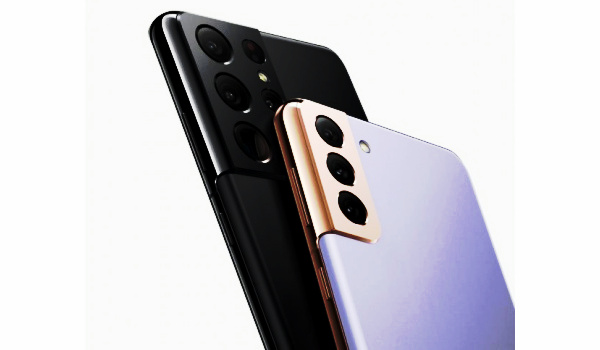
Samsung Galaxy S21 Plus 5G Specs
Core Specs of the Samsung S21 Plus 5G
- OS: Android 11.
- Release Date: February 2021.
- Network Type: 2G/3G/4G/5G
- Display: 6.7-inch, 120Hz refresh rate, Dynamic AMOLED screen, Gorilla Glass, punch hole
- Processor: 64-bit Octa-core Snapdragon 888
- Selfie Camera: 10 MP, LED flash
- Rear camera: 12 MP primary lens + 12 MP ultrawide + 64 MP oom lens
- RAM: 8 GB
- ROM: 128 GB / 256 GB
- Battery: 4800 mAh.
- Samsung Galaxy S21 Plus Price in the USA: $1,000.
- Samsung S21 Plus Price in Nigeria: from ₦470,000
- Price in India: from ₹81,999
Samsung Galaxy S21 vs Samsung Galaxy S21 Plus: What are the differences?
The Samsung S21 Plus adds 4G LTE is almost a carbon copy of the S21. It shares the same processor, cameras, RAM, and storage. But it has a larger battery and larger display.
Samsung Galaxy S21 Ultra 5G Specs
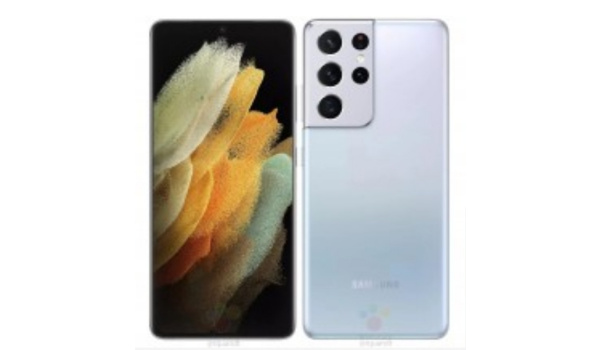
Core Specs of the Samsung S21 Ultra 5G
- OS: Android 11.
- Release Date: February 2021.
- Network Type: 2G/3G/4G/5G
- Display: 6.8-inch, 120Hz Adaptive refresh, dot notch screen, Gorilla Glass
- Processor: 64-bit Octa-core Snapdragon 888
- Selfie Camera: 40 MP, LED flash
- Rear camera: 108 MP primary lens + 12 MP ultrawide + 12 MP telephoto zoom lens
- RAM: 12 GB / 16 GB
- ROM: 128 GB / 256 GB / 512 GB
- Battery: 5000 mAh.
- Samsung S21 Ultra 5g Price in Nigeria: from ₦580,000 (see below for more details)
- Price in India: from ₹105,999 (see below for more details)
- Price in the USA: from $1,199.99 (see below for more details)
Prices of Samsung S21 Series Phones in the United States of America
Samsung S21 :
- 128GB- $799.99
- 256GB- $849.99
Samsung S21+/Plus :
- 128GB- $999.99
- 256GB- $1,049.99
Samsung S21 Ultra :
- 12+128GB- $1,199.99
- 12+256GB- $1,249.99
- 16+512GB- $1,379.99
Prices of Samsung Galaxy S21 Series Phones in India
Samsung S21 :
- 128GB- ₹69,999
- 256GB- ₹73,999
Samsung S21+/Plus :
- 128GB- ₹81,999
- 256GB- ₹85,999
Samsung S21 Ultra :
- 12+256GB- ₹105,999
- 16+512GB- ₹116,999
Prices of Samsung S21 Series Phones in Nigeria
Samsung Galaxy S21
- 128GB: ₦380,000
- 256GB: ₦401,000
Samsung Galaxy S21 Plus
- 256GB: ₦470,000
Samsung Galaxy S21 Ultra
- 256GB: ₦580,000
- 512GB: ₦629,000
MobilityArena Buyer’s Guide Verdict
The Samsung S21 series are premium smartphone models sporting the most powerful flagship and the most cutting edge features and specs. It is interesting – and a great thing too – that they are priced lower than their predecessors were at launch last year.
Samsung Galaxy S21, S21 Plus, and S21 Ultra 5G are the kind of phones that smartphone enthusiasts want to carry around and be seen with. If you can afford them, why not?
Our Buyer’s Guide Verdict is a recommendation that we make based on our evaluation the specs of the device. It is a general guide designed to help you understand how much value a smartphone offers for its price. It is not a stamp of quality assessment or an endorsement of the device or of the manufacturers. Be sure to ask questions and use your judgement when buying any device, as MobilityArena may not be held responsible for your buying decisions .
Author:InfoDesk
Add MobilityArena as a preferred source on Google
The iPhone 12 launched in the last quarter of 2020, going on to become an instant hit with iPhone lovers. It brought the iPhone 12, iPhone 12 Mini, iPhone 12 Pro and iPhone 12 Pro Max in this launch. In this article, we will take a look at some of the more popular iPhone 12 bugs and how to fix them yourself.
The iPhone 12 series launched in October last year, with four devices in its fold. It brought a slew of new features, while also bringing the iOS 14 to the fore. However, these smartphones still experienced a number of bugs and this is what we will take a closer look at in this article.
- Battery draining quickly: While most users of the iPhone 12 have had good reviews and nothing but good words to say about the battery life, quite a number have seen their iPhone 12’s battery drain rather too soon, making the device a bit difficult to use. This bug may be the result of turning on 5G too often, as 5G tends to drain battery faster than LTE or due to the presence of a malicious app. These tips below can help you deal with a fast-draining battery.
- Restart your iPhone and see if there’s any difference.
- Update the software on your device.
- Turn off 5G when not in use, as this can help you save your battery from unnecessary strain. Go to Settings > Cellular > Cellular Data Options > Voice & Data . You can then select the preferred setting from here.
- Check your apps to ensure there’s no app that constantly drains your phone’s power, if there is, delete the app especially when it is not a frequently used app. Go to Settings > Battery > Battery Usage tool , you should be able to investigate any suspicious apps from here and get rid of them if need be.
- Disable Background Refresh on your device. This feature helps you stay updated with all the current information on your apps but can put a significant strain on your phone’s battery. To disable, go to Settings > General > Background App > Refresh , then turn off for applications you do not use often.
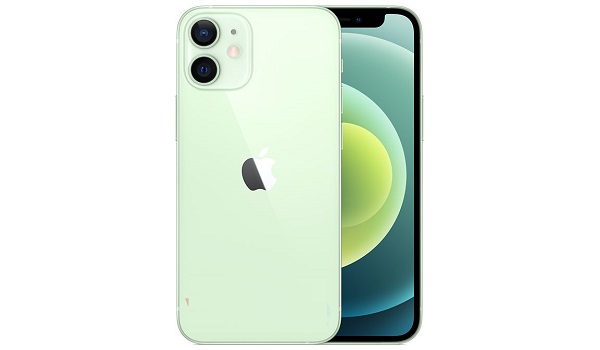
5G Not Available: The iPhone 12 series offers 5G support, providing data transfer at breakneck speeds. However, if you have noticed your device is missing 5G, then ensure you are on a plan that supports 5G. Also, make sure that your region has 5G service and your phone is connected. You should be able to enjoy 5G services once these factors are in place.
Bluetooth Connectivity Issues: At a time where many individuals rely on Bluetooth to listen to music, having a Bluetooth connection that falters is not a great look on any device. If you notice this anomaly, which is one of the more popular iPhone 12 bugs, first off, forget the device that is causing this problem in your Bluetooth settings. Go to Settings > Bluetooth > Select connection > Forget this Device , after this, try reconnecting this device. If this does not work, try to reset your Network Settings by following these simple steps, go to Settings > General > Reset > Reset Network Settings . This second alternative will make your iPhone forget known Wi-Fi networks, so you may need to keep your passwords handy.
iPhone 12 Wireless charging issues: One of the common iPhone 12 bugs that has made a number of forums online is the charging conundrum. This time, a number of users have complained that their wireless charging feature does not work like it should. If you are in this category, try resetting your iPhone by pressing and releasing Volume Up , Volume Down and then hold the Power Button till the device shuts off. Turn on your device and see if it works properly now.
Also, if you use your phone case to store credit cards, it’s best to remove them before charging the device wirelessly.
Author:Alfa Baye
Staff Writer
