Add MobilityArena as a preferred source on Google
Samsung Galaxy S23 FE shows up as a 2023 budget flagship smartphone – a more affordable Samsung S23 – offering a 6.4″ AMOLED screen with Corning’s Gorilla Glass 5, an aluminium frame, glass rear cover, 32 MP selfie camera, 50 MP main camera, and a 4500 mAh battery.
Welcome to our complete guide to the Samsung Galaxy S23 FE. On this page, we cover everything you need to know about this mobile device, including its specifications, price, release date, and more.
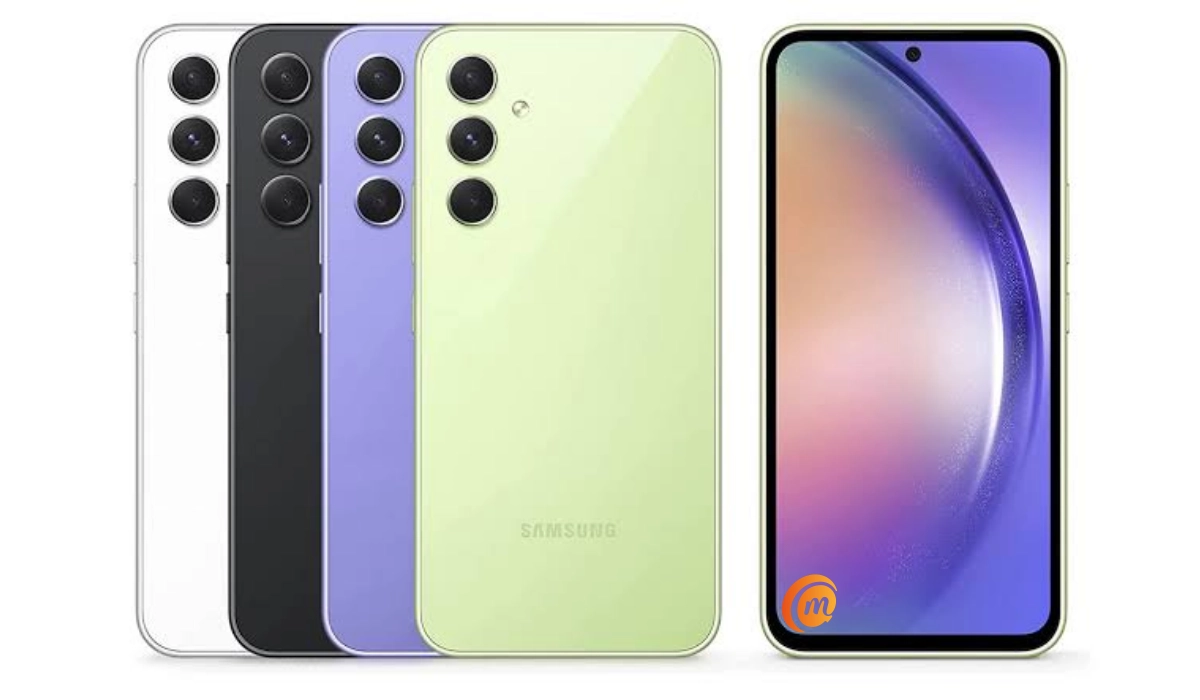
Samsung Galaxy S23 FE.
- Specs
- Launch/Release Dates
- Price
- FAQ about Samsung Galaxy S23 FE What does the FE stand for? What Snapdragon processor is in the S23 FE 5G? Is the Samsung S23 FE waterproof? How much is the S23 FE fe in the US? Does Samsung Galaxy S23 FE have Google Play Store? Will Samsung Galaxy S23 FE work in the USA?
- Buyer’s Guide Verdict
Specs
Mobile Wireless Network and Software
- 2G mobile network bands : GSM, GPRS, EDGE 850 / 900 / 1800 / 1900 MHz.
- 3G mobile network bands : UMTS, WCDMA, HSDPA 850 / 900 / 2100 MHz
- 4G mobile network bands : LTE.
- 5G mobile network bands : NSA/SA
- SIM Type : Nano-SIM, Dual SIM
- Software / OS : One UI 5.1 based on Android 13
Design, Form Factor, Appearance
- Dimensions : 158 x 76.5 x 8.2 mm
- Weight : 209g
- Display : 6.4 inches, 1080 x 2400 pixels, 120 Hz refresh rate, 20:9 aspect ratio, Super AMOLED 2X screen, Corning Gorilla Glass 5.
- Colours : Mint, Cream, Graphite, Purple, Indigo, Tangerine.
- Physical Build : Glass front, Aluminium frame, Glass back. IP68 dust/water resistant (up to 1m for 30 min)
Internal Hardware Specs
- CPU/ Processor : 64-bit, 2.8 GHz Octa-core for the international version or 3.0 GHz for the USA version.
- Chipset : Exynos 2200 (4nm) – International or Qualcomm SM8450 Snapdragon 8 Gen 1 (4 nm) – USA
- GPU/ Graphics Processing Unit : AMD Xclipse 920 international / Adreno 730 – USA
- RAM : 6GB / 8GB
- Extended/Virtual RAM :
- Internal Storage : 128 GB / 256 GB
- External Storage : No.
Photography, Video Recording
- Main Camera : 50 MP main sensor, autofocus, + 8 MP telephoto lens + 12 MP ultrawide lens, LED flash, 8K@24fps, 4K@30fps, 1080p@30fps video recording
- Front Camera : 32 MP, fixed focus, Face Recognition, 1080p@30fps video capture
Audio, Video Playback
- Music Support : PCM, AAC / AAC + / eAAC + / MP3 / AMR – NB / WB / APE
- 3.5 mm audio jack: No.
- Loudspeaker : Stereo speakers
- Video Support : H.264/MP4/MPEG4 player
- FM Radio :
Phone Sensors
- Digital Compass : Yes.
- Accelerometer : Yes.
- Proximity Sensor : Yes.
- Ambient Light Sensor : Yes.
- Barometer : No.
- Pedometer : No.
- Heart Rate Monitor : No.
- Gyroscope (G-Sensor) : Yes.
- Fingerprint Scanner : Yes; under-display.
- Face Unlock : Yes.
- Iris Scanner : No.
- Motion Sensing / Gesture Control : No.
- Voice Control : No.
- Intelligent Digital Assistant : Yes; Google Assistant.
- Infra-red Blaster : No.
Connectivity Specs
- Bluetooth Version : 5.2
- Bluetooth Profiles : A2DP
- WiFi : Wi-Fi 802.11 a/b/g/n/ac/6e, hotspot
- GPS : Yes, A-GPS, GLONASS, BDS, Galileo
- USB : microUSB v2.0. Type-C. USB-OTG.
- NFC : Yes.
Miscellaneous Specs
- Battery Type and Capacity : Non-Removable Lithium-Polymer 4500 mAh
- Battery Charging : 25W fast charging
- Wireless Charging : Yes.
- Reverse Charging : No.
- Model Version/Number : SM-S711B, SM-S711B/DS, SM-S711U1, SM-S711U, SM-S711W, SM-S7110
Launch/Release Dates
- Announced : October 2023
- Release Date : October 2023
Price
- USA : $599 (8/128GB).
- Canada : C$825 (8/128GB). C$870 (8/256GB).
- Australia : A$987 (8/256GB).
- United Kingdom (UK) : £599 (8/128GB)
- European Union (EU) : €
The above prices may change with time from country to country, as market forces and economic policies influence product price movements.
What does the FE stand for?
The FE in the name stands for “Fan Edition”. Samsung says that for each generation of the flagship Galaxy S series, they take on feedback from fans and produce a smartphone packed with all of the features that fans say they love. In other words, Samsung FE devices are supposedly the results of popular demand based on fan feedback about the company’s premium flagship phones released each year.
What Snapdragon processor is in the S23 FE 5G?
The USA version of Samsung S23 FE uses the Snapdragon 8 Gen 1 chipset, while the international version uses the Samsung-made Exynos 2200 chipset.
Is the Samsung S23 FE waterproof?
Yes, the Samsung Galaxy S23 FE is waterproof, sharing the same IP68 water-resistance as the higher-end S23, S23+, and S23 Ultra. This means it can be submerged in up to 1.5 meters of freshwater for 30 minutes.
How much is the S23 FE fe in the US?
Does Samsung Galaxy S23 FE have Google Play Store?
It supports Google Services and software applications, including Play Store and Maps, Gmail, YouTube, and others.
Will Samsung Galaxy S23 FE work in the USA?
This is a GSM phone and is supported on US GSM carriers like AT&T and T-Mobile and other networks riding on their networks. It does not support CDMA networks. Do make inquiries from your carrier to know what bands/frequencies are supported on their service.
Buyer’s Guide Verdict
Samsung Galaxy S23 FE is positioned as a budget version of the S23. It is essentially the same device as the Samsung Galaxy A54 with the exceptions of a few differences.
If you want a more affordable version of the Galaxy S23 and do not want to step down into Samsung A Series territory, this is the smartphone for you.
Our Buyer’s Guide Verdict is a recommendation based on the specifications of the device and a general guide to help you understand how much value a device offers for its price. It is not an endorsement of the device. Ask questions and use your judgement when buying any device; MobilityArena takes no responsibility for your buying decisions .
Author:InfoDesk
Add MobilityArena as a preferred source on Google
Find My is a handy function I use to stay connected with loved ones and keep them informed of my location. Sometimes though, I need a break from the rest of the world — just to sit somewhere without anyone finding me or interrupting my thoughts. In times like this, I prefer to stop Find My from notifying anyone about my actual location, and there are different ways to achieve this.
In this guide, I’ll show you how to freeze your location on Find My iPhone for whatever reason you may need to do this. Now, you’ll be able to catch a private moment whenever the need arises with no one the wiser.
How Can You Freeze Location on Find My iPhone?
You know those times when you just want to hide away from everyone in your favorite spot? Knowing how to freeze your location on Find My iPhone proves really useful in such cases. Of course, you could just stop sharing your location, but this action will notify the other person that you’ve canceled location sharing. Depending on how often your folks try to monitor your whereabouts, this could just alert them to the fact that you’re somewhere you don’t want them to know about and thus raise their suspicions.
So, the best action, in this case, is to just freeze the Find My iPhone location. There are a few techniques you can attempt for this purpose. When individuals that have access to your location information try to view it, you can make it such that your position remains fixed in a set location. Here’s what you can try.
Change Your Location to a New Device
With this technique, you can switch the device with which you share your location and still use your iPhone while the new device’s location is remains locked to a particular place. Besides your iPhone, this technique will require another Apple product such as another iPhone or Apple Watch. Follow these steps:
- Launch the Find My feature on the new device
- Click the Me tab. The Find My app has this tab at the bottom. It features a circled person icon.
- Click on the Use this [device] as My Location tab. Your default Find My Location setting will now be this new device.
This means that you’ve frozen your location on Find My iPhone , especially if you keep the new device that has your default location in one place. You could leave it at home to go where you need to be for privacy or at a trusted person’s location.
Activate Airplane Mode
This is another ingenious way to freeze Find my iPhone location. When you try this method and someone tries to access your location, they will only see the most recent update to your location and your last known position. Here’s how to achieve this:
Launch the Control Center on your iPhone. Depending on your iPhone model, there are different ways to access the Control Center :
iPhone SE and iPhone 8 and earlier – move to the bottom border of the screen and swipe up
iPhone X and later – swipe down from the top-right corner of the screen
You can also access the Control Center via your phone’s Settings app.
- Once you’re in, select Airplane Mode by clicking the option. The Control Center ‘s top-left corner has the airplane icon. When turned on, it will turn orange.
- Disable Wi-Fi. To turn off your Wi-Fi if it’s active (showing a blue icon), click on it. The Wi-Fi icon should be gray with a line through it when turned off.
At this point, you’ve successfully frozen your current location on Find My iPhone . Keep in mind that updating your location on Find My iPhone will require deactivating Airplane mode or re-enabling Wi-Fi. So, don’t do any of these until you’re ready to be back on the radar of those you share your location with.
Switch off Your iPhone Device
This is the third and final method I’ll describe in this guide on how to freeze your location on Find My iPhone . Using this technique totally turns off your iPhone. Like the solution above which involves enabling Airplane mode , when someone tries to access your location, they will only see the most recent update to your location and your last known position.
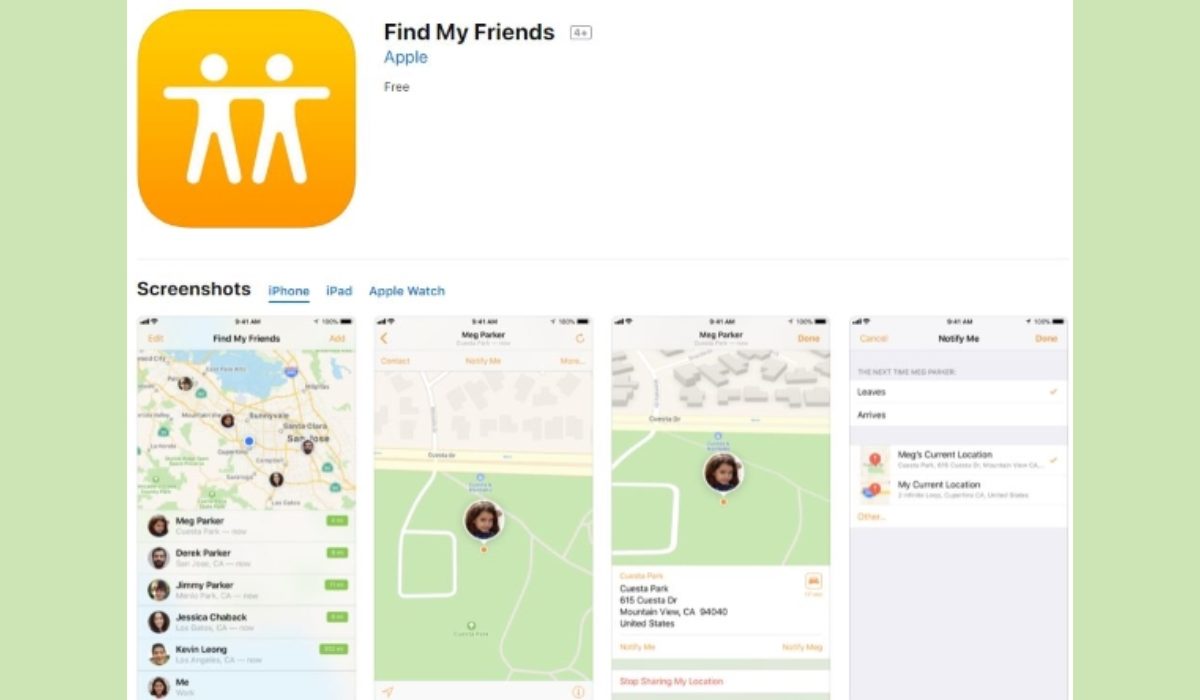
Depending on the model, below are the steps to switch off your iPhone:
- Press and hold the Side button and either Volume button while using FaceID. Press and hold the Side button if you use an iPhone with a Home button.
- Next, slide the Power Off slider to the right of your phone’s screen. This action will turn off your iPhone will turn off and thereby freeze your location on Find My iPhone.
Don’t forget that the next time you switch on your iPhone, your location will be updated in Find My . I’d say use this method only if you’re sure you won’t need your iPhone turned on for whatever purpose during your private time. Otherwise, just go with one of the other two methods I’ve described above.
