Add MobilityArena as a preferred source on Google
The new Samsung Galaxy S23 Plus is a a member of Samsung’s 2023 premium flagship line. It is fitted with a 6.6-inch Dynamic AMOLED display, launches with One UI 5.1 based on Android 13 and is powered by a Snapdragon 8 Gen 2 chipset.
What is the difference between Samsung 23 and 23 Plus? The Galaxy S23 Plus is similar to the S23 in most ways, with the major difference between the two being that the S23 Plus is bigger and heavier, has a larger display, and has a larger battery capacity. Pretty much everything else is the same on both devices. Even the S23 plus camera is the same as what is in the S23.
- Quick Specs:
- Samsung Galaxy S23 Plus specs
- Launch/Release Dates and Information
- Samsung Galaxy S23 Plus Prices by Country Is it worth upgrading to Samsung S23 Plus? When was the S23 Plus released? Does Samsung Galaxy S23 Plus have aptX HD? Does Samsung S23 Plus have aptX Adaptive? Does Samsung S23 Plus have a heart rate monitor? Does Samsung Galaxy S23+ have Google Play Store? Will Samsung Galaxy S23 Plus work in the USA?
- MobilityArena Buyer’s Guide Verdict
- Review Rating
Quick Specs:
- Release Date: 2023
- Network Type: 2G/3G/4G/5G
- Display: 6.6-inch, 1080 x 2340 pixels resolution
- Processor: Qualcomm Snapdragon 8 Gen 2
- Selfie Camera: 12 MP
- Rear camera: 50 MP triple
- RAM: 8 GB
- ROM: 256 GB
- Battery: 4700 mAh
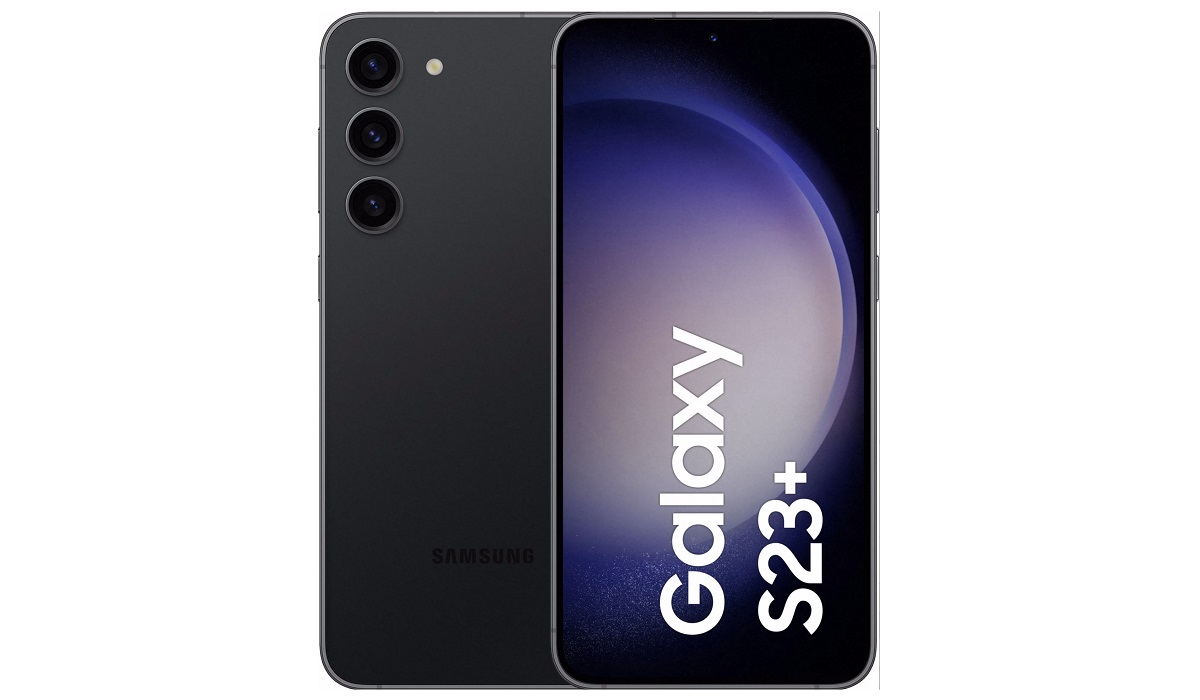
Samsung Galaxy S23+
Samsung Galaxy S23 Plus specs
Mobile Wireless Network and Software
- 2G mobile network bands : GSM, GPRS, EDGE 850 / 900 / 1800 / 1900 MHz. CDMA 800 / 1900 & TD-SCDMA.
- 3G mobile network bands : UMTS, WCDMA, HSDPA 850 / 900 / 1700(AWS) / 2100 MHz. CDMA2000 1xEV-DO
- 4G mobile network bands : LTE 1, 2, 3, 4, 5, 7, 8, 12, 13, 14, 18, 19, 20, 25, 26, 28, 29, 30, 38, 39, 40, 41, 46, 48, 66, 71
- 5G mobile network bands : NSA/SA/Sub6/mmWave
- SIM Type : Nano-SIM, Dual SIM
- Software / OS : One UI 5 based on Android 13
Design, Form Factor, Appearance
- Dimensions : 157.8 x 76.2 x 7.6 mm
- Weight : 195g
- Display : 6.6 inches, 1080 x 2340 pixels, 120 Hz refresh rate, 20:9 aspect ratio, Dynamic AMOLED 2X, HDR10+, Gorilla Glass Victus 2 protection
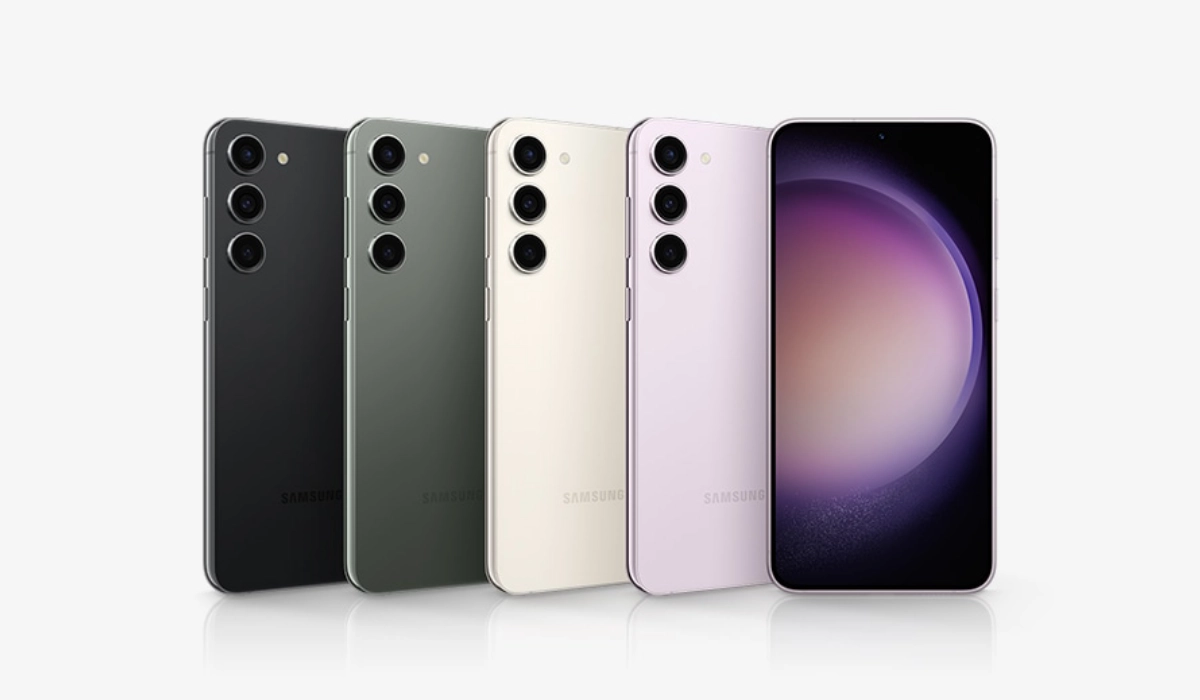
- Colours : Phantom Black, Cream, Green, Lavender.
- Physical Build : IP68 dust/water resistant (up to 1.5m for 30 mins)
Internal Hardware Specs
- Processor Type : 64-bit, 3.36 GHz Octa-core
- Processor Name : Qualcomm Snapdragon 8 Gen 2
- Graphics Processor : Adreno 740
- RAM : 8 GB
- Internal Storage : 256 GB / 512 GB
- External Storage : No
Photography, Video Recording
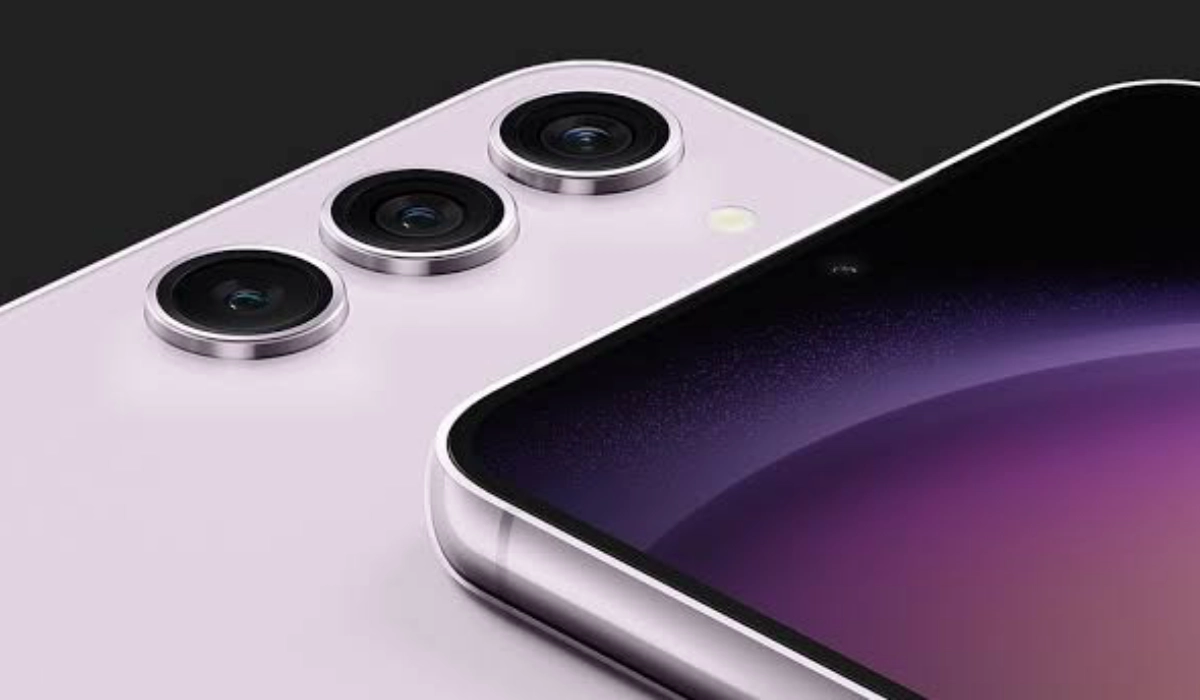
- Rear Camera : 50 MP main sensor, + 12 MP Ultra wide camera + 10 MP telephoto camera, autofocus, LED flash, 8k video, 4k video, 1080p@30fps video recording
- Front Camera : 12 MP, fixed focus, Face Recognition, 4k video, 1080p@30fps video capture
Audio, Video Playback
- Music Support : PCM, AAC / AAC + / eAAC + / MP3 / AMR – NB / WB / APE
- Audio : No 3.5 mm audio jack
- Loudspeaker : Stereo speakers
- Video Support : H.264/MP4/MPEG4 player
- FM Radio : No
Phone Sensors
- Digital Compass : Yes.
- Accelerometer : Yes.
- Proximity Sensor : Yes.
- Ambient Light Sensor : Yes.
- Barometer : Yes.
- Pedometer : No.
- Heart Rate Monitor : No.
- Gyroscope (G-Sensor) : Yes.
- Fingerprint Scanner : Yes; in-display.
- Face Unlock : Yes.
- Iris Scanner : No.
- Motion Sensing / Gesture Control : No.
- Voice Control : No.
- Intelligent Digital Assistant : Yes; Google Assistant; Bixby Assistant.
- Infra-red Sensor : No.
Connectivity Options
- Bluetooth Version : 5.3
- Bluetooth Profiles : A2DP
- WiFi : Wi-Fi 802.11 a/b/g/n/ac/6e, hotspot
- GPS : Yes, A-GPS, GLONASS, BDS, Galileo
- USB : microUSB v3.2. Type-C. USB-OTG.
- NFC : Yes.
Miscellaneous Specs and Features
- Battery Type and Capacity : Non-Removable Lithium-Polymer 4700 mAh
- Battery Charging : 45W fast charging (30 minutes to 65%)
- Wireless Charging : 15W fast wireless charging
- Reverse Charging : 4.5W charging.
- Model Version/Number :
Launch/Release Dates and Information
- Announced : February 1, 2023
- Release Date : February 2023
Samsung Galaxy S23 Plus Prices by Country
- United States (USA) : $899 (8/256GB)
- European Union : €1,099 (8/256GB)
- Australia : AUD $1,649 (8/256GB). You can also buy it on Vodafone Australia for as low as $37.46 monthly for 36 months.
- United Kingdom (UK) : £ 946 British Pounds (8/256GB)
- Canada : C$1,260 (8/256GB)
The above prices may change with time from country to country, as market forces and economic policies influence product price movements.
Is it worth upgrading to Samsung S23 Plus?
If you own a Samsung S22 Plus, there isn’t much of an incentive to upgrade to the S23 Plus. It is an incremental upgrade, meaning that you can skip it and wait for the Samsung S24 coming out in early 2024.
When was the S23 Plus released?
The S23 was released in February 2023.
Does Samsung Galaxy S23 Plus have aptX HD?
Unfortunately, Samsung Galaxy S23 Plus does not support the aptX HD audio codec. What it has is classic aptX.
Does Samsung S23 Plus have aptX Adaptive?
Unfortunately, Samsung Galaxy S23 Plus does not support the aptX Adaptive audio codec . What it supports is classic aptX.
Does Samsung S23 Plus have a heart rate monitor?
Samsung Galaxy S23 Plus does not include a heart rate monitor.
Does Samsung Galaxy S23+ have Google Play Store?
It supports Google Services and software applications, including Play Store and Maps, Gmail, YouTube, and others.
Will Samsung Galaxy S23 Plus work in the USA?
This is a GSM phone and is supported on US GSM carriers like AT&T and T-Mobile and other networks riding on their networks. It does not support CDMA networks. Do make enquiries from your carrier to know what bands/frequencies are supported on their service.
MobilityArena Buyer’s Guide Verdict
Thanks to the bigger Samsung Galaxy S23 Plus size, there is a bigger battery, and that translates to extra hours of battery life daily when compared to the S23. As such, one significant advantage of the S23 Plus over the S23 is much better battery life.
Our Buyer’s Guide Verdict is a recommendation based on the specs of the device and a general guide to help you understand how much value a device offers for its price. It is not an endorsement of the device. Ask questions and use your judgement when buying any device; MobilityArena takes no responsibility for your buying decisions .
Review Rating
We do not have Samsung Galaxy S23 Plus review at this time and so have no rating for it yet.
Author:InfoDesk
Add MobilityArena as a preferred source on Google
Cyber-security has become a very topical issue in the modern world. The digital world is as imperfect as the real one, therefore the need to ensure safety for all users is crucial. The number of cyber-crime cases has increased significantly over the last decade, so people started to raise alarms about possible dangers. This is why it is imperative that you are able to protect your Android phone.
The threats and risks can wait for us everywhere, and unfortunately, we are not always ready to detect the danger. Hackers resort to different methods to invade our privacy. Most common of them is using Celltrackingapps . When a device is infected with malware, a hacker can get access to it, which means that they are able to record your phone conversations, leak private phones, record the keystrokes and track your current location. With each passing day, we see new threats from advanced spy apps for Android that can gain access remotely to the target phone. Being able to protect your Android phone from malevolent actors is a big flex.
Nowadays, almost everyone uses a smartphone – mobile device that enables a connection with the outer world including communication via messengers, working from home, creating visual content, and using the internet to find necessary sources of information. In brief, our smartphones are an indispensable part of everyday life and people can hardly spend one day without their devices.
Software developers are enhancing security features by employing innovative methods and new technologies to make their products resistant to cyber-attacks. For this reason, modern smartphones are equipped with the more and more security features to reduce or mitigate the risks of data leakage.
What are the best security features to protect your Android phone?
If you are concerned about personal safety and security and are curious about what you can do to protect your Android phone and stay safe while connected, the following security features will help you do that. It does not matter what Android phone brand you are using – Samsung, Motorola, Google Pixel, OnePlus, or any other; these features are built into Android.
- Application sandbox.
The purpose of this security mechanism is to isolate system applications from installed apps so that malware cannot access and infect the device. Sandboxing creates a separate space for the most important individual android applications and cuts off the interaction with another file without permission.
- App signing.
With this useful feature, no application cannot access your device without being properly signed with the certificate.
- Authentication
Users can unlock their phones in different ways including entering a PIN, pattern, password, or fingerprint. A device that has a fingerprint sensor allows the user to perform the tasks like confirming transactions, unlocking the password database, or getting access to some applications.
- Biometrics
Android 9,10,11 and 12 have system-provided BiometricPrompt API, that shows authentication prompts through biometric modalities including fingerprint or face.
- Find my device.
This special feature enables managing your device even when it is lost or stolen. To activate this future you should sign in with a Google account or install the app. With this feature, you can play a sound, lock the phone or erase all data from it.
- Play Protect
It is a specially designed scanned for Android devices, that scan all individual and installed applications on your phone to detect suspicious shady apps and dangerous spyware for android
- Managing app permissions.
When installing new applications on your smartphone, you should manage the permissions for every app installed. But sometimes we can forget about what we clicked on, so Permission Manager in the setting will show us what permission the certain app has. It is crucially important to review the app’s permissions from time to time because some of them can pose a serious threat to your phone’s safety.
- Emergency Info
If something unpredictable happens, this feature enables you to leave a message to a random person that can find your phone and help in case of emergencies. You can enter emergency contacts or medical information here.
- Lockdown mode.
This is a new feature to protect your Android phone by allowing you to hide all notifications on the screen and make fingerprint or face unlock impossible. To activate this feature you need to press the Power button and tap Lockdown. If you want to unlock your smartphone after this step, it is necessary to enter a PIN or password.
- Guest mode,
Most Android devices offer this useful feature. What it does is create an exclusive space for third-parties who want to use your phone, so they cannot get access to your private information or change anything in the phone’s system settings.
- Smartlock
When this feature is switched on, your device remains unlocked when linked to designated devices.
Conclusion
In a nutshell, our mobile devices are smarter than we think; they can prevent and eliminate the dangers that emerge from the evil hacking world. High-quality graphics, attractive design, and wonderful capabilities of the camera are not the only features our smartphone offer us. They also have security features that are a strong shield from possible security threats. With the abundance of spy apps for Android, you can successfully protect your Android phone from hackers who attempt to invade your privacy. All the best.
Author:Anna Makama
Gadget lover making my way through life one day at a time.
