Add MobilityArena as a preferred source on Google
The Samsung Galaxy S23 is Samsung’s answer to users who want power, style, and reliability packed into one sleek device. With its refined design, brighter AMOLED display, and the upgraded Snapdragon 8 Gen 2 for Galaxy chip, the Samsung Galaxy S23 delivers fast performance and smooth everyday use. Add in improved cameras, long-lasting battery life, and Samsung’s clean software experience, and the Samsung Galaxy S23 stands out as a flagship built for people who want a phone that feels premium without compromise.
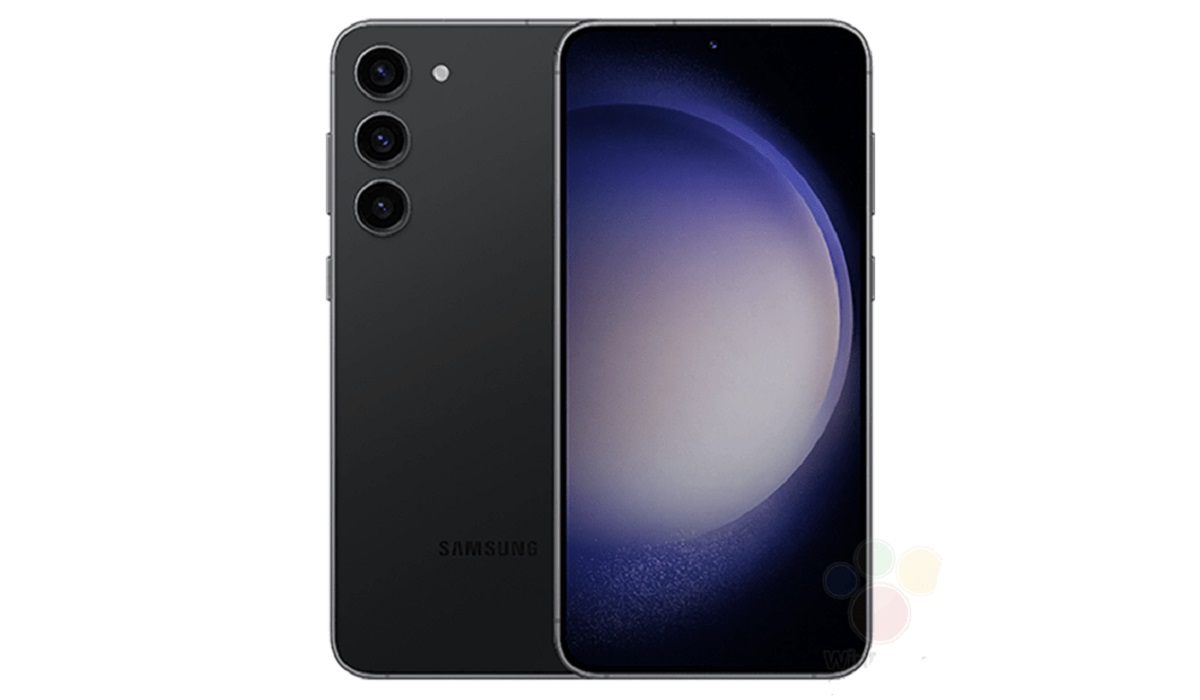
- Samsung Galaxy S23 Specifications
- Price Range:
- Release Date:
- Network Type:
- eSIM:
- aptX Bluetooth:
- IR Blaster / Infrared Port:
- 3.5mm Headphone Jack:
- Fingerprint Sensor:
- Fast Charging:
- Wireless Charging:
- Mobile Wireless Network and Software
- Design, Form Factor, Appearance
- Internal Hardware Specs
- Photography, Video Recording
- Audio, Video Playback
- Phone Sensors
- Connectivity Options
- Miscellaneous Specs and Features
- Model Version/Number:
- Launch/Release Dates and Information
- Prices
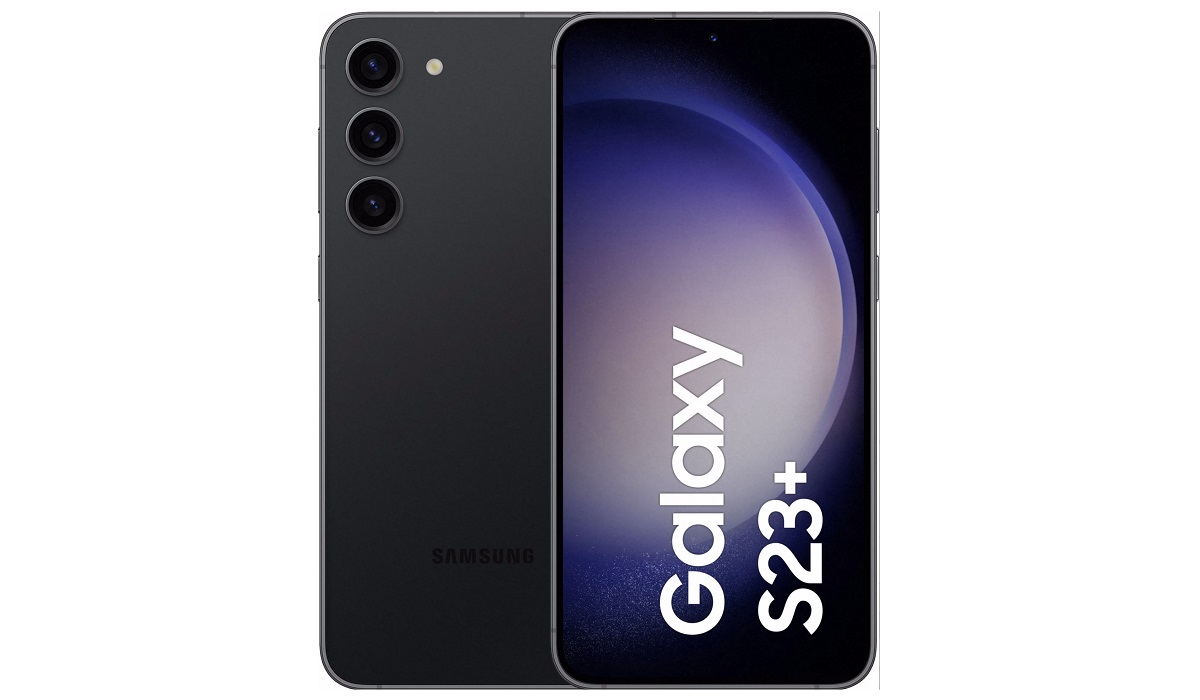
Samsung Galaxy S23 Specifications
Price Range:
Around $799 to $999 depending on storage and region
Release Date:
February 2023
Network Type:
GSM / CDMA / HSPA / EVDO / LTE / 5G
eSIM:
No
aptX Bluetooth:
Not officially supported; supports standard codecs like AAC
IR Blaster / Infrared Port:
No
3.5mm Headphone Jack:
No
Fingerprint Sensor:
Under-display Ultrasonic fingerprint sensor
Fast Charging:
Yes, 25W wired fast charging
Wireless Charging:
Yes, Qi wireless charging supported
Mobile Wireless Network and Software
- 2G mobile network bands: GSM 850 / 900 / 1800 / 1900 MHz
- 3G mobile network bands: Multiple UMTS bands
- 4G mobile network bands: Supports multiple LTE bands covering global frequencies
- 5G mobile network bands: Supports sub-6 GHz 5G bands, varying by region
- SIM Type: Dual Nano SIM
- Software / OS: Ships with Android 13, One UI 5.1
- Software Updates: Multiple years of OS and security updates promised
Design, Form Factor, Appearance
- Dimensions: 146 x 70.6 x 7.6 mm
- Weight: 168 grams
- Display Size: 6.1 inches
- Screen Resolution: 1080 x 2340 pixels, Full HD+
- Refresh Rate: 120 Hz adaptive
- Screen Type: Dynamic AMOLED 2X
- Screen Protection: Corning Gorilla Glass Victus+
- Frame: Armor aluminum frame
- Back/Rear Cover: Gorilla Glass Victus+
- Ingress Protection/IP Rating: IP68 dust and water resistant
- Colorways: Phantom Black, Cream, Green, Lavender
Internal Hardware Specs
- Central Processor (CPU): Octa-core Snapdragon 8 Gen 2 (1×3.36 GHz Cortex-X3, 2×2.8 GHz Cortex-A715, 2×2.8 GHz Cortex-A710, 3×2.0 GHz Cortex-A510)
- Chipset: Qualcomm SM8550-AC Snapdragon 8 Gen 2 (4 nm)
- Graphics Processing Unit (GPU): Adreno 740
- RAM: 8GB LPDDR5
- Extended/Virtual RAM: Not officially detailed
- Internal Storage: 128GB, 256GB UFS 4.0; no microSD support
- External Storage: None
Photography, Video Recording
- Main Camera: Triple setup 50 MP wide (f/1.8, PDAF, OIS) 12 MP ultrawide (f/2.2) 10 MP telephoto (3x optical zoom, OIS)
- Front Camera: 12 MP wide (f/2.2)
- Video Recording: 8K @ 30fps, 4K @ 30/60fps, 1080p up to 240fps
- Features: LED flash, panorama, HDR10+ support
Audio, Video Playback
- Music Support: Wide variety of formats including mp3, AAC, FLAC
- 3.5 mm Audio Jack: No
- Loudspeaker: Stereo speakers, tuned by AKG
- Video Support: HDR10+ playback supported
- FM Radio: No
Phone Sensors
- Digital Compass: Yes
- Accelerometer: Yes
- Proximity Sensor: Yes
- Ambient Light Sensor: Yes
- Barometer: Yes
- Pedometer: Yes
- Heart Rate Monitor: No
- Gyroscope (G-Sensor): Yes
- Fingerprint Scanner: Under-display ultrasonic
- Face Unlock: Supported via front camera
- Iris Scanner: No
- Motion Sensing / Gesture Control: Yes
- Voice Control: Bixby and Google Assistant integration
- Infra-red/IR Blaster: No
Connectivity Options
- Bluetooth Version: 5.3
- aptX Bluetooth Codecs: Not supported
- WiFi: WiFi 6E (802.11 a/b/g/n/ac/ax)
- GPS: Yes, dual-band with A-GPS, GLONASS, BDS, GALILEO, QZSS
- USB: USB Type-C 3.2
- NFC: Yes
Miscellaneous Specs and Features
- Battery Type: Non-removable Li-Ion
- Battery Capacity: 3900 mAh
- Battery Charging: 25W fast wired charging
- Wireless Charging: Qi wireless charging and Wireless PowerShare
- Reverse Charging: Yes
Model Version/Number:
Galaxy S23 (SM-S911B)
Launch/Release Dates and Information
- Announced: February 2023
- Released: February 2023
Prices
- United States (USA): Starting at around $799
- United Kingdom (UK): Around £749
- European Union (EU): Approximately €850
- Australia: Around AUD 1,299
- Canada: Around CAD 1,099
Author:Ifeoluwa Adeleke
Add MobilityArena as a preferred source on Google
The Samsung Galaxy S23 is Samsung’s answer to users who want power, style, and reliability packed into one sleek device. With its refined design, brighter AMOLED display, and the upgraded Snapdragon 8 Gen 2 for Galaxy chip, the Samsung Galaxy S23 delivers fast performance and smooth everyday use. Add in improved cameras, long-lasting battery life, and Samsung’s clean software experience, and the Samsung Galaxy S23 stands out as a flagship built for people who want a phone that feels premium without compromise.
- Samsung Galaxy S23 Specifications
- Price Range:
- Release Date:
- Network Type:
- eSIM:
- aptX Bluetooth:
- IR Blaster / Infrared Port:
- 3.5mm Headphone Jack:
- Fingerprint Sensor:
- Fast Charging:
- Wireless Charging:
- Mobile Wireless Network and Software
- Design, Form Factor, Appearance
- Internal Hardware Specs
- Photography, Video Recording
- Audio, Video Playback
- Phone Sensors
- Connectivity Options
- Miscellaneous Specs and Features
- Model Version/Number:
- Launch/Release Dates and Information
- Prices
Samsung Galaxy S23 Specifications
Price Range:
Around $799 to $999 depending on storage and region
Release Date:
February 2023
Network Type:
GSM / CDMA / HSPA / EVDO / LTE / 5G
eSIM:
No
aptX Bluetooth:
Not officially supported; supports standard codecs like AAC
IR Blaster / Infrared Port:
No
3.5mm Headphone Jack:
No
Fingerprint Sensor:
Under-display Ultrasonic fingerprint sensor
Fast Charging:
Yes, 25W wired fast charging
Wireless Charging:
Yes, Qi wireless charging supported
Mobile Wireless Network and Software
- 2G mobile network bands: GSM 850 / 900 / 1800 / 1900 MHz
- 3G mobile network bands: Multiple UMTS bands
- 4G mobile network bands: Supports multiple LTE bands covering global frequencies
- 5G mobile network bands: Supports sub-6 GHz 5G bands, varying by region
- SIM Type: Dual Nano SIM
- Software / OS: Ships with Android 13, One UI 5.1
- Software Updates: Multiple years of OS and security updates promised
Design, Form Factor, Appearance
- Dimensions: 146 x 70.6 x 7.6 mm
- Weight: 168 grams
- Display Size: 6.1 inches
- Screen Resolution: 1080 x 2340 pixels, Full HD+
- Refresh Rate: 120 Hz adaptive
- Screen Type: Dynamic AMOLED 2X
- Screen Protection: Corning Gorilla Glass Victus+
- Frame: Armor aluminum frame
- Back/Rear Cover: Gorilla Glass Victus+
- Ingress Protection/IP Rating: IP68 dust and water resistant
- Colorways: Phantom Black, Cream, Green, Lavender
Internal Hardware Specs
- Central Processor (CPU): Octa-core Snapdragon 8 Gen 2 (1×3.36 GHz Cortex-X3, 2×2.8 GHz Cortex-A715, 2×2.8 GHz Cortex-A710, 3×2.0 GHz Cortex-A510)
- Chipset: Qualcomm SM8550-AC Snapdragon 8 Gen 2 (4 nm)
- Graphics Processing Unit (GPU): Adreno 740
- RAM: 8GB LPDDR5
- Extended/Virtual RAM: Not officially detailed
- Internal Storage: 128GB, 256GB UFS 4.0; no microSD support
- External Storage: None
Photography, Video Recording
- Main Camera: Triple setup 50 MP wide (f/1.8, PDAF, OIS) 12 MP ultrawide (f/2.2) 10 MP telephoto (3x optical zoom, OIS)
- Front Camera: 12 MP wide (f/2.2)
- Video Recording: 8K @ 30fps, 4K @ 30/60fps, 1080p up to 240fps
- Features: LED flash, panorama, HDR10+ support
Audio, Video Playback
- Music Support: Wide variety of formats including mp3, AAC, FLAC
- 3.5 mm Audio Jack: No
- Loudspeaker: Stereo speakers, tuned by AKG
- Video Support: HDR10+ playback supported
- FM Radio: No
Phone Sensors
- Digital Compass: Yes
- Accelerometer: Yes
- Proximity Sensor: Yes
- Ambient Light Sensor: Yes
- Barometer: Yes
- Pedometer: Yes
- Heart Rate Monitor: No
- Gyroscope (G-Sensor): Yes
- Fingerprint Scanner: Under-display ultrasonic
- Face Unlock: Supported via front camera
- Iris Scanner: No
- Motion Sensing / Gesture Control: Yes
- Voice Control: Bixby and Google Assistant integration
- Infra-red/IR Blaster: No
Connectivity Options
- Bluetooth Version: 5.3
- aptX Bluetooth Codecs: Not supported
- WiFi: WiFi 6E (802.11 a/b/g/n/ac/ax)
- GPS: Yes, dual-band with A-GPS, GLONASS, BDS, GALILEO, QZSS
- USB: USB Type-C 3.2
- NFC: Yes
Miscellaneous Specs and Features
- Battery Type: Non-removable Li-Ion
- Battery Capacity: 3900 mAh
- Battery Charging: 25W fast wired charging
- Wireless Charging: Qi wireless charging and Wireless PowerShare
- Reverse Charging: Yes
Model Version/Number:
Galaxy S23 (SM-S911B)
Launch/Release Dates and Information
- Announced: February 2023
- Released: February 2023
Prices
- United States (USA): Starting at around $799
- United Kingdom (UK): Around £749
- European Union (EU): Approximately €850
- Australia: Around AUD 1,299
- Canada: Around CAD 1,099
Author:Ifeoluwa Adeleke
Side-mounted fingerprint
Why Side-mounted Fingerprint Scanners Are Poor For Usability
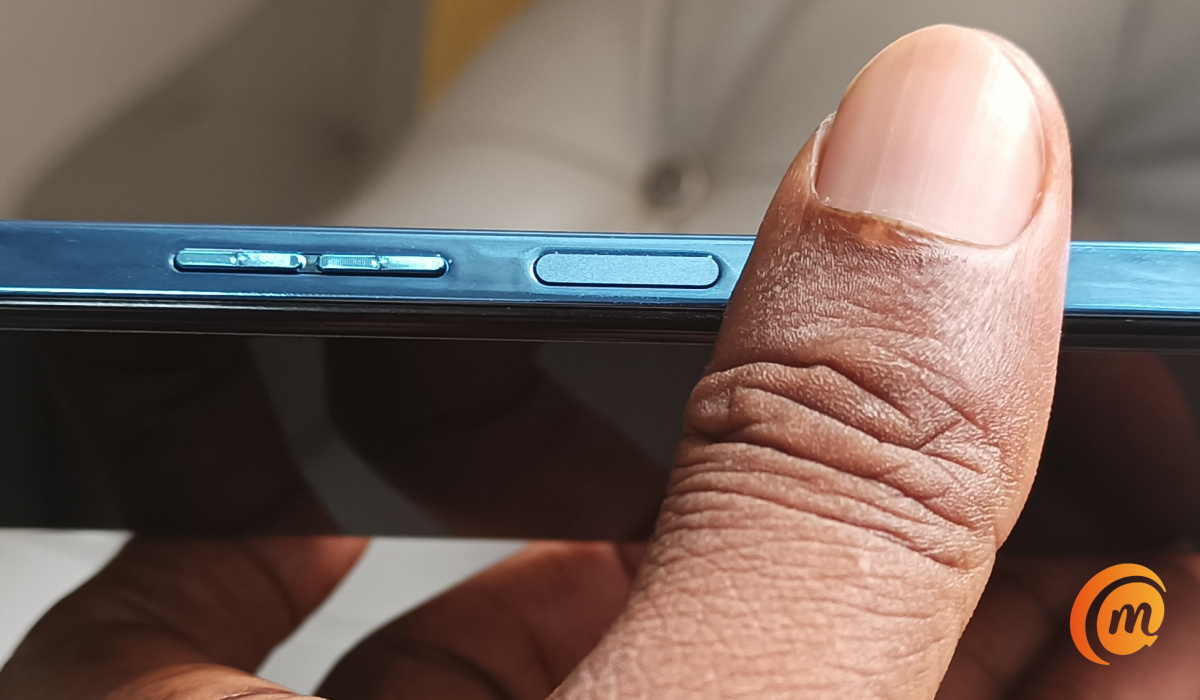
Side-mounted fingerprint scanners are not great for usability, if we are being honest. When are we getting rid of them?
Add MobilityArena as a preferred source on Google
A smartphone’s flashlight is a nifty tool that comes in handy in different situations. Whether you are using an older model or a more recent one, here is how to turn on the flashlight on your iPhone.
Turning on the flashlight on your iPhone is super easy. The beautiful thing is that you have got multiple options depending on your style or situation. Here are the most popular ways to go about it.

1.From the Lock Screen
- Wake your iPhone (tap the screen or press the side button).
- Note the Flashlight icon in the bottom-left corner.
- Tap/hold it briefly.
- You’ll feel a little haptic buzz and the flashlight will come on.
2.Using Control Center
- On iPhones with Face ID: Swipe down from the top-right corner.
- On iPhones with a Home button: Swipe up from the bottom edge.
- Tap the Flashlight icon to turn it on or off.
3.Ask Siri
- Say: “Hey Siri, turn on the flashlight.”
- Or: “Hey Siri, turn off the flashlight.”
This method is perfect for when your hands are full or you are in the dark and don’t want to fumble around. Unless you do not use Siri, this is the coolest way to turn on the flashlight on your iPhone.
4.Back Tap (Accessibility Feature)
- Go to Settings > Accessibility > Touch > Back Tap .
- Choose Double Tap or Triple Tap , then select Flashlight .
- Now just tap the back of your phone to toggle the light on or off.
5.Action Button (iPhone 15 Pro and newer)
- Go to Settings > Action Button .
- Assign it to the Flashlight.
- Press and hold the Action Button to toggle the light.
How to Adjust Flashlight Brightness (Control Center)
While the iPhone flashlight doesn’t let you adjust beam width, you can control its brightness. This is especially handy for nighttime reading vs. navigating a dark alley.
- Open Control Center On iPhones with Face ID: Swipe down from the top-right corner. On iPhones with a Home button: Swipe up from the bottom edge.
- Press and Hold the Flashlight Icon A slider will appear.
- Drag the Slider Up or Down Increase or decrease brightness to your liking.
Can You Use Siri for Brightness Control?
While Siri can toggle the flashlight on/off, it doesn’t currently support brightness adjustment via voice. But you can say, “Hey Siri, turn on the flashlight,” and then manually adjust brightness in Control Center.
I hope you found this guide easy and useful for turning on the flashlight on your iPhone. There is more to your phone’s flashlight, though, than just providing lighting in the dark. It has other uses.
How to turn on LED Flash for Alerts on iPhone
Did you know that your iPhone’s flashlight is also useful for notifying you of incoming calls and messages? It is a useful tool for hearing impaired individuals or for use when in noisy settings where you are likely to miss an audio notification. Here is how to turn it on:
- Open your Settings app and click on Accessibility.
- Scroll down to Audio/Visual and you should see LED Flash for Alerts. There is a toggle next to it that you can use to turn the feature on.
Author:Mister Mobility
Digital Skills and Communication Coach | Mobile Phone Connoisseur since 2001 | Tech Blogging since 2004
