Add MobilityArena as a preferred source on Google
Samsung launched the Galaxy Tab S7 series in August of last year, joining the Tab S6 as part of the company’s tablets. Now, certain reports reaching our stables suggest that we may see its predecessor, the Galaxy Tab S8, earlier than expected. This is because the Galaxy Tab S8 Enterprise Edition appeared on Samsung’s Support page of the Ireland’s website.
This may not mean what we think, but information on this page talks about a device called the Samsung Galaxy Tab S8 Enterprise Edition which houses a nano-SIM card and supports microSD cards up to 1TB. It also shows that there would be two variants, a 4G and 5G variant, while the Samsung Galaxy Tab S8 Enterprise Edition may offer up to 12GB of RAM and 512GB of onboard storage.
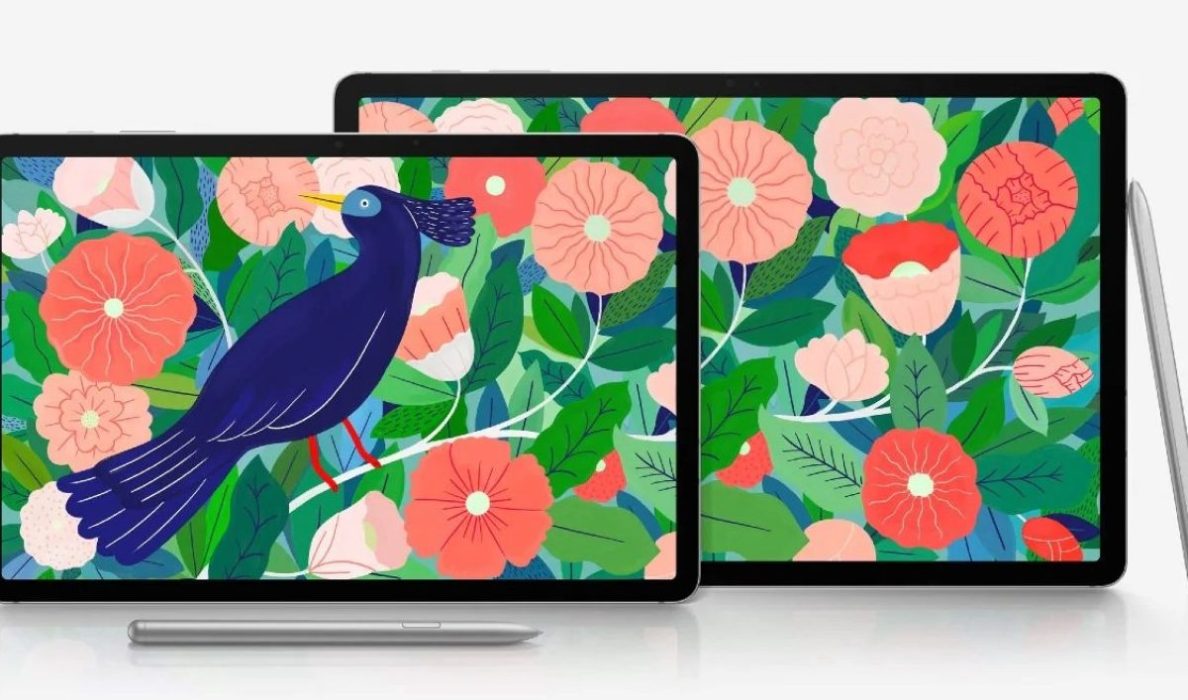
Samsung Galaxy Tab S7, the predecessor to the S8
While this may be an error on the company’s part, it could also be a tip pointing towards a potential Galaxy Tab S8 series release in the coming days. Just so you know, Samsung’s Enterprise Edition devices are normally sold to partners through a number of distribution channels, with end users also able to purchase them for their small businesses.
The major difference between an Enterprise Edition and a regular version of a device is an extended, 4-year security update schedule, a year of Samsung Knox and enhanced protection. However, these enhanced capabilities cost a bit more for users who would want to pick up the Enterprise Edition.
References
- Source ;
- Source .
Author:Alfa Baye
Staff Writer
Add MobilityArena as a preferred source on Google
Maintaining your Android device regularly is a must for most Android users, as you need to ensure that your smartphone has enough memory to keep on working at optimal levels. This is where some Android cleaner apps can come up clutch, as some of these apps are actually effective and help users keep their device ticking.
In this article, we will look at some of the best cleaner apps for your Android and what they bring to the table.
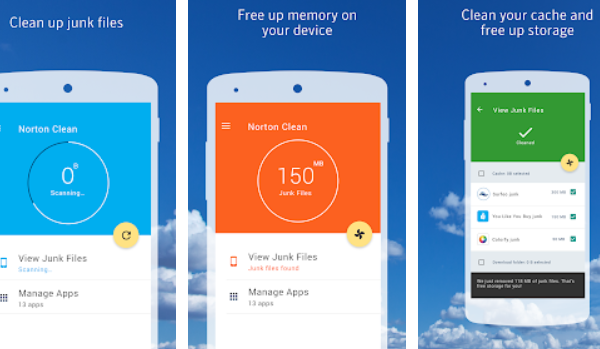
- Norton Clean: Like the name implies, this cleaner app was developed by the same company which is popular for its anti-virus products for PCs. This is one of the best cleaner apps out there without ads, as the app analyzes the junk file behavior of millions of apps and expunges junk files accurately.
This app also lets users get rid of pre-installed apps, while also pointing users to rarely used apps they can get rid of to free up more memory. It’s got a Play Store rating of 4.6, with over 5 million downloads currently.
- CCleaner: This Android cleaner app, which also works with Windows 10 PCs and macOS, can help you clear junk and clean your phone’s RAM. This cleaner also lets users uninstall multiple applications at the same time.
The CCleaner also helps you keep an eye on your device’s temperature with a system monitoring tool that also shows the RAM consumed by other apps on your device. One major sticky point about this cleaner is its ads, as certain users find these ads intrusive, while certain quarters also claim that this app retrieves user’s data without consent. In spite of this, it has a solid rating for cleaner apps, with a 4.7 on Play Store, while also boasting over 50 million downloads.
- Ace Cleaner: This app cleaner , which is one of the best Android cleaner apps out there, features a simple design but brings a number of features like Ace Boost, Battery Saver, Ace Clean just to name a few. These apps help to boost and maximize your Android’s performance.
It has a Play Store rating of 4.6 and over 10 million downloads.
- AVG Cleaner: AVG Cleaner is one of the better cleaning apps around, providing much needed versatility in the cleaning department. This app serves as a memory booster, a file manager and even a photo analyzer that helps to get rid of duplicate pictures.
This app also analyzes apps or games that place significant strain on your phone’s battery, as it prompts you to delete these apps or stop them. The cleaner app also has battery saver options, making it a good cleaner app. However, this app interrupts users occasionally with ads, making it rather annoying sometimes. Overall, it has a rating of 4.6 on Play Store and over 50 million downloads.
- SD Maid: This cleaner offers a range of features to help Android users properly manage their files. It is also a device storage analyzer, providing an in-depth overview of your device’s storage.
This app also lets users schedule cleaning processes, ensuring they do not interrupt important activities on the smartphone. To enjoy the app’s scheduler, you need to install the SD Maid Pro , as only its users have access to the Scheduler and a number of other features. This app currently has over 10 million downloads and a rating of 4.4 on Play Store.
Author:Alfa Baye
Staff Writer
