Add MobilityArena as a preferred source on Google
I am Team Compact. Any phone screen that is significantly bigger than 6 inches is too big for me. As such, phones like Samsung S23 and Pixel 7A fall within my area of primary interest. They both have a 6.1-inch display, making them two of the best small Android phones you can buy today.
But size appears to be the only thing they share in common (apart from the fact that they are both Android smartphones). Samsung clearly knows how to make well-optimized smartphones, while Google is still struggling with it.

Samsung S23 vs Pixel 7A
Samsung S23 vs Pixel 7A
Let’s start with what we can see and feel: size and weight. Despite having the same screen size, the S23 is thinner, shorter, and narrower than the Pixel 7A. It is also 25 g lighter than the Pixel 7A. When you hold both in your hands, as a lover of compact phones, it is the Samsung S23 that you don’t want to drop.
I am not going to give the Pixel 7A slack for being trounced by the Samsung S23 when it comes to performance. The Tensor G2 does not hold a candle to the Snapdragon 8 Gen 2, and that is okay. The $200 price difference between these two phones has to come from somewhere, and things like performance and cameras are the easiest areas to cut costs. Which Google did nicely. The Pixel 7A is a solid phone for the person on a budget.
Where the Pixel 7A disappoints once more is in the battery performance, which should not be a surprise to anyone who is familiar with the antecedents of Pixel phones. But how bad it is really shows when the 7A stands beside the S23.
Pixel 7A has a 4385 mAh battery, compared to he S23’s 3900 mAh battery. It also has a less demanding processor than the S23. And it also has a less demanding screen. How is it then possible that it delivers only about 75% of the S23’s battery life? It doesn’t add up. In practical terms, it means that if you are browsing the web or social media, the Pixel 7A’s battery will empty 2 hours before the Samsung S23’s.
Of course, by comparison, the Pixel 7A’s battery life is still better than the iPHJone SE 2022, another compact smartphone that I have used (see the iPhone SE 2022 review ). But that is Aaples and oranges, if we are being honest. As I have said before, Google needs to develop or purchase the capacity to optimise their phones. The batteries of Pixel phones drain too fast.
As a matter of fact, iPhones and Pixel phones appear to be leading the cause of smartphone brands with poor battery life. And seeing how Apple is doing better these days, Google will likely take that crown. Every single Pixel phone I have used has had the worst battery life of its contemporaries from other brands. Every single one. And the Pixel 7A is following in that tradition.
Pixel phones have good cameras, but they keep falling short in the most important things. Google needs to hire people who know how to optimise phones. Your ability to enjoy taking photos with a good camera is severely hampered if battery life is poor. And I don’t even want to get started about the overheating issues , which also stems from poor optimisation.
The Pixel 7A has the same screen size as the S23, has a less powerful processor, has a bigger battery, yet the battery life is piss-poor, while the S23’s battery life is stellar. Make it make sense.
PS : Check out our Samsung Galaxy S23 review .
Author:Mister Mobility
Digital Skills and Communication Coach | Mobile Phone Connoisseur since 2001 | Tech Blogging since 2004
Add MobilityArena as a preferred source on Google
It does not matter what type of personal transport mobility you use – an internal combustion engine (ICE) vehicle, an electric vehicle (BEV), a hybrid , an e-bike , a motorcycle, or a scooter, tires are the high ranking when it comes to safety and good performance. Which is why you need to know for sure when tires need to be replaced.
I am a car lover, so my primary experience has been with cars, but the principles and tell-tale signs of tire wear and tear are the same even if what you have is a bicycle or motorcycle. How to tell when tires need to be replaced is an exact science across the board of road vehicles.
- Too many punctures or flats
- Check your tires for wear and tear
- Check for the date of manufacture
- What kind of usage are your tires subjected to?
Too many punctures or flats
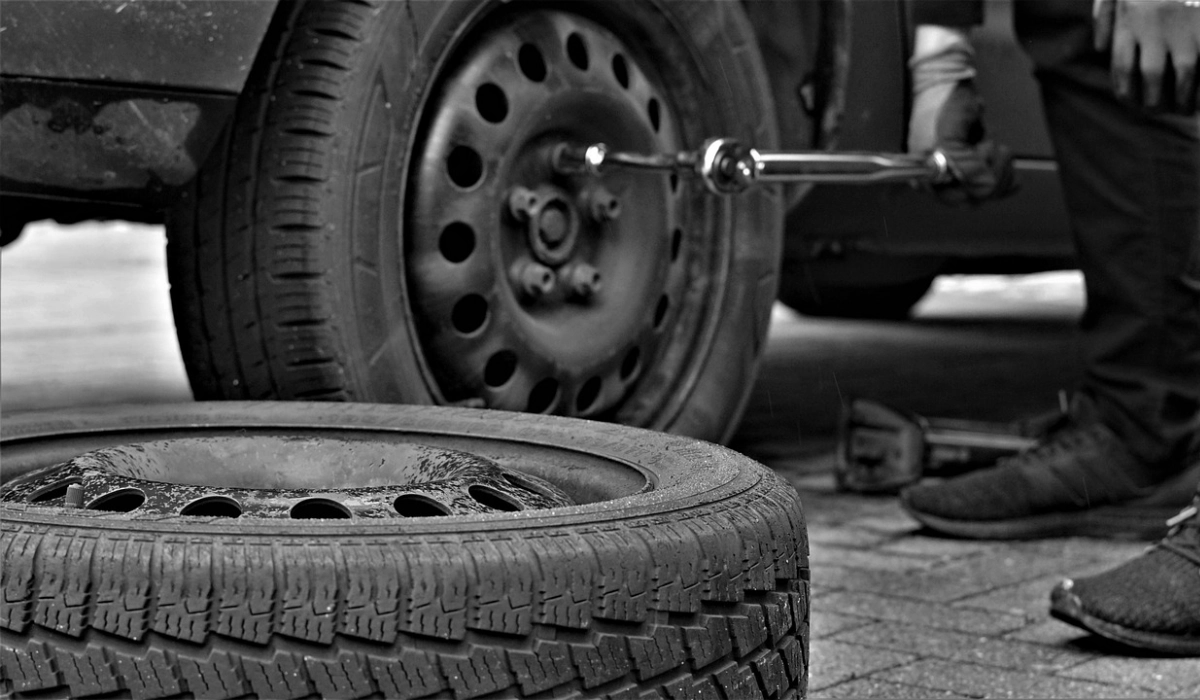
In my twenty-something years of driving, I have come to know that the easiest way to tell that your tires have become bad and should be replaced immediately is when you get to that point where you are getting punctures or your tires go flat often. If you are having to fix a puncture or flat every other week, that tire is weak and ready to die on you.
You shouldn’t change only that problematic tire either; all the other tires that you purchased at the same time as that one should be replaced. They are all due for a change, and it is best to buy your tires at the same time. Where that isn’t possible for cash reasons, change them two by two. Replace the two in front at the same time, and replace the two at the back at the same time.
But you should not wait till your tires start acting up this way before knowing they are due for replacement. Below, I share a few other ways to tell when tires need to be replaced.
Check your tires for wear and tear
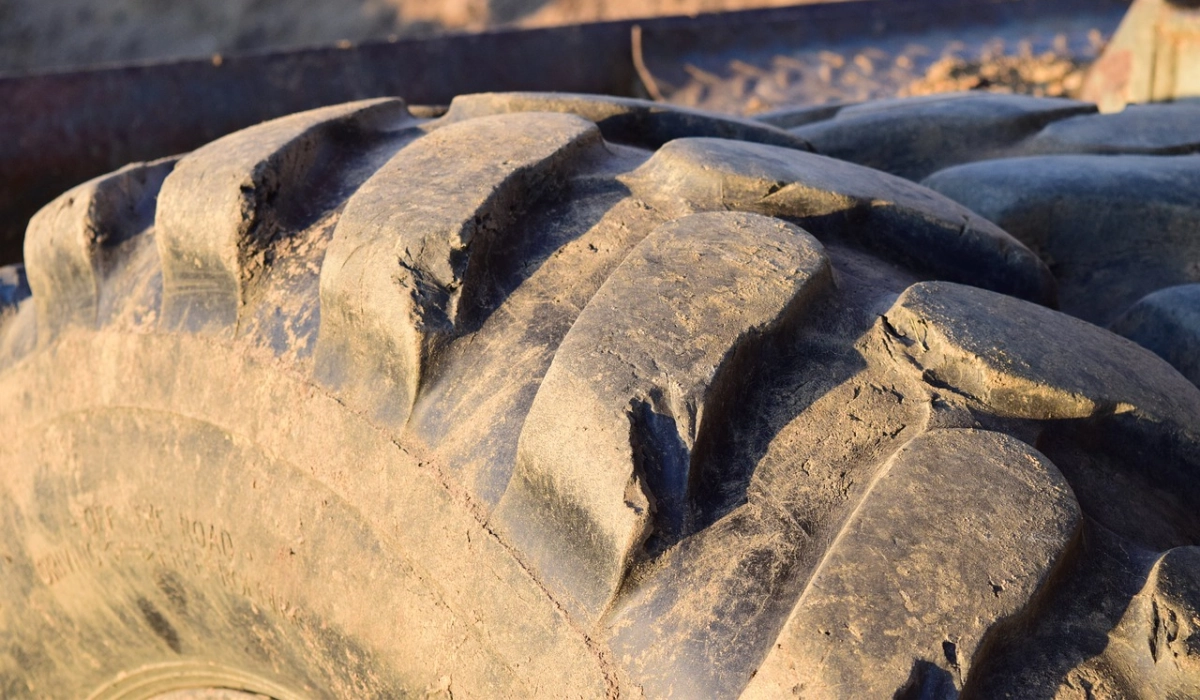
Your tires need to be replaced when the threads start wearing out
Get down and take a close look at each tire. Are the ridges and grooves intact or are they wearing out and becoming smoother or bald? What of bulges and cracks? Are there bits and pieces starting to chip off? If there are, these are all tell-tale signs that a tire needs replacing.
- Park in a Well-lit Area : Choose a location with sufficient lighting, preferably outdoors, to examine your tires properly.
- Check for Uneven Wear : Inspect the tread surface of each tire for signs of uneven wear patterns. Look for excessive wear on one side, the center, or specific areas of the tread. Uneven wear may indicate misalignment, improper tire inflation, or suspension issues.
- Examine Tread Depth : Measure the tire tread depth using a tread depth gauge or the popular “penny test.” Insert a penny into the tread groove with Lincoln’s head upside down. If the tread doesn’t reach the top of Lincoln’s head, it’s time to replace the tire.
- Look for Signs of Tread Wear Indicators : Modern tires have built-in tread wear indicators in the form of small raised bars between the tread grooves. If these bars become level with the tread surface, it signifies that the tire has reached its wear limit and should be replaced.
- Inspect for Cracks or Cuts : Carefully examine the sidewalls and tread areas for any visible cracks, cuts, bulges, or punctures. These can weaken the tire’s structure and increase the risk of tire failure.
- Check Valve Stems : Inspect the valve stems for signs of damage or leakage. Ensure they have secure caps to protect against dust and debris.
- Look for Embedded Objects : Scan the tire surfaces for any foreign objects like nails, screws, or stones lodged in the tread. These can lead to punctures or slow leaks.
- Repeat all the Above for All Tires : Perform the same inspection process for each tire on your vehicle, as tire conditions may vary.
Check for the date of manufacture
The date of manufacture of your tires matter, because they begin to deteriorate after a certain number of years, even if you use them sparingly. A tire’s integrity, and consequently your safety, is at risk after six years from the date of manufacture. This is why it is important to check the date of manufacture of tires at the point of purchase. For example, if a tire is five years old already at the time of purchase, though you are buying it brand new, it has only one more year of operational integrity.
To check the date of manufacture of tires, have a close look at the imprints on the sidewall of the tire and follow these steps:
- Locate the DOT Code : Look for a series of alphanumeric characters on the sidewall of the tire. The DOT code is typically placed towards the edge of the sidewall, near the wheel rim. The DOT code provides information about the tire’s production date.
- Identify the DOT Symbol : The DOT code usually starts with the letters “DOT” followed by a series of numbers and letters.
- Read the Last Four Digits : The last four digits of the DOT code represent the tire’s manufacturing date. The first two digits indicate the week of production (ranging from 01 to 52), and the last two digits represent the year of production. For example, if the last four digits are “0204,” as seen in the image below, it means the tire was manufactured in the 2nd week of 2004. Important : Note that some tire manufacturers do not include a preceding DOT before the string of codes; in such cases you will find the four digits indicating date of manufacture circled in an oval shape.
- Determine the Age of the Tire : Calculate the age of the tire based on the manufacturing date. Subtract the production year from the current year to determine the tire’s age. Keep in mind that tire age is counted from the week it was manufactured.
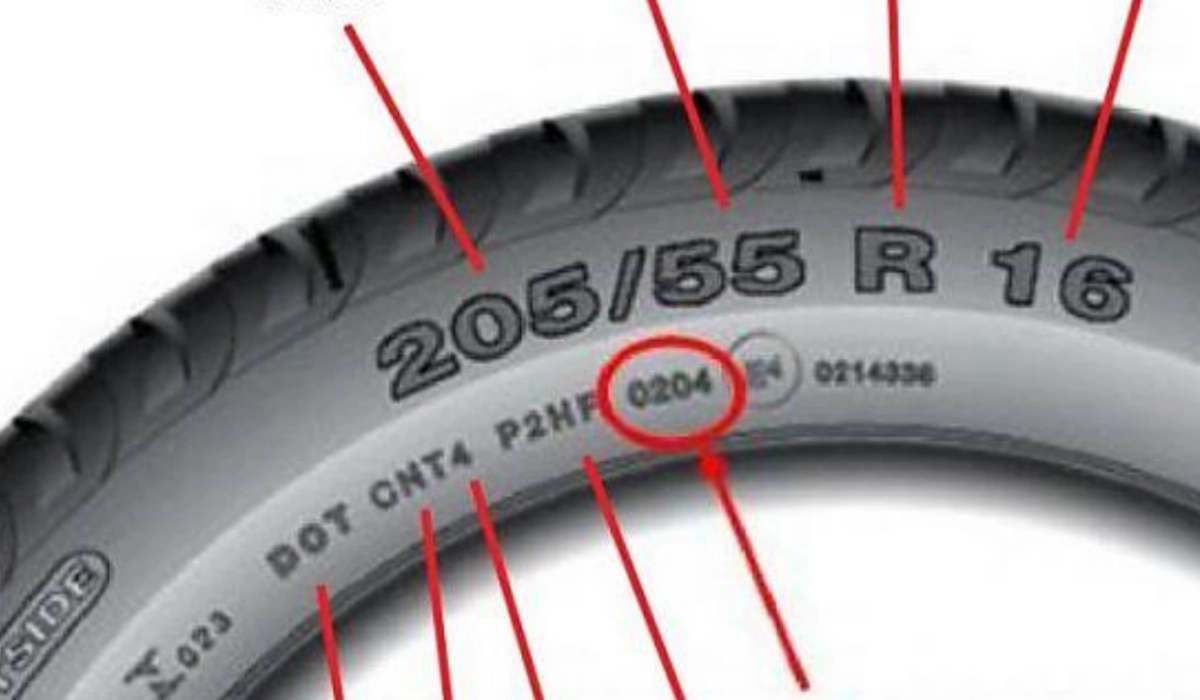
The year of manufacture is circled in this image.
What kind of usage are your tires subjected to?
If you drive longer distances and more often, your tires will wear out faster than the person who works from home and only drives out twice a week. If you drive over uneven surfaces, bad roads, and rough terrain, your tires will wear out faster than if you drive on only smooth roads. Bear all these in mind in thinking of when to change your tires. To put it simpler, more intense use means your tires need to be replaced more often. This is similar to an engine oil change: the more intense and often you drive a vehicle, the more often it will need an oil change.
If any of the above factors explained in this article apply to your tires, it is time to replace them. Do so as soon as possible to keep yourself and other road users safe. Happy motoring.
Author:Mister Mobility
Digital Skills and Communication Coach | Mobile Phone Connoisseur since 2001 | Tech Blogging since 2004
