Add MobilityArena as a preferred source on Google
SMARTY Mobile is a mobile virtual network operator which operates on Three’s network. It was founded on the 31st of August 2017 in Reading, England, UK. SMARTY Mobile’s customer service is strictly online, the company uses forums and live chat features to communicate with their customers. SMARTY also offers SIM-only deals for affordable prices. How good is SMARTY Mobile phone service? Here’s our round-up of different reviews that will help you decide for yourself.

- SMARTY Mobile Phone Service Reviews On Trustpilot
- SMARTY Mobile Phone Service Reviews On The Review.io Site
- SMARTY Mobile Phone Service Reviews: Last Words
SMARTY Mobile Phone Service Reviews On Trustpilot
Trustpilot was the first site I visited and the site had an overall star review rating of 4.1 stars out of 5 stars. There were a lot of good reviews on this site so let’s begin with that. A lot of the reviews were about the company’s affordable deals and prices. Even though the prices are cheap some customers mentioned that they get good value, service and coverage when using SMARTY Mobile phone service. Some customers expressed their happiness with SMARTY’s live chat feature and how easy it is to switch and manage accounts. Here are a few of the good reviews:
•Been a customer of smarty now for a few years and they have been excellent. Coverage on the 3 networks has been good but more importantly for me their prices and plans are excellent. They also have intuitive apps and easy to understand processes. They always notify me when anything changes such as data low or roaming etc, no surprises. Highly recommend them! I just hope they stay in their current direction.
•Really impressed with Smarty
I was paying £80 monthly with Vodophone and it was a complete waste of money
I now pay £8 a month and have access to everything I need
Have recommended it to family and friends.
•Really easy to switch, great prices & very easy to manage account. My previous plan with Three meant any MMS messages were extra, and if sending just a few longer messages/ messages with emojis/ photos, it could easily add £10 extra a month to my bill. With SMARTY all MMS are included, in what’s already a very reasonable monthly plan. Loving them so far!
Now, on to the bad reviews, a good amount of the bad reviews spoke about the company live chat feature. A lot of customers were not happy with this feature because they couldn’t properly communicate their problems and because of that they couldn’t get solutions to their problems. Customers also complained about some locations not having a good signal or connection. Here are some of the bad reviews:
I’ve also found at various locations the data signal can be very poor, and often cut out completely for an extended period even if I have 2 or 3 bars on 4G.
Unfortunately I’ll be looking to leave Smarty.
•I’m slightly disappointed with the 4G connection, my phone regularly changes to 3G and I have to toggle to airplane mode and back to recover 4G. This has persisted over several SIM card changes and at present I’m tolerating the situation.
4G connection is slower than the previous provider.
Data allowance is very competitive.
I will be researching a new provider in the near future.
———————-
27/10/22
In reply to SMARTY, this is a continuous occurrence and not related to an outage. I have tried all suggestions numerous times with no lasting effect. Again the responsibility is on myself to contact SMARTY to attempt to resolve.
•No matter where I am, even at home most of the time it says I have no network so I can’t make a phone call , also dont get alot internet working most of the time . I’ve looked for help on your chat things but nothing answers my queries . As soon as I can I am leaving and going with someone else. I’ve given it ago but this keeps happening . Why does it say no network ???Not happy at all .
(Source)
SMARTY Mobile Phone Service Reviews On The Review.io Site
The Review.io had an overall star review rating of 2.0 stars out of 5 stars. There were very few good reviews on this site so here are some of the good reviews I found. A few customers praised the company’s great signal and good deals. Some customers also spoke about the good value for money and good connection. Here are a few of the good reviews I found:
•Transferred to smarty no problems using pac code.
Great signal & data speeds.
No contracts.
Excellent value for money as it’s 60GB for £10.
Includes 4g calling, Wi-Fi calling and 5G no extra charge.
Good customer service.
Use for a free month. (Put spaces together)
https : // i.smarty.co.uk / 1BEmBtx.
•https://i.smarty.co.uk/xktSUd you get a massive 60g of data for only 10 a month.
•Incredible value for money with very easy-to-use account admin tools. My reception and 4G connection has been brilliant. I simply cannot fault them.
A lot of customers complained about the live chat customer service feature and how communication is not clear so it’s difficult to get their issues solved. There were also a good amount of complaints about poor connection and coverage. Here are some of the bad reviews:
•Really bad company. Fed up really. Ordered a sim, and got literally no connection on my phone from day 1, no internet, couldn’t send texts or make phone calls as I was kept being told “I’m not connected to any service!”..
Spoke to the company via chat,extremely unhelpful. They told me to get a replacement sim hich came much later than expected. I asked them in the meantime what do I do without a phone, they said I could order a new sim, use that until free replacement sim comes then I’ll get refund for buying new sim..however this did not make sense as delivery times were the same..both new and replacement sim would have reached much later..lucky I had a tablet sim with Vodafone so could use that whilst sorting out rubbish Smartys sim company.. not happy at all. I’ve wasted so much time, just sitting there waiting for the internet to load…..aaarghhhh.
•Poor service, I may as well be speaking with their bot he/she would make more sense. I simply wanted to add an additional line to my current service, I had a PAC code etc. So much headache and different stories from different agents on their chat, very unprofessional, felt like I was talking with someone from their bedroom. Not a professional set up at all. So much headache I gave up. I will take my new line somewhere else. PARAS CLEARLY DOES NOT KNOW WHAT HE IS DOING!!!!!!
•Absolutely terrible internet speeds, between 0.5 and 1.5 Mbps. I canceled after a week and in fairness they gave me a full refund and service till I swapped to a new provider.
(Source)
SMARTY Mobile Phone Service Reviews: Last Words
After reading through the numerous reviews, I would say I have mixed feelings about SMARTY, so I’ll leave it to you guys to decide if you want to use their services. After all, no company is perfect and it seems like SMARTY Mobile phone service has a lot of improvements to make.
- Don’t miss our mobile phone reviews .
- Follow our news on Google News .
- Join our WhatsApp Group , to be notified of the most important articles and deals,
- Follow us on Instagram , Facebook , Twitter , and YouTube .
Author:Dun
Dun enjoys reading and writing, and is always on her smartphone. She currently uses a Google Pixel 3.
Add MobilityArena as a preferred source on Google
Apple first introduced battery throttling in iOS 10.2.1, which was intended to slow down devices with deteriorating batteries. Users were displeased with the function, especially since Apple implemented it without informing iPhone owners that their handsets would be slowed down to conserve battery life.
The feature would automatically activate when battery wear was severe enough that a charge wouldn’t last a full day. Apple responded to complaints from iPhone owners by providing discounted battery replacements and by including a new capability in iOS 11.3: being able to turn off battery throttling.
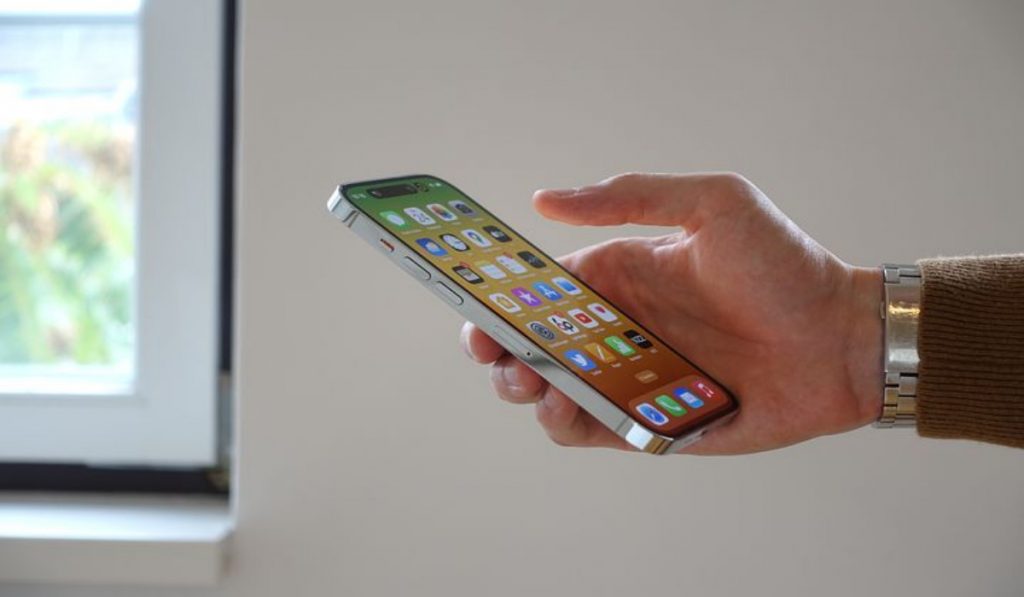
If you’d like to learn how to disable iPhone throttling, we’ve created this guide to help you. We’ll show you how throttling works, as well as helpful tips to help you successfully disable it on your device if you want.
What is iPhone Throttling and Why Did Apple Introduce It?
Throttling is a term used in the computer hardware industry to describe the deliberate pressing of an update onto a device, instructing it to not operate to its full potential.
The lifespan of the device will theoretically be extended, enabling it to operate at a usable level for a longer amount of time. This feature was formerly added by Apple to MacBooks to prevent overheating, however, iPhones can also be throttled to extend battery life.
While it’s annoying to find your iPhone suddenly using a small fraction of its power, Apple throttles its iPhones beyond a certain age for a good reason. With each charging cycle, the iPhone’s battery capacity decreases as it gradually loses its potential to deliver peak power. After a few hours of use, your iPhone may also abruptly shut off after the battery reaches a certain level.
Apple developed software to restrict the performance of the iPhone and lessen the demand placed on the battery. The battery’s lifespan and ability to hold a charge may be extended by the throttling, but performance will be noticeably diminished.
How Do I Disable iPhone Throttling?
You must be using iOS 11.3 or later to be able to see the option to turn off device throttling, and iOS 13 or later to benefit from optimal charging. Here’s how to make sure your iOS device is running the most recent upgrades.
- Launch the Settings app.
- Until you see General , swipe down on the Settings page. Click on it when you find it
- Select Software Update from the options under General .
- The Software Update page will either inform you that the most recent version of iOS is already installed on your device or it will ask you to do so. To bring your device up to date if you’re using a version older than 11.2, you might need to run more than one update.
After ensuring that your device is updated sufficiently, you’ll be able to disable throttling on your iPhone by following these steps:
- Tap the “Battery Health” button under the “Battery” tab.
- To find out if your battery supports typical peak performance or if performance management has been enabled, look under the “Peak Performance Capability” section. The iPhone throttling software is activated if it indicates that performance management is in use.
- If the iPhone throttle is turned on, you’ll see a toggle switch that you may move to the “Off” position to deactivate the throttle.
- To turn off performance management, toggle the switch to “Off.”
Should I Disable iPhone Throttling?
Turning off performance management makes sense if you value performance over longer battery life. Your battery’s life expectancy will be reduced as a result.
Depending on the model you have, changing the battery is another economical alternative to purchasing a new phone.
Battery replacement may also be more cost-effective than purchasing a new iPhone if you currently own a reasonably modern iPhone, such as the iPhone 8.
Use the Optimized Charging Feature to Bypass iPhone Throttling
In iOS 13 or later, you’ll see the Optimized Battery Charging option below Peak Performance . With the help of this feature, your phone may learn how often you charge it and slow down the process so the battery doesn’t overcharge and lose all of its capacity. If you plug in your iPhone to charge it overnight, the initial charge will go much more slowly, and the charge should be finished by the time you unplug your phone in the morning.
Optimized Battery Charging should have a toggle next to it that, when turned on, activates the feature. It’s a good idea to do this because anything that preserves your battery and lessens the likelihood of throttling is beneficial.
Summarily , although Apple has a good reason for introducing throttling in iPhone devices, not all users are comfortable with the limit on device performance. If you’re one of such users, follow the instructions in this guide to disable throttling successfully.
We’d also encourage you to recommend this guide to other iPhone users so they can also benefit from it.
