Add MobilityArena as a preferred source on Google
Even though I know there are other options, Safari is my preferred iPhone browser. I’m sure you can relate to this if you’re familiar with Safari’s capacity for speed and efficiency. But sometimes, it feels like Safari gets slow, and since that’s rather inconvenient, some users may opt to download another third-party browser.
However, you can speed up Safari on your iPhone rather than dumping it for a new browser. I’ll show you how to do it in this article. So get ready to try any of these techniques, and your Safari browser should be up and running in no time.
How Can You Speed Up Safari on Your iPhone?
If, as you’re reading this guide, your Safari webpages are taking forever to load, try these troubleshooting procedures to speed up Safari on your iPhone device.
First, it’s a good idea to check your connection speed before blaming Safari. By doing so, you can be certain that Safari is the source of the problem and rule out anything else before proceeding.
If you’re connected to Wi-Fi, launch another computer or smartphone device on the same Wi-Fi network. Afterward, visit Speedtest’s site to check your internet speed. This is not something you should attempt on an iPhone, as problems with Safari may cause your connection to lag and result in a false negative. If your internet connection is fast, you’ll be sure that Safari is the problem, so it’s time for you to fix it.
Close All Safari Tabs
Usually, Safari can handle a lot of bandwidth and maintain multiple open tabs. Some websites, however, consume Safari data. You can confirm if one of the open websites is using too much data by closing all of the currently open tabs. This should help speed up Safari on your iPhone.
Open Safari and hold the Tab button in the bottom right-hand corner to close all tabs. You will be prompted to Close all open tabs . When this appears, select “ Close All Tabs . ” Then try Safari once more.
Clear Your Browsing History and Data
If closing the tabs didn’t speed up Safari on your iPhone, you can reset Safari and clear the cache to make it run faster. To clear Safari’s history and data, go to Settings > Safari > Clear History and Data .
Restart Safari after doing this to check if it is loading pages quickly enough. If it gets faster for a short period of time before slowing down again, move on to the next tip.
Check the iPhone’s Storage
If the storage on your iPhone is nearly full, it won’t be able to store much more data. Safari, like most apps, stores app data in device storage. And a lack of storage implies that Safari will not have enough memory to function.
In this regard, some users have noticed that Safari became faster after clearing their browsing history and data. But some users could use so much storage that even after clearing the cache, Safari might not still speed up.
Fortunately, determining whether or not this is a problem is simple. Simply go to Settings > General > Storage to discover how much space your iPhone has used up. If it’s nearly full, you may have to delete some large files to speed up Safari on your iPhone. Otherwise, if you don’t want to lose important data, consider signing up for a paid iCloud plan.
Update iOS on Your iPhone
Safari is an essential app, and all updates, fixes, and enhancements are handled directly through iOS software upgrades. It’s always recommended to use the most recent iOS version, so this may help speed up Safari on your iPhone.
To update iOS on your device, launch the Settings app and select General . Then press Software Update , and if there are any pending updates, tap Download and Install .
Reset Network Settings
If nothing else works to speed up Safari on your iPhone, you can reset the phone’s network settings. This will reset any network-related connections on your iPhone, possibly speeding up Safari in the process. In order to do this, navigate to Settings > General > Transfer or Reset iPhone > Reset > Reset Network Settings .
After that, you’ll need to reconfigure your network connections. This requires you to re-enter your Wi-Fi passwords. However, it can fix a lot of bugs, so it’s worth a try if everything else fails. As a final option, you can reset your iPhone to factory settings.
Ultimately , when Safari is slow or lagging, switching to a third-party browser may seem appealing. But this just means that you’ll miss out on Safari’s flawless experience.
As such, it’s worth your time to try to speed up Safari on your iPhone, and I hope the suggestions above help you do this successfully. If, in the end, you are still dissatisfied with Safari, you can try some other reliable iOS browsers.
Author:Joan Agie
Add MobilityArena as a preferred source on Google
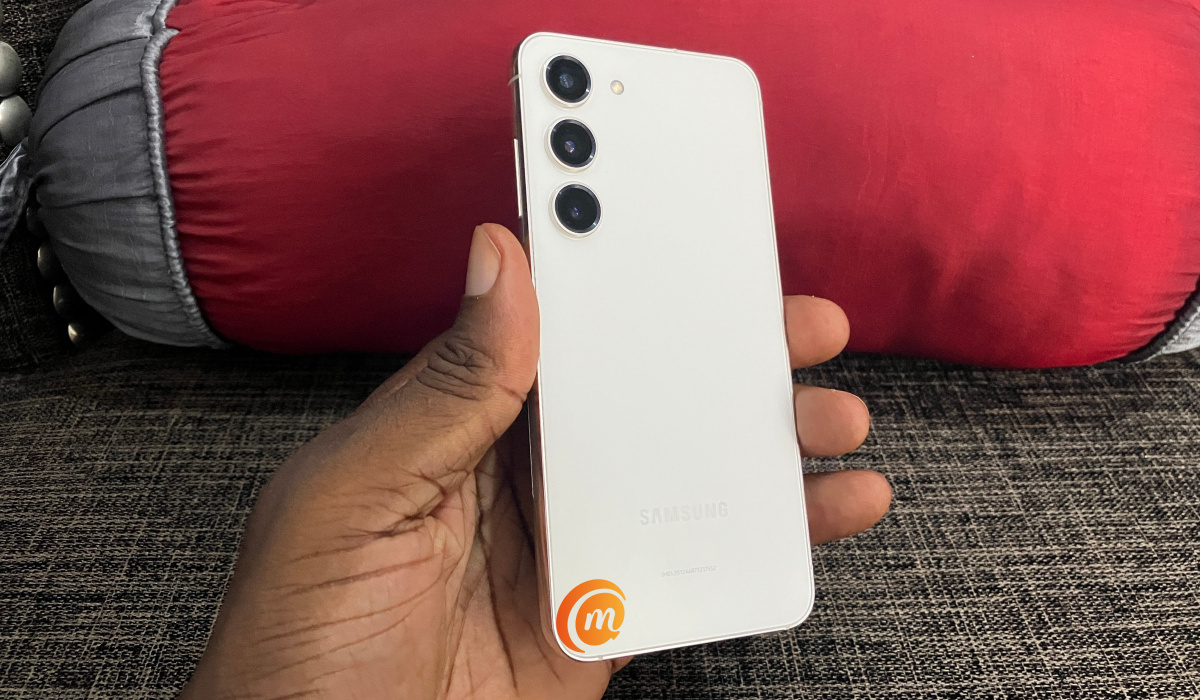
I have been using Samsung S23 for about a week now. I have found it to be a capable flagship smartphone. While my full review is not ready yet, I would like to answer some of the important questions that i have been asked about this compact premium flagship. If you have any questions that I do not answer in this article, feel free to ask using the Comment form below.
- When did the S23 come out?
- Is the Galaxy S23 waterproof?
- Does Samsung S23 have fast charging?
- How much RAM does the S23 have?
- How long does the S23 battery last?
- Does the S23 have a pen?
- What is the difference between Samsung S23 and S23 Ultra?
- Does the S23 have an SD card slot?
- What is the lowest price of Samsung S23?
- Is Samsung S23 better than iPhone 14?
- Is Samsung S23 worth buying? My verdict
When did the S23 come out?
Samsung S23 was announced and released in February 2023.
Is the Galaxy S23 waterproof?
Yes, it is waterproof. The Galaxy S23 has an official ingress rating of IP68. That means it is dust proof and it will survive dunks in up to 1.5 meters of water for 30 minutes. That is enough time for you to get it out.
Does Samsung S23 have fast charging?
Yes, the S23 has 25W fast charging . Personally, I think Samsung is shitty for not doing better than that. Premium flagships from competitors around the world now have 80W to 150W fast charging. Why is Samsung including creepy-crawly 25W fast charging in a phone of this class?
How much RAM does the S23 have?
Samsung S23 has only 8GB of RAM. There are no variants with more or less RAM, though it has three different storage options – 128GB, 256GB, and 512GB. All three variants have 8GB RAM.
How long does the S23 battery last?
Now, this is a subjective question, because battery life depends on how heavy each person uses their phone. I use mine heavily – I am on my phone often (except for when driving, in a meeting, or sleeping). The Galaxy S23 has not died on me once before the end of my day. Last Saturday, I was out all day at an event and the battery didn’t even come close to dying. I suspect that I can squeeze a day and half, or maybe two, of use out of it, if I try.
Does the S23 have a pen?
Not at all. Samsung Galaxy S23 does not have a pen (stylus). If you want a Samsung with a pen, you should be looking at Samsung S23 Ultra .
What is the difference between Samsung S23 and S23 Ultra?
The S23 Ultra is bigger, has bigger battery capacity, faster charging, has the option of more RAM (12GB), has a superior camera configuration, and supports the S Pen stylus. Of course, the S23 Ultra also costs more. Much more. You can see a more detailed comparison in our Galaxy S23 vs S23 Plus vs S23 Ultra comparison.
Does the S23 have an SD card slot?
Not at all, Samsung S23 does not have any physical expandable memory. You cannot put a memory card in it. All the memory you get to store your files, images, and videos is the one built into it – 128Gb, 256GB, or 512GB.
What is the lowest price of Samsung S23?
Is Samsung S23 better than iPhone 14?
The iPhone 14 and Samsung S23 are evenly matched in more ways than one. Build wise, they are both top premium smartphones. They also have the same screen sizes and share similar dimensions. There are a few ways in which the S23 is better than the iPhone 14. They include performance – raw benchmark tests show the S23 posting much better numbers than the iPhone 134, fast charging – it gets to a full charge faster than the iPhone 14 does, and battery life – the battery lasts longer than the iPhone 14’s.
Is Samsung S23 worth buying? My verdict
having used the phone for a while, I am convinced that it is worth buying, but only if you do not already own the Galaxy S22. Why? The S23 is not much of an upgrade from the S22. But if you do not already own the S22 and you want a compact, value-for-money premium flagship in 2023, Samsung Galaxy S23 is absolutely worth buying. You should check out our Samsung Galaxy S23 Unboxing and First Impressions . My detailed review is on the way!
Author:Mister Mobility
Digital Skills and Communication Coach | Mobile Phone Connoisseur since 2001 | Tech Blogging since 2004
