Add MobilityArena as a preferred source on Google
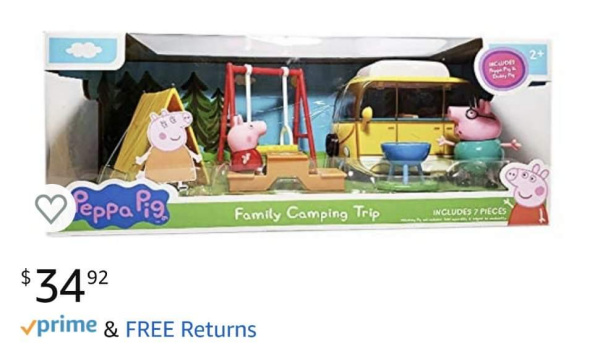
Saheed’s Amazon order
She’s always saying, “Alexa play Daddy pig song”. And Alexa would play it and she would jump on the bed. I found another order for glasses and yes, that was also shipped. So it finally hit me: my 3yr old daughter just ordered these.
Emergency Lockdown Procedure Activated
The first thing I did was disconnect my card from Alexa. I went through the voice commands and found her tiny voice all over the place. Over 200 commands.
“Alexa, play gummy bear”.
“Alexa, play Daddy pig song”,
“Alexa, play Baby shark”.
“Alexa, play Enya only time” Enya’s only time is my wife’s song for an afternoon nap with her and her brother.
I found, “Alexa, play Bach”, which is my own song for night time.
Then I found the voice command for the glasses and Peppa pig. Alexa must have assumed she said, “Pay Peppa Pig set” or something close. Alexa’s default question is for you to confirm and my daughter’s default answer is always YES. Well, the order just arrived. I will allow her to have it. $34 won’t break the bank. She’s earned it. I will return the other order.
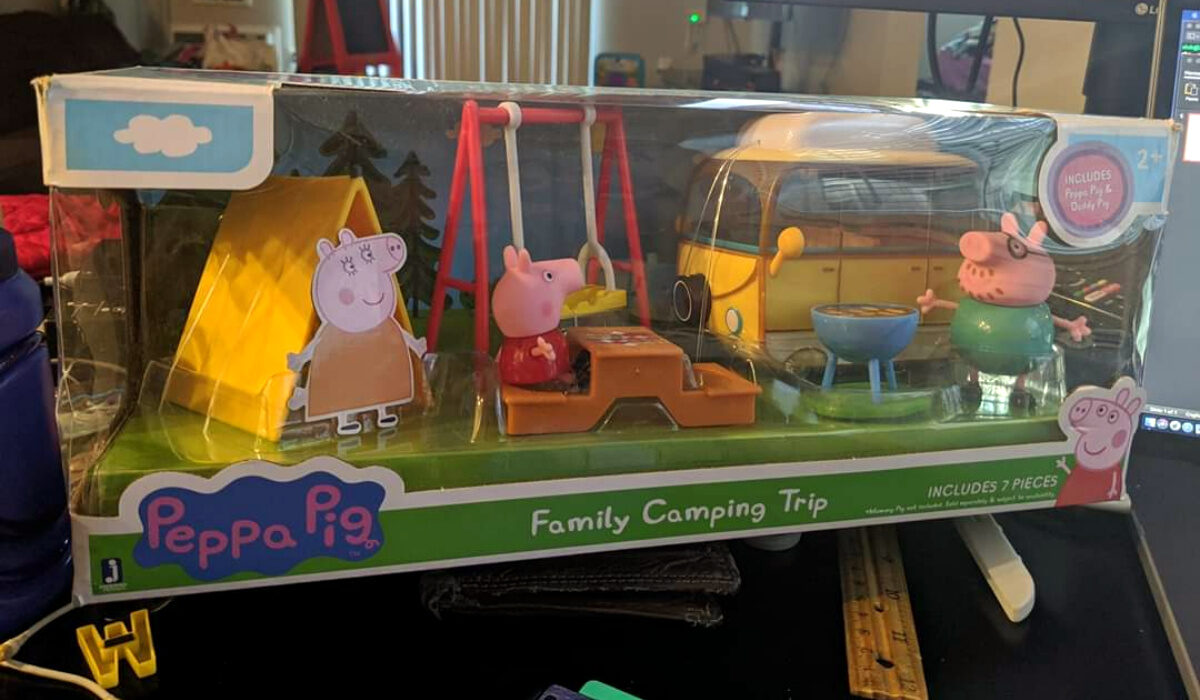
Saheed’s Amazon order arrived
The second package has landed. Sunshades. I will return that package.
End of story .
I am so happy for Saheed that his bill came to only $34. I mean, what if she had ordered a Tesla? That would have been proper gbese! Interesting that this mild drama happened because of the small difference between the pronunciation of the words “play” and “pay” by a child.
I would also argue that voice asistants need to become more intelligent. The technology is superb; it just needs refinement. I’d expect that Alexa should initiate a shopping order if only it hears the word “Order”, “Buy”, or the phrase “Pay for” (which is different from just “Pay”). That is the level of refinement it needs.
Meanwhile, Saheed told me that he has never ordered anything via Alexa, His daughter is officially the first person to do so in the house. Not bad at all. The little girl has blazed a new trail for the oldies in the house.
Any Lessons?
If you have Alexa or any other voice asistant active at home or on your devices and a child who uses it, you need to enable extra security on it to prevent unauthorised orders. This sort of thing can happen with Google Assistant too, as it is tied to app and music purchases in the Play Store. For example, you can set it to require authentication (including Biometric) for purchases.
Secure your account today and escape the tyranny of toddlers. Even if you do not have toddlers with access to your account, it is still a good idea to have an extra layer of security enabled for payments. That way, you can reduce the chances of anyone making unauthorized purchases on your card.
You can read the interesting story HERE on Facebook.
Author:Mister Mobility
Digital Skills and Communication Coach | Mobile Phone Connoisseur since 2001 | Tech Blogging since 2004
Add MobilityArena as a preferred source on Google
Teaching and learning online is gaining traction as more people are foced to sit at home because of COVID-19 lockdowns. I have compiled a list of some of the best online education platforms in use by schools and trainers.
You may wonder why you need to bother about this when simple tools like WhatsApp and Zoom are available. It is true that some level of teaching can be done via these popular tools, but they are not designed for a structured teaching and learning environment where classes can hold, assignments give to students, submitted, marked and returned by the teacher/tutor/trainer.

The best online education platforms are those that provide these comprehensive features that allow for structured teaching. Of course, they also have to be available via mobile app, as well as Web/Desktop.
The best online education platforms
Without further ado, let’s have a look at the platforms and apps that meet these criteria.
Edmodo
This is a platform built specifically with classroom work in mind. If you run a school or training service and want to move all or some of your teaching and learning online, this is one of the finest available. The school can be setup, with separate classrooms. Teachers and students are assigned to each class for lectures.
Teachers and tutors can record and upload videos and audio files, as well as images and text. Pretty any form of documents can be uploaded as well, including Word, Excel, and Powerpoint files. Edmodo is perfect for schools and training organisations that want to start online teaching quickly are not ready to dedicate resources to a self-hosted service.
One of our partners, a school in Lagos, has already adopted Edmodo and are putting it to good use for online teaching and learning. Edmodo is available via both mobile app and a web interface. The basic service is free, and you can get more comprehensive access by taking on the paid version.
Visit the Edmodo website HERE .
Google Classroom
As a trainer, this is my preferred online teaching and learning platform. I have used it for years now in conducting writing courses and digital media training. It offers all of the structured teaching features and like Edmodo, Google Classroom lets the teacher upload files, as well as give and grade assignments. It was developed with schools in mind.
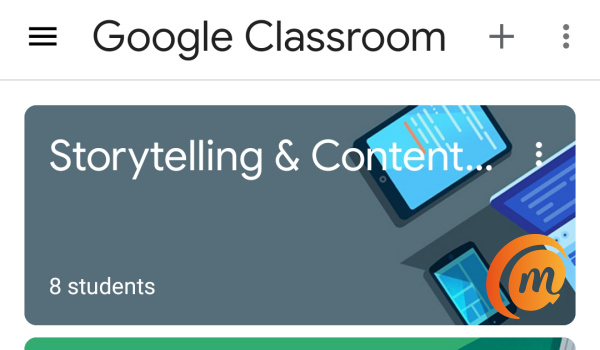
Like all Google products, it requires a Google account though, which may be a turn-off for some users. It is also available via Web and mobile app. Google Classroom is 100% free.
If you are looking for a quick and easy way to provide online learning, Google Classroom is a good one too.
The Google Classroom website is available HERE .
Moodle
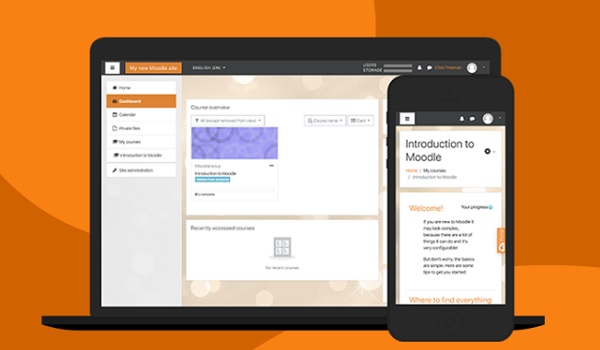
Moodle is the world’s most popular and one of the best online education platforms
This makes Moodle great for large schools and organisations that want full control and branding of their own system. You can visit the Moodle website HERE .
Skooler
Skooler offers a flexible digital workflow, planning, assessment practice tools and easy school-home communication, all in one package by turning Office 365 into an online education platform. It offers attendance tools, assignment and grading, as well as tools for tests, among others.
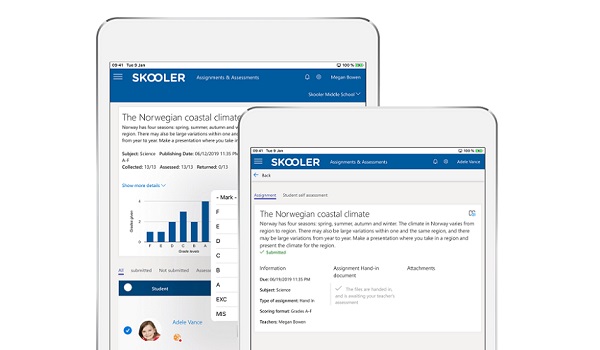
By default, there is a 30-day free trial period, after which there is a fee for continued usage. But because of the Covid-19 outbreak, Skooler has made its remote learning tools for free for a while. Skooler is available via Web/Desktop, Android tablet and iPad, as well as mobile app (Android and iPhone).
You can visit the Skooler website HERE .
There are quite a number of online learning platforms and apps out there that you can explore, but every one of the above-listed are the best online education platforms you can deploy for use by students and teachers of your school or training organisation.
If your organisation needs help setting up and training staff to use these tools, do contact me at yomiadegboye (AT) gmail (AT) com for my services. I offer remote consultancy and training to organisations globally.
Follow MobilityArena on social media!
Author:Mister Mobility
Digital Skills and Communication Coach | Mobile Phone Connoisseur since 2001 | Tech Blogging since 2004
