Add MobilityArena as a preferred source on Google
For years, iPhone users who wanted to switch to Android had it tough. While there were 3rd party apps that helped, the process was not seamless and easy. As a matter of fact, it often involved almost tearing of hair experiences.
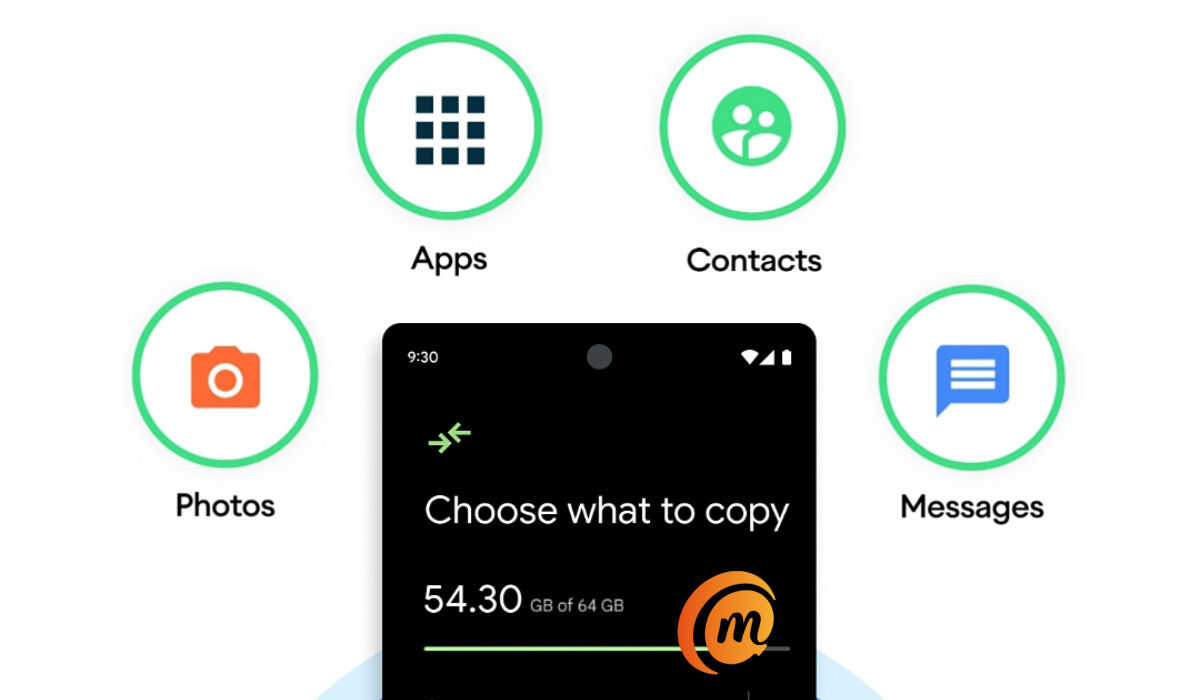
The good news is that it is now possible to make that switch to Android from an Apple iPhone in an easy and convenient manner, thanks to the Switch to Android app developed by no less than Google itself. Using the app, you can move everything on your iPhone over to an Android smartphone in a matter of minutes. Here are answers to some of the questions you have asked.
- Can I move everything on my iPhone to Android?
- Do I need a cable to copy my things from iPhone to Android?
- Can I transfer WhatsApp messages from iPhone to Android?
- Can I copy my iTunes music from iPhone to Android?
- Can I copy iCloud files to Android?
- Can I move my paid apps from iPhone to Android?
Can I move everything on my iPhone to Android?
Yes; using the Switch to Android app lets you copy messages, contacts, photos, videos, and apps from your iPhone to your new Android phone.
Do I need a cable to copy my things from iPhone to Android?
You can use a cable with the Switch to Android app, but where there is no cable, you can alternatively use Wi-Fi.
Can I transfer WhatsApp messages from iPhone to Android?
Moving your WhatsApp messages from iPhone to Android is easy with the Switch to Android app.
Can I copy my iTunes music from iPhone to Android?
You can copy or move only DRM-free, non-iTunes music, on your iPhone over to your new Android device.
Can I copy iCloud files to Android?
To move your iCloud backup, you need to manually download the files and then upload to Google One .
Can I move my paid apps from iPhone to Android?
The Switch to Android app automatically moves only free apps. To move paid apps, contact the developers to find out what they have available on Android, then download and install them.
Steps to Switch to Android and copy all data from an iPhone
The Switch to Android app is designed to help you move from iPhone to Android by automatically moving your messages, contacts, photos, videos, and apps. Here is how to go about it.
- Disable the iMessage app on your iPhone before removing your SIM card. This is important to make sure your text messages get sent to your new Android smartphone. Go to your iPhone Settings > Messages > Off
- Install the Switch to Android app: Download it from Google Play store and install it on your phone.
- Launch the app and initiate the transfer. When asked, indicate whether you have a cable or not for the transfer process. Of you do not have a cable, you will be provided with the option to transfer your data over to your new Android using Wi-Fi connection. This is similar to how many device-to-device file sharing apps already work, so it isn’t unfamiliar territory.
- During the transfer process, the Switch to Android app will prompt you to move your WhatsApp data by scanning a QR code on your iPhone. This will launch WhatsApp and enable you to move all your messages, voice messages and media to your new Android.
- To move your iCloud, you will need to manually download it from Apple’s website and upload it to your Google One account.
- To move your paid apps, you have to contact the developer to see if they have an Android version. Find those apps in the Play Store, then download and install them on your Android phone.
Once completed, you will now have all your messages, photos, phone history, videos, and apps on your new Android smartphone and ready to go. You can now remove the SIM card from your iPhone, insert it in your Android phone and join the party.
Author:InfoDesk
Add MobilityArena as a preferred source on Google
Phone.com is an affordable VoIP virtual business phone system that delivers cloud-based voice, video, SMS, MMS, fax and more. The company focuses on the needs of small businesses and entrepreneurs and they offer a variety of innovative and customisable communications solutions Their prices start from as low as $12.99 per month. They promise there’s no contract or commitment and users are free to mix and match.
Phone.com user reviews on the official website
The official phone.com site was the first site I found reviews on, and they mostly consisted of good reviews. The site had an overall star rating review of 4.6 out of 5 stars. A lot of customers praised their friendly and professional customer service. Some customers wrote about the easy set up and reasonable prices of the company. Their great service and good communication were also praised. Here’s a review:
•When I first contacted Phone. com it was around 3am. The gentleman I spoke with was friendly, articulate and very upbeat. It was his voice and his attitude that made up my mind to choose phone.com.
Although there were a lot of good reviews, there were a few complaints from some customers. There some complaints about the app being glitchy and often freezes after sending texts. Some also said the app was not easy to use and calls were a little slow on the app. Here’s one:
•Excellent receptionist service. Highly pleased overall. Only rated a little less than ten because the phone app is not easy to use and seems like calls don’t get routed immediately.
(Source)
Phone.com reviews on Trustpilot website
On the Trustpilot website, only 28% of the reviews were good; the remainder were not so good. Let’s start with the good reviews, their reasonable fees and professional customer services were highly praised. Some customers also wrote about how their issues were quickly and professionally solved by customer service. Here’s a review:
•We run a global company and Phone.come has provided all of our VOIP service needs for over a decade. Their custom service and technology teams are responsive and easy to work with. High recommend!
Now, on to the bad reviews, a lot of customers were not happy with the company’s cancelation process. They complained about how sometimes email support won’t respond to their cancellation request and some said they were able to cancel their account but they still got billed. There were few complaints about the company’s call quality and customer service. Here’s one of the reviews:
(Source)
Last Words
After reading through a lot of reviews on different sites, I have to say that this is a tricky one. Phone.com has some work to do in improving some aspects of their company but keep in mind, no company is perfect.
- Don’t miss our reviews .
- Join our WhatsApp Group , to be notified of the most important articles and deals,
- Follow us on Instagram , Facebook , Twitter , and YouTube .
Author:Dun
Dun enjoys reading and writing, and is always on her smartphone. She currently uses a Google Pixel 3.
