Add MobilityArena as a preferred source on Google
Overheating issues in gaming phones is a major challenge faced by gamers. This issue can not only disrupt gameplay but also potentially damage the device over time. In this article, we’ll delve into the overheating problem in gaming phones available in the U.S. market and offer practical solutions to keep your device cool while you game. Overheating issues in gaming phones can occur for various reasons, including extended gaming sessions, high graphics settings, and even environmental factors like direct sunlight. When your device gets too hot, it may throttle performance to cool down, leading to lag and stuttering during critical moments in your game. This can be especially frustrating during competitive play where every second counts. Understanding how to manage your device’s temperature is essential for maintaining optimal performance and prolonging its lifespan. To combat overheating issues in gaming phones, there are several effective strategies you can implement. For instance, adjusting your graphics settings to lower levels can significantly reduce the strain on your phone’s CPU and GPU, allowing it to run cooler. Additionally, taking regular breaks during long gaming sessions gives your device a chance to cool down. Using a cooling fan or playing in a shaded area can also help mitigate heat buildup. By following these tips and being mindful of your device’s temperature, you can enhance your gaming experience while protecting your phone from potential damage caused by overheating. Let’s explore these solutions in detail and ensure that you get the most out of your gaming phone without the worry of excessive heat!
- Understanding the Overheating Issues in Gaming Phones
- The Risks of Overheating
- Practical Solutions to Prevent Overheating Optimize Game Settings Take Regular Breaks Close Background Applications Remove Phone Cases Avoid Direct Sunlight Use a Cooling Fan or Pad Check for Software Updates Limit Charging While Gaming
- Conclusion
Understanding the Overheating Issues in Gaming Phones
Gaming phones are equipped with powerful processors and graphics capabilities designed to deliver an immersive experience. However, this power comes at a cost — heat generation. When playing graphics-intensive games, the CPU and GPU work overtime, leading to increased temperatures. Factors contributing to overheating include:
- Extended Gaming Sessions: Prolonged use without breaks can cause devices to heat up.
- High Graphics Settings: Running games at maximum settings increases the load on hardware.
- Environmental Conditions: Playing in hot or direct sunlight exacerbates heat issues.
- Background Apps: Unused applications running in the background can consume resources and generate additional heat.
The Risks of Overheating
Overheating issues in gaming phones can lead to several problems, including:
- Performance Throttling: Devices may reduce performance to cool down, leading to lag and stuttering.
- Battery Damage: Excessive heat can shorten battery lifespan and efficiency.
- Component Damage: Prolonged exposure to high temperatures may damage internal components.
Practical Solutions to Prevent Overheating
Fortunately, there are several effective strategies you can employ to solve the overheating issues in gaming phones while enjoying your favorite titles:
Optimize Game Settings
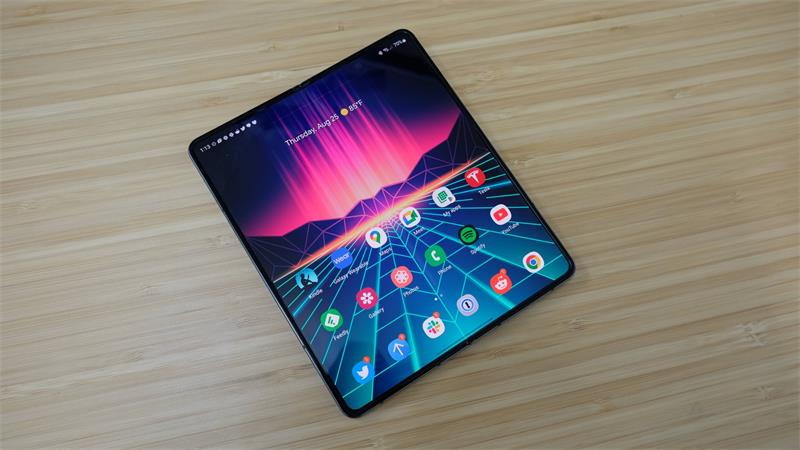
One of the simplest ways to reduce heat generation is by adjusting game settings. Lowering graphics quality and frame rates can significantly decrease the workload on your device. How to Do It: Access the game’s settings menu and reduce graphics settings or cap the frame rate at 30 FPS instead of 60 FPS.
Take Regular Breaks
Prolonged gaming sessions can lead to excessive heat buildup. Taking short breaks allows your device to cool down. Set a timer for every 30-45 minutes of gameplay to remind yourself to take a break for a few minutes.
Close Background Applications
Background apps consume resources that can contribute to overheating. Closing unnecessary applications helps free up processing power. On Android, swipe up from the bottom of the screen (or tap the recent apps button) and close any unused apps. On iOS, double-tap the home button and swipe up on apps you want to close.
Remove Phone Cases

While cases provide protection, they can also cause overheating issues in gaming phones. Removing your case during intense gaming sessions can help dissipate heat more effectively. Take off your case before starting a gaming session and put it back on afterward if needed.
Avoid Direct Sunlight
Playing in direct sunlight can significantly increase your phone’s temperature. Find a shaded area or play indoors whenever possible. If you’re outside, seek shade or play indoors where temperature control is easier.
Use a Cooling Fan or Pad
Investing in an external cooling fan or pad specifically designed for gaming phones can help keep temperatures down during intense sessions. Attach a portable fan or cooling pad while gaming for additional airflow around your device. This will drastically reduce overheating issues in gaming phones.
Check for Software Updates
Keeping your device’s software up-to-date ensures that you benefit from performance optimizations and bug fixes that can improve thermal management. Simply go to Settings > System > Software Update and check for any available updates.
Limit Charging While Gaming
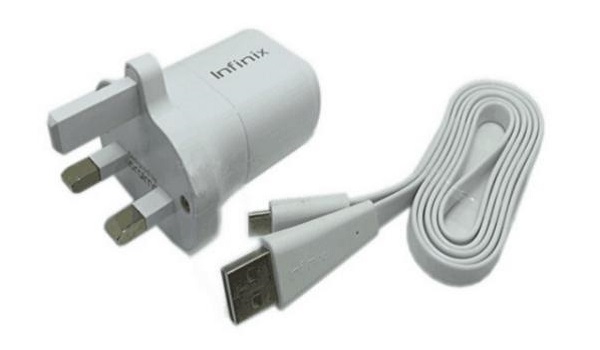
Charging your phone while gaming can generate extra heat. If possible, avoid playing while plugged in. Charge your device before or after gaming sessions rather than during them.
Conclusion
Overheating issues in gaming phones is a common challenge faced by gamers using high-performance devices, but it doesn’t have to ruin your experience. By implementing these practical solutions — such as optimizing game settings, taking breaks, closing background apps, removing cases, avoiding direct sunlight, using cooling accessories, checking for updates, and limiting charging — you can keep your gaming phone cool and performing at its best. With these tips in mind, you’ll be well-equipped to enjoy marathon gaming sessions without worrying about overheating issues. So gear up, dive into your favorite games, and let nothing hold you back from achieving victory!
Author:Ifeoluwa Adeleke
Add MobilityArena as a preferred source on Google
VR devices with high refresh rates are crucial for tech enthusiasts. As virtual reality continues to captivate gamers and tech enthusiasts alike, the demand for high-quality VR devices has surged. One of the most critical features that users look for in a VR headset is the refresh rate. VR devices with high refresh rates lead to smoother visuals, reducing motion blur and enhancing immersion. In this article, we’ll explore some of the best VR devices available in the U.S. market that offer impressive refresh rates, ensuring you can enjoy an unparalleled gaming experience. With advancements in technology, many headsets now boast refresh rates of 90Hz, 120Hz, or even higher, allowing for fluid motion and a more engaging experience. This is particularly important for fast-paced games where every detail matters. Additionally, as developers create more immersive content, the need for devices that can keep up with demanding graphics becomes essential. Whether you’re exploring vast virtual worlds or engaging in intense multiplayer battles, having a headset with a high refresh rate can significantly enhance your enjoyment and performance. Let’s dive into our top picks VR devices with high refresh rates and discover which VR devices stand out in overall performance!
- Why Refresh Rate Matters in VR
- List of VR Devices with High Refresh Rates HTC Vive Pro 2 Valve Index Meta Quest 3 Pimax Crystal HP Reverb G2
- Conclusion
Why Refresh Rate Matters in VR
Before diving into our top picks, let’s discuss why refresh rate is crucial in virtual reality. The refresh rate, measured in hertz (Hz), indicates how many times per second the display updates its image. In VR, a higher refresh rate means:
- Smoother Motion: Fast-paced games look and feel more fluid.
- Reduced Motion Sickness: A stable and high refresh rate can help minimize discomfort often associated with VR experiences.
- Enhanced Immersion: Crisp visuals make it easier to lose yourself in virtual worlds.
List of VR Devices with High Refresh Rates
HTC Vive Pro 2
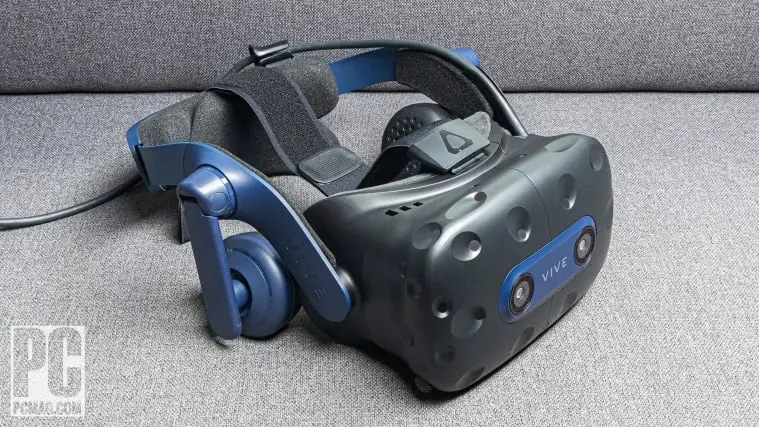
Kicking off our list of VR devices with high refresh rates is the HTC Vive Pro 2, a powerhouse designed for serious gamers and professionals alike. Priced around $799, this headset boasts a stunning 2448 x 2448 resolution per eye and a maximum refresh rate of 120Hz. Key features:
- Wide Field of View: 120 degrees for an immersive experience.
- High-Quality Audio: Built-in spatial audio enhances immersion.
- Comfortable Design: Adjustable straps and cushioning for extended use.
The Vive Pro 2 is ideal for users who demand top-tier performance and visuals, making it a favorite among VR enthusiasts.
Valve Index
Next up on the list of VR devices with high refresh rates is the Valve Index, known for its exceptional build quality and performance. Priced at approximately $999, it offers a resolution of 1440 x 1600 per eye with a refresh rate that can reach up to 144Hz. Key features:
- Excellent Tracking: Utilizes external base stations for precise tracking.
- Wide Field of View: Up to 130 degrees for an expansive view.
- Intuitive Controllers: Finger-tracking capabilities enhance gameplay interaction.
The Valve Index is perfect for gamers who want a comprehensive VR experience with high responsiveness and fluid motion.
Meta Quest 3

For those seeking a standalone option, the Meta Quest 3 is an excellent choice at around $499. It features a resolution of 2064 x 2208 per eye with a refresh rate of up to 120Hz. Key features:
- Cord-Free Design: Enjoy gaming without being tethered to a PC.
- Mixed Reality Capabilities: Enhanced interaction with real-world environments.
- Large Content Library: Access to numerous games and applications.
The Quest 3 combines convenience with performance, making it suitable for both casual users and dedicated gamers.
Pimax Crystal
If you’re looking for cutting-edge visuals, the Pimax Crystal is hard to beat on the list of VR devices with high refresh rates. Priced at around $1,599, it offers an impressive resolution of 2880 x 2880 per eye with adjustable refresh rates up to 120Hz. Key features:
- Massive Field of View: Up to 140 degrees for total immersion.
- Inside-Out Tracking: No external sensors required.
- Customizable Settings: Tailor your experience based on preferences.
The Pimax Crystal is designed for users who prioritize visual fidelity and want to experience VR like never before.
HP Reverb G2
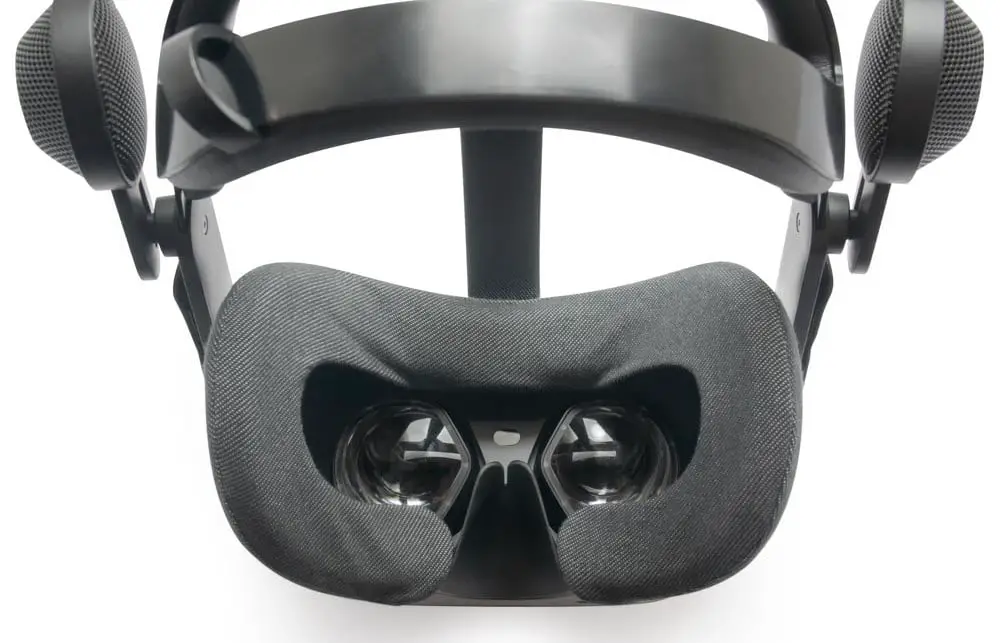
For those on a budget but still seeking quality, the HP Reverb G2 is an excellent choice on the list of VR devices with high refresh rates at approximately $599. It features a resolution of 2160 x 2160 per eye and a refresh rate of up to 90Hz. Key features:
- Comfortable Fit: Designed for long gaming sessions.
- Four Cameras for Tracking: Ensures accurate movement detection.
- Windows Mixed Reality Compatibility: Access to various applications and games.
The Reverb G2 offers great value without compromising on essential features, making it perfect for newcomers to VR.
Conclusion
As we explore the landscape of VR devices with high refresh rates, it’s clear that there are numerous options available that offer impressive refresh rates and exceptional performance. From the high-end HTC Vive Pro 2 to the budget-friendly HP Reverb G2, each device caters to different user needs while ensuring an immersive gaming experience. When selecting your next VR headset, consider what features matter most — be it resolution, comfort, or content availability. With these top picks in mind, you can confidently choose a device that enhances your virtual reality adventures and keeps you engaged in captivating worlds! So gear up, dive into your favorite games, and let nothing hold you back from exploring the limitless possibilities of virtual reality!
