Add MobilityArena as a preferred source on Google
| TCL L10 Pro Specs In Brief |
|---|
| OS: Android 10 Release Date: September 2021 Network Type: 2G/3G/4G Display: 6.22-inch Processor: UNISOC SC9863A Selfie Camera: 5 MP Rear camera: 13 MP RAM: 4 GB ROM: 128 GB Battery: 4000 mAh Related: |
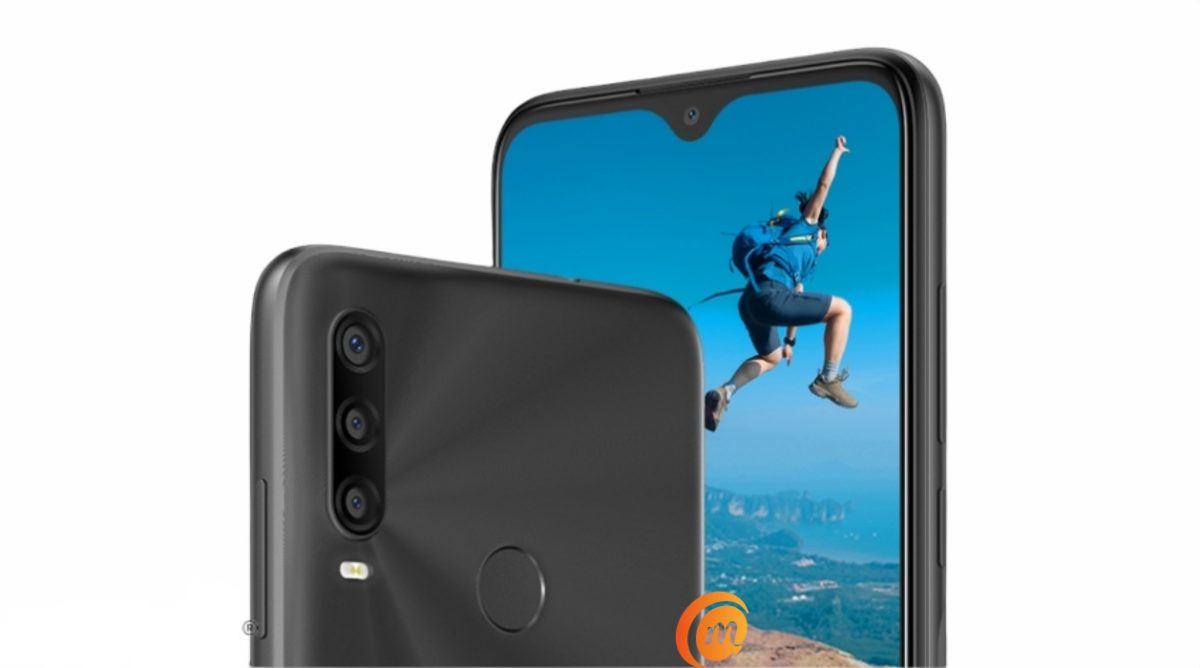
TCL L10 Pro Specs & Features
Mobile Wireless Network and Software
- 2G mobile network bands : GSM, GPRS, EDGE 850 / 900 / 1800 / 1900 MHz.
- 3G mobile network bands : UMTS, WCDMA, HSDPA 850 / 900 / 2100 MHz
- 4G mobile network bands : LTE.
- 5G mobile network bands : No.
- SIM Type : Nano-SIM, Dual SIM
- Software / OS : Android 10
Design, Form Factor, Appearance
- Dimensions : mm
- Weight : g
- Display : 6.22 inches, IPS LCD screen
- Colours : Black
- Physical Build : Plastic
Internal Hardware Specs
- Processor Type :
- Processor Name : UNISOC SC9863A
- Graphics Processor : ARM Mali-400 MP
- RAM : 4 GB
- Internal Storage : 128 GB
- External Storage : microSD, up to 128 GB (dedicated slot)
Photography, Video Recording
- Main Camera : 13 MP sensor + 5 MP ultra-wide lens + 2 MP depth sensor, auto-focus, dual LED flash, 1080p@30fps video recording
- Front Camera : 5 MP, fixed focus, Face Recognition, video capture
Audio, Video Playback
- Music Support : PCM, AAC / AAC + / eAAC + / MP3 / AMR – NB / WB / APE
- Audio : 3.5 mm audio jack
- Loudspeaker : Mono speaker
- Video Support : H.264/MP4/MPEG4 player
- FM Radio : Yes.
Phone Sensors
- Digital Compass : No.
- Accelerometer : Yes.
- Proximity Sensor : Yes.
- Ambient Light Sensor : Yes.
- Barometer : No.
- Pedometer : No.
- Heart Rate Monitor : No.
- Gyroscope (G-Sensor) : No.
- Fingerprint Scanner : Yes; rear-mounted.
- Face Unlock : Yes.
- Iris Scanner : No.
- Motion Sensing / Gesture Control : No.
- Voice Control : No.
- Intelligent Digital Assistant : Yes; Google Assistant.
- Infra-red Sensor : No.
Connectivity Options
- Bluetooth : v4.2, A2DP
- WiFi : Wi-Fi 802.11 b/g/n, hotspot
- GPS : Yes, A-GPS, GLONASS, BDS
- USB : microUSB v2.0.
- NFC : No.
Miscellaneous Specs and Features
- Battery Type and Capacity : Non-Removable Lithium-Polymer 4000 mAh
- Battery Charging : 5W standard charging
- Wireless Charging : No.
- Reverse Charging : No.
- Model Version/Number :
Launch/Release Dates and Information
- Announced : September 2021
- Release Date : September 2021
Prices by Country
- Price in Brazil : 1,299 BRL.
- Price in USD : $250
The above prices may change with time from country to country, as market forces and economic policies influence product price movements.
Does TCL L10 Pro have Google Play Store?
The L10 Pro supports Google Services and software applications, including Play Store and Maps, Gmail, YouTube, and others.
Will TCL L10 Pro work in the USA?
TCL L10 Pro is a GSM phone and is supported on US GSM telecom carriers like AT&T and T-Mobile and other networks riding on their networks. It does not support CDMA networks. Do make enquiries from your carrier to know what bands/frequencies are supported on their service.
MobilityArena Buyer’s Guide Verdict
Not available.
Our Buyer’s Guide Verdict is a recommendation based on the specs of the device and a general guide to help you understand how much value a device offers for its price. It is not an endorsement of the device. Ask questions and use your judgement when buying any device; MobilityArena takes no responsibility for your buying decisions .
Phone Review Rating
Not available.
Author:InfoDesk
Add MobilityArena as a preferred source on Google
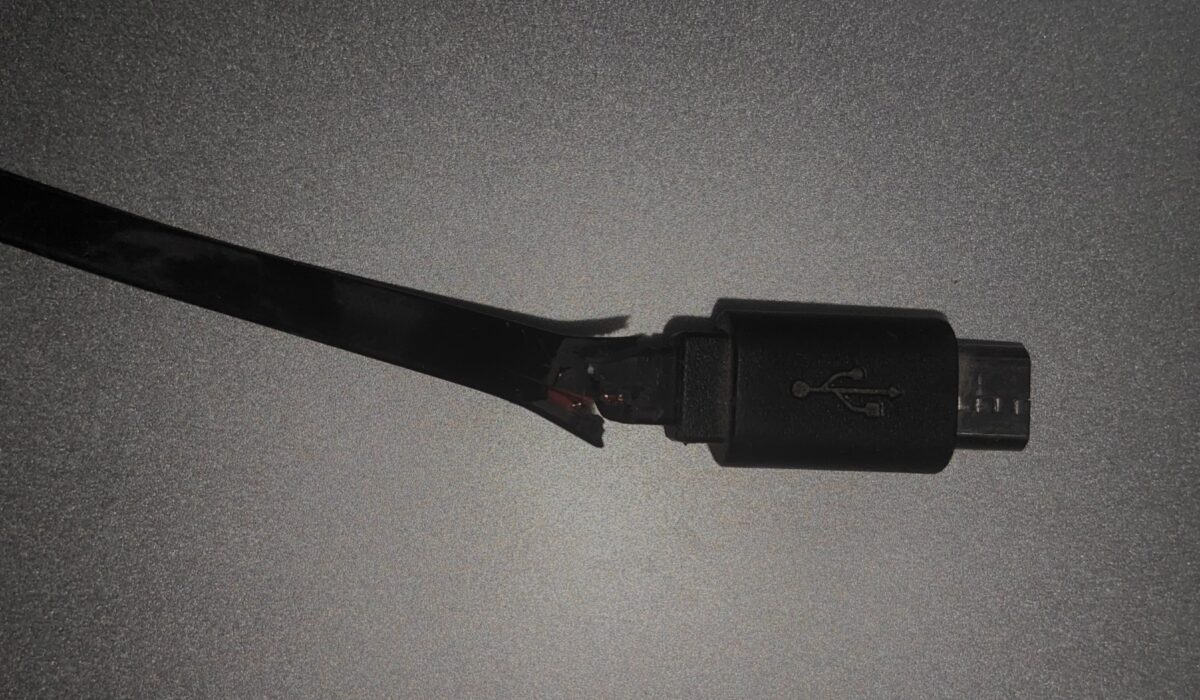
Let’s be honest: our charging cables are mistreated daily. After a long time of being twisted, pulled, and bent, they tend to fray and break. A broken charger cord is not only frustrating, but also dangerous.
If you’re an Android user, keep reading to find out why you should stop using your broken charger cord and how to fix it.
The Risks Of Using Broken Charger Cords
Device Damage
Broken cords prevent electricity from properly flowing, potentially causing power surges that damage the internal parts of your device. Fixing or replacing a defective cable is significantly less expensive than replacing a broken phone or tablet.
Electric Shock
Wires exposed as a result of a worn cable casing are unprotected and potentially dangerous. The charging cable’s casing is intended to shield you from the electric currents running through these wires. If you come into contact with one of these wires, you could potentially burn yourself or suffer from something even worse.
Electrical Fires
Power surges from a frayed or damaged charging cable might cause your gadget to overheat and catch fire. This poses a significant threat to your house, particularly if you leave your phone or tablet charging unattended. Electrical fires caused by broken charging cords are becoming more common and can cause severe damage.
Fatal Electrocution
It may sound dramatic, but a large enough surge of electricity can potentially result in deadly electrocution, especially in little children. By nature, toddlers and pets are curious and love exploring. If they come into contact with a broken charging cord, the consequences could be disastrous.
How To Fix A Damaged Android Charging Cable
If your cord is partly damaged but still working, you can fix it by trying these easy fixes.
Electrical Tape
Although electrical tape is not the most attractive or secure, it’s one of the easiest and most cost-effective solutions for a broken charger cord. To prevent breakage from causing further damage, simply wrap electrical tape around the affected spot of the cord, then work your way out from that area.
Shrink Tubes
Heat shrink is a more long-term method. Heat shrink tubes are available in a variety of diameters. When you’ve found a size that fits your broken cord, slip it over the broken part, then activate it with a heat gun or hair dryer on high heat. Because of the heat, the tube will shrink and adhere to the cord, blocking and protecting the damaged area.
Sugru
Sugru is a putty-like substance that you can mold into any shape, and once you let it sit and cure for approximately 24 hours, it becomes a very strong, rubber-like material. If you mold the Sugru over the broken part of a cable, it can help prevent any more damage to that area.
To use Sugru, mold it together with your fingers for about a minute. Roll it into a cylinder shape and then press it flat. Wrap your flat Sugru around the frayed part of your charger cord. Mold it into any shape that you like by pressing it repeatedly. Finally, smoothen the surface by gently rubbing it and let it sit for 12 to 24 hours.
Sugru also comes in a variety of colors, so you can have fun with color-coding all of your charger cords.
Hot Glue
Hot glue is also a simple and easy fix for your broken Android charger cord. First, clean up the cable and apply the glue to the damaged part. Then wrap a piece of baking paper around that glued part and mold it into any shape you want. The baking paper will save your fingers from touching the hot glue directly.
How To Prevent Broken Charger Cords
A broken charging cable is unavoidable at times, but there are a few things you can do to reduce the frequency and risks of breaking your charging cord.
Insert And Remove Cords The Right Way
Always insert and remove your charger cord by gripping the connector rather than the cord itself.
The inner wires can be damaged by extreme hot and cold temperatures. Therefore, when your device has been charged, disconnect the cord to avoid excessive heating of the wire.
Avoid Bending
Using your phone or tablet while it’s charging can cause your charging cord to bend and twist in ways it shouldn’t. Picking up and putting down your phone at different angles will put a lot of strain on your cord, too.
Avoid bending your charger cords in any way that is too harsh. This places a lot of strain on the outside protective sheathing, and with enough misuse, the sheathing will shred quite quickly.
Store Your Charger Cord Properly
Roll your cords carefully and neatly before storing them. They should not be stuffed into purses, pockets, or boxes. You’ll be able to keep Android cables in excellent shape for much longer if you learn how to store them correctly.
Secure And Protect Your Charger Cord
Create a DIY spring cable support by removing the spring from a retractable pen, stretching it out, and wrapping it around the cable to reinforce it towards one of its ends.
Replace Wisely
There are many higher-quality cables available that come with sturdy and strengthened sheathing, so they do not wear out or damage easily. Sure, they’re a little more expensive, but you’ll save money by not having to replace them every year or so like you would with conventional cables.
Still Need Help?
Should it be that you can’t fix it or these fixes don’t work for you, contact the manufacturer. If your charger cord is out of warranty or too expensive to fix, it is time to get a new one.
You are reading Mobility Arena .
- Don’t miss our reviews .
- Join our WhatsApp Group , to be notified of the most important articles and deals,
- Follow us on Instagram , Facebook , Twitter , and YouTube .
Author:Poppie
Poppie is a content writer and guest contributor on Mobility Arena.
