Add MobilityArena as a preferred source on Google
One of the most popular ways for singles to meet is through online and mobile dating. The majority of well-known dating sites are free, which makes it convenient, simple, and affordable for a variety of good reasons.
We’ve chosen our top online dating services from among the many that are offered. Here is a list of our best online dating apps and services, ranked according to their use, reputation, success rates, cost, and other attributes. Check them out.

Zoosk
Match
Since its debut in 1995, Match has become a well-known name in the dating world, and its app provides a similarly satisfying romantic experience. It has 3.2 stars out of 5 on iTunes and 4 stars out of 5 on Google Play. James Adkins, a satisfied user, described the app as “very versatile” and “easy to use.” You can use the app to view profiles, find matches, and flirt without having to provide any payment information.
Elite Singles
Eharmony
In spite of the fact that eharmony caters primarily to Christian-oriented, committed singles, you can still have fun while using it. Actually, the majority of the work you’ll have to do is complete the 29 Dimensions of Compatibility Questionnaire, after which you can relax and let the app take care of everything. If you’re unsure of how to start the conversation, you can also use eharmony Icebreakers, which is a fun image-based quiz.
ChristianMingle
OurTime
AfroIntroductions
For black and biracial people who are open to interracial dating, AfroIntroductions is a fantastic option. You should be able to register in a few minutes at most. The only information the app needs from you is some information about your personality, some photos, and your preferences regarding things like gender, sexual orientation, location, culture, background, ideology, race, and so on. AfroIntroductions is used by thousands of Black singles to focus their search for a hot date within the Black community.
- Tinder
Tinder revolutionized the dating industry with its GPS-based swipe and matchmaking process, and it is now responsible for billions of matches per day and millions of dates per week. The app has ratings of 4 stars and 3.9 stars on Google and iTunes, respectively, and is accessible in more than 190 countries.
The app has ratings of 4 stars and 3.9 stars on Google and iTunes, respectively, and is accessible in more than 190 countries. Consider this quote from Tinder: “The people we meet change our lives. Through the use of Tinder, users can establish new connections that were previously impossible.
- Bumble
Bumble was developed in order to enhance the experience women had with superficial dating apps- i.e., being bombarded with inappropriate messages and photos.
On this app, only female users can initiate conversation. Users have one day to send the initial message, and the recipient has one day to respond. The match disappears if that doesn’t take place. Bumble has 4.1 stars on the App Store and 3.5 stars on Google Play, proving how popular it is with singles.
- OkCupid
Since OkCupid has one of the most thorough matchmaking processes of any dating app, their matches frequently turn out to be perfect. You will provide the app with your answers to several questions about yourself and then specify how you would like potential partners and/or dates to respond to those questions.
In the end, you’ll assign a priority level to those responses (for example, very or somewhat). OkCupid has always been totally free, but if you’re interested, you can pay for some premium features like improving your profile’s visibility in search results.
- Don’t miss our mobile phone reviews .
- Follow our news on Google News .
- Join our WhatsApp Group , to be notified of the most important articles and deals,
- Follow us on Instagram , Facebook , Twitter , and YouTube .
Author:James moses
Add MobilityArena as a preferred source on Google
Everyone enjoys surfing the internet every now and then, so it’s always a good idea to optimize the browsing experience. Unfortunately, ads are one of those things that have the potential to ruin your smartphone browsing experience, and they often show up as random ads popping up on your phone.
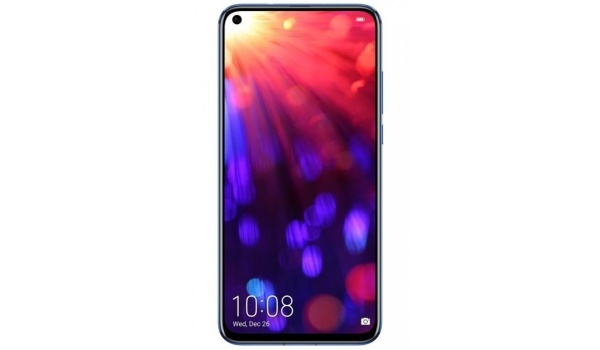
Thankfully, it’s possible to block or stop random ads popping up while browsing on Android smartphones. So, if you’re truly fed up with annoying intrusions and would like to optimize your browsing experience by blocking random pop-ups, pay close attention to the instructions and helpful tips in this guide.
How Can I Block Random Ads While Browsing on my Android?
Google seems just as fed up with intrusive ads as its users, so it has built its own ad blocker and integrated it into the Chrome browser for Android smartphones. Google’s ad-blocking functionality follows the guidelines included in the Coalition for Better Adverts, which is more of a compromise than conventional techniques that completely stop ads.
As such, you can expect that pop-up ads, huge banners, animated commercials, big sticky ads, and other forms of advertising are among the intrusive ads that Google’s ad blocker will prevent from disrupting your browsing experience.
Keep in mind, however, this capability isn’t available in Chrome for iOS since the iPhone uses WebKit, a component of Safari, as the foundation for all browsers. However, we’ll be happy to demonstrate how this ad-blocking function works below for Android smartphone users.
Turning on Google Chrome’s Ad-blocking Feature
First, you’ll want to turn off pop-up adverts, so choose “Pop-ups” and click the toggle to activate Chrome’s blocking feature on the following page. Ensure that the switch is turned off and gray in color. By using the back button on your device, return to “Site settings,” where the “Pop-ups” tab should read “Blocked.”
The next step is to prevent additional annoying advertising from showing, so click “Ads” in the “Site settings” menu and follow the same steps as described above for blocking pop-ups. When you return to “Site options,” it will now show “Blocked from some sites” directly under the “Ads” menu.
What Alternatives are Available for Blocking Intrusive, Random Ads Popping Up On Your Phone?
This extension is called Content blocker, and its integration is one of Samsung Internet’s strongest features. You’ll feel quite at home here if your computer has an ad blocker of any kind. Choose any or all of the suggested ad blockers Samsung provides for you to use, and then download them from the Play Store.
Return to the Extensions menu to open the Content blockers window after downloading the content blocker or blockers of your choice. Here, you can do as you wish; you can turn on up to five content blockers at once to optimize browsing on your Samsung device.
In summary , you don’t have to endure the intrusion of random ads popping up on your phone any longer, just optimize your browsing by blocking these ads. Follow the instructions we’ve provided for you in this guide and you should be able to get this done easily.
- Don’t miss our mobile phone reviews .
- Follow our news on Google News .
- Join our WhatsApp Group , to be notified of the most important articles and deals,
- Follow us on Instagram , Facebook , Twitter , and YouTube .
