Add MobilityArena as a preferred source on Google
Why would you be interested in the best budget camera phones? The best camera phones are found among premium flagships, for a clear reason: advanced camera technology is expensive. It costs a lot to develop a fantastic camera. And this is why almost no cheap smartphone in the history of mobile phones, has been known for great photography. Thankfully, that does not mean that good photography cannot be found at lower price ranges.
In this article, I list a number of best budget camera phones you can buy today. As we are looking at budget smartphones, the phones considered all cost between $300 and $500 US dollars. This is the price range in which you can still find some really good phone cameras outside of the category of premium flagship phones.
Which Are The Best Budget Camera Phones To Buy?
- Xiaomi 12 Lite
- Google Pixel 7a
- Apple iPhone SE (2022)
- OnePlus Nord 2 5G and OnePlus Nord 2T 5G
- Google Pixel 6a
- The Best Budget Camera Phone To Buy: Mister Mobility’s Choice
Xiaomi 12 Lite
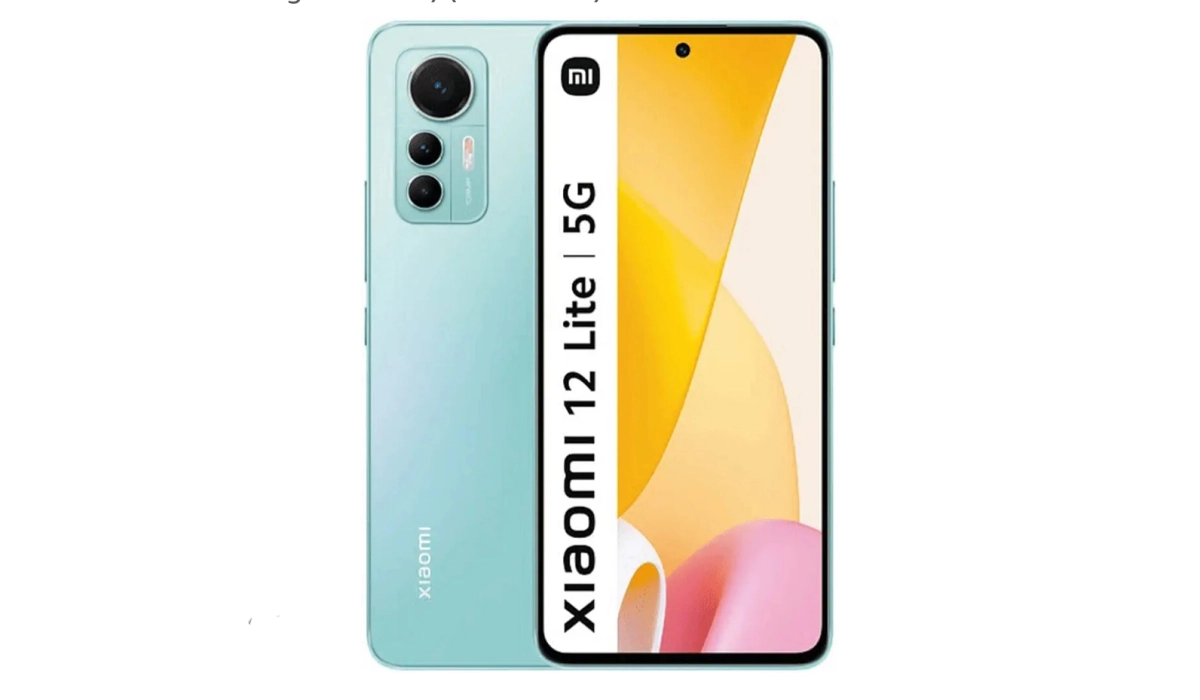
If you have wanted autofocus on a selfie camera, the Xiaomi 12 Lite has one. The shooter is a 32-megapixels affair as well, and produces solid quality selfies. At the back, the 108MP wide angle and 8MP ultrawide angle shooters produce great photo and video quality (up to 4k) as well.
If it is top notch photography you want at a quarter of the price of premium flagships, I doubt you can do better than the Xiaomi 12 Lite right now. This is still one of the very best budget camera phones that you can buy today .
Other features of the 12 Lite include a 6.55″ 120Hz AMOLED screen with Gorilla Glass 5, 5000mAh battery, and 67W fast charging. The phone is powered by the Qualcomm Snapdragon 778G chipset coupled with 8GB RAM. Storage options include 128GB and 256GB.
How much does it cost? Xiaomi 12 Lite is available from $340 in the United States, C$408 in Canada, and €287 in Germany and other European Union markets.
Google Pixel 7a
In the budget smartphone market, there are few cameras that can touch what Google does with its budget models. And in 2023, the Pixel 7a delivers very good photography, and at a more pocket-friendly price than premium flagships. If you want one of the best budget camera phones available today for a little above $400, buy a Google Pixel 7a. It will set you back by just $449.
Apple iPhone SE (2022)
Apple’s latest budget model is next in line. It isn’t quite close to the Pixel 6a in terms of actual photography and video recording, if we are being honest. But if you won’t use anything other than an iPhone and you are on a budget, this is the best budget camera phone for you. How much it it? Just a little less expensive than the Pixel 6a: $429. Unfortunately for iPhone lovers, there are no other budget iPhone models from Apple. If you want budget, this is all there is.
OnePlus Nord 2 5G and OnePlus Nord 2T 5G
Were you expecting to see a OnePlus smartphone as a top budget option? You weren’t? Too bad. The OnePlus Nord 2 5G is widely acclaimed for being a well-rounded mid-range smartphone, and one of the best phones you can buy for around $400. It also has solid cameras that deliver really good photos (for the price). And it takes its place as one of the best budget camera phones available in 2023. It will set you back by just $399.
Its slightly upgraded variant, the Nord 2T 5G, has a better processor and faster charging, and it maintains the good photography that the Nord 2 is known for. if you can find the Nord 2T, it is the better of both models, and it costs a little less than, or the same as, its older sibling.
Google Pixel 6a
Last on this list is the Pixel 6a, a solid camera phone that will cost you just about $400. It is well built and delivers the pure Google experience that Pixel loyalist swear by. Just be ready to deal with some of the issues that have plagued Pixel phones for some years now, especially that overheating problem . You shoot a few photographs or capture a few minutes of video, and the phone warms up significantly. I know that first-hand, because I have used one. If you live in a cold/temperate climate, you might have little to worry about concerning the overheating. But if you live in tropical climes, give it some thought.
The Best Budget Camera Phone To Buy: Mister Mobility’s Choice
if you really are into mobile phone photography and do not want to spend premium money, these are the best budget camera phones you can buy. If I had to pick one device, my choice as the nest budget camera phones to buy today is the Xiaomi 12 Lite . It is a fantastic camera phone that doesn’t get talked about much.
- Don’t miss our mobile phone reviews .
- Follow our news on Google News .
- Follow us on Instagram , Facebook , Twitter , and YouTube .
Author:Mister Mobility
Digital Skills and Communication Coach | Mobile Phone Connoisseur since 2001 | Tech Blogging since 2004
Add MobilityArena as a preferred source on Google
Recently, I needed to save an email conversation as a PDF for a transaction I was processing. For some reason, I totally forgot that this feature is now built into smartphones. Anyway, thanks to some help I got, I was able to do it. I thought someone of our readers might find the information useful, too.
Should you ever need to do it, here is how to save an email conversation as a PDF. The tutorial covers the processes for doing it on your Android phone, Apple iPhone, and Windows PC. In all four cases, the Print to PDF feature is what you need, and it is already built into your device.
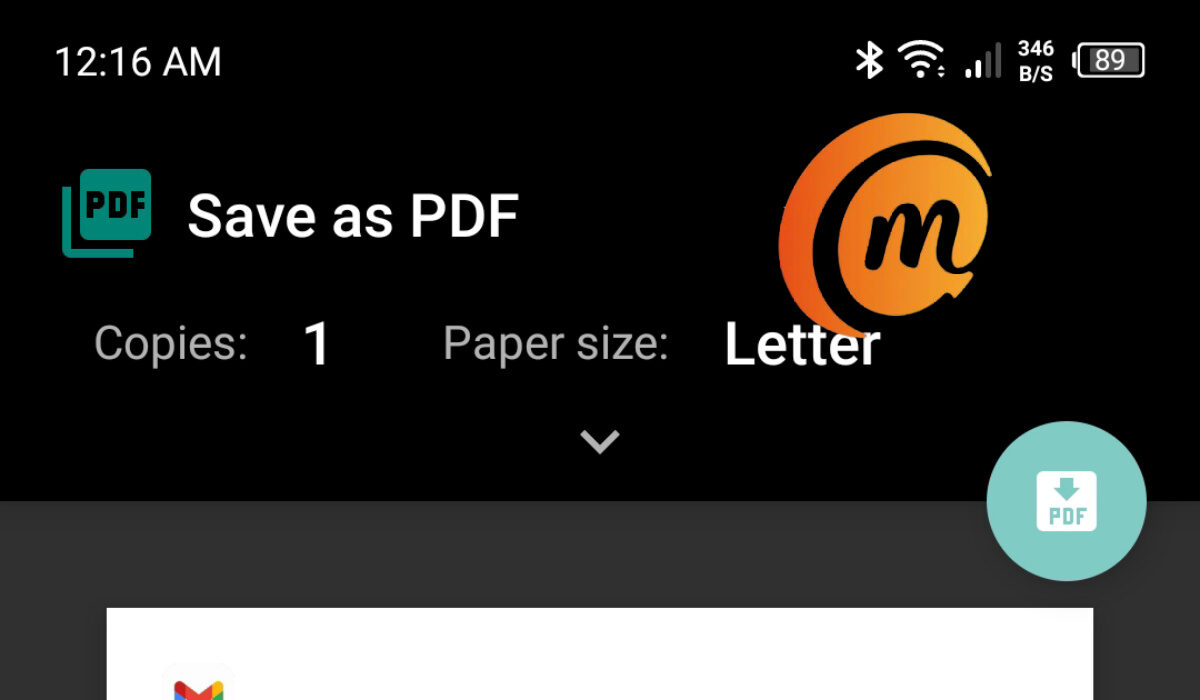
Use thePrint to PDFfeature to save an email conversation as a PDF
How do I save an email conversation as a PDF on my Android phone?
- On your smartphone (iPhone or Android), open your Inbox
- Tap the email you want to save to open it
- At the top right corner, tap the vertical dots to open a menu
- You will see “ Print ” as one of the options; tap on that
- It will open a print setup dialogue, with the option to “ Save as PDF ” in view and a preview of the document you are saving.
- Tap the Print icon at the top of the preview; your phone will open its file manager, so you can browse to the specific location you want your PDF saved to, and with the option to give your file an appropriate name.
- Once done selecting the location to save and giving it an appropriate name, tap the “ Save ” button at the bottom of the screen
- Your email conversation is saved as a PDF file to the location you chose.
The above procedure to save an email conversation as a PDF on Android works for Samsung, Xiaomi, OnePlus, Huawei, Nokia, TECNO, and itel phones, and indeed any Android phone at all.
How do I save an email thread as a PDF on my iPhone?
- On your iPhone, open the Mail app
- Tap to open the message you want to print.
- Tap on the “Left Arrow” button at the bottom menu bar.
- Tap on “ Print “.
- Press and hold on it to display a preview.
- Tap the “ Share ” button at the top right, to bring up the share sheet.
- Tap on the share or action extension you want to use to share or save the PDF.
How do I save an email conversation as a PDF file on my Windows PC?
- Open your Inbox in your PC’s Web browser
- Open the email you want to save as PDF,
- In the File tab, click Print .
- From the Printer drop-down, choose Microsoft Print to PDF .
- Select Print .
- In the Save Print Output As box, choose a folder for your PDF and enter a file name. Then choose Save . You have the option to browse to a location on your PC that you want to save the file, and to give the file a name of your choosing.
- Once done, click on Save , and the message is saved as a PDF to your PC.
How do I save an email thread as a PDF on my Mac?
- On your Mac, open your Inbox
- Click to open the email you want to print to PDF.
- Click to open the menu bar, and select File > Export as PDF .
- Browse to the location where you want the PDF file to be saved. You can also give it a unique name.
- Then click Save .
Once you have saved the email as a PDF file, you can share, forward and send it by any available means – email attachment, Bluetooth, etc.
- Don’t miss our mobile phone reviews .
- Follow our news on Google News .
- Join our WhatsApp Group , to be notified of the most important articles and deals,
- Follow us on Instagram , Facebook , Twitter , and YouTube .
Author:Mister Mobility
Digital Skills and Communication Coach | Mobile Phone Connoisseur since 2001 | Tech Blogging since 2004
