Add MobilityArena as a preferred source on Google
When it comes to optimizing your laptop’s performance, you’ll benefit a lot from using PC cleaners. The best free PC cleaners make maintaining the performance and optimization of your desktop or laptop computer quick and easy.
There are numerous free PC cleaners and optimizers available, but not all of them live up to their claims of providing considerably better performance. Because of this, we’ve listed the solutions we think will provide your PC a notable speed boost without any extra fees or bothersome ads among the most popular ones.
Iolo System Mechanic
Iolo System Mechanic clears RAM, deletes different logs, browser history, and caches, eliminates junk files and undesirable apps, prevents bloatware and unwanted auto-run settings, and wipes garbage files and unwanted apps.
This not only releases important system resources but also protects your privacy by erasing records of your internet behavior.
Whenever experts tested Iolo System Mechanic, they reported finding a noticeable speed improvement, especially at startup. This is because of its PC optimization toolkit.
The free edition is fantastic, but if you find yourself utilizing System Mechanic frequently, the two paid versions, System Mechanic and System Mechanic Pro, are well worth considering.
Restoro
Although Restoro doesn’t have the most features, it does an excellent job of giving the necessities and managing things well without including too many extraneous features.
The robust system repair utility scans for several issues, lists them if any are discovered, and fixes them. Malware detection is already included with every Restoro scan. Any questionable files will be recognized right away, and you can choose whether to delete them or not.
You can use Restoro’s powerful real-time monitoring features if you have one of the two unlimited use options. These are made to assist you in keeping an eye on your computer and spotting potentially harmful software or security flaws before any harm is done.
It should go without saying, but Restoro’s complete money-back guarantee essentially allows you to ask for a full refund if you’re dissatisfied with the way the program performed.
The main drawback is that only the software may be used in the free version; none of the repair tools are available.
IObit Advanced SystemCare Free
There are two versions of IObit Advanced SystemCare: a free version that just offers basic home cleaning, and a Pro version that also boosts internet performance and adds real-time optimization, privacy protection, deep registry cleaning, and 24/7 technical assistance for three PCs.
No matter whatever version you select, IObit Advanced SystemCare’s user interface is intuitive, well-designed, and unlikely to intimidate even the most inexperienced PC user. If an installer wants to add extra programs, we’d take away points because that goes against the idea of keeping unnecessary software off your computer. However, if you choose a custom installation, you can easily avoid this.
Like the majority of PC optimizers listed here, it uses a straightforward, elegant dashboard to remove unnecessary files and directories, clear up the Windows registry, and fix hard disk issues.
CCleaner
CCleaner cleans areas of your computer that many other free system optimization applications don’t, and so it continues to be popular even though it has been around for a while and continues to be popular.
The optimization software has a commercial version that includes real-time protection and cleanup scheduling, but the free edition of CCleaner takes care of the essentials like clearing browser caches, deleting temporary files, retaining only the necessary cookies, and so on.
This free PC optimizer should be used first if your computer simply feels slow. It lacks some of the more sophisticated functions found in programs like System Mechanic, but the features it does have are known for making PCs run slowly.
Ashampoo WinOptimizer
The most appealing feature of Ashampoo WinOptimizer is its adaptability; with just one click, you can scan for garbage files, corrupt registry entries, and browser cookies, and with another, you can delete them all.
Alternatively, you can examine the scan findings one at a time by clicking the “Details” option. Ashampoo WinOptimizer provides a thorough explanation of every problem it finds, describing in detail what it is and why you should think about deleting it, unlike some PC optimizers. After that, you’ll be more equipped to decide whether to keep it or delete it.
A collection of “modules” for standard maintenance chores like defragmenting hard drives and streamlining starting procedures are also included in WinOptimizer. Although any of these operations might be carried out within Windows, having them all in one place is far more practical than navigating through menus.
In conclusion , there are several options available if you’re looking for a great PC cleaner to improve your computer’s performance. You can start your exploration from here; take a cue from the suggestions we’ve made in this article in order to achieve satisfactory performance.
Don’t forget to recommend this article to your friends and loved ones so they can also benefit from it.
- Don’t miss our mobile phone reviews .
- Follow our news on Google News .
- Join our WhatsApp Group , to be notified of the most important articles and deals,
- Follow us on Instagram , Facebook , Twitter , and YouTube .
Author:Joan Agie
Add MobilityArena as a preferred source on Google
Nowadays, literally anyone can post a video online and have views on it. However, if you’re looking to share videos that are polished, outstanding and high-quality, you should consider stepping things up a notch by installing some video editing programs or software on your mobile phone.
You may be confused at this point as to which video editing tools will help you achieve the most. The truth is that there are a ton of possibilities available, both paid and unpaid. As such, it’s easy to get confused as to which one to use.
We’ve simplified this choice for you in this guide. So keep reading to find out which software options are likely to work best for your needs.
Apple iMovie
The Apple iMovie video editing tool is one of the best available ones. The learning curve for Apple iMovie is insignificant compared to other free video editing programs. You can access your projects on Mac, iPad, and even your iPhone using it, and it supports 4K video.
If you haven’t gotten into the specifics of editing, Apple iMovie comes with a variety of great effects, such as preset filters. You’ll also be able to share videos directly afterward to websites like YouTube and Vimeo using iMovie, which has a lightning-fast encoding speed.
However, although iMovie is simple to use and straightforward, you can’t edit multicam, 360-degree, or motion tracking videos with it. It’s still a useful tool regardless, and is simple to use for newcomers.
Also, the usual catch with Apple software is that you can only use it if you’re a part of their ecosystem, that is if you’re using an Apple device. If you’re not, then consider the other tools we’ve recommended below.
PowerDirector
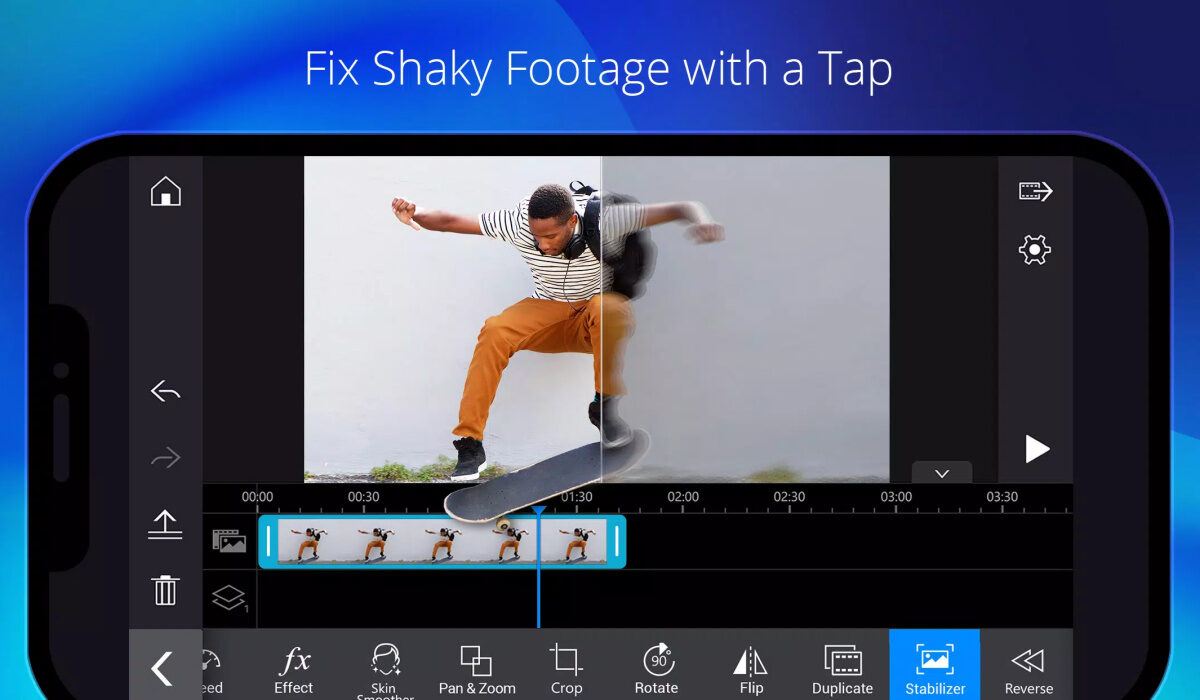
This iOS and Android-friendly program, which has been adapted from the desktop editing suite of PowerDirector, is only a small portion of the full package.
For those who have never cut a film together, the linear timeline and drag-and-drop functionality make editing simple. The quality of videos is never compromised: you can export in HD 1080p, with HD available with a paid subscription for $5.99 per month, $9.99 every three months, or $35 per year.
Although the free app’s watermarks can be annoying if you want to share content, PowerDirector is still quite fantastic as a learning tool. Check out this tool on Google Play or the App Store, depending on your device.
Filmr
For both Android and iOS-based smartphones, the Filmr app is an incredibly simple-to-use video editing tool. Both inexperienced and seasoned video makers can benefit from its straightforward, rapid, and intuitive design. To make a simple video look super great, you may add transitions, effects, filters, and more. Filmr is the place for you if you want your videos to look fast, agile, and professional.
Based on reviews from 8,126 users, Filmr has received an overall rating of 4.4/5 and has been downloaded 1 million times and counting on the Playstore. You can make videos with an InVideo watermark using its free version. Paid packages start at $15 a month.
Filmr enables for seamless and original transitions between videos, and there are no restrictions on how many images or films you can input. Additionally, Filmr provides a variety of font choices to help your text stand out.
You can also easily choose between the horizontal (16:9 and 4:5), vertical (4:3), tales (9:16), and square video formats (1:1). Feel free to check it out on Apple store or Google Play Store.
Quik
One of the best free Android video editing apps is Quik, which is provided by GoPro. You can make stunning videos using the Quik app in a matter of seconds.
To make attractive and shareable modifications, you can apply beat-synchronized themes, and automatically add transitions and effects. The majority of the editing is done automatically, but Quik also allows you to adjust minute elements.
Based on the opinions of 476,637 individuals, Quik has received an overall rating of 4.4/5.
From your gallery, cloud storage, or GoPro Plus, you can add up to 75 images and video clips using Quik. Additionally, it supports moving pictures and offers endless backup in 100% quality. There are many other great features, so try out this option to find out all it offers.
Filmora Go
Filmora Go is a very capable video editing program and one of the finest free video editing apps for Android phones without adding a watermark or limiting the length of your film. It helps in the production of watchable videos with a wide variety of effects and presets. Right from the site, you can quickly share your films with your friends on YouTube, Instagram, Facebook, and WhatsApp.
4.6/5 are overall ratings given to FilmoraGo based on 626,723 user reviews. Moreso, its in-app purchases for filters and effects range from $0.99 to $34.99 per item.
Aside from having a large selection of licensed tunes, this program also allows you to import content from social media platforms like Facebook and Instagram, among many other great features.
In summary , there’s no need to share videos of mediocre quality to your social media networks when you can use these great video editing options. Download any one of them on your mobile device today and watch how much better your video content gets.
- Don’t miss our mobile phone reviews .
- Follow our news on Google News .
- Join our WhatsApp Group , to be notified of the most important articles and deals,
- Follow us on Instagram , Facebook , Twitter , and YouTube .
