Add MobilityArena as a preferred source on Google
With a satellite phone connection, you can communicate with people anywhere in the world. Satellite devices are essential for staying in touch with loved ones while traveling, hiking in remote locations, sailing, or flying, or they may even just help you to be ready for a natural disaster.
Nevertheless, not all satellite phones are created with the same features nor offer the same benefits. They come in a wide range of coverage area capacities, as well as variations in features such as battery life, voice clarity, and durability.
Thinking about all these features may make a choice for a satellite phone rather confusing and difficult, That’s why we’ve created this guide to show you the best satellite phones in 2023, as well as the most important features to look out for during your purchase.
- What are the Best Satellite Phones in 2023? Iridium Extreme 9575: Best Worldwide Coverage Garmin inReach Mini: Lightweight, Compact, and Great Battery Life Thuraya X5-Touch: Best Smartphone Functionality
What are the Best Satellite Phones in 2023?
For our ranking of the best satellite phone models in 2023, we evaluated several excellent options using a variety of factors. These criteria included global coverage, voice clarity ratings, and battery life, among others. Based on these criteria, here are our suggestions for the best satellite phones in 2023:
Iridium Extreme 9575: Best Worldwide Coverage
Among all the satellite phones we evaluated, Iridium has the finest worldwide coverage in addition to having exceptional voice quality. Based on these criteria, we deemed it worthy to be on our list of the best satellite phones in 2023.
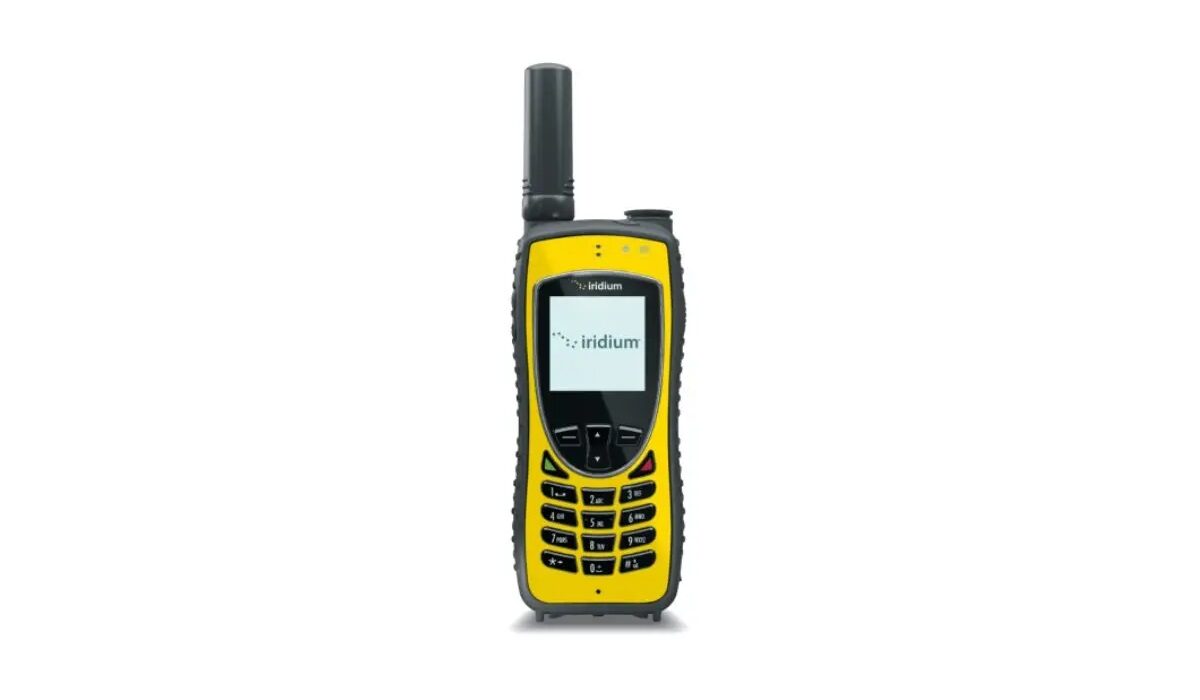
The most recent Iridium model, the 9575, is at the top of the list as the overall best satellite phone since it can operate almost anywhere in the world. The phone’s battery life may not last as long as other models (4 hours compared to other models’ 8 or 9 hours). Still, it makes up by offering one of the broadest coverages of any satellite phone with international service.
Iridium is also renowned for the quality and dependability of its service, despite being one of the most expensive satellite phones when it comes to voice conversations (a 90-minute plan would cost you $100 per month). If you require longer conversation times, you can buy a backup battery. Although the phone itself is one of the most costly models on the market, you can still find it for under $1,000.
Furthermore, the Extreme 9575 has an SOS button that is located at the device’s top and hidden by a cover. Pressing the button gets the phone to send an emergency message with GPS data every five minutes after a 20-second wait.
Apart from minor downsides, Iridium’s capacities make it rather great, so we recommend it if you’re looking for one of the best satellite phones in 2023.
Garmin inReach Mini: Lightweight, Compact, and Great Battery Life
Of the satellite messengers we looked at, the Garmin inReach has the best battery life so it’s definitely on our list of the best satellite phones in 2023.
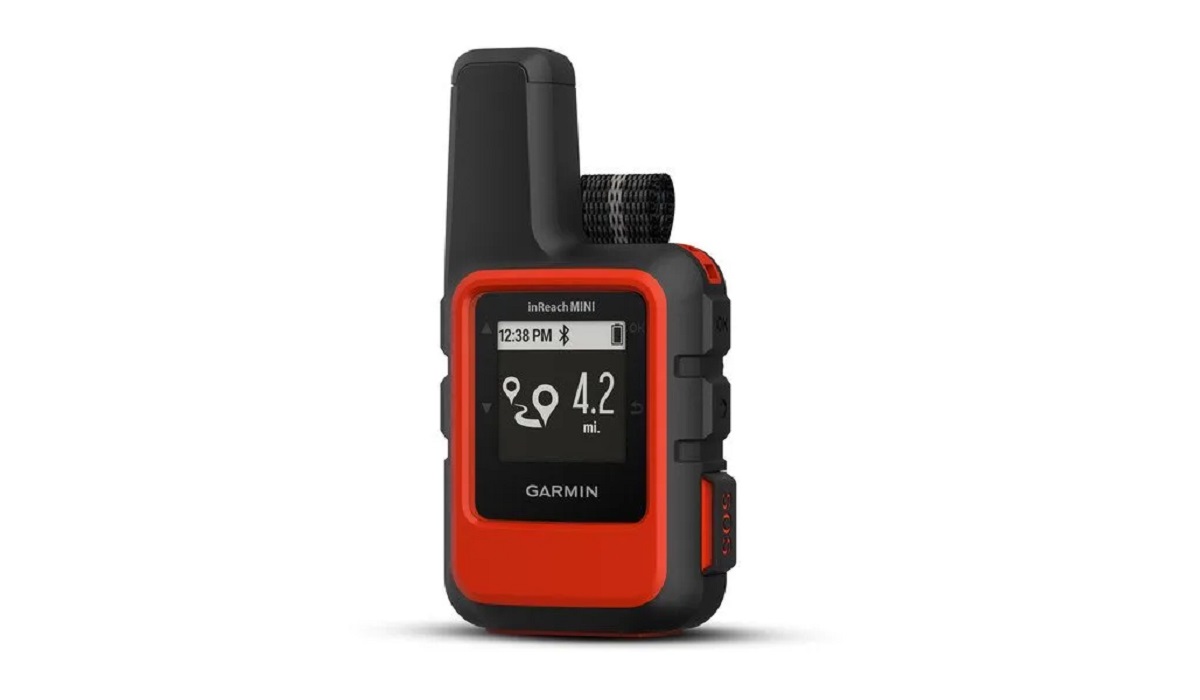
TheGarmin inReach Miniis more of a satellite communicator than a phone.
Insofar as it lacks voice calling capabilities, the Garmin inReach Mini is not actually a satellite phone and can be described more as a satellite communicator. Yet, because it can connect to satellites and transmit texts from virtually any place, it is excellent for delivering quick messages if you’re ever out in the wilderness.
Typing longer messages on the phone’s four keys is time-consuming, but as long as the inReach Mini is turned on, family members can log in and track your progress on a map even if you decide not to send texts from the phone.
One notable feature that makes it one of the best satellite phones in 2023 is that you can go on extended hikes without power and maintain connectivity thanks to the device’s 90-hour standby battery life. Also, with an SOS button similar to those on satellite phones, you can contact a GEOS center and request help.
The Mini is significantly smaller than typical satellite phones in size – it’s 4 inches long and 2.4 inches broad. Nonetheless, it is the best satellite phone in 2023 for people embarking on a backpacking, hiking, or mountain bike vacation in the woods due to its size, long battery life, and features.
Thuraya X5-Touch: Best Smartphone Functionality
The only popular satellite phone with smartphone functionality is the Thuraya X5-Touch, so naturally, it’s on our list of the best satellite phones in 2023. The X5-Touch supports Android-compatible apps and operates on the Android operating system. The 5.2-inch, 1080-pixel touchscreen on the X5 provides an experience that normal smartphone users will like.
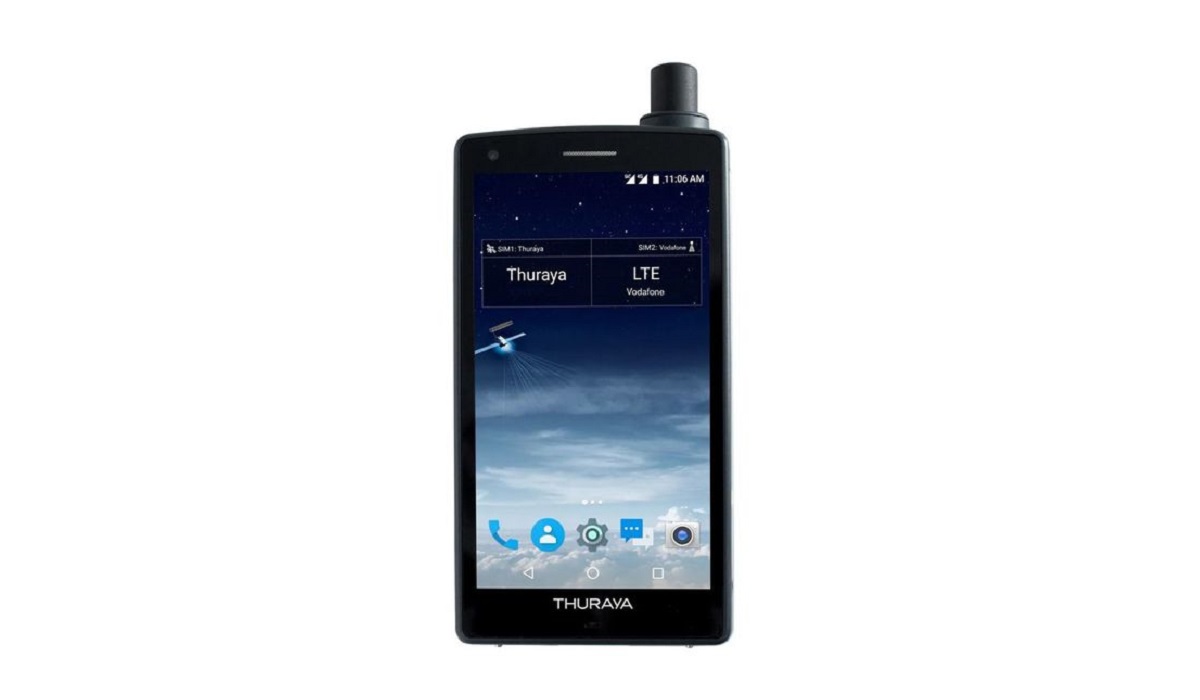
Thuraya X5-Touchis one of the rare satellite phones with smartphone functionality..
Apart from its smartphone capabilities, however, the Thuraya X5-Touch has limited coverage and slow download speeds. Also, note that its apps will run much more slowly than they would on a normal smartphone. Compared to the 25 Mbps (megabits per second) of truly high-speed smartphone connections, 60 Kbps (kilobits per second) – while fast for satellite data transfer – is a snail’s pace. Also, the smartphone feature will cost you money.
Despite its limiting features though, the Thuraya offers an SOS button, a good six hours of talk time, and a relatively small size. As such, we still think it’s a good enough choice if you’re looking for one of the best satellite phones in 2023.
In summary , our suggestions will help you considerably if you’re interested in getting one of the best satellite phones in 2023. Just look out for the best deals so you can get as much value for your money as possible.
Author:Joan Agie
Add MobilityArena as a preferred source on Google
iCloud is great for storing files online and accessing them from multiple devices, regardless of location. However, when upload speeds slow to a crawl, this modern convenience can become rather frustrating.
Several factors can influence your upload speed in iCloud, some of which are beyond your control, but there are many things you can try if you’re looking to speed up iCloud uploads on your end.
This article will show you some really helpful tips to speed up iCloud uploads and keep the process as fast as possible.
How Can I Speed up iCloud Uploads?
Is iCloud uploading your files too slowly? Follow these helpful suggestions to see what works best to help speed up iCloud uploads.
Look for Updates
Apple’s iCloud servers are regularly updated, however, keeping your own devices current will ensure they receive the most recent updates. If you’re using an iPhone or a Mac to access iCloud, make sure it’s running the most recent version of Apple’s operating system.
Navigate to Settings > General > Software Update on your iPhone to check for updates. To install the most recent version of macOS, navigate to System Settings > General > Software Update on a Mac. The update should prove useful to speed up iCloud uploads on your device.
Reset Your Devices
There might be a problem with a file or set of files that are slowing down or stopping your upload. If this is the case, you’ll most likely see a small clock beside your iCloud Drive in Finder that is just sitting there doing nothing. You could even leave your computer for a while and return to find that nothing has changed.
If this is the problem affecting uploads, resetting your devices will restore functionality and speed up iCloud uploads. You can do this by signing out of iCloud and then signing back in.
To do so, navigate to System Settings on your Mac and select your Apple ID. Then, at the very bottom, click Sign Out . This will clear any files that were caught in the upload process. Also do this on your iPhone or iPad by going to the Settings app.
Avoid transferring large files all at once
While large files can be stored in iCloud, uploading many of them at once will cause the service to slow to a crawl. To speed up iCloud uploads for large files, it is best to do it one at a time and wait until one is wholly uploaded before beginning another.
Also consider storing your large files in another location, like an external hard drive , if they are databases or other large files by nature.
Use Proper Characters
When it comes to characters in files and folder names, macOS is quite permissive. You can’t say the same for iCloud though, so to speed up iCloud uploads, ensure that the files you upload don’t contain any of the following characters:
● # (hashtag)
● % (percent)
● $ (dollar sign)
● ” or ‘ (quotes)
● : (colon)
● | (vertical bar or pipe)
● / or \ (forward or backward slash)
● < (less than)
● > (greater than)
● * (asterisk)
● ? (question mark)
Also, do not begin a file name with a blank space. If these characters show up in an iCloud file name or folder, they may result in an error message. Even worse, they could slow down your system over time and you’d be unaware as to which files are to blame.
Change Your Internet Service Provider
If you consistently experience slow iCloud uploads, try checking the speed and reliability of your internet connection. You may not be getting the advertised speeds, in which case you should change internet service providers so you can speed up iCloud uploads.
For today’s standards, a download and upload speed of 20Mbps is preferable, especially if you live in the United States.
Avoid multitasking while uploading
Avoiding multitasking is important if you’re looking to speed up iCloud uploads. Any file you’re uploading is using your computer’s resources. This means it’s using your available RAM and hard drive space while uploading.
If you are performing multiple tasks at the same time you’re uploading files to iCloud, the upload process may be slowed. So, wait until the upload is finished before performing any operations that put a strain on the RAM or storage.
Don’t Overburden Your Storage Space
Finally, ensure that you have enough free storage space on your device and in iCloud if you want to speed up iCloud uploads. Upload speeds will be slowed if your drive is nearly full in either location. If you’re running out of iCloud storage space, you should think about upgrading your iCloud plan.
When compared to the cost of a new hard drive, Apple’s iCloud pricing is very reasonable. If you don’t want to spend more money on iCloud, free up space in the cloud by deleting any files that are no longer needed.
Note : Keep in mind that it’s also possible to experience slow uploads due to server-side issues. In that case, you have no choice but to wait for Apple to resolve these issues and speed up iCloud uploads naturally.
In conclusion , speed shouldn’t be an issue when uploading files to iCloud if you adhere to our suggestions for speeding up iCloud uploads.
