Add MobilityArena as a preferred source on Google
In today’s fast-paced world, staying connected is more important than ever. However, not everyone has the budget to splurge on the latest flagship smartphones. That’s where unlocked and budget-friendly smartphones come in. These devices offer a practical and affordable solution for those who want a reliable smartphone without breaking the bank.
In this article, I’ll show you some unlocked smartphones under $100 on the United States, highlighting their benefits, features, and top models to help you make an informed decision. Whether you’re a student, a budget-conscious consumer, or simply looking for a reliable backup phone, read on to discover the best options available on the market.
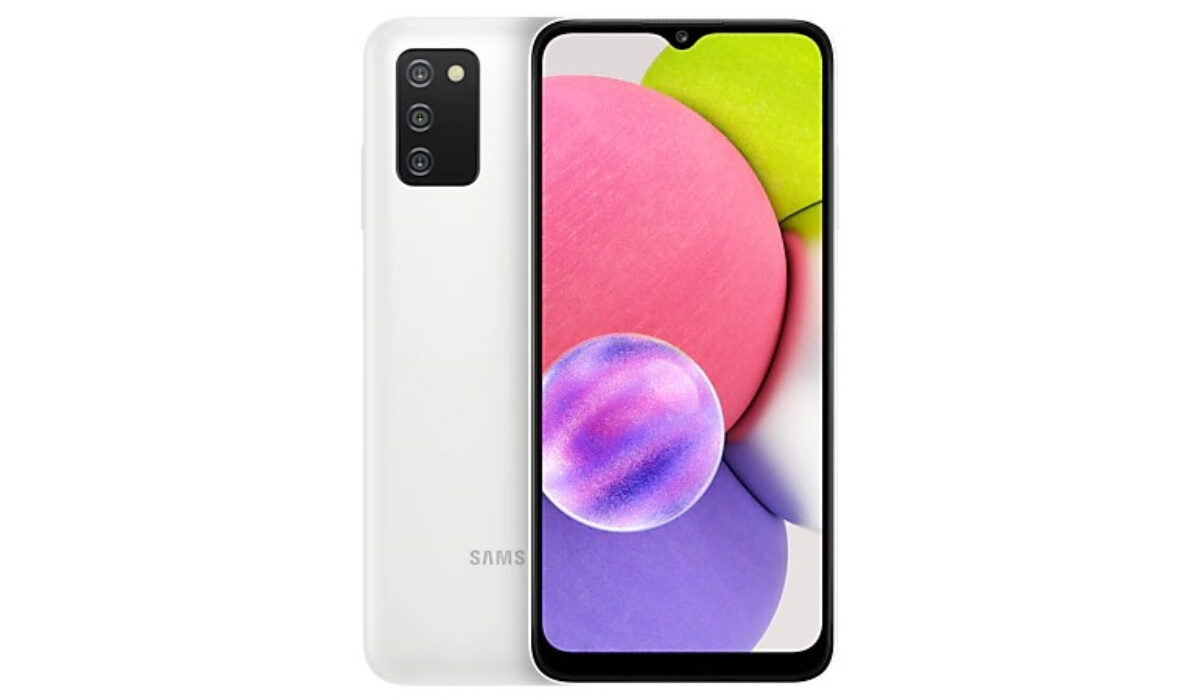
- What Are the Best Unlocked Smartphones Under $100? Samsung Galaxy A01 BLU G51S Samsung Galaxy A03s Moto E6
What Are the Best Unlocked Smartphones Under $100?
When it comes to unlocked smartphones, there are several options available on the market. These budget-friendly devices offer a range of features and capabilities, making them a viable choice for those on a tight budget or looking for a secondary phone. While they may not have all the high-end specifications and advanced features of flagship smartphones, they still provide essential functionality for everyday use. So, if you’re looking for unlocked smartphones under $100, below are some amazing options to consider.
Samsung Galaxy A01
The Samsung Galaxy A01 is a fantastic choice for those seeking a budget-friendly smartphone and one of the best unlocked smartphones under $100 in the US. With its 5.7-inch Infinity-V display, you’ll enjoy a vibrant and immersive visual experience. The Snapdragon processor ensures smooth performance, allowing you to navigate through apps and multitask with ease. The dual-camera system enables you to capture high-quality photos and videos. Plus, the expandable storage gives you the freedom to store all your files and media without worrying about running out of space.
With its removable battery and sleek design, the Samsung Galaxy A01 offers great value for money. However, it has limited processing power for intensive tasks. Nonetheless, it’s a solid option for those looking for a budget-friendly smartphone with decent features. It’s worth considering if you want a feature-packed smartphone without breaking the bank.
BLU G51S
The BLU G51S is a wallet-friendly Android phone that offers an impressive array of features. It rocks a vibrant 6.4-inch display, which is the best you can find in a sub-$100 phone. The eye-catching textured blue design on the back adds a bold touch. With a 4,000 mAh battery, you can expect decent battery life. The phone runs on Android 11 (Go edition), ensuring smooth performance.
It also includes a fingerprint sensor for added security. The package even comes with a case, screen protector, charger, cable, and a BLU sticker. However, future updates may not be guaranteed, and it only has 2GB of RAM. Overall, it’s a solid choice for a budget Android phone with a fantastic display and essential features.
Samsung Galaxy A03s
The Samsung Galaxy A03s is an excellent phone for its price, especially when you can find it at a discount. It offers great everyday performance, excellent battery life, and surprisingly impressive cameras. One standout feature is its upcoming update to Android 13 with One UI 5.0, which is a major advantage. The phone has a full-plastic body with a small camera cutout on the front display, and it also includes a convenient side-mounted fingerprint sensor.
The MediaTek Helio P35 processor provides sufficient performance for daily tasks, though it may not be ideal for 3D gaming. The battery life is impressive, lasting two to three days on a single charge. However, the included charger is not particularly fast, so it’s best to charge it overnight. Overall, the Samsung Galaxy A03s is a reliable choice for those seeking a budget-friendly phone with good features.
Moto E6
The Moto E6 is an amazing phone that provides a big screen and impressive features at an affordable price. It has a 5.5-inch 720p display, a Snapdragon 435 chipset, 2GB RAM, 16GB storage, a microSD slot, a 13MP camera, and a 3,000mAh battery. The phone runs on a clean Android interface, making it user-friendly and easy to navigate. Its splash-resistant design ensures you don’t have to worry about accidental spills or rain. Plus, the expandable storage option allows you to store more photos, videos, and apps on your device.
The Moto E6 also offers one-handed usability, making it convenient for multitasking on the go. While the unlocked variant is pricier, you can get the Verizon model for under $100. However, keep in mind that it may not be the fastest phone and its battery life could be better. Overall, it’s an excellent choice for those seeking a reliable, budget-friendly phone with a large screen. It boasts a clean Android interface, splash-resistant design, expandable storage, and one-handed usability.
To sum up, when it comes to unlocked smartphones under $100, the options provided above offer great value for money. These devices provide essential features and functionality at an affordable price point. While they may not have all the high-end features of their more expensive counterparts, they still offer a reliable and cost-effective mobile solution.
So, if you’re looking for a cost-effective unlocked smartphone, these options under $100 are definitely worth considering. Just keep in mind that availability and prices may vary depending on your location and current market conditions. It’s always a good idea to check with local retailers or online marketplaces for the most up-to-date information. If you’d like more smartphone recommendations, be sure to check out this category .
Author:Joan Agie
Add MobilityArena as a preferred source on Google
Google Fi, originally known as Project Fi, was launched by Google in 2015. It’s a mobile virtual network operator (MVNO) that aims to provide a seamless and flexible mobile experience. The unique feature of Google Fi is its ability to automatically switch between Wi-Fi and cellular networks, ensuring you have the best coverage wherever you go.
In this article, I’ll provide you with the best tips to smoothly switch and maximize your experience with the Google Fi SIM card. From the simple setup process to the flexible pricing and extensive coverage, I’ll cover everything you need to know. Get ready to unlock the full potential of Google Fi with these top tips.
- Google Fi SIM Card: What is Google Fi? Google Fi Plans and Pricing Google Fi-Compatible Compatible Phones Benefits and Features of Google Fi Unlocking the Power of Google Fi: How to Sign Up and Manage Your Account
Google Fi SIM Card:What is Google Fi?
Google Fi is a US-only mobile virtual network operator (MVNO) that relies on existing mobile networks like T-Mobile and US Cellular instead of creating its own. With a Google Fi plan and a compatible phone, you can enjoy reliable cell service with various benefits at an affordable price. Sprint was also part of the network before merging with T-Mobile. It’s a hassle-free way to get quality cell service without any complications.
It also offers international coverage in over 200 countries, making it a great option for travelers. Additionally, Google Fi offers flexible plans and benefits such as data-only SIM cards, family plans, and affordable international calling rates. It’s a convenient and versatile option for staying connected wherever you go.
Google Fi Plans and Pricing
The pricing varies depending on the plan and the number of lines you choose. To get accurate pricing information for your location, it’s recommended to visit the Google Fi website or reach out to their customer support.
Google Fi-Compatible Compatible Phones
Google Fi works best with compatible phones. You can check the Google Fi phones page for current models. The Google Pixel, some Samsung flagships, and Motorola phones are compatible. Other phones may still work for calls, texts, and 4G data, but network switching and 5G are only supported on compatible devices.
iPhones can work on Fi with extra setup, but not all features are available. Phones from Fi are unlocked with financing options. There’s also the Pixel Pass plan for a new phone and extras, and there’s device protection available for Fi-designed phones.
Benefits and Features of Google Fi
In addition to the phone plan, Google Fi offers some extra perks and features. I briefly mentioned a few of them earlier, but there is more to discuss. Let’s dive into the details:
Visual voicemail: With Google Fi, you can enjoy visual voicemail in the Phone app. This means you can read transcripts and listen to messages without having to call a number or deal with annoying prompts. It’s a convenient way to manage your voicemail.
Wi-Fi hotspot: Google Fi allows you to turn your phone into a Wi-Fi hotspot at no extra cost. This feature enables you to share your phone’s internet connection with other devices, such as laptops or tablets, making it easier to stay connected on the go.
Referral credits: When you refer a friend to Google Fi, both of you will receive a $20 credit towards your bills. It’s a nice bonus for spreading the word about the service.
Plan flexibility: Google Fi offers the option to pause your plan for up to three months. This means that if you don’t need service for a while, you can temporarily suspend your plan and then resume it later when you’re ready. It’s a convenient feature for those times when you may not need continuous service.
Call encryption: Calls made on Android devices between Google Fi users are encrypted. This provides an additional layer of privacy and security during your phone conversations.
Family controls: Google Fi offers solid family controls, allowing the account manager to monitor how much data each person has used and set data allotments if needed. You can also activate family security features, such as blocking texts from strangers, to ensure a safer experience for everyone on the plan.
Google’s VPN: All Google Fi plans include Google’s VPN (Virtual Private Network), which helps protect your browsing on unknown networks. This added security feature ensures that your internet activity remains private and secure.
Call Forwarding: You can easily forward calls to any phone number you choose. Just add the number to Fi’s forwarding list, and calls will ring on both your cell phone and the secondary number, like a home phone or another cell phone.
Wi-Fi Calling: With Wi-Fi calling, you can make and receive calls over Wi-Fi when you don’t have a cell signal. It’s perfect for areas with iffy signal strength.
Call Blocking: Google Fi’s call blocking feature goes beyond just sending calls to voicemail. When you block a call through the Fi app, the caller receives a message saying your number is disconnected or no longer in service. It’s a great way to keep those spam calls at bay.
Follow these steps to get started on using Google Fi:
- To sign up for Google Fi, just go to the Google Fi signup page and log in with your Google account.
- From there, you can choose your device, select a number, and confirm your plan. If you already have a Google Voice number, you can keep both that number and your Fi phone number on the same account. Call forwarding is an option if you want to receive all calls in one place.
- When signing up, you can either get a new phone number or transfer your current number from your old carrier. Just follow a simple process to switch once you have your phone, and remember to cancel your old carrier’s service.
- Keep in mind that Google doesn’t cover any switching fees, so it’s a good idea to check with your current carrier first about any potential fees.
To sum up, switching to and using a Google Fi SIM card can be a great choice for those looking for flexibility, affordable international calling rates, and reliable cell service. With a wide range of compatible phones, including the Google Pixel and select Samsung devices, you can easily make the switch.
With extras like visual voicemail, Wi-Fi hotspots, referral credits, and more, Google Fi provides a comprehensive package. So, if you’re seeking a cost-effective and feature-rich mobile service, Google Fi is worth considering. If you’d like more phone plan recommendations, be sure to check out this category .
