Add MobilityArena as a preferred source on Google
What is Android Chrome mobile app? Google Chrome mobile app is a mobile Internet browser that brings some of the original desktop Web browser’s best features to your smartphone.
Google Chrome is one of the most popular browsers out there. It is available for both desktop and mobile, and it is one of the fastest and smoothest browsers. The Chrome mobile app integrates seamlessly with the Android OS, and this ensures that using Chrome on Android complements your desktop usage, if you already use the desktop browser. However, using Chrome mobile browser is not always a great experience.
Should you use Chrome on Android phone?
Google Chrome mobile app is one of the best browsers for Android and, partly thanks to the fact that it is pre-installed on all Android phones, it is also the most used mobile browser in the world.
Can I delete Chrome from my phone?
It is pre-installed as a system app on all Android phones, so it cannot be deleted. But you can turn it off, so it disappears from view on your phone. See how to do that in the section below.
What happens if I remove Chrome from my phone?
Apart from the fact that the browser disappears from your phone, nothing. Your Android smartphone will continue to function normally after removing the app from your phone.
Why you should not use Google Chrome?
I already mentioned that Chrome mobile app is a great browser. However, it is a system memory resource hog. This means that it often takes up lots of space and slows down your phone, especially if you are using an entry-level or budget Android phone. There are other mobile browsers that are more efficient and less resource intensive.
Having covered these points about it, here are some tips and tricks to make things even easier on the Chrome mobile app.

A Few Chrome Mobile App Tricks
- Enable Brotli to speed up page loading: This function improves page loading speed by unzipping sites faster. To do this, open a new page in the browser and enter the following URL: chrome://flags/#enable-brotli . On the net page, you will find several features, with the topmost one highlighted in yellow. Set it to Default and click Activate. Then restart your browser to apply the changes.
- You can sync your tabs between devices: Just go to your Chrome settings and enable sync. You must have logged in with your Google account on all devices you want to sync with.
- Minimize data consumption : You can minimize your usage of mobile data by compressing the size of files and pages. Simply go to Menu>Settings>Data Saver. This would help in saving you data.
- Enable Reader Mode: Not all sites can be easily optimized on a smartphone. Google Chrome allows you to view these sites in Reader Mode. Just open a new tab and enter the following URL: chrome://flags/#reader-mode-heuristics . You will find an option to Activate Reader Mode. Click on Default, and choose Always, then restart your browser. Each new page you open afterwards will give you the option to open in reader Mode.
- To turn off Chrome mobile app : Perhaps you have found another browser that does a better job than Chrome and want to stop using Chrome. Because it is pre-installed by Google as a system app on all Android phones, it cannot be deleted. But you can turn it off, so it disappears from view on your phone. Go to: Settings > Apps > select Chrome, then choose the option to disable it. That’s it: the app will disappear from sight on your device.
- Don’t miss our reviews .
- Follow our news on Google News .
- Join our WhatsApp Group , to be notified of the most important articles and deals,
- Follow us on Instagram , Facebook , Twitter , and YouTube .
Author:EmmyCN
Add MobilityArena as a preferred source on Google
Sudan is the 3rd largest country in Africa and has a population of 34 million. But it doesn’t show up often in news about mobile or telecoms on the continent. That doesn’t mean that it is a pushover or that nothing is happening in that space. This article highlights statistics and fact about mobile technology in Sudan.
Facts About Mobile technology in Sudan
Here are a few interesting facts as at Q1 2017:
- Mobile Subscribers: 27 Million
- Smartphone Users: 9 Million
- Internet users: 12 million
- Mobile Money subscribers: 1 Million in 4 months since the launch
- Country Calling code: +249
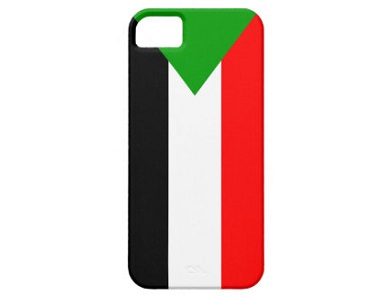
Mobile Operators in Sudan
Mobile network operators in Sudan include:
- Zain Sudan
- Sudani One
- MTN Sudan
- Canartel (Canar Telecommunications)
Zain Sudan is the country’s largest mobile operator and was also the first to deploy 4G LTE services in April 2016.
- Don’t miss our reviews .
- Join our WhatsApp Group , to be notified of the most important articles and deals,
- Follow us on Instagram , Facebook , Twitter , and YouTube .
Author:Mister Mobility
Digital Skills and Communication Coach | Mobile Phone Connoisseur since 2001 | Tech Blogging since 2004
