Add MobilityArena as a preferred source on Google
You are already likely aware of the comprehensive email capabilities of BB10. You are likely already aware that the BB10 web browser is one of the best in the mobile industry. You are also likely already aware of BBM and other built-in services and features of BB10. So, I shall skip all those and move on to what sets the Passport apart from the rest of the BB10 family.
For starters, what we have here is a premium, unique-looking 4G smartphone that is targeted primarily at people looking at productivity. Let’s start with the form factor.
BlackBerry Passport Review: Form Factor
The form factor of the BlackBerry Passport sets it apart from every other smartphone in the market. That square display and wide body is unique, and expectedly has generated a lot of flak from different corners. In this review, I focus on the form factor and everything it impacts in day-to-day use.
If you have ever carried a real international passport, you already have an idea of how the Passport feels in the hand. It is the exact same size. The Passport fits into my shirt and trouser pockets and isn’t uncomfortable to carry in the hand. This all came to me as a pleasant surprise, as I was expecting to have to adjust to the size.

In reality, I find the Passport more convenient to carry than every other phablet that I have used (PS: a phablet is a large smartphone). Part of what makes those other phablets uncomfortable in the hand is the height. One has to reach up to touch the top of the display. Plus, that height means that the phablet pulls down in the hand. The Passport, however, is shorter and wider, distributing both finger reach and weight. Almost every corner is reachable with the thumb (at least my thumb; note also that I have fairly big hands). The result is nice in the hand for me. Nicer than the experience with standard phablets.
Yes; you will sometimes require two hands for some operations, especially typing, just like with all other phablets. But any negative sentiments about the Passport’s form factor being worse than regular phablet form are unfounded. I very much prefer this shape and hope that other brands will explore it for some of their smartphones.
The wide screen means that more information is available for viewing on it or for interacting. It is especially superb for reading and typing. Web pages, documents, tables and more all look much better on the wide display. Same goes for viewing pictures and video.
My verdict is that the passport’s form factor works extremely well. The keyword is extremely. The Passport’s form factor isn’t weird; rather, it is optimal. It feels balanced in the hand. If you have small hands, of course, you are likely to be a little uncomfortable with it, as you are with other phablets. If you have never held one in your hands, I strongly recommend that you go give it a spin. You might just end up as pleasantly surprised as I have.
BlackBerry Passport Review: The Keyboard

BlackBerry is renowned for its iconic hardware QWERTY keyboard. With the Passport, the Canadian company stretched things quite a bit. The passport’s wide form factor requires that stretching. What Blackberry did is put in a three-row keyboard and implement all special characters on-screen. How well does it work?
For starters, because it was a totally new way of text input (the combination of hardware keys and virtual special characters), it took a while, but once I got the hang of it, I find that it works very well. The keys are well raised for easy typing without being uncomfortable.
While there are only three rows of hardware keys with only alphabetic characters and a space bar, having special characters in a pop-up on-screen menu is like having a seven-row keyboard in all. Very efficient. It reminds me of Nokia’s Communicator days. Only, this is more efficient.
Touch-sensitive Keyboard But the Passport’s keyboard has a really unique feature – it is touch-sensitive. This means that in addition to its primary purpose as a text entry tool, it is also useful for scrolling through webpages, documents and other menu. By running a finger over it vertically or horizontally, one can scroll up, down, right or left without touching the rest of the display..
Here is a short video I made demonstrating this feature:
I do have one minor complaint: there is no way to manually activate the keyboard in mildy dark environments. You see, on some rare occasions when the environment isn’t fully dark or fully lit (like in twilight environment), the sensor doesn’t kick in to activate the keyboard’s backlight, making typing a bit difficult in that scenario. It doesn’t happen often, but at least, a manual means of activating the keyboard backlight would have taken care of that.
Besides that niggle, the keyboard on the Passport is a superb piece of work and well suited to the device. I love it!
BlackBerry Passport Review: Music and Video
While the Passport has a slogan, “work wide” as a key thrust in its marketing, it won’t be a bad idea to add that you can also “play wide” on it too. BlackBerry has boasted some impressive multimedia features in the last few years. The Z30 had those awesome stereo speakers that had me hooked. So, you can imagine my excitement to read that the Passport has stereo speakers as well.

Stereo Speakers While the Z30’s stereo speakers are front-facing and located at the top and bottom of the device, things are different with the Passport. The speakers are located at the bottom edge – one on the left and the other on the right. If you understand the dynamics of stereo speakers, you can immediately tell that the two speakers being so close together would mean some sacrifice in the audio quality compared to the Z30.
I think that is exactly what happened. While one can still make out the distinct superior audio of the speakers compared to phones with mono speakers, the audio does not sound to me like it matches the Z30’s.
However, it is rich and deep, and still much better sounding than what competing flagships besides the HTC One M8 offer. The stereo speakers also make for richer audio while watching videos and movies. I must also mention that receiving a phone call on the Passport’s loudspeakers is quite an experience. Everyone I have demonstrated it to has been mind blown. It is almost like speaking with someone in the same room.
Music Playback Music playback on the Passport is a lovely experience. You can go through your library by Artist name, Albums or genres. Playlists and favourites are there, and has the FM radio attached. The option to search for music is there. Music can be shuffled and put on repeat. Of course, album art is supported. You can skip full tracks too.
The music player offers an equalizer that allows you choose between a number of preset modes, including: Aeroplane, Bass boost, Treble Boost, Voice Boost, Bass Lower, Treble Lower, Voice Lower, Acoustic, Dance, Electronic, Hip Hop, Jazz, Lounge, Piano, R&B, Rock and Spoken Word.
Audio production can be toggled through the loudspeakers, the handset, or a headset, depending on your need per time.
Video Playback When you have a large, wide display like the Passport has, video playback takes on a different take. Videos start playing in regular widescreen mode with black bands at the top and below, but you can tap a button in the top right corner of the screen to have the video fit in two other modes, and one is a full-screen mode that lets you enjoy the richness of the square display.
The video player offers an equalizer similar to what obtains in the music player, but has only the following options: Aeroplane, Bass boost, Treble Boost, Voice Boost, Bass Lower, treble Lower, and Voice Lower.
Playback is very smooth. I have thrown videos of all sizes and formats at the Passport and it never once broke a sweat playing them back. Videos can be edited via the built-in editor. Options to crop, enhance, and filter a video are available, among other options. Videos can be shared too.
BlackBerry Passport Review: Photography

BlackBerry finally put a really capable camera in one of their phones. The 13 megapixel camera on the Passport is really good. It isn’t at the top of the pack in the industry, but it is close. You have a camera that won’t make you regret taking photos. There is a catch though: focusing and capturing is a bit slow. There is a small delay between when you press the shutter button and when it captures the photo. That is grating for me. I wish that BlackBerry will fix this with a software update.
The camera handles low-light and night photography well too. It captures lots of light and details in such environments.
BlackBerry Passport Review: Performance and Battery Usage
With a Quad-core 2.26 GHz Krait 400 processor, Adreno 330 GPU and 3GB of RAM, the BlackBerry Passport performs smoothly on all counts. It is the most powerful and fastest BlackBerry ever, and that shows in everyday use.
The 3,450 mAh battery is also one of the beefiest on a phablet. If locked to a 2G network, the Passport easily lasts all through a day of moderate use – email, web browsing, social networking et al, and will leave you with enough juice to go through the morning of the following day.
On an active 3G network connection and fairly intensive use from me – 2 email accounts, 5 social networking accounts, 3 instant messaging accounts and web browsing, I get between 10 and 13 hours of use from a full charge before the phone shuts down.
The battery life is a strong point of the Passport, though it doesn’t quite match the legend of the Lumia 1520 . The Passport is one of those smartphones that you do not have to fret about using out and about when away from a power source.
BlackBerry Passport Review: Conclusions
The BlackBerry Passport is a great work tool, but it is also equally a great recreational tool. Despite people’s misgivings about its size, it really is smaller and handier than the 6-inch display smartphones that people carry around everyday. And it fits into shirt and trouser pockets comfortably. With a god battery life to go with it, the Passport is a winner for the upwardly mobile person of taste who wants to stay connected and productive on the move.
- Don’t miss our mobile phone reviews .
- Follow our news on Google News .
- Join our WhatsApp Group , to be notified of the most important articles and deals,
- Follow us on Instagram , Facebook , Twitter , and YouTube .
Author:Mister Mobility
Digital Skills and Communication Coach | Mobile Phone Connoisseur since 2001 | Tech Blogging since 2004
Add MobilityArena as a preferred source on Google
- What Is Toughened Glass?
- How strong is Gorilla Glass and other toughened glass?
- List of Gorilla Glass Alternatives and Competitors: Other Screen Protection Brands Dragontrail Glass Xensation Glass Sapphire Glass Concore Glass Dinorex Glass Panda King Glass
- Conclusion
- Your Questions Answered Is Gorilla Glass unbreakable? Do you need tempered glass screen protector with Gorilla Glass?
What Is Toughened Glass?
Toughened or tempered glass is a type of safety glass processed by controlled thermal or chemical treatments to increase its strength compared with normal glass. Most are aluminosilicate sheet glass.
Having a toughened glass display makes your smartphone’s screen fairly scratch and damage resistant. Note that if your smartphone has toughened glass, it may not really need a screen protector.
Note also that it does not mean that your smartphone display is unbreakable or cannot be scratched at all. It just makes it more difficult. However, should your screen break or crack, it won’t shatter the way ordinary glass does. The cracked screen is likely to remain usable too. Without any form of toughened glass protection, the damaged screen would likely become totally useless.
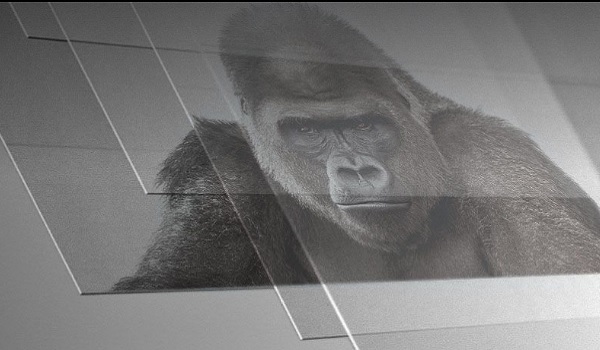
Gorilla Glass and its alternatives are all one form of chemically toughened glass or the other. It bears repeating that while Gorilla Glass provides some protection from scratches and shatter, it is not scratch-proof or break-proof. So while your phone’s screen may not shatter if it drops, it may crack and is still prone to scratches.
Also note that the chemical composition of glass is impacted with each shock impact, so your phone screen may not shatter on the first few drops but it will at some point, if you keep dropping it.
Also, whether or not your phone screen cracks or breaks is dependent on a number of factors, including the distance of the fall, the hardness of the surface it falls on, and the thickness of the protective glass, among others.
How strong is Gorilla Glass and other toughened glass?
The simple answer is: It depends. The longer form is this: no matter how tough Gorilla Glass (or any of its alternatives) is, how each smartphone manufacturer uses it is what determines how strong it is. The factor we are looking at here is thickness. The thicker the layer of toughened glass protection, the stronger it is.
You would think that smartphone manufacturers would just put the thickest possible layer on their phones for maximum protection. But as you already know, smartphone makers are in a race to build the thinnest phones possible, so that never happens.
Apple’s iPhone has toughened glass protection but has a big crack rate. You know why: Apple aims for the thinnest possible profile for its phones. To achieve that, they often use the thinnest possible layer of toughened glass.
But note that even when cracked, the glass often does not shatter and the screen usually remains usable. Without the toughened glass, the damage would be greater and the screen likely unusable at all.
List of Gorilla Glass Alternatives and Competitors: Other Screen Protection Brands
Here is a breakdown of some of the most prominent Gorilla Glass alternatives and competitors in use today by mobile manufacturers:
Dragontrail Glass
Xensation Glass
Schott AG of Germany makes Xensation , another toughened glass brand. It is newer in the market than Gorilla Glass, and the brands that I can confirm use it include Huawei, Honor, OPPO, and Vivo. Some Fero phones also use Xensation Glass screen protection.
Sapphire Glass
There is also Sapphire glass . Being made from sapphire, it is really strong, though it is more of a scratch-resistant material than a shatter-resistant one. Sapphire scores just below diamond in terms of scratch-resistance. But the challenges with implementing it on mobile have been cost, thickness, and the fact that it isn’t malleable. However, it looks like Apple might be finding a way to deal with the first two of those issues.
Considering that almost a quarter of iPhone users end up with a broken screen (and Apple has refused to name the toughened glass used on iPhones till date), Sapphire glass on iPhones would be a welcome development. Are there any manufacturers already using sapphire glass now? Sure: Vertu. If you can afford their $10,000 TI, for example, you’ve got a display protected by the second toughest substance in nature.
Panda King Glass
Concore Glass
Cornings also produces a Gorilla Glass alternative, Concore Glass . What are the differences between Gorilla Glass and Concore Glass? Gorilla is built as a layer on the phone’s display, while Concore is built into the display – allowing for thinner displays. But – and a big but – building the protection glass into the display results in higher production costs.
It also means that should the display crack or break, you have to replace the whole screen unit, not just the toughened glass, as is the case with Gorilla Glass. Again, it boils down to costs: you spend more to repair a damaged Concore Glass display.
Dinorex Glass
Dinorex Glass is a product of Nippon Electric Glass (NEG). The name Dinorex is coined from the reputation of dinosaurs for toughness and strength. Manufacturers using Dinorex include: Umi, Meizu, and BQ.
Panda King Glass
Panda King Glass is an alkali-aluminosilicate sheet glass – toughened glass – manufactured by Tunghsu Group. Panda makes screen protectors and cases for Apple iPhones. It is also in use on Fero smartphones.
Conclusion
In conclusion, that your smartphone does not have Gorilla Glass does not mean that it does not have screen protection. Check the specifications sheet. You may find some other brand of protection glass listed there.
Your Questions Answered
Is Gorilla Glass unbreakable?
Gorilla Glass is tough and strong but no glass is unbreakable. If enough force is applied, Gorilla Glass will break. Also, how well Gorilla Glass protects your phone screen depends on the thickness applied by the manufacturer. The thicker the layer of Gorilla Glass used, the stronger it is, which reduces the chances that it will break.
Do you need tempered glass screen protector with Gorilla Glass?
Author:Mister Mobility
Digital Skills and Communication Coach | Mobile Phone Connoisseur since 2001 | Tech Blogging since 2004
