Add MobilityArena as a preferred source on Google
A lot of people are interested in the OnePlus Software Update Policy. In addition, I like to think of myself as a OnePlus lover, and so I am interested too. Having tried my hands at models from Samsung, Xiaomi, and Google in recent times (I also eventually got to try my hands on the Nord N100 ), I am leaning towards adopting OnePlus as my go-to smartphone brand. I am also a lover of timely software updates and need to be sure of software support for OnePlus smartphones.
Do OnePlus smartphones get software updates? Yes; they do; they get both major updates and security patches. But for how long? In July 2021, a new OnePlus software update policy was announced, and it detailed the company’s approach, going forward.
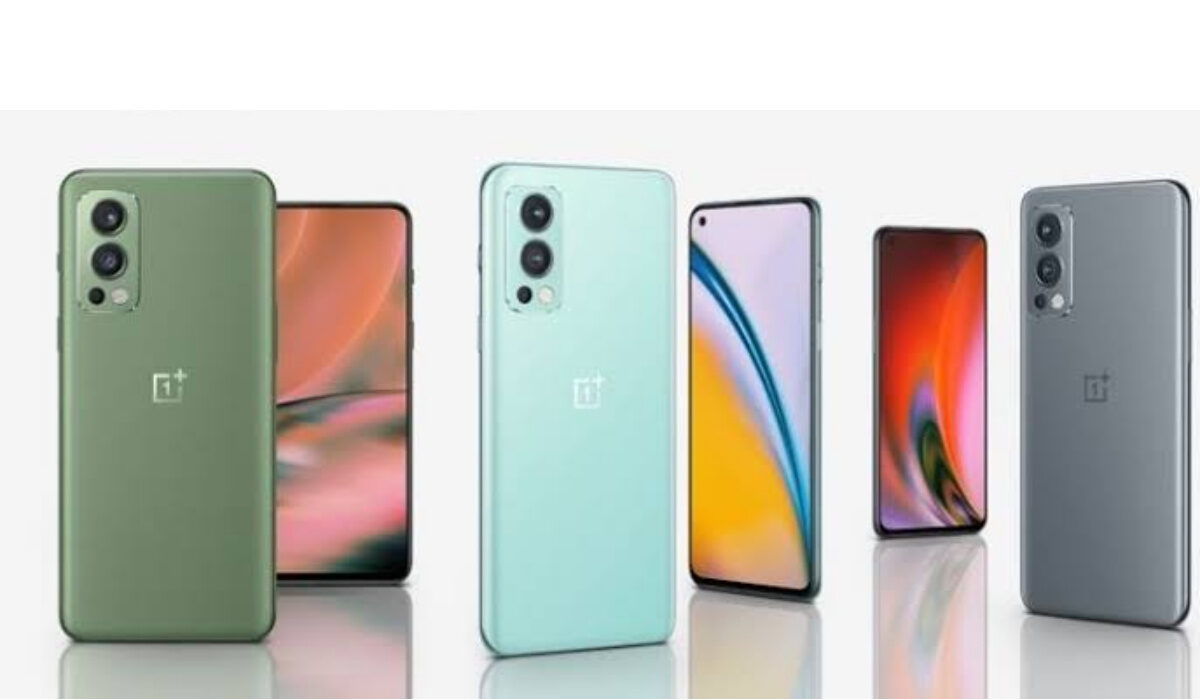
How long does OnePlus support their phones? The new OnePlus Software Update Policy spells it out.
- July 2021 OnePlus Software Update Policy
- November 2022 OnePlus Software Update Policy
- Frequently Asked Questions About OnePlus Software Update Policy How long are Nord phones supported? How long will OnePlus phones get updates? Does OnePlus get software updates? Which Android phone is best for support?
- Final words
July 2021 OnePlus Software Update Policy
- Flagship products : The company’s flagships are top-of-the-line smartphones like the OnePlus 8 series, OnePlus 9 series, and OnePlus 10 series. The category includes the T and R versions of each series, e.g., OnePlus 9T or 9R. These devices will receive 3 major Android updates and 4 years of security updates. Example: if a smartphone in this class launches with Android 12, it will get Android 13, Android 14, and Android 15, as well as monthly security updates all through Android 16. Note that it will not get Android 16 itself; just the security updates.
- Upper mid-range products: These include the Nord and Nord CE line. These devices will receive 2 major Android updates and 3 years of security updates.
- Lower mid-range products: These include the Nord N series like N10, N100, and N200. All N series devices will receive 1 major Android update and 3 years of security updates.
It is a bit complicated, if you are new to OnePlus phones, but you will get the hang of it. As it is, the new OnePlus software update policy is excellent if you are buying a OnePlus flagship smartphone. You get three years of major updates. If you go for one of the more pocket-friendly, mid-range Nord models, you get 2 years of major updates. And with the bottom-of-the-range Nord N models, you get one major update. Not exactly exciting, but one loaf of bread is better than none; right?
November 2022 OnePlus Software Update Policy
In November 2022, OnePlus annonced a new update policy that policy promises four major Android updates and five years of security updates delivered every two months. This is an improvement over the July update policy. It does seem like this announcement applies only to the high-end OnePlus models like the OnePlus 11 series, and does not include the lower end Nord series.
How long are Nord phones supported?
Regular Nord devices receive two major Android updates and three years of security updates, while Nord N series devices receive one major Android update and three years of security updates.
Back in July 2021, OnePlus announced a new update policy for its smartphones and asserted that the OnePlus 8 series and newer versions will get three major Android OS updates and four years of security updates.
In November 2022, OnePlus updated their software update policy, increasing the support period to four years of major Android OS updates and give years of security patches.
Does OnePlus get software updates?
Yes, OnePlus smartphones get software updates, ranging from one major update to 4 major updates, depending on the class of smartphone you buy.
Which Android phone is best for support?
By way of comparison, Samsung’s Android phones currently get the best software support – some models get as much as 4 years of major software updates. The new Pixel 8 and Pixel 8 Pro, both released in 2023, now have the best software support – 7 years of Android major updates.
Final words
Android phones have not had a good reputation for software updates but that is changing drastically, with some Android phone brands now pushing out updates for more than four years .
Author:Mister Mobility
Digital Skills and Communication Coach | Mobile Phone Connoisseur since 2001 | Tech Blogging since 2004
Add MobilityArena as a preferred source on Google
Until now, notifications permissions on Android OS has been a fire brigade affair. Power on a new Android phone and sign in to use your various apps and services, and immediately, a deluge of notifications begins to bombard you on that phone. You can then manually disable or modify notifications for each app in order to restore some sanity to your mobile experience. It is insane, and I got tired of it a long time ago. Thankfully, Android 13 addresses that with its new notifications permissions, which requires apps to ask for your permission before they can send you notifications. Eureka!
The apps now have to get your consent before . Not you scrambling to put out fires. That is exactly how it should have been from the beginning. Letting apps buzz and harass us with notifications that we didn’t ask for was a bad idea. Perhaps in the early days, it wasn’t so glaring, but as apps multiplied and users embraced them, it became a problem of epic proportions. Suddenly, you had 40 apps throwing up push notifications via audio, banners, and pop-ups all over your Android smartphone. Messy and annoying.
I spend so much time now tailoring notifications on my phone, in order to reduce the annoyance to the barest minimum. But with the new Android 13 notifications permissions, I am now in the driving seat of my phone. No app gets to send me any push notifications first without my consent. Brilliant. I can’t wait for this to arrive, so I can go back to a life of peace and quiet.
How does the new notifications permissions on Android 13 work?
By default, notifications will be off for all newly installed apps; they simply cannot send you any notifications without you enabling it. If you are updating your phone from Android 12 to 13, it means you have existing apps. How does the new permissions affect those? The system automatically grants existing apps the new permission, so they can continue to send notifications. If you don’t want them to send any, you can still manually disable notifications for them, one by one.
In all, the new notifications permissions in Android 13 is a fantastic move to wrest control from the smartphone and back in the hands of the user – you and me. You can bet that I will be updating my phone to Android 13 at the first chance I get. Where that isn’t possible, or the update is not available early enough, I shall be replacing the phone with an Android 13 device ASAP. One way or the other, I am embracing this superb feature early. As a matter of fact, it cannot come early enough.
Android 13 beta is already rolling out, and if you are a developer or an adventurer, you can get to experience it before the final public version is out. You need an eligible device. You also need to remember that beta software is not recommended for use on a device you use as your daily driver. If you understand that and will like to proceed, get Android 13 beta .
- Don’t miss our reviews .
- Follow our news on Google News .
- Join our WhatsApp Group , to be notified of the most important articles and deals,
- Follow us on Instagram , Facebook , Twitter , and YouTube .
Author:Mister Mobility
Digital Skills and Communication Coach | Mobile Phone Connoisseur since 2001 | Tech Blogging since 2004
