Add MobilityArena as a preferred source on Google
Starlink has been a great success in providing Internet access to remote locations, but it comes at a steep price. The new Starlink MINI is a more compact version with a smaller dish that measures 28.9×24.8 cm (11.4″ x 9.8″) in dimensions, and it comes at about half the price of the regular service.
This more compact, more affordable service is sure to have a greater impact on Internet connectivity globally. We are talking about a package that you can carry around in a backpack. I call it a proper game changer in the industry.
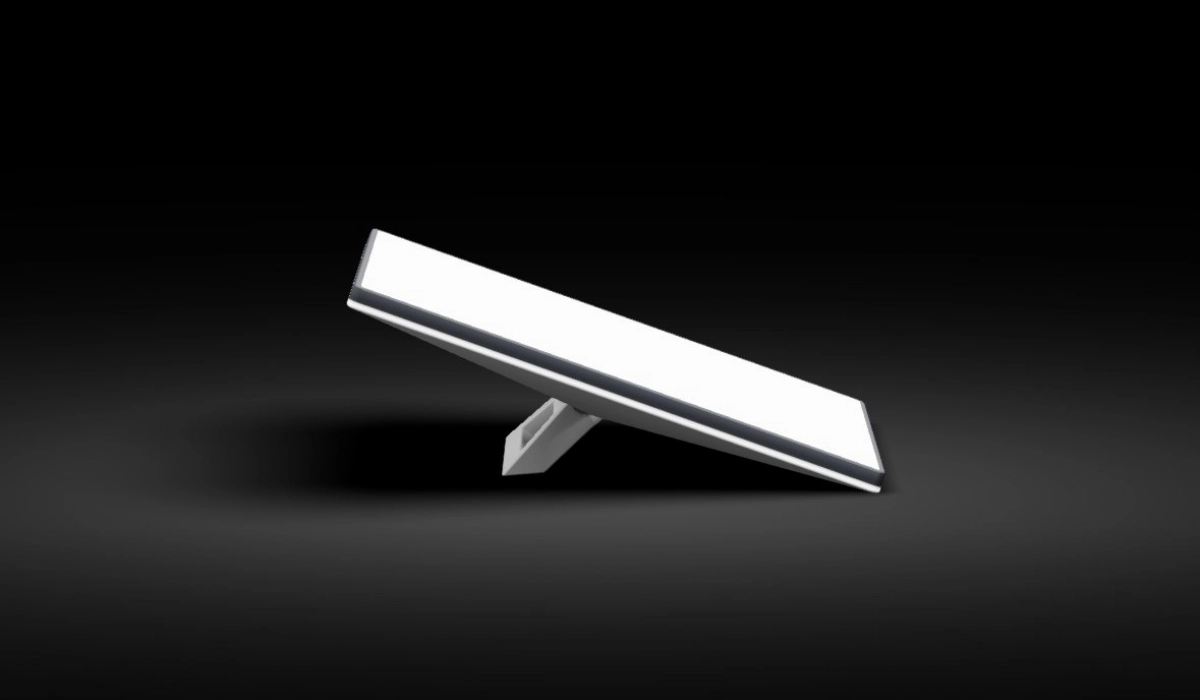
Starlink MINI dish is more compact
The new Starlink MINI weighs a mere 1.10 kg (2.43 lb), supports WiFi 5, and has a 3 x 3 MU-MIMO, 1 Ethernet port with a rubber plug, 12-48 V, up to 60W power input with Barrel Jack, a USB-C to Barrel Jack Cable that sells separately. The kickstand and pipe adapter are included in the box.
What kind of speeds are we to expect from Starlink MINI? The smaller dish implies some type of impact on performance, and it does. Expected download speed is in the region of 100Mbps and upload speed is in the region of 11.5 Mbps. But it is the latency that blows things out of the water, with a speedtest result shared by Elon Musk showing a 23ms latency. That is fantastic.
Starlink MINI looks like a great solution for everyday Internet users who need a reliable connection at a more affordable price. Elon says it costs about half the acquisition and subscription prices of the regular Starlink service. Startup costs for the regular Starlink starts from $599, so you can expect to be able to get started with Starlink MINI for about $300 and pay a monthly subscription in the region of $60. Not bad at all.
This more affordable, super portable Starlink dish is exactly what millions of people have been wanting. In addition, it is easy to set up. According to Elon, the new Starlink MINI can be setup in less than 5 minutes.
When will the service be available? Elon Must says that it will roll out to select areas in a few months from now. You can expect to see it go on sale in two to six months, at the most.
Starlink is pushing a number of innovative solutions for keeping people connected outside of regular terrestrial connectivity. Starlink Direct-to-Cell is another such solution developed to keep cell phones connected even when outside of the coverage area of cellular carriers.
Author:Mister Mobility
Digital Skills and Communication Coach | Mobile Phone Connoisseur since 2001 | Tech Blogging since 2004
Add MobilityArena as a preferred source on Google
In the unfortunate event that your cell phone is stolen, swift action can protect your personal information and prevent unauthorized use. Is it possible to block a stolen cell phone in the United States? Yes, it is.
One of the most effective measures is to block your phone using its unique IMEI number. This digital fingerprint can render your device unusable on networks, deterring theft and safeguarding your data. And that is comforting news. Your phone might be gone, but you can render it unusable to the thief even if you can’t get it back. Let’s get into the nitty-gritties of how to block a stolen cell phone, regardless of what mobile carrier you are using in the United States of America.
How does IMEI (International Mobile Equipment Identification) work?
Each time a cell phone is switched on, with a SIM card inside it, the SIM immediately attempts to register your IMEI number on the servers of the network service provider or wireless carrier. The IMEI number is permanently stored in the server database of the carrier. If your phone is lost or stolen, you can ask your carrier to blacklist and block your IMEI number, so that your phone cannot be used on their service. Where your carrier is part of a collaboration with other carriers, your phone will also be blacklisted on all of those carriers, so it cannot be used there, too. Essentially, the stolen phone becomes useless.
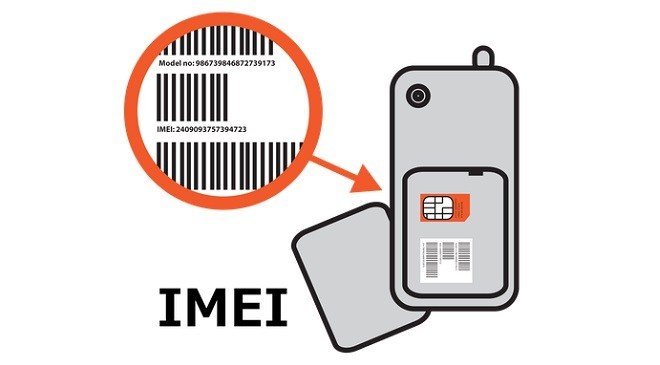
- How does IMEI (International Mobile Equipment Identification) work?
- How to block a stolen cell phone using IMEI Number in the United States
- What else to do if your cell phone is stolen in the U.S.
How to block a stolen cell phone using IMEI Number in the United States
To block a stolen mobile phone using the IMEI number in the United States, you should:
- Find your IMEI number (usually found on the original box or by dialing *#06# on the phone).
- Contact your network carrier and provide them with the IMEI number and your phone’s registered details.
- Complete any identification process they require.
- Request that they block your phone due to theft.
Additionally, you may want to file a police report with the IMEI number. Your service provider may also be able to disable your device to block access to its information.
What else to do if your cell phone is stolen in the U.S.
Apart from requesting that your carrier block the stolen phone using the IMEI number, there are a few other things you can do in the event that your cell phone is stolen.
- You can attempt to locate the device by calling it immediately (if you are in the location where it was stolen) or by using an anti-theft software-enabled GPS locator.
- If you have installed anti-theft software on your device, use it to lock the phone, wipe sensitive information and/or activate the alarm. Even if you think you may have only lost the device, you should remotely lock it to keep the data on it safe.
- Immediately report the theft to the police, including the make and model, serial and IMEI or MEID or ESN number. Some service providers require proof that the device was stolen, and a police report would provide that documentation.
- Immediately report the theft or loss to your mobile wireless carrier. You will be responsible for any charges incurred prior to when you report the stolen or lost device.
- Request written confirmation from your service provider that you reported the device as missing and that the device was disabled.
Author:Mister Mobility
Digital Skills and Communication Coach | Mobile Phone Connoisseur since 2001 | Tech Blogging since 2004
