Add MobilityArena as a preferred source on Google
We saw the world’s first 5G phone in 2017 and soon after, commercial 5G smartphones hit the market, but bearing hefty price tags. Thankfully, as the technology becomes more mainstream, we are seeing more 5G devices at much more affordable prices. If you do not want to spend anything close to $1000 to enjoy 5G Internet on your smartphone, we have curated a list of the most afforadable and cheapest 5G phones available to buy in 2020.
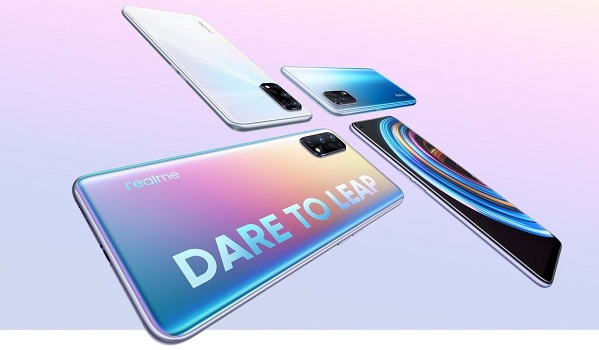
The Cheapest 5G Phones You Can Buy In 2020
The 5G smartphones on this list cost $600 and below. You will also be surprised to find out that there are now 5G phones that cost as low as $200 too.
Samsung Galaxy A71 5G
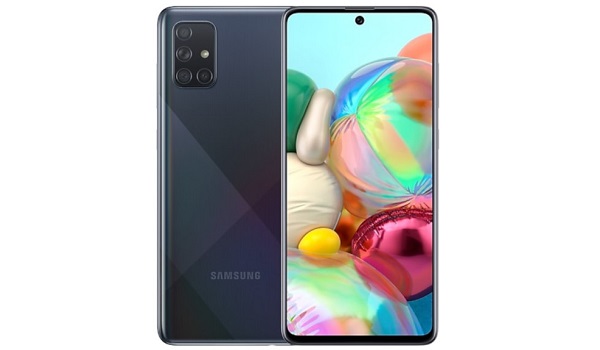
- Network Support: Dual Mode 5G (SA/NSA). Sub6
- Display: 6.7 inches, 1080 x 2400 pixels, Super AMOLED
- Processor: Snapdragon 765G/EXYNOS 980
- RAM: 6 GB / 8 GB
- Storage: 128 GB
- Battery Capacity: 4500 mAh
- Battery Charging: 25W fast charging
- Main Camera: 64 MP+ 12 MP + 5 MP + 5 MP
- Front Camera: 32 MP
- Operating System: Android 10
- Price: $600
- Available in: United States. Europe. Asia.
Samsung Galaxy A51 5G
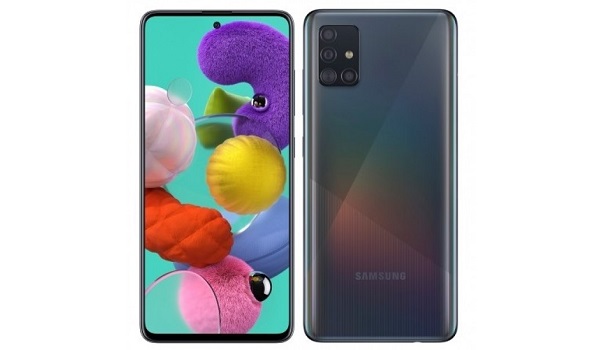
- Network Support: Dual Mode 5G (SA/NSA). Sub6
- Display: 6.5 inches, 1080 x 2400 pixels, Super AMOLED
- Processor: EXYNOS 980
- RAM: 6 GB / 8 GB
- Storage: 128 GB
- Battery Capacity: 4500 mAh
- Battery Charging: 15W fast charging
- Main Camera: 48 MP + 12 MP + 5 MP + 5 MP
- Front Camera: 32 MP
- Operating System: Android 10
- Price: $500
- Available in: United States. Europe. Asia.
Vivo Z6 5G
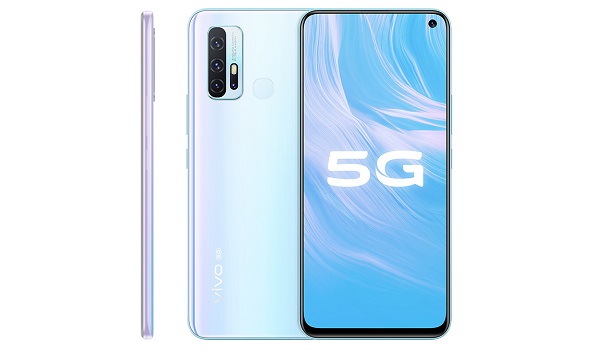
- Network: Dual Mode 5G (SA/NSA)
- Display: 6.57 inches, 2400×1080 pixels
- Processor: Snapdragon 765G
- RAM: 6 GB / 8 GB
- Storage: 128 GB
- Battery Capacity: 5,000 mAh
- Battery Charging: 44W fast charging
- Main Camera: 48 MP + 8 MP depth + 2 MP depth + 2 MP macro
- Front Camera: 16 MP
- Operating System: Android 10
- Price: CNY2,298/$330/€300 (6/128GB). CNY300/$43/€39 (8/128GB)
- Available in: China.
CoolPad Legacy 5G
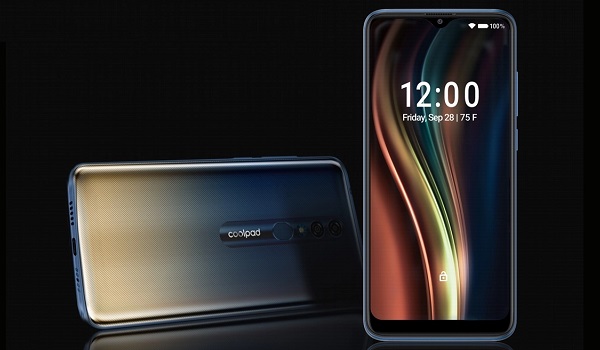
- Network Support: sub-6GHz 5G
- Display: 6.53 inches, 2220×1080 pixels, HDR10, IPS LCD
- Processor: Qualcomm Snapdragon 765
- RAM: 4 GB
- Storage: 64 GB
- Battery Capacity: 4000 mAh
- Battery Charging: 18W fast charging (Qualcomm Quick Charge 3.0)
- Main Camera: 48 MP + 8 MP
- Front Camera: 16 MP
- Operating System: Android 10
- Price: Under $400
- Available in: United States of America (with support for T-Mobile, AT&T, Sprint). China.
Samsung Galaxy A42 5G
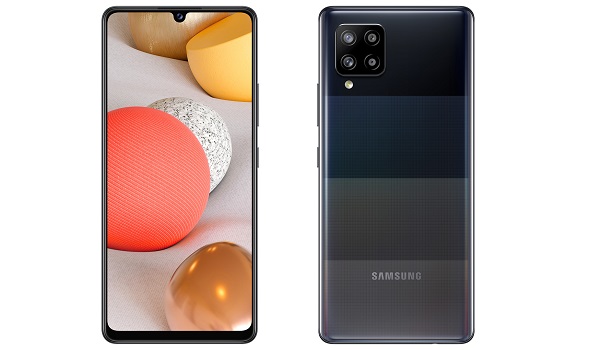
- Network Support:
- Display: 6.6-inch, 1080P, Super AMOLED
- Processor:
- RAM: 6 GB
- Storage: 64 GB
- Battery Capacity: 5000 mAh
- Battery Charging: 15W fast charging
- Main Camera: 48MP + 8 MP + 5 MP + 5 MP
- Front Camera: 20 MP
- Operating System: Android 10
- Price: €369
- Available in: Europe from November 2020
Redmi K30 5G
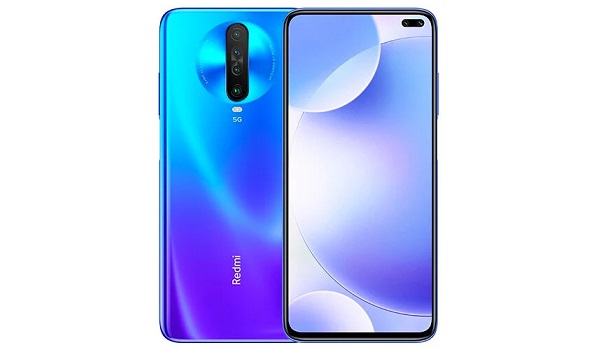
- Network Support:
- Display: 6.67-inch FHD+ LCD, 120Hz refresh rate
- Processor: Snapdragon 765G
- RAM: 6GB
- Storage: 128GB
- Battery Capacity: 4,500 mAh
- Battery Charging: 30W fast charging
- Main Camera: 64 MP + 8 MP + 5 MP
- Front Camera: 20 MP + 2 MP
- Operating System: Android 10
- Price: CNY1,999/$285/€255) (6/64 GB). CNY2,299/$325/€295 (6/128 GB). CNY2,599/$370/€335 (8/128 GB)
- Available in: China
Redmi K30i 5G

- Network Support: Dual Mode 5G (SA/NSA)
- Display: 6.67-inch FHD+ LCD, 120Hz refresh rate
- Processor: Snapdragon 765G
- RAM: 6GB
- Storage: 128GB
- Battery Capacity: 4,500 mAh
- Battery Charging: 30W fast charging
- Main Camera: 48 MP + 8 MP + 5 MP
- Front Camera: 20 MP + 2 MP
- Operating System: Android 10
- Price: CNY 1,899/$266
- Available in: China
Realme v3
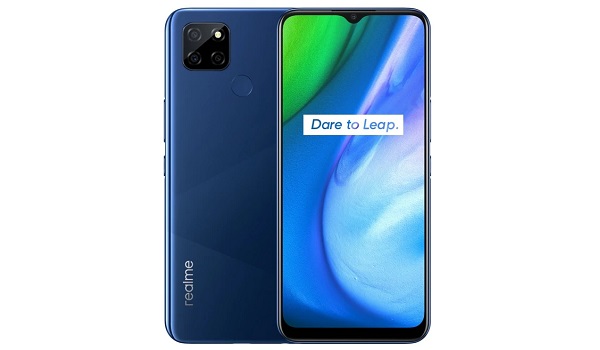
- Network Support:
- Display: 6.52 inches, 720×1600 pixels
- Processor: Dimensity 720G
- RAM: 4GB / 6GB / 8GB
- Storage: 64GB / 128 GB
- Battery Capacity: 5000mAh battery
- Battery Charging: 18W fast charging
- Main Camera: 13MP + 2MP depth + 2MP macro
- Front Camera: 8 MP
- Operating System: Android 10
- Price: CNY 999/$150 (4/64GB); CNY 1,399/$205 (6/64GB); CNY 1599/$235 (8/128GB)
- Available in: China.
Clearly, the very cheapest 5G phones are available the most in China, followed by Asia. But more and more affordable 5G smartphones are showing up in North America and Europe too.
Glossary
What is dual-mode 5G?
Dual Mode 5G refers to the support of two primary types of 5G networks NSA (Non-Standalone Access) and SA (Standalone Access). Non-Standalone (NSA) 5G networks are those that are supported by existing 4G infrastructure.
Most earlier 5G phones supported 5G NSA only.
What is 5G sub 6GHz?
In 5G networks, mmWave refers to radio frequency spectrum above 6 GHz. Spectrum below 6 GHz is not mmWave.
What is 5G mmWave?
Think of 6 GHz as the dividing line for mmWave. mmWave refers to radio frequency spectrum above 6 GHz. Spectrum below 6 GHz is not mmWave.
Author:InfoDesk
Add MobilityArena as a preferred source on Google
You need to learn how to forward calls on iPhone (or Android phone) if you find yourself in a situation in which you know you need to be reached by voice call but you will have no access to your phone for a period of time.
To forward calls on iPhone is relatively easy to do. You probably just have not given much thought to it. We will walk you through the few steps it takes to setup call forwarding on iPhone.
The below steps work for setting up call forwarding on iPhone on GSM networks only. This means that the process will work on most mobile networks around the world, including networks like MTN, Airtel, Glo, and 9mobile, as well as American wireless carriers like AT&T, T-Mobile, Metro PC, Cricket Wireless, and other GSM carriers.
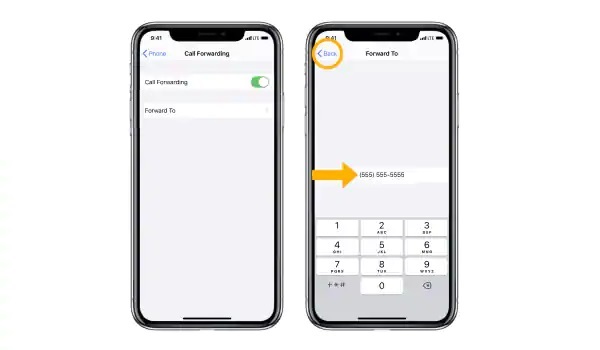
How to forward calls on iPhone
These steps will not work if your line is on a CDMA carrier like Verizon or Boost Mobile.
How to forward calls on iPhone on GSM networks
- Go to your iPhone’s general Settings menu,
- Choose Phone ,
- Scroll down to find the Call Forwarding option, then tap on it.
- On the Call Forwarding page, swipe the button to the right to turn on call forwarding.
- Tap Forward To , and enter the phone number that you want to forward to.
- Return to the previous menu to quit the call forwarding settings. Your changes will be saved automatically.
That is it. You have set up call forwarding on your Apple iPhone. Whenever you get access to your device again, do not forget to turn off the forwarding.
How to turn off call forwarding on iPhone on GSM networks
- Go to your iPhone’s general Settings menu,
- Choose Phone ,
- Scroll down to find the Call Forwarding option, then tap on it.
- On the Call Forwarding page, swipe the button to the left to turn call forwarding off.
- Return to the previous menu to quit the call forwarding settings. Your changes will be saved automatically.
You will now be able to receive incoming calls on your line again.
Meanwhile, what of call forwarding on Android phones? The process is similar to how to activate for iPhone. Let’s have a quick look.
How to forward calls on Android Phone on GSM networks
- On your Android phone, open the Phone app .
- Tap the 3-dot menu button or the 3-line menu button in the top right corner.
- Tap ‘ Settings ’
- Scroll to find ‘Call settings’ and tap on it.
- Tap on ‘ Call forwarding ’ or ‘ Call forwarding settings ‘.
- If it is a dual SIM phone, you will be presented with options to select which line or SIM you want to forward incoming calls for. Tap on your preferred choice.
- You will see multiple options, including: Always forward : enable this if you want all your incoming calls go to another number, even when you have access to your line or phone. When busy : enable this to forward incoming calls when you are on another call or when you reject an incoming call. When unanswered : enable this to forward an incoming call only when you don’t take a call. When unreached : enable this to forward incoming calls only when your phone is switched off, in Airplane/Offline mode, or is out of coverage area.
- Tap your preserred choce and enter the number you want to forward your calls to.
- Select ‘T urn on’ ,, ‘ Enable ’, or ‘ Okay ’, depending on what terminology your phone uses.
That is it. You have set up call forwarding on your Android smartphone. Note that the above steps work only for lines/numbers on GSM networks.
How to turn off call forwarding on Android Phone on GSM networks
To turn off call forwarding on Android phone, follow steps 1 to 7 above and then disable any existing call forward that you have there.
