Add MobilityArena as a preferred source on Google
Which is the best American mobile company? For starters, let’s look at the American phone market. It is very distinct from what obtains in many other countries around the world. One of its distinctive features is that there are fewer cell phone brands to pick from, compared to many other countries.
This means that some of the world’s biggest phone brands are missing here in the U.S. Brands like Xiaomi, OPPO, Huawei, Honor, and Sony have no official presence and almost zero market share. The only way to get a phone from one of these brands is to order it online and have them shipped into the US. You won’t find them in any phone store.
- The Top Cell Phone Brands in America Apple iPhone Samsung Galaxy Motorola (Lenovo) Google Pixel LG Nokia OnePlus
- Smaller Cell Phone Brands in America
- The Best American Mobile Company
The Top Cell Phone Brands in America
In order to select the best American mobile company, we need to have a look at the leading cell phone brands in the United States first.
Apple iPhone
By far the most popular and most iconic cell phone brand in the USA is Apple’s iPhone. Introduced in 2007 by Steve Jobs, the iPhone has gone on to become the darling boy of the US smartphone market. The iPhone has about 50% of the American smartphone market. In other words, iPhones make up 5 out of every 10 smartphone in the U.S. Apple iPhone has proven unstoppable so far.
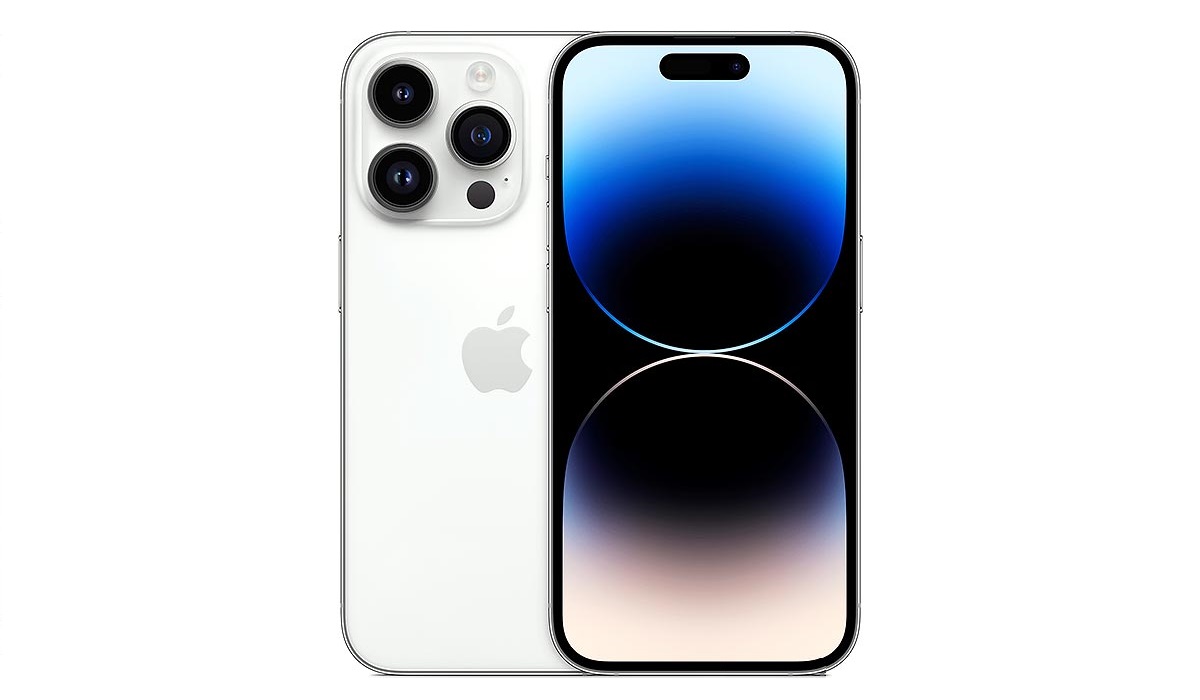
Apple iPhone is the leading cell phone brand in America.
Apple itself is an American mobile company, and it is the most successful one till date, selling hundreds of millions of iPhones every year, both in the USA and everywhere else in the world.
Samsung Galaxy
3 out of 10 Americans own a Samsung phone. That is nothing to scoff at. The iPhone may be the preference of most Americans, but phones by Samsung are loved by hundreds of millions of people in the USA. If the average American does not buy an iPhone, chances are they are picking up a Samsung. The American phone market is basically a duopoly between Apple and Samsung. Together, they take up about 80% of the country’s market.
Samsung Mobile is a Korean mobile company. It is also the world’s largest Android phone company.
Motorola (Lenovo)
Motorola phones have a fair following in the United States. Perhaps it is because once upon a time, Motorola Mobility was an American company and was the world’s largest mobile phone company. If you are new to the world of mobile, that may be strange news to you. But it is true.
Today, Motorola belongs to a Chinese company called Lenovo after a 2014 acquisition, but continues to sell its phones in the USA. A smart move, too, if you ask me.
Google Pixel
Struggling for years to gain significant marketshare, Google’s Pixel brand of smartphones is finally taking a prime spot in America’s cell phone market. With a marketshare of about 2%, Pixel smartphones are the delight of a small but loyal and vocal following.
Google is another American mobile company seeking devices in the USA. It has struggled to go mainstream for many years and it appears that it is about to grab more significant market share in the United States.
LG
While LG has officially stopped making phones, LG phones are still on sale in the country and the brand still has a sizeable marketshare just below 2% and it will drop further in the years ahead till you won’t be able to find an LG phone in the market any more. RIP LG. LG is a Korean company.
Nokia
Nokia is one of the oldest phone brands in the world. After Motorola’s time as the world’s top phone company, Nokia took up that baton and ran with it for about a decade. Yes, Nokia was once the world’s most popular phone brand for 10 years. Today, it is a much smaller brand, but it still commands mindshare and marketshare here on the US and elsewhere.
The Finnish company’s marketshare in the US smartphone is small, but it sells tons of dumb phones and feature phones every year.
OnePlus
OnePlus is the only other major Chinese brand (apart from Motorola) with any significant presence in the United States. Most of the sales of OnePlus phones happen online and the brand had a cult-like following that grew around its custom user interface, OxygenOS. This appears to have dwindled a bit in recent times as the company has changed how OxygenOS looks and works.
Smaller Cell Phone Brands in America
Besides the above highly-visible brands, there are quite a number of smaller brands selling smartphones in the United States. The list includes:
- BLU
- NUU Mobile
- CAT
- TCL
- Alcatel
- Unihertz
- AGM
The Best American Mobile Company
By far, Apple is the best American mobile company selling smartphones in the United States or anywhere else for that matter. It sells far more phones than any other American mobile company both here in the United States and also globally.
Author:Mister Mobility
Digital Skills and Communication Coach | Mobile Phone Connoisseur since 2001 | Tech Blogging since 2004
Add MobilityArena as a preferred source on Google
In this guide, I’ll show you how to set up and use email reminders in Apple Mail whether you use it on your iPhone, iPad, or Mac. Now, you’ll be able to keep track of emails you need to respond to later, and say goodbye to missed emails.
This is possible through Apple Mail’s new “ Remind Me ” feature in iOS 16 and macOS that reminds you about any mails you’ve missed. If you open an email but can’t respond right away, you can set the Mail app to remind you to do so later. Also you can use Remind Me to specify a date and time for Mail to resurface any important message in your inbox. So, here’s how to use Remind Me in Apple Mail.
- How Can You Use Email Reminders in Apple Mail on iPhone, iPad, and Mac? How to Use Email Reminders in Apple Mail on iPhones and iPads Use Email Reminders in Apple Mail from the Inbox Use Email Reminders in Apple Mail from an Email How to Use Email Reminders in Apple Mail on a Mac
How Can You Use Email Reminders in Apple Mail on iPhone, iPad, and Mac?
Being productive and focused can be challenging in the digital age since there is so much going on. Your inbox may overflow if you keep a large contact list and communicate frequently via email. If you use email reminders in Apple Mail however, you can go back to any email at a later time without fear of missing out on important messages. Below, I’ll explain how to set up and use email reminders in Apple Mail.
How to Use Email Reminders in Apple Mail on iPhones and iPads
The email reminders feature in the Apple Mail app for iOS and iPadOS devices can be accessed in two ways. I’ll go over both methods in detail below.
Use Email Reminders in Apple Mail from the Inbox
When you’re going through your emails in your inbox, you can quickly filter through them and set reminders for yourself with a simple swipe. Here’s a step-by-step guide to use email reminders in Apple Mail from the inbox:
- To make a reminder for an email, open the native Mail app and swipe left on the email.
- Choose the More button, which is represented by three dots.
- Next, choose one of the four reminder options by tapping on Remind Me in the pop-up menu: Remind Me in 1 Hour means you’ll be alerted exactly one hour after setting the reminder. Remind Me Tonight means you’ll get a notification at 9 o’clock local time. Remind Me Tomorrow means you’ll get a notification the following day at 8 a.m. local time. Remind Me Later offers an option to specify a certain time and date for the reminder to be sent.
After opening and reading an email, you can also set a reminder in the Mail app to return to it later.
Use Email Reminders in Apple Mail from an Email
You’ll notice a few icons at the bottom of the screen when you open an email. These icons help you sort, organize, and interact with your mailbox, but you can also you can set a reminder with them by following these steps:
- Tap the Reply button, which looks like a left-facing arrow, after you open an email.
- Now, in the menu that appears at the bottom, press Remind Me .
- Select the appropriate reminder option for you.
How to Use Email Reminders in Apple Mail on a Mac
One of the many benefits Apple Mail offers for Mac users is the Remind Me feature. Of course, you can set up reminders using a variety of Mac apps, but not everyone may find this convenient. Luckily, the Mail app’s Remind Me feature is accessible from your inbox, just like it is in the iOS and iPadOS versions of the app.
The larger screen on your Mac enables you to preview an email while browsing through your inbox. So, here’s how to use email reminders in Apple Mail on a Mac:
- Open the built-in Mail app and choose the message you wish to set a reminder for.
- Swipe right on your trackpad with two fingers, or Control -click on the email.
- Choose the best reminder option for you.
All in all , you can quickly remember important emails using the tips above, whether you’re using an iPhone, iPad, or Mac. You can also receive notifications so that you may respond to them later without depending on third-party reminder apps.
